
1. Introduction
Thank you for choosing the Ultima Cosa Aria Fresca 500 Air Purifier. This device is designed to improve the air quality in your home by effectively removing various airborne particles. Please read this manual thoroughly before operating the air purifier to ensure safe and optimal performance. Keep this manual for future reference.

Image: The Ultima Cosa Aria Fresca 500 Air Purifier, shown from an angled perspective, highlighting its compact and modern design.
2. Safety Instructions
To reduce the risk of fire, electric shock, or injury, please observe the following safety precautions:
- Always unplug the air purifier before moving, cleaning, or performing any maintenance.
- Do not operate the unit with a damaged cord or plug. If the cord or plug is damaged, contact customer support.
- Keep the power cord away from heated surfaces.
- Do not use the air purifier in wet or damp environments, such as bathrooms.
- Do not insert fingers or foreign objects into any openings of the air purifier.
- Ensure the air inlet and outlet are not blocked.
- This appliance is not intended for use by persons (including children) with reduced physical, sensory or mental capabilities, or lack of experience and knowledge, unless they have been given supervision or instruction concerning use of the appliance by a person responsible for their safety.
3. Product Components and Filter System
The Aria Fresca 500 Air Purifier utilizes a multi-stage filtration system to ensure comprehensive air purification.

Image: A visual representation of the three-stage filtration system. It shows the Pre-Filter capturing hair, dust, dander, and asbestos fiber; the HEPA-Filter removing smoke, dust mites, pollen, and bacteria; and the Activated Carbon filter adsorbing cooking smell, odors, and formaldehyde.
Filtration Stages:
- Pre-Filter: High-density mesh cloths designed to intercept large particles such as hair, dust, and pet dander.
- H13 True HEPA Filter: Effectively filters and removes fine airborne particles including pollen, dust mites, mold spores, fungus, smoke, and bacteria.
- Activated Carbon Filter: Adsorbs unpleasant odors, volatile organic compounds (VOCs), and cooking smells.
4. Setup
- Unpack: Carefully remove the air purifier from its packaging. Retain packaging materials for future storage or transport.
- Filter Installation: The filters may come pre-installed or require installation. Open the filter compartment (usually at the back or bottom) and ensure all filters are unwrapped from any plastic packaging before placing them securely inside. Refer to the filter compartment diagram if available on the unit.
- Placement: Place the air purifier on a firm, level surface. For optimal performance, ensure there is at least 15-30 cm (6-12 inches) of clear space around all sides of the unit to allow for proper air circulation. Avoid placing it directly against walls or furniture.
- Power Connection: Plug the power cord into a standard electrical outlet.

Image: The air purifier positioned in an office environment, demonstrating suitable placement for effective air purification.
5. Operating Instructions
The Aria Fresca 500 features intuitive controls for ease of use.
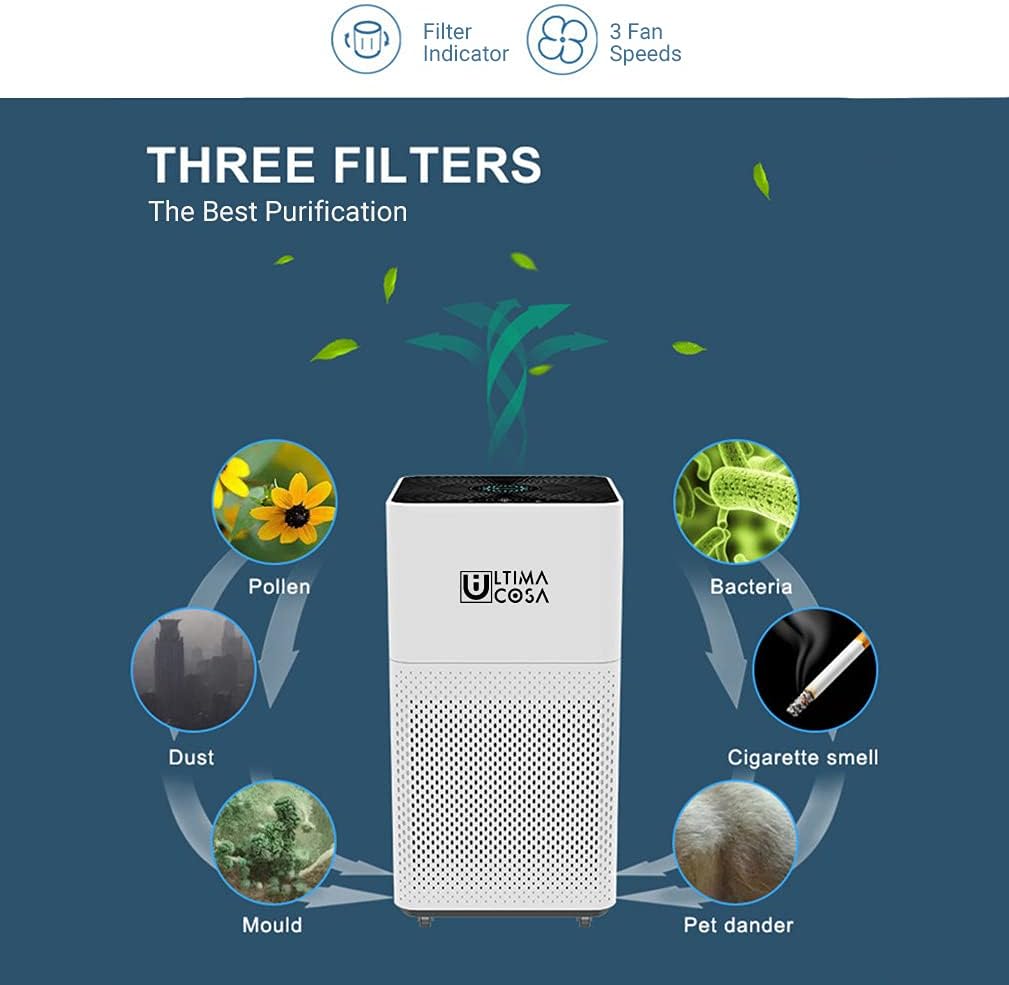
Image: A diagram illustrating the air purifier's capabilities, including a filter indicator, three fan speeds, and its effectiveness against pollen, bacteria, dust, mold, pet dander, and cigarette smoke.
- Power On/Off: Press the power button on the control panel or remote control to turn the unit on or off.
- Fan Speed Control: The air purifier features a 3-speed fan. Press the fan speed button to cycle through low, medium, and high settings. Select the speed appropriate for your air purification needs.
- Air Quality Indicator: The unit includes a color air quality indicator. This indicator changes color to reflect the current air quality in the room, providing real-time feedback.
- Remote Control: Use the provided remote control to conveniently adjust settings from a distance.
6. Maintenance
Regular maintenance ensures the longevity and efficiency of your air purifier.
Filter Replacement:
- The air purifier is equipped with a filter indicator that will illuminate when it's time to replace the filters.
- Filter lifespan varies depending on air quality and usage, typically every 6-8 months.
- To replace filters: Unplug the unit. Open the filter compartment. Remove the old filters and dispose of them properly. Insert new H13 True HEPA filters, ensuring they are correctly oriented. Close the compartment.
- After replacing filters, reset the filter indicator by pressing and holding the filter reset button (refer to your unit's control panel for exact location) for a few seconds until the indicator light turns off.
Cleaning:
- Exterior: Wipe the exterior of the air purifier with a soft, dry cloth. Do not use abrasive cleaners or solvents.
- Pre-Filter: The pre-filter can be gently vacuumed to remove larger dust particles between replacements. Do not wash the HEPA or Activated Carbon filters.
- Ensure the unit is unplugged before any cleaning.
7. Troubleshooting
If you encounter issues with your air purifier, please refer to the following common problems and solutions:
| Problem | Possible Cause | Solution |
|---|---|---|
| Unit does not turn on | No power supply; Power cord not properly plugged in | Check power outlet; Ensure power cord is securely plugged in |
| Reduced airflow | Filters are dirty or clogged; Air inlets/outlets blocked | Replace filters; Clear any obstructions from inlets/outlets |
| Unusual noise | Foreign object inside; Unit not on a level surface | Unplug and check for obstructions; Place on a stable, flat surface |
| Odor persists | Activated carbon filter saturated | Replace the activated carbon filter |
If the problem persists after attempting these solutions, please contact customer support.
8. Specifications
Technical details for the Ultima Cosa Aria Fresca 500 Air Purifier:
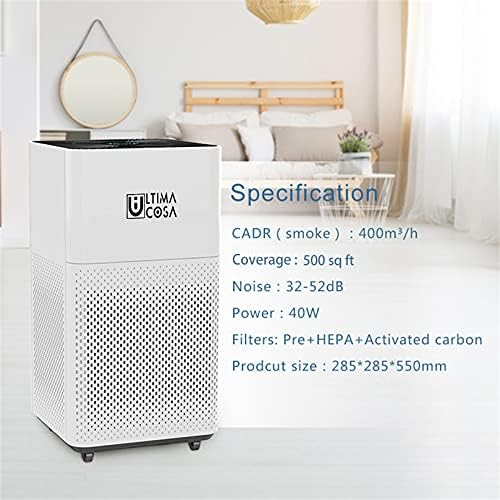
Image: The air purifier displayed alongside its key specifications, including CADR, coverage area, noise level, power consumption, filter types, and product dimensions.
- Brand: Ultima Cosa
- Model: Aria Fresca 500
- Colour: White
- Filter Type: H13 True HEPA, Pre-Filter, Activated Carbon
- Coverage Area: 500 sq ft
- Power Source: Corded Electric
- Power Consumption: 40W
- Noise Level: 32-52dB
- Controller Type: Remote Control
- Assembly Required: No
- Included Components: User Manual
- UPC: 755101787885
9. Warranty and Support
Warranty: The Ultima Cosa Aria Fresca 500 Air Purifier comes with a 1-year limited warranty from the date of purchase. This warranty covers defects in materials and workmanship under normal use. It does not cover damage resulting from misuse, accident, modification, or unauthorized repair.
Customer Support: For technical assistance, warranty claims, or to purchase replacement filters, please contact Ultima Cosa customer support. Refer to the product packaging or the official Ultima Cosa website for the most current contact information.