
Konex audio K-Two
Konex K-Two Vintage Bluetooth Portable Speaker Instruction Manual
Model: K-Two | Brand: Konex audio
1. Introduction
The Konex K-Two Vintage Bluetooth Portable Speaker combines classic aesthetics with modern audio technology, offering a rich sound experience in a portable design. This manual provides essential information for setting up, operating, maintaining, and troubleshooting your speaker.
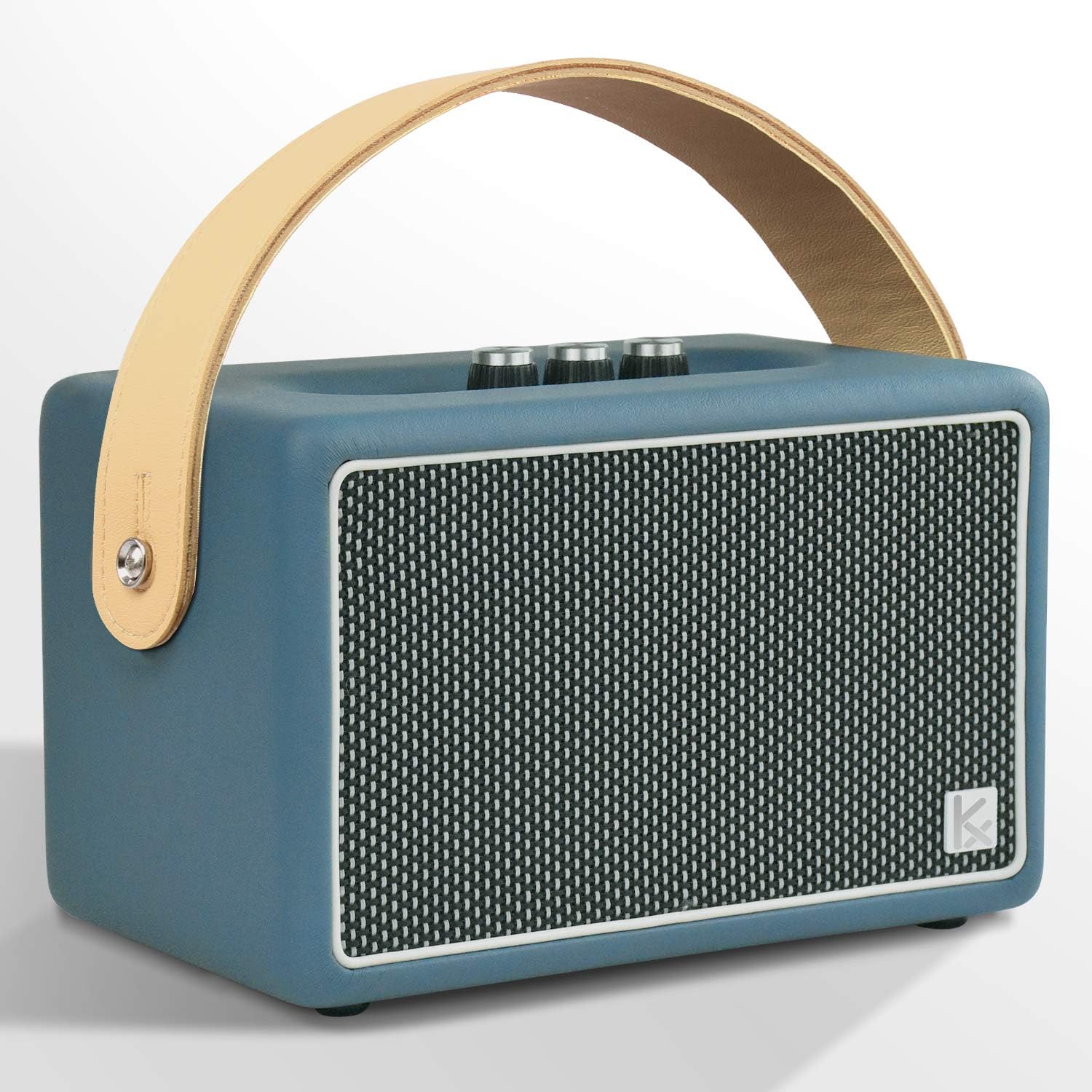
Figure 1: Konex K-Two Vintage Bluetooth Portable Speaker (Blue model).
2. Key Features
- Retro Styled Design: Features a rotary knob and vintage aesthetics.
- Powerful Audio: 40W output with enhanced bass from high-quality tweeters and woofers.
- Adjustable Controls: Independent volume, bass, and treble control knobs.
- Stable Connectivity: Bluetooth 4.2 for a strong connection up to 33 feet (10 meters), plus a 3.5mm AUX input.
- Extended Playtime: Built-in 4400mAh rechargeable battery provides up to 20 hours of music playback.
3. Setup and First Use
3.1 Unpacking
Carefully remove the speaker from its packaging. Ensure all components are present: Konex K-Two speaker, power adapter, and this instruction manual.
3.2 Charging the Speaker
Before first use, fully charge the speaker. Connect the provided power adapter to the AC input port on the back of the speaker and plug it into a wall outlet. The power indicator lights will show charging status.

Figure 2: Rear panel with AC input for charging.
3.3 Powering On/Off
Locate the Power switch on the top panel. Flip the switch to the 'ON' position to power on the speaker. Flip it to 'OFF' to power off.

Figure 3: Top control panel showing power switch and other controls.
3.4 Bluetooth Pairing
- Ensure the speaker is powered on. The Bluetooth indicator light will flash, indicating it is in pairing mode.
- On your device (smartphone, tablet, etc.), enable Bluetooth and search for available devices.
- Select "K-Two" from the list of devices.
- Once paired, the Bluetooth indicator light on the speaker will become solid, and you will hear a confirmation tone.

Figure 4: Bluetooth pairing process with a mobile device.
Note: The speaker will automatically attempt to reconnect to the last paired device when powered on.
3.5 AUX Input
To connect a device via the 3.5mm AUX input, simply plug a 3.5mm audio cable (not included) from your device's headphone jack to the AUX Input port on the back of the speaker. The speaker will automatically switch to AUX mode.
4. Operating the Speaker
4.1 Controls Overview
The top panel of the Konex K-Two speaker features several controls for audio adjustment and playback:
- Power Switch: Toggles the speaker on or off.
- Volume Knob: Adjusts the overall playback volume.
- Bass Knob: Adjusts the bass level. Turn clockwise for more bass, counter-clockwise for less.
- Treble Knob: Adjusts the treble level. Turn clockwise for more treble, counter-clockwise for less.
- Bluetooth/Pair Button: Press to enter Bluetooth pairing mode or to disconnect/reconnect.
- Play/Pause Button: Controls media playback (play/pause).
- Previous/Next Track Buttons: Skips to the previous or next track.

Figure 5: Detailed view of the EQ adjustment knobs.
4.2 Audio Playback
Once connected via Bluetooth or AUX, begin playing audio from your source device. Use the volume, bass, and treble knobs on the speaker to customize your sound experience. The playback control buttons (Play/Pause, Previous/Next) can be used for basic media control.
5. Maintenance
- Cleaning: Use a soft, dry cloth to clean the speaker's exterior. Do not use liquid cleaners or abrasive materials.
- Storage: Store the speaker in a cool, dry place away from direct sunlight and extreme temperatures when not in use for extended periods.
- Battery Care: To prolong battery life, avoid fully discharging the battery frequently. Charge the speaker regularly, even if not in constant use.
- Water Resistance: This speaker is NOT waterproof. Avoid exposure to water or high humidity.
6. Troubleshooting
| Problem | Possible Cause | Solution |
|---|---|---|
| No power | Battery is depleted; Power switch is off. | Charge the speaker; Ensure the power switch is in the 'ON' position. |
| Cannot pair via Bluetooth | Speaker not in pairing mode; Device Bluetooth is off; Speaker too far from device. | Press the Bluetooth/Pair button; Enable Bluetooth on your device; Move device closer to speaker (within 33 ft/10m). |
| No sound | Volume too low; Incorrect input mode; Device volume too low. | Increase speaker volume; Ensure correct input (Bluetooth/AUX); Increase volume on your source device. |
| Sound distortion | Volume too high; Bass/Treble settings too extreme. | Reduce volume; Adjust Bass and Treble knobs to a moderate level. |
7. Specifications
| Feature | Detail |
|---|---|
| Model Name | K-Two |
| Brand | Konex audio |
| Connectivity Technology | Bluetooth 4.2, Auxiliary (3.5mm) |
| Speaker Maximum Output Power | 40 Watts |
| Audio Output Mode | Stereo |
| Battery Capacity | 4400 mAh |
| Playtime | Up to 20 hours |
| Bluetooth Range | 10 meters (33 feet) |
| Product Dimensions (D x W x H) | 5.51" x 8.66" x 5.91" |
| Item Weight | 7.39 pounds |
| Material | Leather |
| Input Voltage | 100-240V AC, 50/60Hz |
| Waterproof | No |
| UPC | 645569510098 |

Figure 6: Additional technical specifications.
8. Product Video Demonstration
Video 1: Official product video demonstrating the Konex K-Two Vintage Bluetooth Speaker's design, portability, controls, and Bluetooth pairing. The video shows the speaker being used in various settings, highlighting its aesthetic appeal and ease of use.
9. Warranty and Support
9.1 Limited Warranty
The Konex K-Two speaker comes with a limited warranty. Please refer to the warranty card included in your product packaging for specific terms and conditions. This warranty typically covers manufacturing defects under normal use.
9.2 Customer Support
For technical assistance, troubleshooting beyond this manual, or warranty claims, please contact Konex audio customer support. Contact information can usually be found on the product packaging or the official Konex audio website.
Ask a question about this manual
Ask about setup, troubleshooting, compatibility, parts, safety, or missing instructions. Manuals+ will review the question and use this page’s manual context to help answer it.