
Clarion XR5420
Contents
Clarion XR5420 Car Audio Amplifier User Manual
Model: XR5420
Introduction
The Clarion XR5420 Class D 4-Channel 400W Maximum Power Handling Car Audio Amplifier is designed to significantly enhance your in-car audio experience. This amplifier provides robust power output and features to optimize sound quality for your car's speaker system, including subwoofers. It is engineered for reliable performance and integrates seamlessly into various car audio setups.

Image: The Clarion XR5420 Class D 4-Channel Car Audio Amplifier shown alongside the included Gravity Magnet Phone Holder. The amplifier is silver with the Clarion logo, and the phone holder is in its retail packaging and as a standalone magnetic mount.
Key Features
- 400 Watts of Maximum Music Power: Delivers high peak power for dynamic audio reproduction.
- 95 Watts × 4 Continuous @ 2-Ohms: Provides strong continuous power output per channel at lower impedance.
- 55 Watts × 4 Continuous @ 4-Ohms: Stable and consistent power delivery for standard 4-ohm speaker configurations.
- 180 Watts × 2 Continuous @ 4-Ohms Bridged: Allows for higher power output to drive subwoofers or larger speakers when bridged.
- Selectable Gain Control: Enables precise matching of the amplifier's input sensitivity to the output of the source unit.
- Nickel Plated RCA Connectors: Ensures reliable and corrosion-resistant audio signal connections.
What's in the Box
The package for the Clarion XR5420 amplifier typically includes:
- Clarion XR5420 Class D 4-Channel Car Audio Amplifier
- Gravity Magnet Phone Holder (as part of the bundle)
- User Manual / Instruction Guide
- Mounting Hardware (screws, brackets, etc. - specific items may vary)
- Wiring Harnesses (power, ground, speaker outputs, RCA inputs - specific items may vary)
Setup and Installation
Proper installation is crucial for optimal performance and safety. It is highly recommended that installation be performed by a qualified professional car audio installer.
General Installation Guidelines:
- Disconnect Battery: Always disconnect the vehicle's negative battery terminal before starting any electrical work to prevent short circuits.
- Mounting Location: Choose a dry, well-ventilated location for the amplifier, away from direct sunlight, heat sources, and moisture. Ensure adequate airflow around the unit. Common locations include under seats, in the trunk, or behind panels.
- Power Wiring: Run a heavy-gauge power wire directly from the positive terminal of the car battery to the amplifier's power input. Install an inline fuse holder within 18 inches of the battery.
- Ground Wiring: Connect a heavy-gauge ground wire from the amplifier's ground terminal to a clean, unpainted metal surface on the vehicle's chassis. Ensure a solid, low-resistance connection.
- Remote Turn-On: Connect the amplifier's remote turn-on terminal to the remote output of your head unit. This allows the amplifier to turn on and off with your car's audio system.
- RCA Input Connections: Connect the RCA output cables from your head unit to the amplifier's RCA input jacks. Ensure correct channel matching (front, rear, subwoofer).
- Speaker Output Connections: Connect your speakers to the amplifier's speaker output terminals. Pay close attention to polarity (+ and -) for each speaker. For bridged operation, follow the specific wiring diagram provided in the full installation manual.
- Gain Adjustment: Once all connections are made and verified, adjust the amplifier's gain control. Start with the gain at minimum and slowly increase it until the desired volume is achieved without distortion. Refer to the full manual for detailed gain setting procedures.
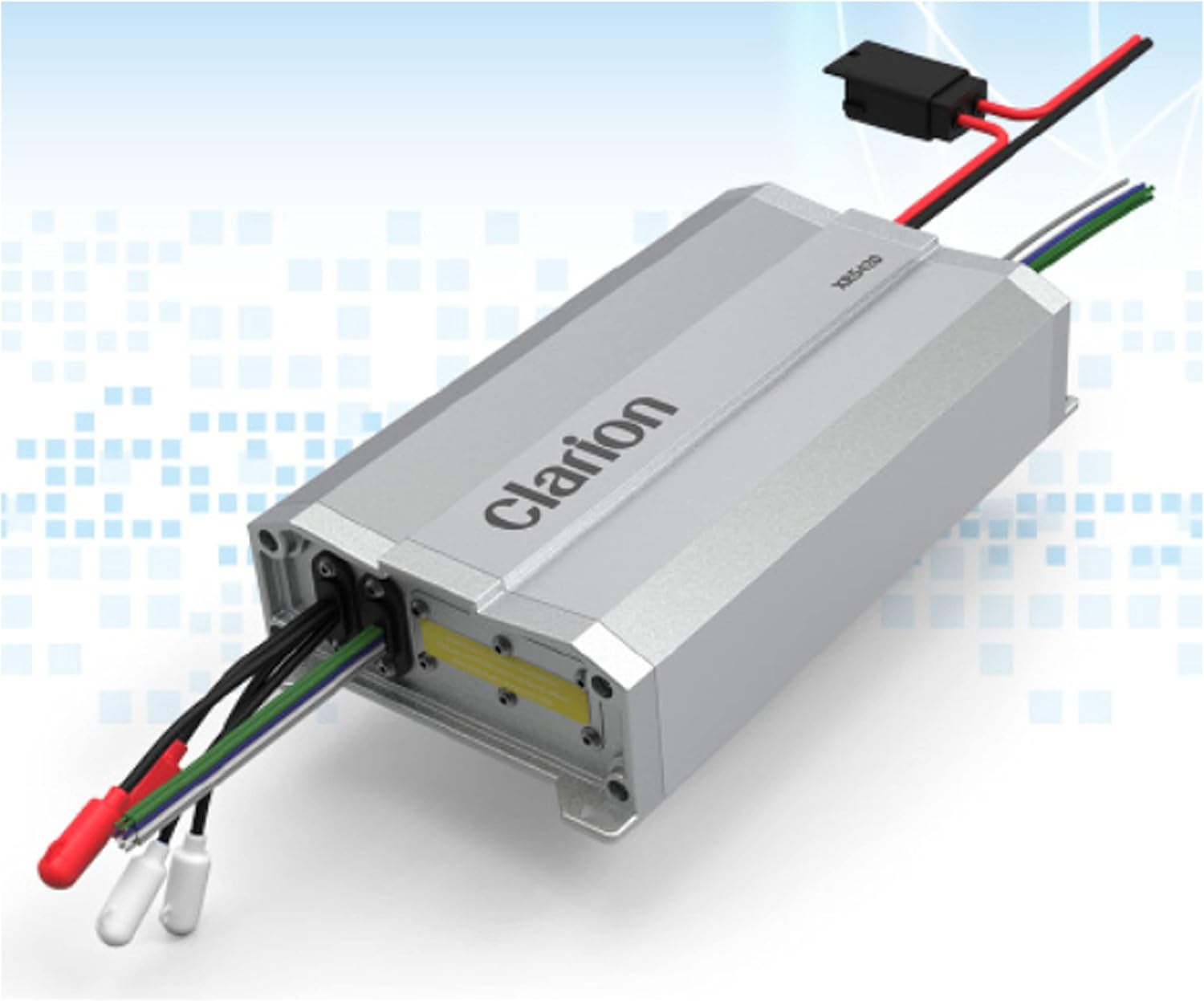
Image: A detailed view of the Clarion XR5420 amplifier, highlighting the various input and output terminals for power, ground, remote, RCA, and speaker connections. Wires are shown connected to the terminals.
Operating Instructions
Once the Clarion XR5420 amplifier is correctly installed, its operation is largely automatic, turning on and off with your car's head unit. The primary adjustments for sound quality will be made via the head unit and the amplifier's gain control.
Basic Operation:
- Power On/Off: The amplifier will power on automatically when your car's ignition is turned to ACC or ON, and the head unit is active. It will power off when the head unit is turned off or the ignition is switched off.
- Volume Control: Adjust the overall system volume using your car's head unit.
- Sound Customization: Use the equalizer, bass/treble controls, and fader/balance settings on your head unit to fine-tune the sound to your preference.
- Gain Adjustment: The gain control on the amplifier should be set during installation and generally not adjusted during normal operation. If you experience distortion at high volumes, the gain may be set too high. If the system lacks power, it may be too low. Adjust incrementally.

Image: Top-down view of the Clarion XR5420 amplifier, showcasing its compact design and the Clarion branding. This view emphasizes the sleek, silver casing.
Maintenance
The Clarion XR5420 amplifier is designed for durability and requires minimal maintenance. Following these simple guidelines will help ensure its longevity and continued performance:
- Keep Clean: Periodically wipe the exterior of the amplifier with a soft, dry cloth to remove dust and dirt. Avoid using harsh chemicals or abrasive cleaners.
- Ensure Ventilation: Regularly check that the amplifier's cooling fins and surrounding area are free from obstructions to allow for proper heat dissipation. Overheating can lead to performance issues or damage.
- Check Connections: Occasionally inspect all wiring connections (power, ground, remote, RCA, speaker) to ensure they are secure and free from corrosion. Loose connections can cause signal loss or intermittent operation.
- Avoid Moisture: Protect the amplifier from water and excessive humidity. If moisture ingress occurs, disconnect power immediately and allow the unit to dry completely before reconnecting.
- Fuse Replacement: If the amplifier stops working, check the inline fuse on the power wire near the battery and any fuses on the amplifier itself. Replace blown fuses only with fuses of the exact same type and rating.
Troubleshooting
If you encounter issues with your Clarion XR5420 amplifier, refer to the following common troubleshooting steps. For more complex problems, consult a professional car audio technician.
Common Issues and Solutions:
- No Power / Amplifier Not Turning On:
- Check the inline fuse on the power wire near the battery.
- Verify the power wire connection at the battery and amplifier.
- Ensure the ground wire is securely connected to a clean, unpainted metal surface.
- Check the remote turn-on wire connection at both the amplifier and the head unit. Ensure the head unit is powered on.
- No Sound Output:
- Confirm the amplifier is powered on (check power indicator light).
- Check RCA input cables for secure connection at both the head unit and amplifier.
- Verify speaker wire connections at both the amplifier and speakers, ensuring correct polarity.
- Ensure the head unit's volume is up and not muted.
- Adjust the amplifier's gain control.
- Distorted Sound:
- Reduce the amplifier's gain control.
- Check for proper impedance matching between the amplifier and speakers.
- Ensure speaker wires are not shorting out or touching metal.
- Check the head unit's output level; it might be too high.
- Amplifier Overheating / Goes into Protection Mode:
- Ensure adequate ventilation around the amplifier. Clear any obstructions.
- Check speaker impedance; it might be too low for the amplifier.
- Verify all speaker wire connections for shorts.
- Reduce the volume level or gain setting.
Technical Specifications
| Specification | Value |
|---|---|
| Brand | Clarion |
| Model Number | XR5420 |
| Number of Channels | 4 |
| Maximum Music Power | 400 Watts |
| Continuous Power (4-Ohms) | 55 Watts × 4 |
| Continuous Power (2-Ohms) | 95 Watts × 4 |
| Continuous Power (4-Ohms Bridged) | 180 Watts × 2 |
| Voltage | 16 Volts |
| Mounting Type | Surface Mount |
| Material | Nickel (for connectors) |
| Item Weight | 4.44 pounds |
| Package Dimensions | 12.8 x 7.83 x 3.39 inches |
| UPC | 789591809406 |
| Date First Available | May 15, 2021 |

Image: The Clarion XR5420 amplifier with graphical overlays indicating its physical dimensions, providing a clear understanding of its size for installation planning.
Warranty and Support
Clarion products are manufactured to high-quality standards. For specific warranty terms and conditions, please refer to the warranty card included with your product or visit the official Clarion website. Warranty coverage typically includes defects in materials and workmanship under normal use.
For technical support, troubleshooting assistance beyond this manual, or service inquiries, please contact Clarion customer support or visit their official website. Keep your purchase receipt as proof of purchase for warranty claims.
Official Clarion Website: www.clarion.com
Ask a question about this manual
Ask about setup, troubleshooting, compatibility, parts, safety, or missing instructions. Manuals+ will review the question and use this page’s manual context to help answer it.