
1. Safety Information
Please read and understand all safety instructions before using this product. Failure to follow these instructions may result in electric shock, fire, or serious injury.
- Indoor Use Only: This timer is designed for indoor use in dry locations. Do not expose to water or moisture.
- Electrical Rating: Do not exceed the electrical ratings of 125VAC, 60Hz, 15A General Purpose, 15A Resistive, 1250W Tungsten, 1/4 HP.
- Polarized Plug: The timer features a polarized plug (one blade is wider than the other). This plug will fit into a polarized outlet only one way. If the plug does not fit fully into the outlet, reverse the plug. If it still does not fit, contact a qualified electrician. Do not attempt to defeat this safety feature.
- Grounding: This timer is a 2-prong device and does not require a ground connection.
- Cleaning: Unplug the timer from the outlet before cleaning. Use a dry cloth only.
- Children: Keep out of reach of children.
2. Product Overview
The G-Homa T1001 is a 24-hour indoor plug-in mechanical timer designed to automate the on/off cycles of electrical devices. It features 30-minute interval settings, allowing for up to 48 on/off options per day.

Image 2.1: Front view of the G-Homa T1001 timer highlighting its key features: a convenient override switch, 30-minute interval settings, a polarized outlet, and a 24-hour programmable daily cycle.
Components:
- Timer Dial: The rotating dial with numbers (1-12 AM/PM) and segments for setting time.
- Segments/Pins: Small push-down/pull-up segments around the timer dial for programming on/off times.
- Time Now Arrow: A fixed arrow on the timer's face indicating the current time.
- Manual Override Switch: A switch on the side to select between 'Timer ON' (automated) and 'Outlet ON' (always on) modes.
- Polarized Outlet: The receptacle on the side of the timer for plugging in your device.
3. Setup Instructions
3.1 Initial Preparation
- Unpack the G-Homa T1001 timer from its packaging.
- Ensure the timer is clean and free from any debris.
3.2 Setting the Current Time
- Rotate the entire timer dial clockwise until the 'TIME NOW' arrow aligns with the current time of day. For example, if it is 6 PM, align the arrow with '6 PM' on the dial.
3.3 Programming On/Off Times

Image 3.1: A hand demonstrating how to push down and pull up the segments on the timer dial to set the desired ON and OFF times. Pins pushed down correspond to ON, and pins pulled up correspond to OFF.
- Each segment around the dial represents a 30-minute interval.
- To set an 'ON' period, push the corresponding segments down towards the center of the dial.
- To set an 'OFF' period, ensure the corresponding segments are up (pulled away from the center of the dial).
- For example, to turn a device on from 6 PM to 10 PM, push down all segments between '6 PM' and '10 PM'.
3.4 Connecting to Power and Device
- Plug the G-Homa T1001 timer into a standard 2-prong indoor electrical outlet.
- Plug the device you wish to control into the polarized outlet on the side of the timer. Ensure the device's power switch is in the 'ON' position.
4. Operating the Timer
4.1 Selecting Operating Mode
The manual override switch on the side of the timer allows you to choose its operating mode:
- 'TIMER ON' Mode: Slide the switch to the 'TIMER ON' position. In this mode, the timer will automatically turn the connected device on and off according to your programmed schedule (the pushed-down segments).
- 'OUTLET ON' Mode: Slide the switch to the 'OUTLET ON' position. In this mode, the connected device will remain continuously on, bypassing the timer's schedule. This is useful if you need the device to stay on outside of its programmed times.
4.2 Daily Cycle
Once set, the timer will repeat its programmed schedule every 24 hours. The timer dial will continuously rotate, advancing the time.
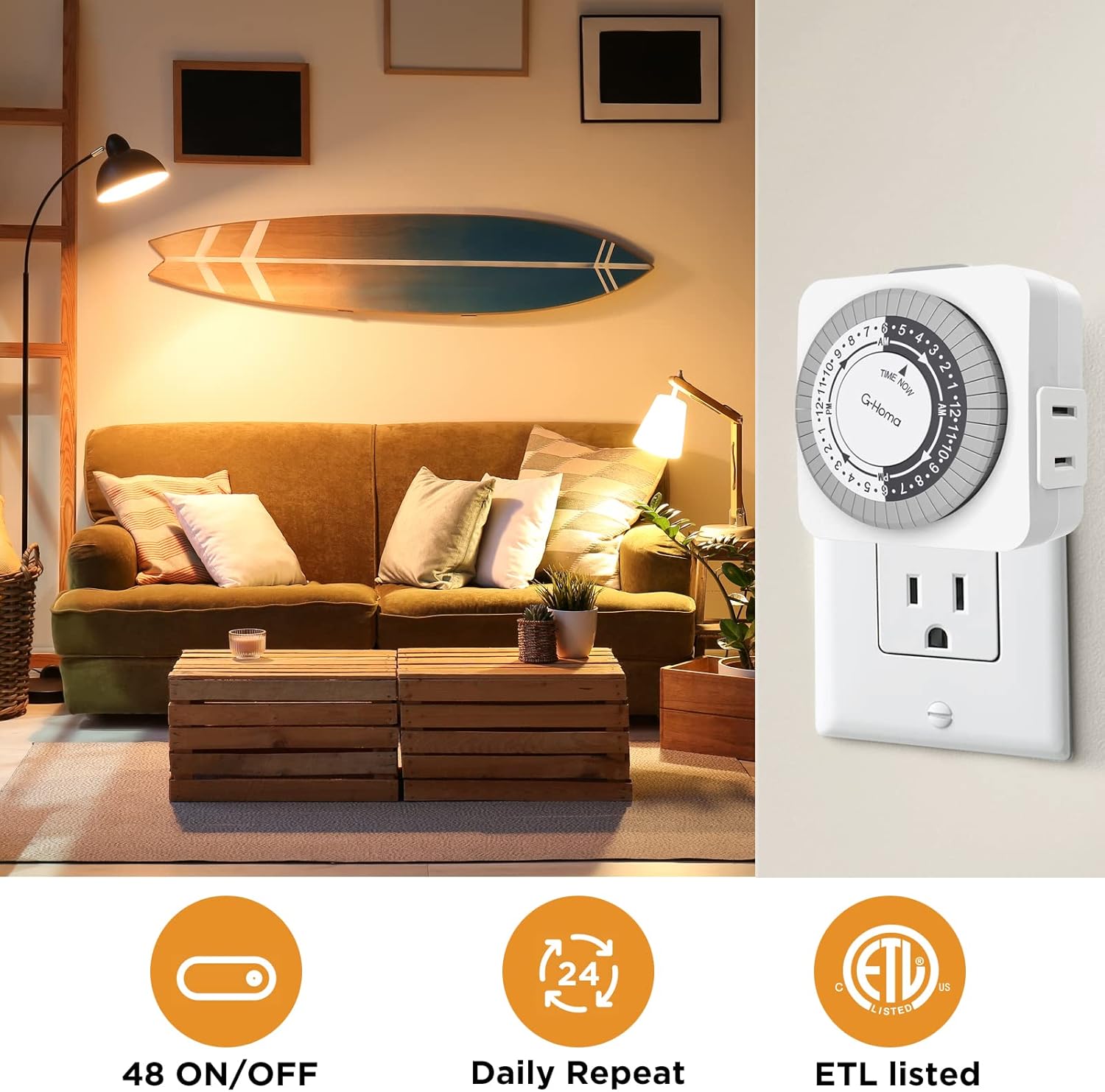
Image 4.1: The G-Homa timer plugged into a wall outlet in a living room, demonstrating its use for lamps. Icons highlight its features: 48 ON/OFF options, daily repeat functionality, and ETL listing for safety.
5. Maintenance
- Cleaning: Disconnect the timer from the power outlet before cleaning. Use a soft, dry cloth to wipe the exterior. Do not use liquid cleaners or abrasive materials.
- Storage: When not in use, store the timer in a cool, dry place away from direct sunlight and extreme temperatures.
- Inspection: Periodically inspect the timer for any signs of damage, such as cracks in the casing or frayed wires. If damage is found, discontinue use immediately and replace the unit.
6. Troubleshooting
6.1 Device Does Not Turn On/Off at Programmed Times
- Check Manual Override Switch: Ensure the switch is set to 'TIMER ON'. If it's set to 'OUTLET ON', the timer function is bypassed.
- Verify Current Time: Make sure the 'TIME NOW' arrow on the dial is correctly aligned with the current time of day.
- Inspect Segments: Confirm that the segments corresponding to the desired 'ON' times are pushed down and 'OFF' times are pulled up.
- Device Power: Ensure the connected device's power switch is in the 'ON' position.
- Power Supply: Check if the wall outlet is functioning correctly by plugging in another device.
6.2 Timer Dial Not Rotating
- Power Connection: Ensure the timer is securely plugged into a live electrical outlet.
- Internal Mechanism: If the timer is receiving power but the dial is not rotating, the internal mechanism may be faulty. Discontinue use and contact support.
6.3 Timer Makes Noise
- A faint humming sound is normal for mechanical timers as the internal motor operates. If the noise is loud or unusual, discontinue use.
7. Specifications

Image 7.1: Side and back views of the G-Homa T1001 timer, illustrating its dimensions and displaying the ETL certification label, confirming its safety and quality compliance.
| Feature | Detail |
|---|---|
| Model Number | T1001 |
| Voltage | 125VAC |
| Frequency | 60Hz |
| Max Load (General Purpose) | 15A |
| Max Load (Resistive) | 15A |
| Max Load (Tungsten) | 1250W |
| Motor Rating | 1/4 HP |
| Minimum Setting Interval | 30 minutes |
| Total On/Off Options | 48 per day |
| Dimensions (D x W x H) | 3" x 6.6" x 2.6" (approximate) |
| Weight | 10.9 Ounces |
| Certifications | ETL Listed |
8. Warranty and Support
G-Homa products are manufactured to high-quality standards. For warranty information or technical support, please refer to the contact details provided with your purchase or visit the official G-Homa website. Please retain your proof of purchase for warranty claims.
