
1. Product Overview
The Sysracks 37U Server Rack Cabinet is a robust, free-standing enclosure designed for housing 19-inch standard server, AV, and other IT/telecommunication equipment. This cabinet provides a secure and organized environment for your valuable hardware, featuring a comprehensive cooling system, power distribution, and enhanced mobility.
Key Features:
- 37U capacity for standard 19-inch equipment.
- Integrated thermostat with thermosensor and LCD screen for temperature monitoring.
- Four cooling fans for active ventilation.
- Two dust-tight cable entries for organized wiring.
- 8-outlet Power Distribution Unit (PDU).
- Heavy-duty casters with stoppers and leg levelers for mobility and stability.
- Fully lockable doors and side panels for enhanced security.
- Adjustable depth vertical mounting rails.
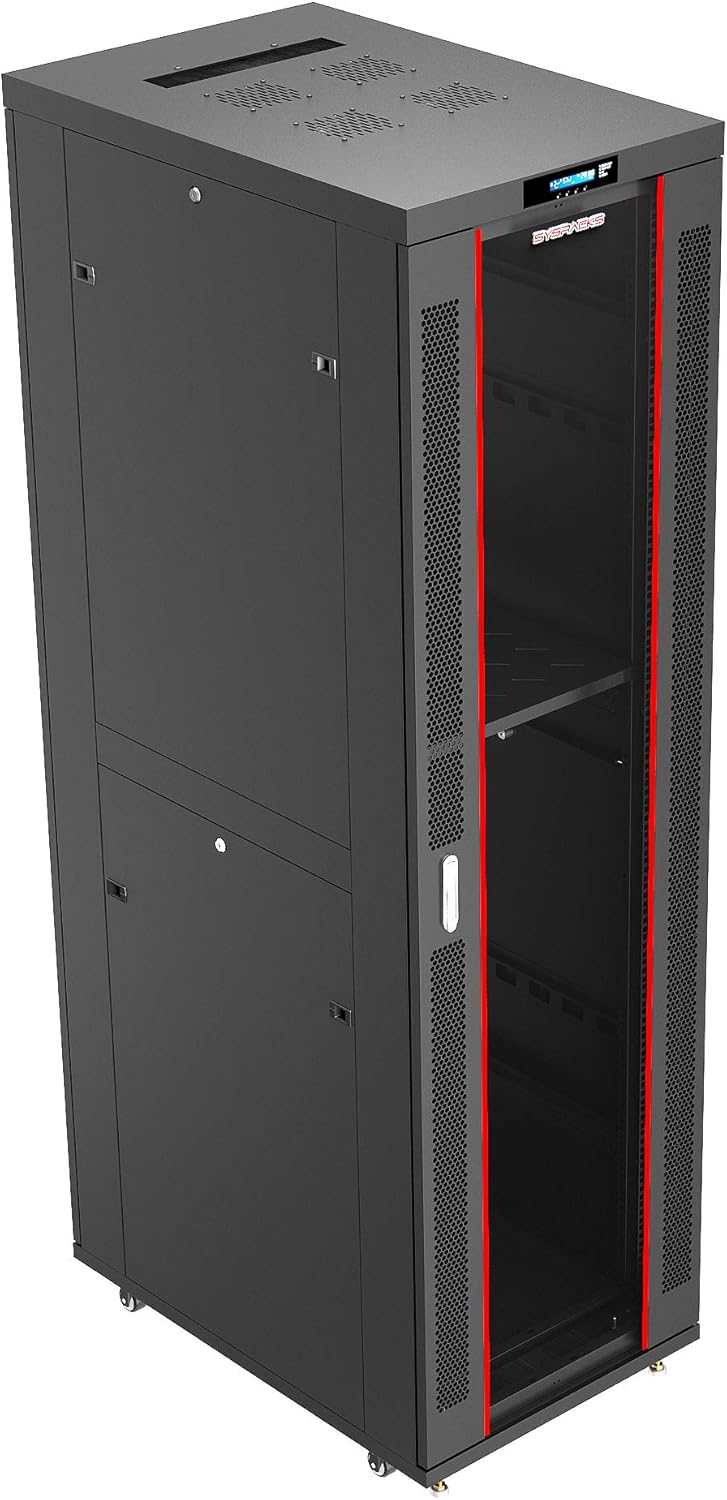
Figure 1: Front view of the Sysracks 37U Server Rack Cabinet.
2. Safety Instructions
Please read and understand all safety instructions before assembling, installing, or operating the server rack cabinet. Failure to follow these instructions may result in injury, equipment damage, or voiding of warranty.
- Heavy Object: The cabinet is heavy (approximately 250 pounds). Always use appropriate lifting techniques and seek assistance when moving or assembling.
- Electrical Safety: Ensure all power connections are made to properly grounded outlets. Do not overload the PDU. Disconnect power before performing any maintenance or installation inside the cabinet.
- Assembly: Follow the assembly guide carefully. Do not force components. Ensure all screws and fasteners are securely tightened.
- Stability: Always engage the casters' stoppers and use the leg levelers to stabilize the cabinet once it is in its final position. Avoid placing the cabinet on uneven surfaces.
- Ventilation: Do not block the ventilation openings. Ensure adequate airflow around the cabinet to prevent overheating of equipment.
- Pinch Points: Be aware of pinch points when opening and closing doors and side panels.
3. Assembly Instructions
The Sysracks 37U Server Rack Cabinet is supplied non-assembled in flat packages for efficient shipping. Assembly is designed to be straightforward, but careful attention to the instructions is crucial. A video guide and PDF assembly instructions are typically provided by the manufacturer.
General Assembly Steps:
- Unpacking: Carefully unpack all components and verify against the packing list. Keep all hardware organized.
- Base Assembly: Attach the heavy-duty casters and leg levelers to the base frame. Ensure they are securely fastened.
- Frame Construction: Assemble the main frame components according to the provided diagrams. Pay close attention to the orientation of each piece.
- Mounting Rails: Install the vertical mounting U-rails. These are adjustable in depth to accommodate various equipment sizes (up to 20-inch depth).
- Panel Installation: Attach the side panels and rear door. Ensure all locking mechanisms align and function correctly.
- Front Door: Install the front glass or vented door. Verify that the latch handle and lock operate smoothly.
- Top Panel & Fans: Secure the top panel, which includes the pre-installed cooling fans and LCD thermostat.
- Accessories: Install the included heavy-duty shelf, 8-outlet PDU, and any other accessories like mounting cage bolts/nuts.

Figure 2: Interior view of the cabinet, illustrating the frame and mounting points.
Video 1: Sysracks SRF-Series Server Rack Cabinet overview, demonstrating assembly and key features. This video provides a visual guide to the construction and functionality of the cabinet.
4. Component Identification
Familiarize yourself with the main components of your Sysracks 37U Server Rack Cabinet:
- LCD Screen & Thermostat: Located on the top panel, displays temperature and fan status, allows temperature setting.
- Cooling Fans: Four fans integrated into the top panel for active ventilation.
- Thermosensor: A probe inside the cabinet that detects temperature changes.
- Dust-Tight Cable Entries: Brush grommets for cable routing, preventing dust ingress.
- 8-Outlet PDU: Power strip for distributing power to your equipment.
- Lockable Doors/Side Panels: Front glass door, rear door, and removable side panels, all with locking mechanisms.
- Casters & Leg Levelers: Wheels for mobility and adjustable feet for static stability.
- Adjustable Vertical Mounting Rails: Internal rails for mounting 19-inch rack-mountable equipment.

Figure 3: Detailed view of the cabinet's integrated features, including the LCD screen, cooling fans, thermosensor, and PDU.
5. Operating Instructions
Once assembled and equipment is installed, the cabinet is ready for operation.
- Power Connection: Connect the 8-outlet PDU to a suitable, grounded power source.
- Equipment Installation: Mount your 19-inch server or network equipment onto the adjustable vertical rails using the provided cage nuts and bolts. Ensure proper weight distribution.
- Cable Management: Route all cables through the dust-tight cable entries to maintain a tidy and efficient setup.
- Thermostat & Cooling: The integrated LCD screen displays the current temperature and fan status. You can set the desired temperature using the controls on the LCD panel. The four cooling fans will activate automatically to maintain the set temperature, ensuring optimal operating conditions for your equipment.
- Security: Utilize the locking mechanisms on the front door, rear door, and side panels to secure your equipment. Four keys are provided.
- Mobility & Stability: If moving the cabinet, unlock the casters. Once in the desired location, engage the caster stoppers and adjust the leg levelers to ensure the cabinet is stable and stationary.
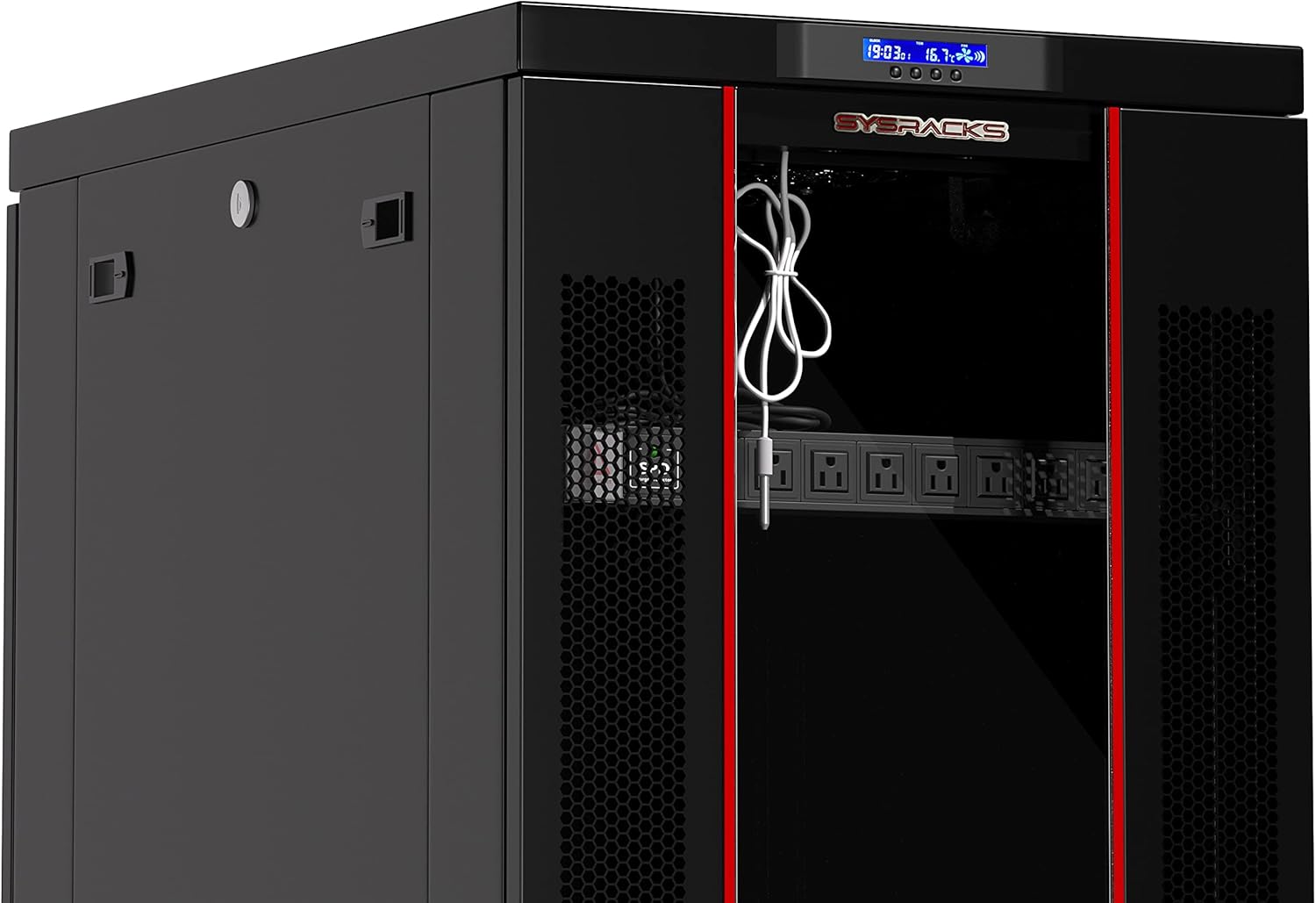
Figure 4: Top panel with LCD screen and fan controls for temperature management.
6. Maintenance
Regular maintenance ensures the longevity and optimal performance of your server rack cabinet and the equipment within it.
- Cleaning: Periodically clean the exterior surfaces with a soft, damp cloth. Avoid abrasive cleaners. For the interior, use compressed air to remove dust from equipment and fans.
- Fan Check: Regularly inspect the cooling fans for dust buildup and ensure they are operating correctly. Clean fan blades if necessary.
- Cable Management: Verify that all cables are securely routed and not obstructing airflow or door closure.
- Locking Mechanisms: Lubricate locks and hinges periodically to ensure smooth operation.
- Fastener Check: Periodically check all screws and fasteners for tightness, especially after initial setup and any relocation.
7. Troubleshooting
This section addresses common issues you might encounter with your server rack cabinet.
- Overheating Equipment:
- Check if cooling fans are operating.
- Ensure the thermostat is set to an appropriate temperature.
- Verify that ventilation openings are not blocked.
- Inspect for excessive dust buildup on fans or equipment.
- Ensure proper cable management to avoid airflow obstruction.
- Doors Not Latching/Locking:
- Check for any obstructions preventing the door from closing fully.
- Inspect the latch mechanism and strike plate for misalignment or damage. Adjust if necessary.
- Ensure the cabinet is level and not warped, which can affect door alignment.
- PDU Not Supplying Power:
- Verify the PDU is securely plugged into a live, grounded outlet.
- Check the PDU's circuit breaker or power switch.
- Ensure the equipment is properly plugged into the PDU outlets.
- Cabinet Instability:
- Ensure caster stoppers are engaged.
- Adjust leg levelers to firmly contact the floor and provide stability.
- Verify the cabinet is on a flat, sturdy surface.
8. Specifications
| Feature | Specification |
|---|---|
| Model | 37U |
| Product Dimensions (D x W x H) | 24"D x 24"W x 74"H (61cm x 61cm x 188cm) |
| Item Weight | 250 pounds (113.4 kg) |
| Material | Alloy Steel |
| Load Capacity | Up to 1600 pounds (725 kg) |
| Cooling Fans | 4 (Airflow: 110 m³/h, ~40dB) |
| Power Distribution Unit (PDU) | 8-outlet |
| Cable Entries | 2 x Dust-Tight |
| Security | Fully lockable doors/side panels (4 keys included) |
| Mobility | Casters with stoppers and leg levelers |
| Color | Black |

Figure 5: Dimensions of the 37U Server Rack Cabinet.
9. Warranty and Support
For specific warranty information and customer support, please refer to the documentation provided with your purchase or contact Sysracks Equipement Inc. directly. They can provide assistance with product inquiries, technical support, and warranty claims.
Manufacturer: SYSRACKS
Contact Information: Please refer to the official Sysracks website or your purchase invoice for the most current contact details.