
1. Introduction
The Fulext FULH01 Bluetooth Sleep Headphones Headband is designed to provide a comfortable audio experience for various activities, including sleeping, exercising, and traveling. This versatile device combines a soft, elastic headband with integrated Bluetooth speakers, allowing users to enjoy music, audiobooks, or podcasts without the discomfort of traditional headphones or earbuds. It also functions as a sweatband during workouts and can help block light for improved sleep.
2. What's in the Box
Please verify that all components are present upon unboxing:
- Fulext Bluetooth Sleep Headband
- USB Charging Cable
- User Manual
3. Product Overview
The Fulext FULH01 features a soft, breathable fabric headband with integrated ultra-thin speakers and a control module. The control module is typically located at the front of the headband, providing easy access to power, volume, and track controls.

Image: The Fulext Bluetooth Sleep Headphones Headband, showcasing its design and integrated control panel.

Image: Detailed view of the control panel on the headband, showing the power, volume, and track control buttons.
The headband is designed to be super stretchable, fitting most head sizes comfortably. The speakers are thin and adjustable within the headband for optimal positioning over your ears.
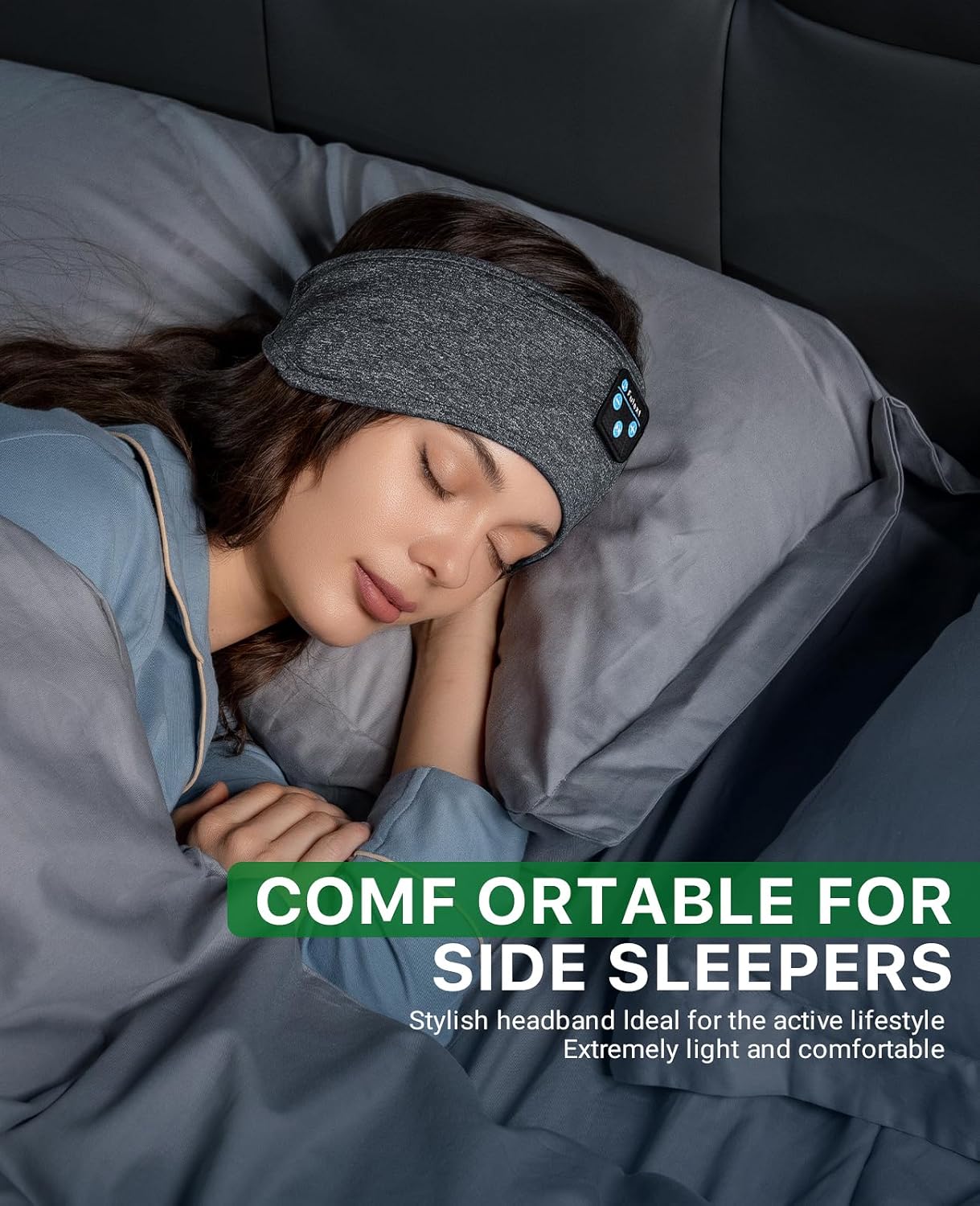
Image: Two individuals wearing the Fulext headband, illustrating its flexible and comfortable design that accommodates various head sizes.
4. Setup
4.1 Charging the Headband
Before first use, fully charge the headband. A full charge takes approximately 2 hours and provides up to 10 hours of audio playback.
- Locate the charging port on the control module within the headband.
- Connect the provided USB charging cable to the headband's charging port.
- Connect the other end of the USB cable to a USB power source (e.g., computer, wall adapter).
- The indicator light on the control module will illuminate during charging and turn off when fully charged.

Image: A visual representation of the headband's battery performance, indicating 2 hours of charging time for 10 hours of playing time.
4.2 Bluetooth Pairing
To connect your Fulext FULH01 headband to a Bluetooth-enabled device:
- Ensure the headband is charged.
- Press and hold the Power button on the control module until the indicator light flashes blue and red, indicating it is in pairing mode.
- On your device (smartphone, tablet, laptop), go to Bluetooth settings and turn Bluetooth on.
- Search for available devices. The headband should appear as "BT-01" or similar.
- Select "BT-01" to connect. Once connected, the indicator light will typically show a solid blue or flash slowly.

Image: A user demonstrating the Bluetooth pairing process between the Fulext headband and a mobile device.
5. Operating Instructions
5.1 Power On/Off
- Power On: Press and hold the Power button for 3 seconds.
- Power Off: Press and hold the Power button for 3 seconds.
5.2 Music Playback
- Play/Pause: Short press the Power button.
- Next Track: Short press the "+" button.
- Previous Track: Short press the "-" button.
- Volume Up: Long press the "+" button.
- Volume Down: Long press the "-" button.
5.3 Answering Calls
The headband features a built-in microphone for hands-free calling.
- Answer Call: Short press the Power button when a call comes in.
- End Call: Short press the Power button during a call.
- Reject Call: Long press the Power button when a call comes in.
5.4 Wearing the Headband
Position the headband comfortably around your head. Adjust the internal speakers to align with your ears for optimal sound quality. The ultra-thin design of the speakers makes them suitable for side sleepers, minimizing pressure and discomfort.

Image: A person comfortably sleeping on their side, demonstrating how the Fulext headband is designed for side sleepers.
6. Maintenance
6.1 Cleaning the Headband
The fabric headband is machine washable. To clean:
- Carefully remove the control module and speakers from the internal pockets of the headband.
- Machine wash the fabric headband with similar colors on a gentle cycle.
- Air dry the headband completely before reinserting the electronic components.
- Ensure the electronic components are dry and free of moisture before reassembly.
7. Troubleshooting
- Cannot Power On: Ensure the headband is fully charged. Connect it to a power source and try again after a few minutes.
- Cannot Pair with Device:
- Ensure the headband is in pairing mode (flashing blue/red light).
- Turn off Bluetooth on other nearby devices that might be connected.
- Restart your device's Bluetooth function.
- Move the headband closer to your device.
- No Sound:
- Check the volume level on both the headband and your connected device.
- Ensure the headband is properly paired and connected.
- Adjust the speaker positions within the headband to align with your ears.
- Poor Sound Quality: Ensure the headband is fully charged and within Bluetooth range. Reposition the speakers for better alignment.
8. Specifications
| Feature | Detail |
|---|---|
| Model Name | FULH01 |
| Connectivity Technology | Wireless (Bluetooth) |
| Bluetooth Version | 4.2 |
| Bluetooth Range | 10 Meters |
| Charging Time | 2 Hours |
| Battery Life | Up to 10 Hours |
| Control Type | Button Control |
| Material | Durable braided cord with breathable mesh lining |
| Item Weight | 3.52 ounces (0.1 Kilograms) |
| Product Dimensions | 10.24 x 3.94 x 0.39 inches |
| Water Resistance Level | Not Water Resistant |
| UPC | 747966753402 |
9. Warranty and Support
9.1 Warranty Information
Fulext offers a warranty for this product. For any product problems, please contact customer service. The manufacturer provides a free replacement or a refund within 5 years of purchase.
9.2 Customer Support
If you encounter any issues or have questions regarding your Fulext FULH01 Bluetooth Sleep Headphones Headband, please contact Fulext customer service for assistance. Contact information can typically be found on the product packaging or the official Fulext website.


