
Alecto DVM-150C
Alecto DVM-150C Additional Baby Camera User Manual
Model: DVM-150C | Brand: Alecto
Introduction
This manual provides comprehensive instructions for the setup, operation, and maintenance of your Alecto DVM-150C Additional Baby Camera. The DVM-150C is designed to expand your existing Alecto DVM-150 baby monitor system, allowing you to monitor multiple children or different rooms simultaneously with a secure and interference-free connection.

Image: The Alecto DVM-150C camera unit shown alongside the DVM-150 parent unit, demonstrating the complete monitoring system.
Package Contents
Ensure all items are present in the package:
- Alecto DVM-150C Camera Unit
- Power Adapter
- User Manual (this document)
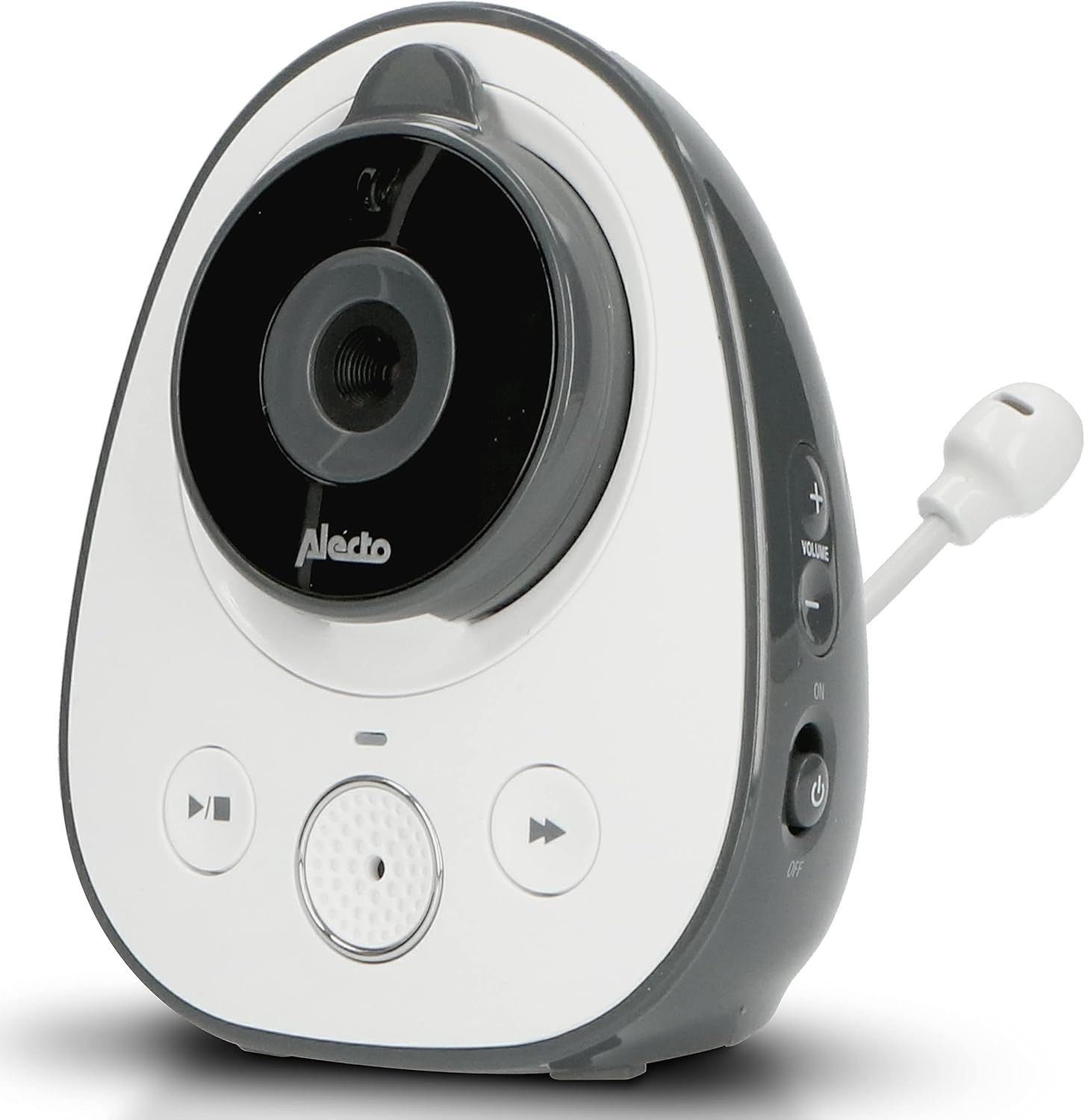
Image: The Alecto DVM-150C camera unit, highlighting its design and flexible antenna.
Setup
Follow these steps to set up your additional camera unit:
- Placement: Place the DVM-150C camera unit in the desired room, ensuring it has a clear view of the area you wish to monitor. For optimal performance, place it within 50 meters indoors or 300 meters outdoors from the parent unit.
- Power Connection: Connect the provided power adapter to the camera unit's power input port and then plug it into a standard electrical outlet. The camera will power on automatically.
- Pairing with Parent Unit:
- Turn on your DVM-150 parent unit.
- Navigate to the camera pairing menu on the parent unit (refer to your DVM-150 parent unit manual for specific steps).
- Press and hold the pairing button on the DVM-150C camera unit until the indicator light flashes, signaling it is in pairing mode.
- Confirm pairing on the parent unit. Once successfully paired, the camera's video feed will appear on the parent unit's screen.

Image: The Alecto DVM-150C camera unit securely mounted on a wall, demonstrating a typical installation scenario.
Operating Instructions
The DVM-150C camera unit operates in conjunction with your DVM-150 parent unit. All primary controls and viewing functions are managed via the parent unit.
- Camera Selection: If you have multiple cameras paired, use the parent unit's controls to switch between camera views or activate split-screen mode to view multiple cameras simultaneously.
- Night Vision: The DVM-150C automatically activates infrared night vision in low-light conditions, providing a clear image even in complete darkness.
- Eco Mode: To conserve energy, enable Eco Mode on your parent unit. This feature reduces power consumption when no sound is detected from the baby unit.
- Two-Way Communication: Use the talk-back function on your parent unit to speak through the camera unit to your child.

Image: The Alecto DVM-150C camera unit positioned on a shelf in a nursery, demonstrating its discreet placement.
Maintenance
Proper maintenance ensures the longevity and optimal performance of your camera unit.
- Cleaning: Wipe the camera unit with a soft, dry cloth. Do not use abrasive cleaners or solvents. Ensure the lens is clean for clear image quality.
- Storage: If storing the unit for an extended period, disconnect it from power and store it in a cool, dry place.
- Environmental Conditions: Avoid exposing the camera to extreme temperatures, direct sunlight, or moisture. This unit is designed for indoor use only.
Troubleshooting
| Problem | Possible Cause | Solution |
|---|---|---|
| No image on parent unit. | Camera not powered on or not paired. | Ensure the camera is plugged in and powered. Re-pair the camera with the parent unit if necessary. |
| Poor image quality. | Dirty lens or insufficient lighting. | Clean the camera lens. Ensure adequate lighting or check night vision activation. |
| Interference or weak signal. | Too far from parent unit or obstacles. | Move the camera closer to the parent unit. Remove large obstacles between units. |
Specifications
| Feature | Detail |
|---|---|
| Model | DVM-150C |
| Brand | Alecto |
| Connectivity Technology | Wireless |
| Special Feature | Night Vision |
| Indoor/Outdoor Use | Indoor |
| Mounting Type | Wall Mount |
| Material | Plastic |
| Dimensions (Package) | 18 x 17.9 x 8.3 cm; 354 grams |
| Recommended Use | Baby Monitoring |
| Range (Indoor) | Up to 50 meters (as per feature bullets) |
| Range (Outdoor) | Up to 300 meters (as per feature bullets) |
Warranty and Support
For warranty information and technical support, please refer to the official Alecto website or contact their customer service. Keep your purchase receipt as proof of purchase for warranty claims.
Seller: Commaxx B.V.
Return Policy: 30-day refund/replacement (as per buybox_winner data).
For further assistance, visit: Commaxx B.V. Seller Information
Related documentsDVM-150C


Ask a question about this manual
Ask about setup, troubleshooting, compatibility, parts, safety, or missing instructions. Manuals+ will review the question and use this page’s manual context to help answer it.