
Bell+Howell Tacshaver
Contents
Bell+Howell Tacshaver Rotary Shaver Instruction Manual
Model: Tacshaver
Introduction
This manual provides instructions for the safe and effective use of your Bell+Howell Tacshaver Rotary Shaver. Please read this manual thoroughly before operating the device and retain it for future reference. The Tacshaver is a compact, rechargeable rotary shaver designed for facial hair removal and styling, suitable for both wet and dry use.
Safety Information
WARNING:
- Do not use while charging.
- Keep away from water while charging.
- Be cautious when handling sharp blades to avoid cuts.
- Always unplug and allow to cool before cleaning.
- Do not submerge in water.
Package Contents
Verify that all items are present in the package:
- Bell+Howell Tacshaver Rotary Shaver
- Storage Pouch
- Cleaning Brush
- USB Charging Cable
Setup
1. Initial Charge
Before first use, fully charge the Tacshaver. Connect the provided USB charging cable to the shaver and a compatible USB power source. The charging indicator will show the charging status. Do not operate the shaver while it is charging.
2. Cleaning Before First Use
It is recommended to clean the shaver heads with the provided cleaning brush before the first use to remove any manufacturing residue.
Operating Instructions
Using the Rotary Shaver
The Tacshaver features three multidirectional stainless steel rotary heads for efficient shaving.
- Ensure the shaver is fully charged and disconnected from the charging cable.
- Press the power button to turn on the shaver.
- For a dry shave, hold the shaver at a right angle to your skin and move it in small, circular motions against the direction of hair growth.
- For a wet shave, you may use shaving gel or foam. Apply to your face and then shave as described for dry shaving. Rinse the shaver heads under running water during and after use.
- After shaving, turn off the shaver and clean the heads.

Image: A man using the Bell+Howell Tacshaver on his cheek, demonstrating the rotary shaving action.
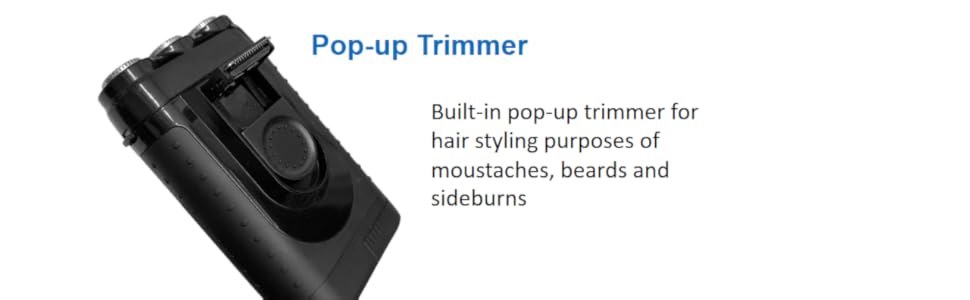
Image: A close-up view of the Bell+Howell Tacshaver, highlighting its three powerful rotary shaving heads.
Using the Pop-up Trimmer
The built-in pop-up trimmer is designed for precise styling of moustaches, beards, and sideburns.
- Turn on the shaver.
- Locate the pop-up trimmer switch on the side of the shaver. Slide the switch upwards to engage the trimmer.
- Carefully trim and shape your facial hair as desired.
- Once finished, slide the switch back down to retract the trimmer.
- Turn off the shaver and clean the trimmer.
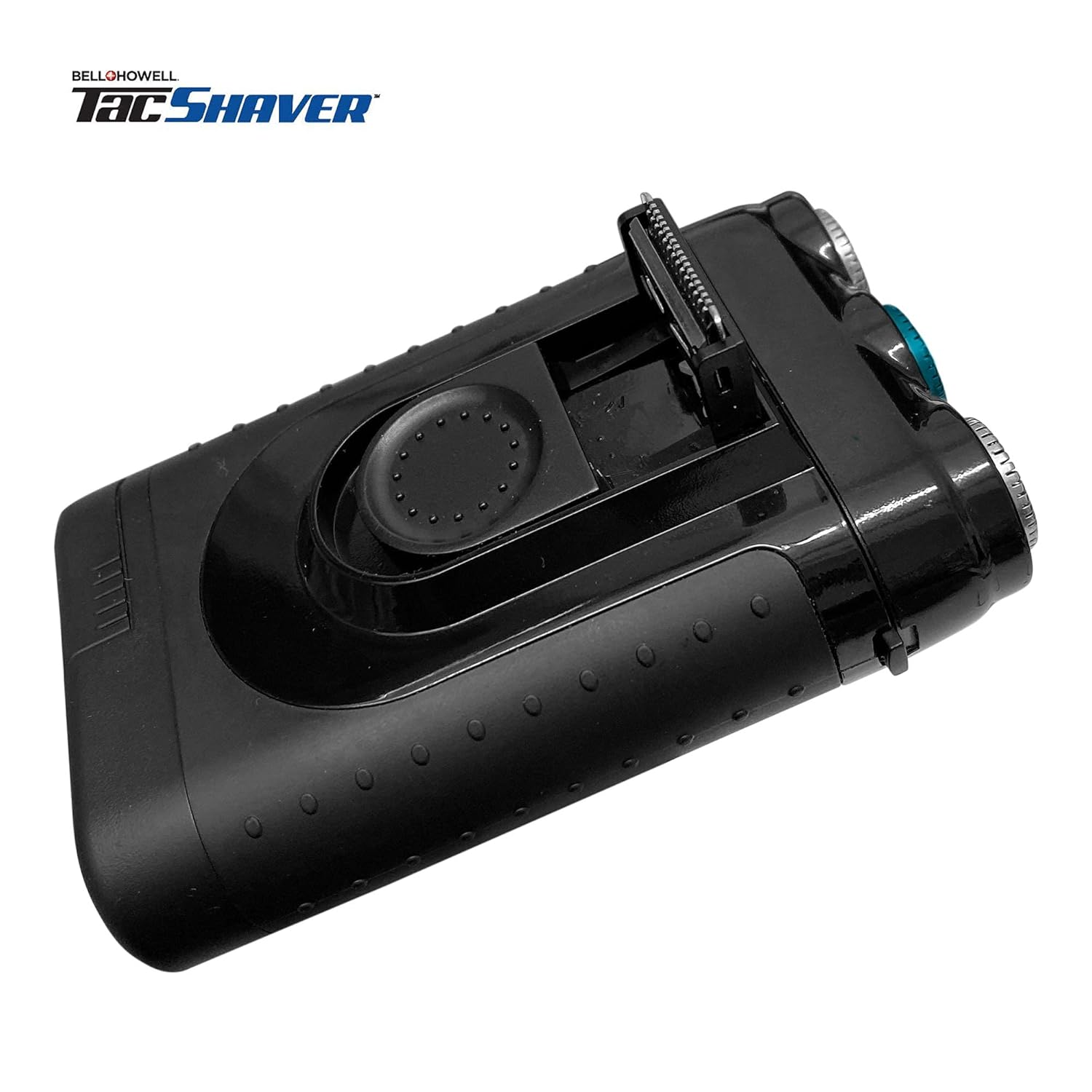
Image: The Bell+Howell Tacshaver shown with its integrated pop-up trimmer in the extended position.
Wet or Dry Operation
The Tacshaver is waterproof and can be used for both wet and dry shaving. It can be rinsed under running water for cleaning. Avoid submerging the shaver in water for extended periods, especially during charging.

Image: The Bell+Howell Tacshaver displaying icons for its rechargeable and waterproof capabilities.
Maintenance
Cleaning the Shaver Heads
- Turn off the shaver and disconnect it from any power source.
- Open the shaver head assembly.
- Use the provided cleaning brush to remove loose hairs from the rotary blades and the inner chamber.
- For a more thorough clean, rinse the shaver heads under warm running water. Ensure the shaver is completely dry before reassembling or storing.
- Close the shaver head assembly securely.
Storage
Store the Tacshaver in its provided storage pouch in a cool, dry place when not in use. Ensure the shaver is clean and dry before storing.
Troubleshooting
| Problem | Possible Cause | Solution |
|---|---|---|
| Shaver does not turn on. | Battery is depleted. | Charge the shaver using the USB cable. |
| Poor shaving performance. | Shaver heads are dirty or clogged with hair. | Clean the shaver heads thoroughly as per maintenance instructions. |
| Shaver pulls hair. | Shaver heads are dull or damaged. | Contact customer support for replacement heads or service. |
| Shaver not charging. | Faulty USB cable or power source. | Try a different USB cable or power adapter. Ensure connections are secure. |
Specifications
- Model Name: Tacshaver
- Brand: Bell+Howell
- Power Source: Battery Powered (Rechargeable)
- Special Features: Ergonomic Design, Portable, Rechargeable, Waterproof, Pop-up Trimmer
- Recommended Uses: Beard, Moustache, Sideburns
- UPC: 080313077616
- ASIN: B094N865V8
- Manufacturer: E. Mishan & Sons, Inc.
Official Product Video
Video: An official demonstration of the Bell+Howell Tacshaver, showcasing its features and usage for a smooth shave, including its waterproof capabilities and built-in trimmer.
Warranty and Support
For warranty information or technical support, please refer to the contact details provided with your purchase documentation or visit the official Bell+Howell website. Keep your proof of purchase for warranty claims.
Ask a question about this manual
Ask about setup, troubleshooting, compatibility, parts, safety, or missing instructions. Manuals+ will review the question and use this page’s manual context to help answer it.