1. Introduction
This manual provides detailed instructions for the proper operation and maintenance of your BAOFENG GT-3TP 8W High Power Two Way Radio. Please read this manual thoroughly before using the device to ensure safe and efficient communication.
Key Features
- Tri-Power Settings: High (8W), Medium (4W), Low (1W) for varied communication needs.
- Frequency Range: VHF 144-148 MHz (Rx/Tx), UHF 420-450 MHz (Rx/Tx).
- 128 Channels with 50 CTCSS and 104 DCS codes for enhanced privacy.
- Voice Operated Transmission (VOX) function for hands-free operation.
- Busy Channel Lock-Out (BCLO) to prevent interference.
- Frequency Offset (OFFSET) for repeater access.
- Equipped with a 7.4V 3800mAh Li-ion battery for extended use.
- Includes a 21CM (9-inch) high-gain antenna for improved range.
2. Package Contents
Upon unpacking, please verify that all the following items are included in your package. If any item is missing or damaged, contact your retailer.

Image: The BAOFENG GT-3TP radio and its complete set of accessories, including the battery, antenna, charging base, power adapter, car charger, earpiece, belt clip, lanyard, and user manual.
- BAOFENG GT-3TP Two Way Radio Unit
- 7.4V 3800mAh Li-ion Battery Pack
- High-Gain Antenna (21CM)
- Desktop Charger Base
- AC Power Adapter for Charger Base
- Car Charger
- Earpiece with Microphone
- Belt Clip
- Hand Strap/Lanyard
- User Manual
3. Setup
3.1 Battery Installation
To install the battery, align the battery pack with the grooves on the back of the radio. Slide the battery upwards until it clicks into place. To remove, press the release latch at the bottom of the battery and slide it downwards.
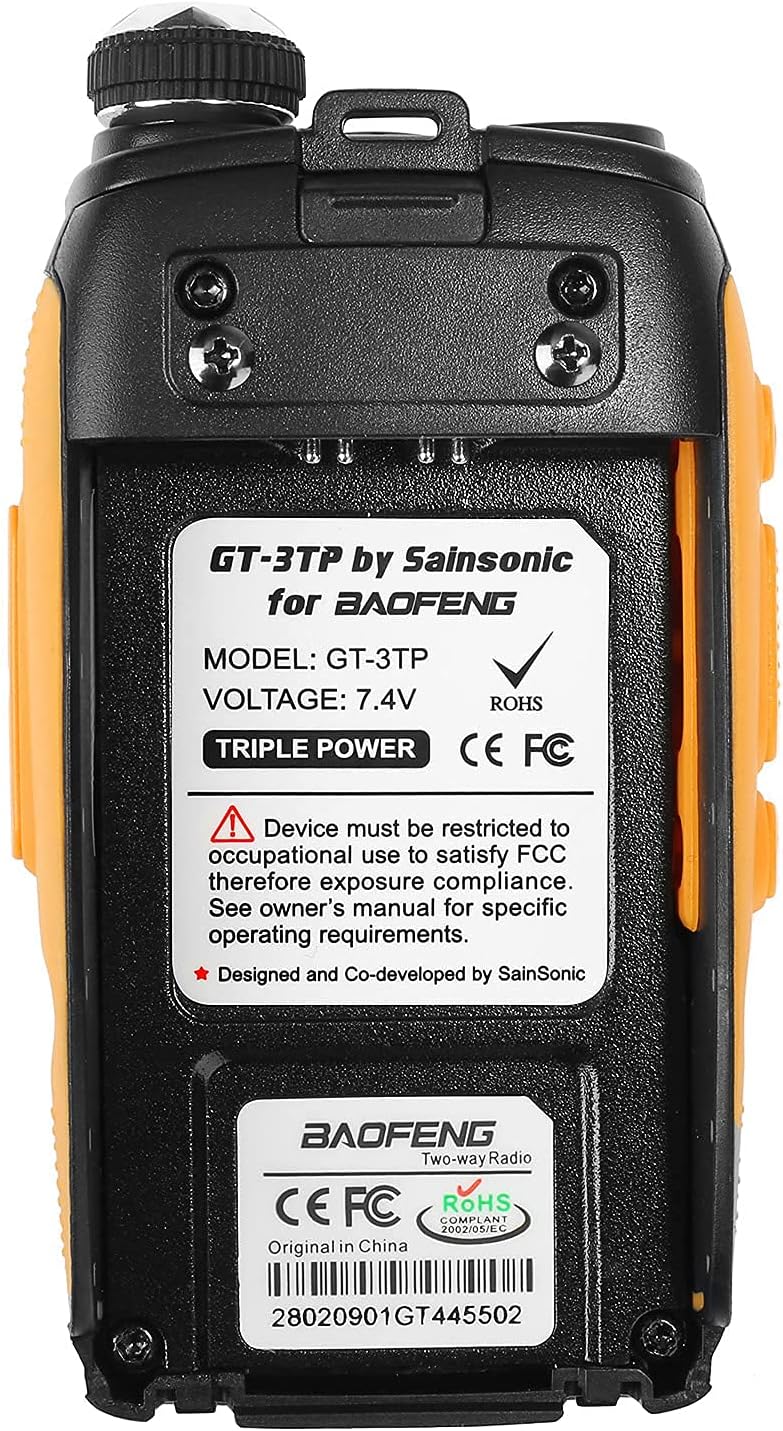
Image: Rear view of the BAOFENG GT-3TP radio, showing the battery compartment and the label with model and voltage information.
3.2 Antenna Attachment
Screw the antenna clockwise into the connector on the top of the radio until it is finger-tight. Do not overtighten. Ensure the antenna is securely attached before operation.
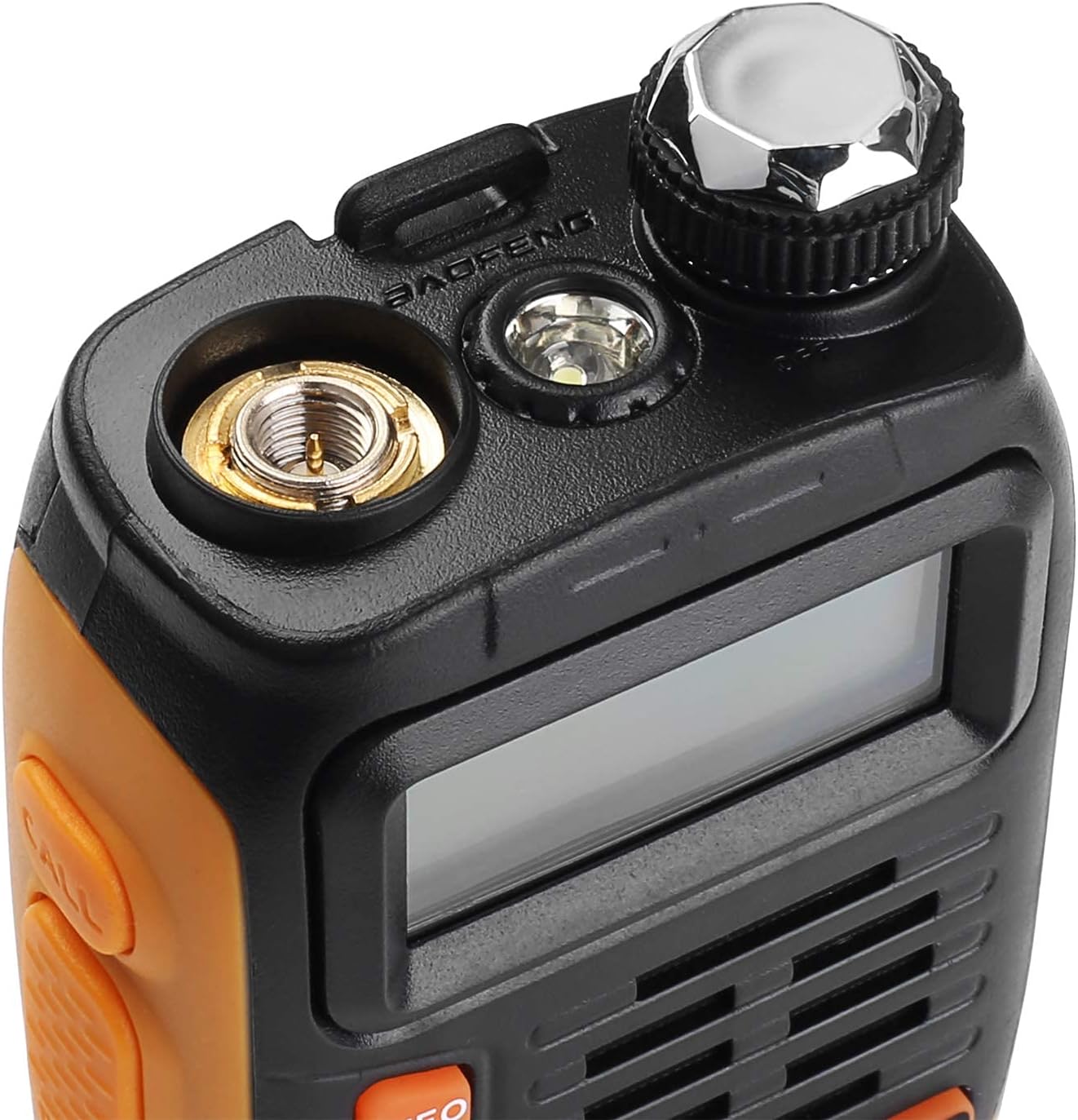
Image: Close-up of the top of the BAOFENG GT-3TP radio, highlighting the antenna connector and the channel/volume knob.
3.3 Charging the Battery
Place the radio with the battery installed into the desktop charger base. Connect the AC power adapter to the charger base and plug it into a standard wall outlet. The indicator light on the charger will show the charging status (typically red for charging, green for fully charged). A full charge may take several hours.
4. Operating Instructions
4.1 Power On/Off and Volume
- To power on, rotate the top-right knob clockwise until you hear a click.
- To power off, rotate the knob counter-clockwise until it clicks.
- Adjust the volume by rotating the same knob after the radio is powered on.
4.2 Frequency and Channel Selection
The GT-3TP operates in two modes: Frequency Mode (VFO) and Channel Mode (MR). Press the VFO/MR button to switch between these modes.
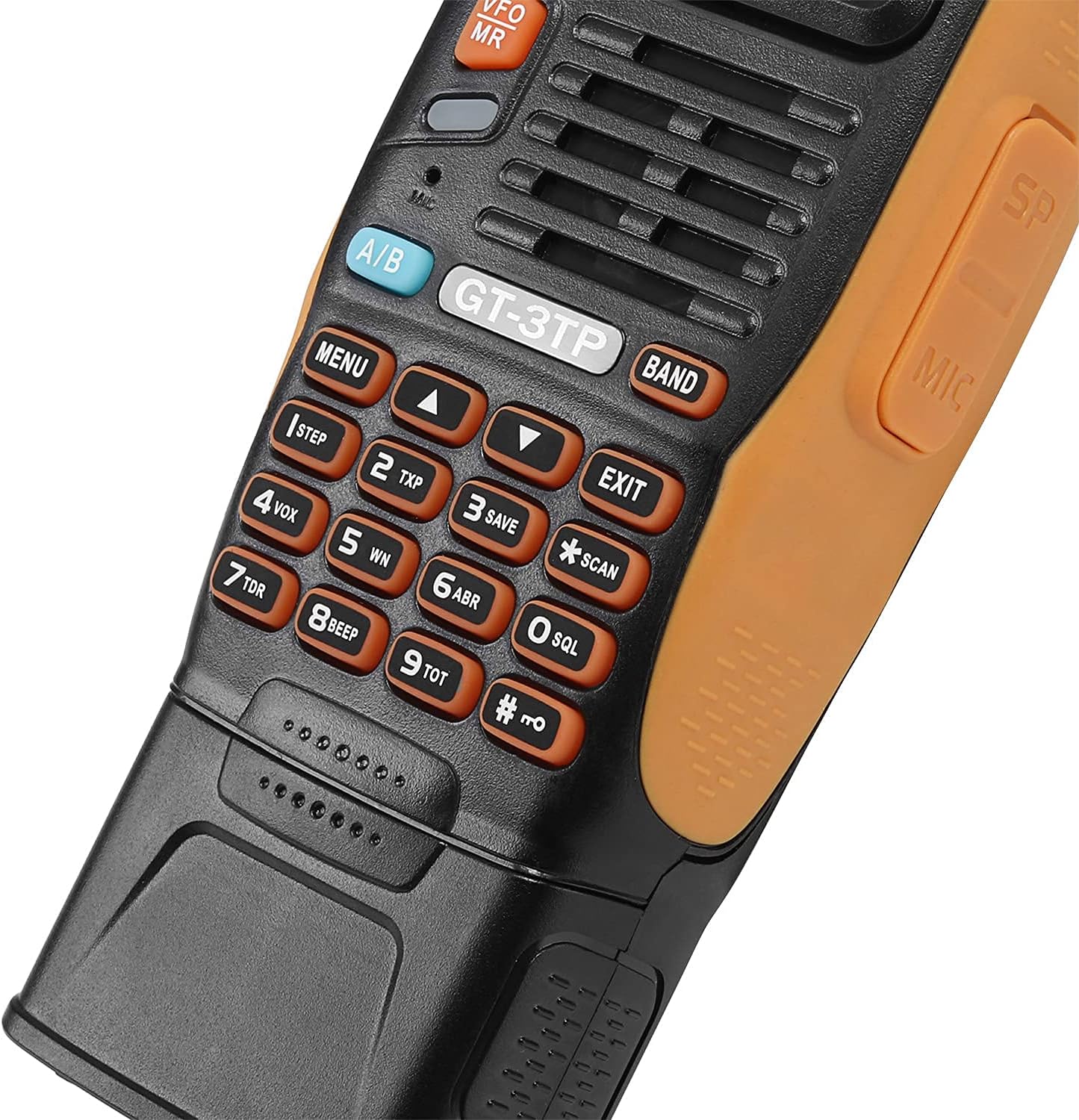
Image: Detailed view of the BAOFENG GT-3TP's keypad and LCD display, showing various function buttons and numerical input.
- Frequency Mode (VFO): Allows direct input of frequencies using the keypad. Use the UP/DOWN arrow buttons to adjust frequency steps.
- Channel Mode (MR): Allows selection of pre-programmed channels. Use the UP/DOWN arrow buttons to navigate through channels.
4.3 Power Settings (High/Medium/Low)
The GT-3TP offers three power output levels: 8W (High), 4W (Medium), and 1W (Low). To adjust the power setting:
- Press the MENU button.
- Navigate to the TXP (Transmit Power) setting using the UP/DOWN arrows.
- Press MENU again to select.
- Use UP/DOWN to choose High, Med, or Low.
- Press MENU to confirm, then EXIT to return to normal operation.
4.4 VOX Function (Voice Operated Transmission)
The VOX function enables hands-free transmission. When activated, the radio will transmit automatically when it detects your voice.
- Press the MENU button.
- Navigate to the VOX setting.
- Press MENU again to select.
- Use UP/DOWN to set the VOX sensitivity level (1-10, 1 being most sensitive). Set to OFF to disable.
- Press MENU to confirm, then EXIT.
4.5 CTCSS/DCS Tones
CTCSS (Continuous Tone-Coded Squelch System) and DCS (Digitally Coded Squelch) tones are used to filter out unwanted communications. Only signals with the matching tone will be heard.
- Press the MENU button.
- Navigate to the CTCSS or DCS settings (R-CTCS/T-CTCS for receive/transmit CTCSS, R-DCS/T-DCS for receive/transmit DCS).
- Press MENU to select.
- Use UP/DOWN to select the desired tone.
- Press MENU to confirm, then EXIT.
5. Maintenance
5.1 Cleaning
- Wipe the radio's surface with a soft, damp cloth. Do not use harsh chemicals or abrasive cleaners.
- Ensure the radio is dry before use or charging.
5.2 Battery Care
- Avoid fully discharging the Li-ion battery frequently to prolong its lifespan.
- Charge the battery in a cool, dry environment.
- If storing the radio for an extended period, charge the battery to approximately 50% and remove it from the radio.
5.3 Storage
- Store the radio in a cool, dry place away from direct sunlight and extreme temperatures.
- Keep the radio away from dust and moisture.
6. Troubleshooting
If you encounter issues with your BAOFENG GT-3TP, refer to the table below for common problems and solutions.
| Problem | Possible Cause | Solution |
|---|---|---|
| Radio does not power on | Battery discharged or improperly installed. | Charge the battery. Ensure battery is correctly seated. |
| Cannot transmit or receive | Incorrect frequency/channel, low battery, antenna not connected, CTCSS/DCS mismatch. | Verify frequency/channel. Charge battery. Check antenna connection. Ensure CTCSS/DCS settings match. |
| Poor audio quality | Weak signal, incorrect squelch setting, damaged earpiece/microphone. | Move closer to the other radio. Adjust squelch level. Test with a different earpiece/microphone. |
| Battery drains quickly | High power setting, frequent transmission, aging battery. | Use lower power settings when possible. Reduce transmission time. Consider replacing the battery if it's old. |
7. Specifications
Technical specifications for the BAOFENG GT-3TP Two Way Radio.
| Feature | Detail |
|---|---|
| Model Number | GT-3TP |
| Frequency Range | VHF: 144-148 MHz (Rx/Tx), UHF: 420-450 MHz (Rx/Tx) |
| Output Power | 8W / 4W / 1W (Tri-Power) |
| Channels | 128 |
| CTCSS/DCS | 50 CTCSS / 104 DCS |
| Battery Type | 7.4V 3800mAh Li-ion Battery |
| Antenna Type | High Gain (21CM) |
| Water Resistance Level | Waterproof |
| Dimensions | 7.87 x 6.3 x 3.94 inches |
| Weight | 1.28 pounds |
8. Warranty and Support
BAOFENG products typically come with a limited manufacturer's warranty. Please refer to the warranty card included with your product or contact your point of purchase for specific warranty terms and conditions.
For technical support, troubleshooting assistance, or inquiries regarding parts and accessories, please contact BAOFENG customer service or visit the official BAOFENG website. Keep your purchase receipt as proof of purchase for warranty claims.


