
Product Overview
The Lamicall Cell Phone Stand (Model DP03-EU-B) is designed to provide a stable and adjustable platform for smartphones and small tablets. It features a robust construction with height and angle adjustment capabilities, ensuring a comfortable viewing experience for various activities such as video calls, watching media, or following recipes.
Key Features:
- Height Adjustable: The stand can be adjusted from 159mm (6.25 inches) to 205mm (8.07 inches) for optimal eye-level viewing.
- Angle Adjustable: Offers up to 60 degrees of angle adjustment for personalized viewing comfort.
- Sturdy & Stable Design: Features a weighted base and aluminum rod for enhanced stability, complemented by non-slip rubber pads.
- Thick Case Friendly: Accommodates devices with a thickness of up to 18mm (0.71 inches), including those with protective cases.
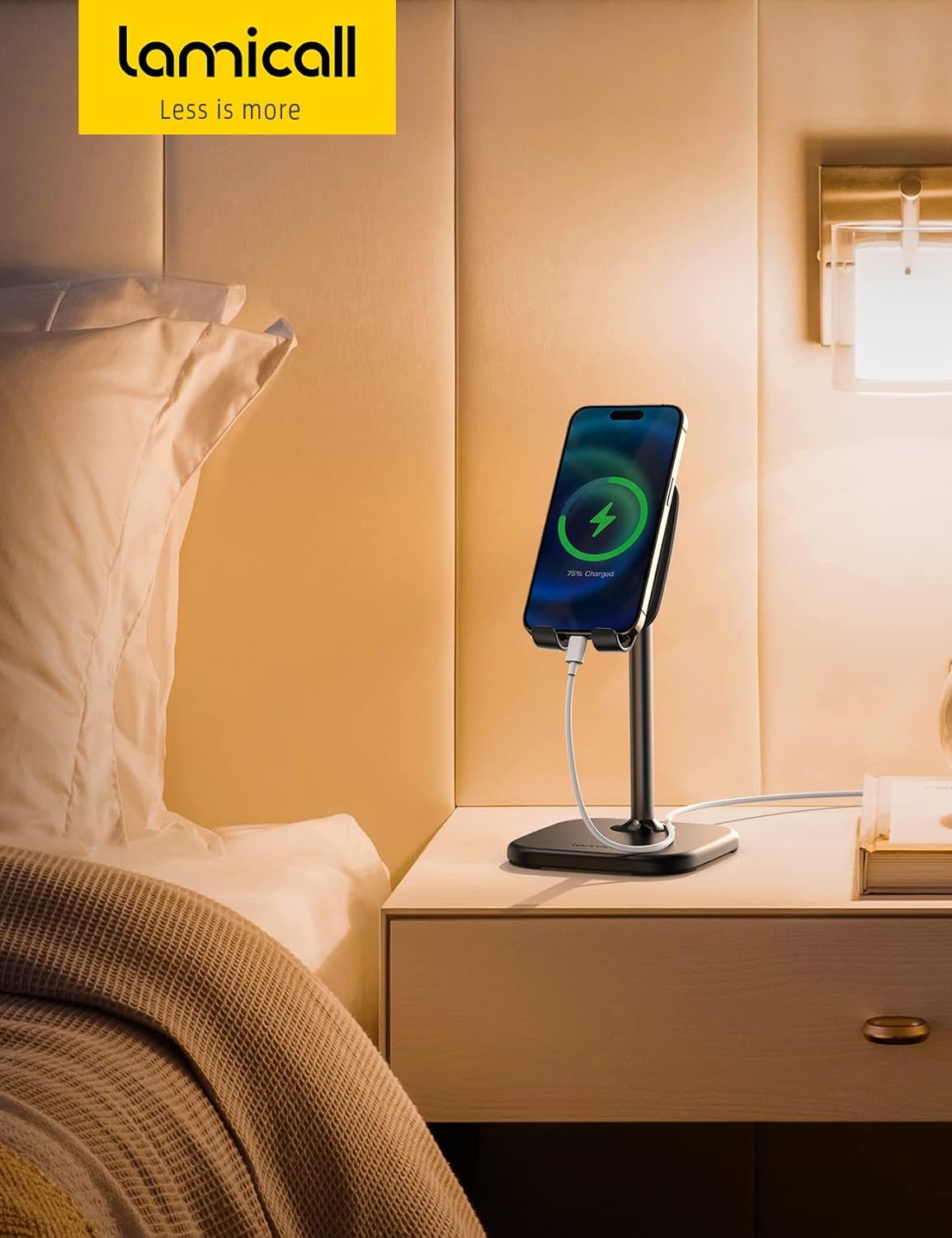
- Charging Port Access: Designed with an opening to allow charging cables to pass through while the device is on the stand.
- Wide Compatibility: Supports smartphones and small tablets ranging from 4 to 10 inches.
Setup Instructions
The Lamicall Cell Phone Stand is designed for quick and easy assembly without the need for tools or screws. Follow these steps to set up your stand:
- Unpack all components: You should find a base, a support rod, and a device holder.
- Locate the arrow on the bottom of the support rod. Align this arrow with the corresponding slot on the weighted base.
- Gently insert the support rod into the base until it is securely seated.
- Attach the device holder to the top of the support rod. Ensure it clicks into place or is firmly screwed on, depending on the specific design.

Your stand is now assembled and ready for use.
Operating Instructions
Adjusting Height and Angle
The stand offers flexible adjustments to optimize your viewing experience:
- Height Adjustment: To adjust the height, gently slide the support rod up or down. The stand allows for height adjustments between 159mm (6.25 inches) and 205mm (8.07 inches).
- Angle Adjustment: The device holder can be tilted up to 60 degrees. Apply gentle pressure to the top or bottom of the holder to achieve your desired viewing angle.

Placing Your Device
Place your smartphone or small tablet securely into the holder. The silicone backrest pad and rubber hooks are designed to hold your device firmly in place and prevent scratches. The stand is compatible with devices from 4 to 10 inches and can accommodate devices with a thickness up to 18mm, including most cases.

Charging Compatibility
An opening at the bottom of the device holder allows for convenient charging. You can connect your charging cable to your device while it is mounted on the stand, ensuring uninterrupted use.
Maintenance
To ensure the longevity and optimal performance of your Lamicall Cell Phone Stand, follow these simple maintenance guidelines:
- Cleaning: Wipe the stand regularly with a soft, damp cloth to remove dust and smudges. Avoid using abrasive cleaners or solvents, as these can damage the finish and rubber components.
- Inspection: Periodically check all connections and moving parts to ensure they are secure.
- Storage: When not in use for extended periods, store the stand in a clean, dry place away from direct sunlight and extreme temperatures.
Troubleshooting
If you encounter any issues with your Lamicall Cell Phone Stand, refer to the following common troubleshooting tips:
- Stand feels wobbly or unstable: Ensure the stand is placed on a flat, stable surface. Verify that all components are securely assembled. If the stand still feels unstable, especially when tapping the screen of a larger device, consider placing a small, flat weight on the base for added stability.
- Device not fitting securely: Check that your device's thickness, including its case, does not exceed 18mm (0.71 inches). Ensure the device is properly seated within the rubber hooks.
- Difficulty adjusting height or angle: Apply gentle, firm pressure when adjusting. The mechanisms are designed to hold position securely, so some resistance is normal. Do not force adjustments.
Specifications
| Feature | Detail |
|---|---|
| Brand | Lamicall |
| Model Name | DP03-B |
| Model Number | DP03-EU-B |
| Color | Black |
| Material | Acrylonitrile Butadiene Styrene, Metal, Rubber |
| Form Factor | Phone Holder |
| Mounting Type | Tabletop |
| Adjustable Height Range | 159-205mm (6.25-8.07 inches) |
| Adjustable Angle | Up to 60 degrees |
| Max Device Thickness | 18mm (0.71 inches) |
| Compatible Devices | Smartphones and small tablets from 4-10 inches (e.g., iPhone 14 series, Samsung Galaxy S series, LG, Motorola, Google Pixel, Huawei, Xiaomi, Nokia, Microsoft, BlackBerry) |
| Item Dimensions | 4.96 x 4.21 x 4.09 inches |
| Number of Items | 1 |
Warranty Information
Lamicall provides a Lifetime Warranty for this product. This warranty covers manufacturing defects and ensures the product's quality and durability under normal use. For warranty claims or further details, please contact Lamicall customer support.
Customer Support
For any questions, assistance, or support regarding your Lamicall Cell Phone Stand, please visit the official Lamicall website or contact their customer service department. Contact information can typically be found on the product packaging or the Lamicall brand store online.
