
1. Introduction
Thank you for choosing the DYNASONIC Karaoke Speaker System. This portable and rechargeable karaoke speaker, model URMIIM, is designed to provide hours of entertainment with its powerful sound, integrated LED lights, and dual microphone support. It is suitable for various occasions, from home use to parties and events.

Figure 1.1: DYNASONIC Karaoke Speaker System (Pink model) with two wired microphones and illuminated LED speaker grille.

Figure 1.2: The speaker delivers powerful sound with high-bass and minimal distortion.
Key Features:
- Bluetooth Connectivity: Seamlessly connect to smartphones, tablets, and other Bluetooth-enabled devices.
- Dual Microphone Support: Comes with two wired microphones for duet singing.
- Multiple Playback Options: Supports USB, Micro SD card, and AUX-in for versatile music playback.
- Dynamic LED Lights: Integrated LED lights that synchronize with the music rhythm, enhancing the party atmosphere.
- Portable and Rechargeable: Built-in Lithium-ion battery for convenient use anywhere.
- TWS Technology: Allows synchronization of two speakers for stereo sound (additional speaker sold separately).
- Karaoke Mode with ECO: Adjustable echo effect for a professional singing experience.
- FM Radio: Built-in radio tuner for listening to your favorite stations.
2. Setup and First Use
2.1 Unpacking the Device
Carefully remove all components from the packaging. Ensure you have the following items:
- DYNASONIC Karaoke Speaker (URMIIM)
- 2 x Wired Microphones
- USB Charging Cable
- 3.5mm AUX Cable
- User Manual (this document)
2.2 Charging the Speaker
Before first use, fully charge the speaker.
- Connect the small end of the USB charging cable to the speaker's USB charging port.
- Connect the other end of the USB cable to a standard USB power adapter (not included) or a computer's USB port.
- The charging indicator light will illuminate. Once fully charged, the light may change color or turn off.
- A full charge typically takes 3-4 hours.
2.3 Connecting Microphones
The speaker includes two microphone input jacks.
- Locate the microphone input jacks on the speaker.
- Insert the microphone cables firmly into the jacks.
- Ensure the ON/OFF switch on each microphone is set to the "ON" position when in use.

Figure 2.1: Multi-function speaker highlighting microphone input and other features.
3. Operating Instructions
3.1 Power On/Off
- To power on, press and hold the Power button until the speaker activates.
- To power off, press and hold the Power button again until the speaker shuts down.
3.2 Bluetooth Pairing
Connect your device wirelessly via Bluetooth.
- Turn on the speaker. It will automatically enter Bluetooth pairing mode (indicated by a flashing light or voice prompt).
- On your smartphone, tablet, or other Bluetooth device, enable Bluetooth and search for available devices.
- Select "DYNASONIC" from the list of devices.
- Once paired, the speaker will indicate a successful connection.

Figure 3.1: Speaker compatibility with various devices, including Bluetooth.
3.3 USB / Micro SD Playback
Play music directly from a USB flash drive or Micro SD card.
- Insert a USB flash drive or Micro SD card (with MP3 files) into the corresponding slot on the speaker.
- The speaker will automatically detect the media and begin playback.
- Use the speaker's control buttons (e.g., Play/Pause, Next/Previous) to manage playback.
3.4 AUX Input
Connect external audio devices using the 3.5mm AUX cable.
- Connect one end of the 3.5mm AUX cable to the speaker's AUX-in port.
- Connect the other end to the headphone jack or audio output of your external device.
- The speaker will automatically switch to AUX mode, or you may need to press the Mode button to select AUX.
3.5 Microphone Usage and ECO Mode
Enhance your singing with the included microphones and adjustable echo effect.
- Ensure microphones are connected and switched "ON".
- Adjust the microphone volume using the dedicated knob on the speaker.
- Use the ECO (Echo) control to add a reverberation effect to your voice. Rotate the knob to increase or decrease the echo intensity.
3.6 TWS (True Wireless Stereo) Function
Pair two DYNASONIC speakers (URMIIM model) for a true stereo sound experience.
- Ensure both speakers are powered on and not connected to any Bluetooth device.
- On one speaker (this will be the primary speaker), press and hold the TWS button (or a designated pairing button, refer to speaker markings).
- The primary speaker will search for the secondary speaker. Once connected, both speakers will play audio in stereo.
3.7 LED Light Modes
The speaker features dynamic LED lights that react to music.
- The LED lights automatically illuminate when the speaker is on.
- They will pulse and change colors in sync with the music.
- There may be a dedicated button to cycle through different light modes or turn them off (refer to speaker controls).
3.8 FM Radio Mode
Listen to your favorite radio stations.
- Press the "Mode" button to cycle through input modes until you reach FM Radio mode.
- Use the Next/Previous buttons to scan for stations.
- For better reception, extend any built-in antenna or position the speaker near a window.

Figure 3.2: The DYNASONIC Karaoke Speaker enhances entertainment for family and friends.
4. Maintenance
4.1 Cleaning
- Always power off the speaker and disconnect it from any power source before cleaning.
- Use a soft, dry cloth to wipe the exterior of the speaker.
- Do not use abrasive cleaners, waxes, or solvents as they may damage the finish.
- Avoid getting moisture into any openings or ports.
4.2 Battery Care
- To prolong battery life, avoid fully discharging the battery frequently.
- Charge the speaker regularly, even if not in use, to maintain battery health.
- Store the speaker in a cool, dry place away from extreme temperatures.
4.3 Storage
When storing the speaker for an extended period:
- Ensure the speaker is fully charged.
- Store it in its original packaging or a protective case to prevent dust and damage.
- Keep it away from direct sunlight and high humidity.
5. Troubleshooting
If you encounter any issues with your DYNASONIC Karaoke Speaker, please refer to the following common problems and solutions:
| Problem | Possible Cause | Solution |
|---|---|---|
| No power | Battery is low or depleted. | Charge the speaker fully using the provided USB cable. |
| No sound from speaker | Volume is too low; incorrect mode selected; device not connected properly. | Increase speaker volume. Ensure correct input mode (Bluetooth, USB, AUX) is selected. Reconnect Bluetooth device or cables. |
| Microphone not working | Microphone switch is OFF; microphone not fully plugged in; microphone volume too low. | Ensure microphone ON/OFF switch is set to "ON". Firmly plug microphone into the jack. Increase microphone volume knob. |
| Cannot pair Bluetooth | Speaker is not in pairing mode; device Bluetooth is off; too many devices connected. | Ensure speaker is in pairing mode. Turn Bluetooth off and on again on your device. Disconnect other Bluetooth devices. Move closer to the speaker. |
| Sound distortion | Volume too high; audio source quality is poor. | Lower the volume. Try a different audio source or file. |
If the problem persists after trying these solutions, please contact customer support.
6. Specifications
Technical specifications for the DYNASONIC Karaoke Speaker System (Model: URMIIM).
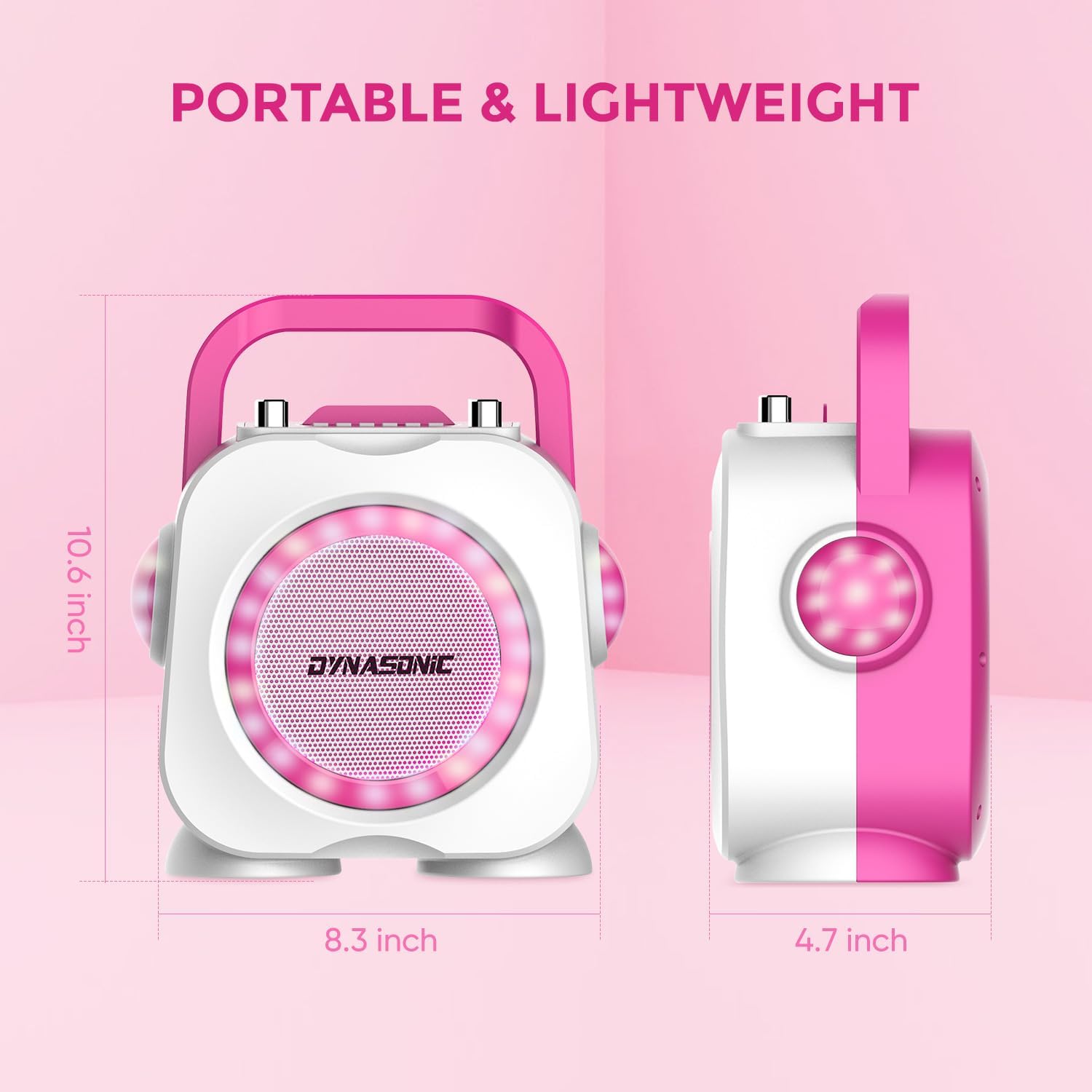
Figure 6.1: Speaker dimensions for portability.
| Feature | Detail |
|---|---|
| Brand | DYNASONIC |
| Model Number | URMIIM |
| Color | Pink |
| Connectivity Technology | Bluetooth, USB, 3.5mm AUX |
| Special Features | Rechargeable, Portable, LED Lights, TWS Function, Karaoke Mode with ECO, FM Radio |
| Power Source | Rechargeable Lithium-ion Battery |
| Included Components | 1 x Karaoke Speaker, 2 x Wired Microphones, USB Charging Cable, 3.5mm AUX Cable |
| Recommended Use | Home, Parties, Events |
| Number of Speakers | 1 (TWS allows pairing with a second speaker) |
| USB Ports | 1 |
| Compatible Devices | Smartphones, Tablets, Laptops, TVs (with AUX or Bluetooth) |
7. Warranty and Support
DYNASONIC products are manufactured to high-quality standards. This product comes with a standard manufacturer's warranty against defects in materials and workmanship. Please retain your proof of purchase for warranty claims.
For detailed warranty information or technical support, please refer to the warranty card included in your product packaging or visit the official DYNASONIC website.
Customer Support: For further assistance, please contact your retailer or the DYNASONIC customer service team.


