
Clore Automotive PL2112
Clore Automotive PL2112 User Manual
1-Amp Fully-Automatic Smart Charger, 12V Battery Charger, Maintainer, and Desulfator
Model: PL2112
1. Introduction
The Clore Automotive PRO-LOGIX PL2112 is a 1-Amp fully-automatic smart charger designed for 12V battery charging, maintenance, and desulfation. This intelligent and versatile unit is capable of properly charging and maintaining various lead-acid battery types, including Flooded, AGM, Spiral Wound, Marine, and Deep Cycle, as well as LiFePO4 lithium batteries. It is suitable for periodic charging, long-term storage, and battery maintenance.
2. Important Safety Information
WARNING: Read all safety warnings and instructions. Failure to follow the warnings and instructions may result in electric shock, fire, and/or serious injury.
- Always wear eye protection when working with batteries.
- Ensure proper ventilation during charging to prevent gas accumulation.
- Do not expose the charger to rain or wet conditions.
- Connect the charger to the battery terminals correctly (positive to positive, negative to negative).
- Disconnect the AC power before connecting or disconnecting battery leads.
- Keep out of reach of children.
3. Package Contents
The PL2112 package includes the following items:
- (1) PL2112 Fully-Automatic Battery Charger
- (1) Clamp Set (for direct battery terminal connection)
- (1) Ring Terminal Set (for permanent battery connection)
- (1) 12V Male Adapter (for accessory port connection)

Figure 3.1: PL2112 Charger and Accessories
This image displays the Clore Automotive PL2112 battery charger along with its power cord, a set of red and black battery clamps, and a ring terminal connector, all neatly arranged on a brown surface.
4. Product Features
The PL2112 charger offers a range of advanced features for optimal battery care:
- 12 Volt Battery Charging: Designed specifically for 12V battery systems.
- Fully Automatic Operation: Simplifies the charging process by automatically adjusting to battery needs.
- 1A Charging Rate: Provides a steady, safe charging current suitable for maintenance and slow charging.
- 7-Stage Intelligent Charging Process: Optimizes battery health and longevity through a multi-stage charging cycle.
- Enhanced Maintenance Mode: Ideal for long-term charging and storage, keeping batteries at optimal levels.
- Multi-Battery Type Compatibility: Properly charges all lead acid battery types (Flooded, AGM, Spiral Wound, Marine, Deep Cycle) including LiFePO4 batteries.
- Soft Start Mode: Safely charges severely depleted batteries.
- Temperature Compensation: Automatically adjusts charging parameters based on ambient temperature for optimal performance.

Figure 4.1: PL2112 Control Panel
This image provides a detailed view of the PL2112 charger's front panel, highlighting the 'TYPE' and 'START' buttons, and LED indicators for battery types (STD, AGM, LiFePO4), charge status, and fault warnings.
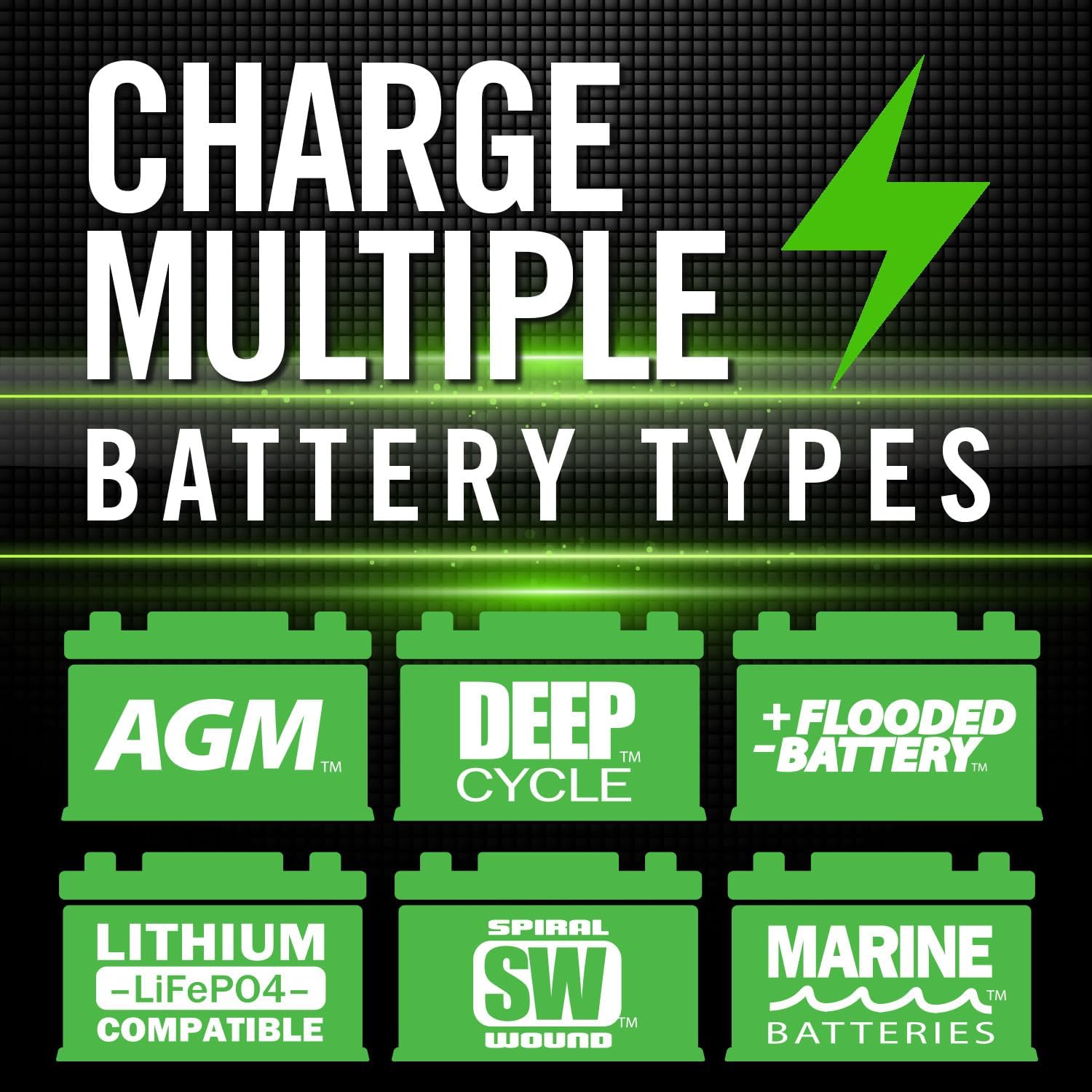
Figure 4.2: Multi-Battery Type Compatibility
This graphic illustrates the wide compatibility of the PL2112 charger, showing icons for AGM, Deep Cycle, Flooded, Lithium (LiFePO4), Spiral Wound, and Marine battery types, indicating its versatility.

Figure 4.3: Thermal Compensation
This image highlights the thermal compensation feature of the PL2112, demonstrating its ability to automatically adjust charging based on ambient temperatures ranging from -22°F to 113°F, ensuring optimal charging in various climates.

Figure 4.4: Force Charge Feature
This graphic emphasizes the PL2112's capability to 'Force Charge Dead Batteries,' indicating it can revive batteries with as low as 00.0 Volts.
5. Setup
5.1 Connecting to Power
Plug the charger's AC power cord into a standard 120V AC wall outlet. The charger will enter standby mode, indicated by certain LEDs illuminating.
5.2 Connecting to the Battery
The PL2112 comes with three types of battery connectors: battery clamps, ring terminals, and a 12V male adapter. Choose the appropriate connector for your application.
- Battery Clamps: Ideal for temporary connections. Connect the red (+) clamp to the positive battery terminal and the black (-) clamp to the negative battery terminal.
- Ring Terminals: For semi-permanent installation. Attach the ring terminals to the battery posts and secure them.
- 12V Male Adapter: For connecting to a vehicle's 12V accessory port (e.g., cigarette lighter socket), if the port remains powered when the vehicle is off.
Ensure all connections are secure before proceeding.

Figure 5.1: Charger Connected to Vehicle Battery
This image shows the PL2112 charger positioned near a vehicle's battery, with its clamps properly connected to the positive and negative terminals, illustrating a typical setup for charging a car battery.
5.3 Setup Demonstration Video
Video 5.1: Connecting the PL2112 Charger to a Motorcycle Battery
This video demonstrates the process of connecting the Clore Automotive PL2112 charger to a motorcycle battery. It shows plugging in the charger, attaching the battery clamps to the terminals, and the charger's indicator lights activating, confirming a successful connection and initiation of the charging process.
6. Operating Instructions
6.1 Selecting Battery Type
After connecting the charger to the battery and power, press the TYPE button to cycle through the available battery types: STD (Standard), AGM, and LiFePO4. The corresponding LED will illuminate. If your battery is severely depleted, the charger may automatically enter Soft Start Mode.
6.2 Initiating Charging
Once the correct battery type is selected, press the START button to begin the charging process. The charger will automatically detect the battery's condition and initiate the appropriate 7-stage charging cycle.
6.3 Charging Indicators
The charger features LED indicators to show the charging progress and battery status:
- Charge Level LEDs: Indicate the current charge level of the battery.
- Fault LED: Illuminates if a fault condition (e.g., reverse polarity, short circuit) is detected.
- Maintenance Mode: Once the battery is fully charged, the charger automatically switches to an enhanced maintenance mode to prevent overcharging and keep the battery optimized for long-term storage.
7. Maintenance
- Keep the charger clean and dry. Wipe with a soft, damp cloth if necessary.
- Inspect cables and connectors regularly for any damage. Do not use if damaged.
- Store the charger in a cool, dry place when not in use.
- For long-term battery storage, ensure the battery is fully charged and then connected to the PL2112 in maintenance mode.
8. Troubleshooting
| Problem | Possible Cause | Solution |
|---|---|---|
| Charger not turning on. | No AC power; faulty outlet. | Check AC power connection. Test outlet with another device. |
| Fault LED illuminated. | Reverse polarity; short circuit; severely damaged battery. | Check battery connections for correct polarity. Inspect cables for damage. If battery is severely damaged, it may not accept a charge. |
| Battery not charging. | Incorrect battery type selected; poor connection; battery beyond recovery. | Ensure correct battery type is selected. Verify secure connections. Battery may be too sulfated or damaged to accept a charge. |
9. Specifications
- Model Number: PL2112
- Manufacturer: Clore Automotive
- Output Voltage: 12 Volts
- Charging Rate: 1 Amp
- Product Dimensions: 6.2 x 9.3 x 2.2 inches
- Item Weight: 1 pound (16 ounces)
- Material: Alloy Steel
- Power Source: Hand Powered (refers to manual operation, not literally hand-cranked)
- Special Features: Recondition distressed batteries
- Battery Cell Type Compatibility: Lithium (LiFePO4), Flooded, AGM, Spiral Wound, Marine, Deep Cycle
10. Warranty
The Clore Automotive PL2112 comes with a 1 Year Manufacturer Warranty. Please retain your proof of purchase for warranty claims. For detailed warranty terms and conditions, refer to the documentation included with your product or contact Clore Automotive customer support.
11. Support
For technical assistance, product inquiries, or warranty service, please contact Clore Automotive customer support. Visit the official Clore Automotive website for the most up-to-date contact information and additional resources.
Clore Automotive Store: Visit Store
Ask a question about this manual
Ask about setup, troubleshooting, compatibility, parts, safety, or missing instructions. Manuals+ will review the question and use this page’s manual context to help answer it.