
1. Introduction
Thank you for choosing the dghvin 5-in-1 Electric Rotary Shaver and Grooming Kit. This versatile device is designed to provide a comprehensive grooming experience with its multiple interchangeable heads. Please read this manual carefully before use to ensure proper operation, maintenance, and safety.

Image 1.1: The dghvin 5-in-1 Electric Rotary Shaver and Grooming Kit, showcasing the main unit and its various attachments including the 5-blade shaver head, nose hair trimmer, sideburn trimmer, facial cleansing brush, and massage head.
2. Safety Information
For your safety and to ensure optimal performance, please adhere to the following guidelines:
- Always keep the charging port dry to prevent electrical hazards.
- Keep the shaver and its attachments out of reach of children and pets to prevent choking hazards.
- Always follow the cleaning and maintenance instructions to ensure safe and optimal operation of the electric shaver.
- Do not disassemble the device beyond what is described in this manual.
- Avoid using the shaver if any part is damaged.
3. Package Contents
Your dghvin 5-in-1 Grooming Kit includes:
- Main Shaver Unit (with 5D Floating Rotary Head)
- Hair Clipper with 3-6-9-12 mm Guide Combs
- Nose Hair Trimmer Head
- Sideburn Trimmer Head
- Facial Cleansing Brush Head
- USB Charging Cable
- Cleaning Brush
4. Product Overview
The main unit features a comfortable palm-sized design with an LED display indicating battery status. It is equipped with a powerful motor for efficient grooming.

Image 4.1: The main dghvin electric rotary shaver unit, featuring a sleek black and gold design with a digital display.
Interchangeable Heads:
- 5D Floating Rotary Shaver Head: Designed to flexibly fit facial contours for a clean, fast, and comfortable shave.
- Hair Clipper Head: For trimming and styling hair, includes various guide combs for different lengths.
- Nose Hair Trimmer Head: Safely and effectively removes unwanted nose and ear hair.
- Sideburn Trimmer Head: For precise trimming of sideburns and detailing.
- Facial Cleansing Brush Head: For deep cleansing of the face.
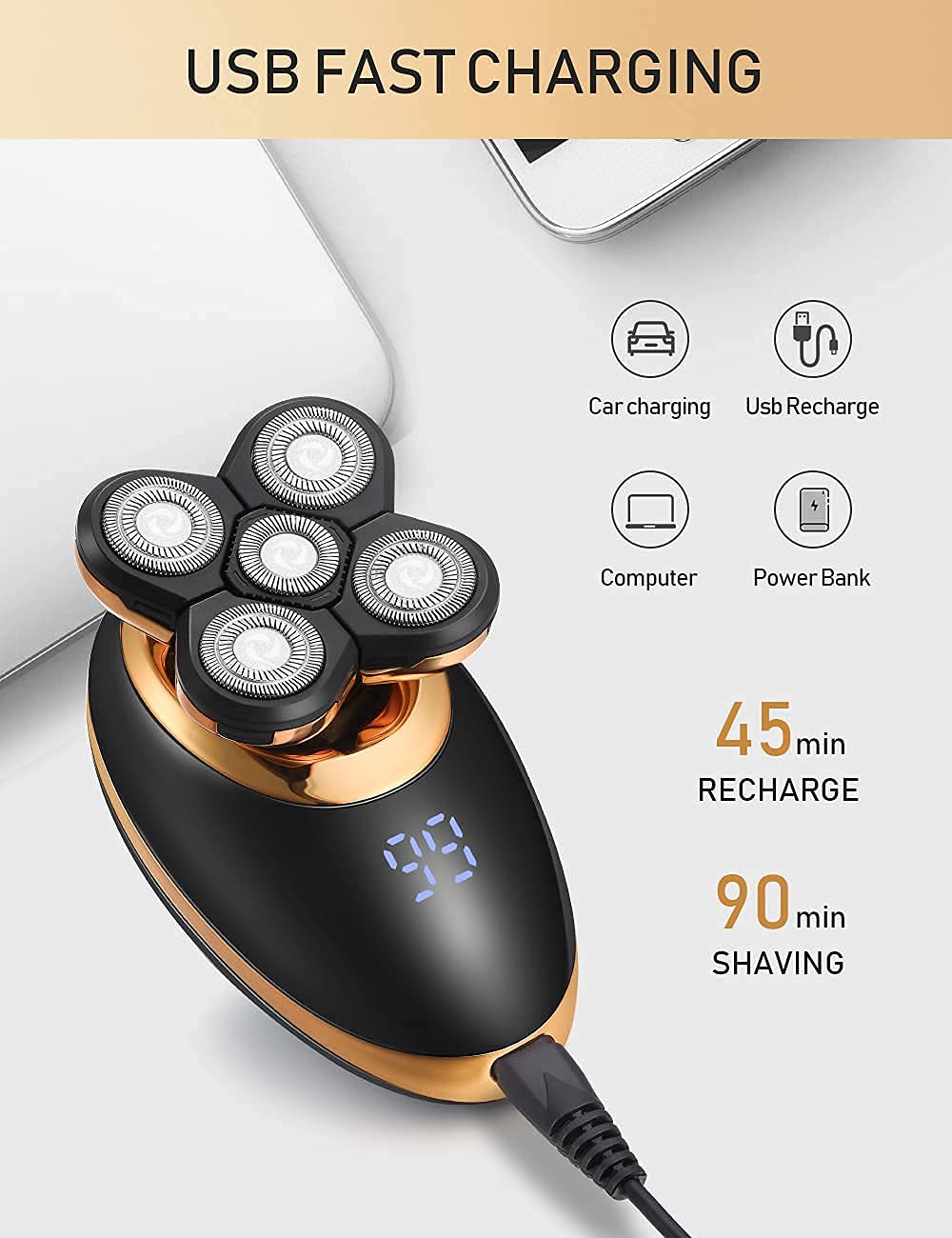
Image 4.2: Illustration of the five interchangeable heads: Temple Knife (Sideburn Trimmer), Nasal Hair Organ (Nose Hair Trimmer), Massage Head, Cleansing Brush, and 5-blade razor (Rotary Shaver).
5. Setup
5.1 Initial Charging
Before first use, fully charge the shaver. Connect the USB charging cable to the shaver's charging port and plug the other end into a USB power source (e.g., computer, power bank, car charger). The LED display will show the charging status. A full charge takes approximately 45-60 minutes and provides up to 90 minutes of wireless use.

Image 5.1: The dghvin shaver connected via USB for fast charging, indicating compatibility with various USB power sources.
5.2 Attaching/Detaching Heads
To attach a head, align the head with the main unit's connector and gently push until it clicks into place. To detach, firmly pull the head away from the main unit. Ensure the shaver is turned off before changing heads.
Video 5.2: A user demonstrates how to attach and detach the various grooming heads from the dghvin 5-in-1 shaver unit.
6. Operating Instructions
6.1 Power On/Off
Press and hold the power button for 3 seconds to turn the shaver on or off. The LED display will show the remaining battery percentage.
6.2 Using the 5D Floating Rotary Shaver Head
For best results, move the shaver in circular motions over the skin. The 5D floating heads adapt to the contours of your face and head for a close and comfortable shave. This shaver supports both wet and dry use.

Image 6.1: Close-up of the 5D floating rotary shaver head, demonstrating its flexibility to conform to the curves of the face for an efficient shave.
Video 6.2: A demonstration of the dghvin 5-in-1 electric shaver being used for both wet and dry shaving, highlighting its versatility.
6.3 Using Other Attachments
- Hair Clipper: Attach the desired guide comb (3mm, 6mm, 9mm, or 12mm) and move the clipper against the direction of hair growth.
- Nose Hair Trimmer: Gently insert the trimmer head into your nostril or ear and move it in a circular motion to trim unwanted hair.
- Sideburn Trimmer: Use the precision trimmer for shaping sideburns, beard lines, or other detailed areas.
- Facial Cleansing Brush: Apply your preferred facial cleanser to the brush head or your face. Gently move the brush in circular motions across your face for deep cleansing.
7. Maintenance
7.1 Cleaning the Shaver Heads
The dghvin shaver is waterproof, allowing for easy cleaning. After each use:
- Turn off the shaver.
- Open the shaver head by gently pressing the release button or lifting the head.
- Rinse the shaver head under running water.
- Use the provided cleaning brush to remove any trapped hair or debris.
- Allow the heads to air dry completely before reattaching or storing.

Image 7.1: The dghvin shaver head being rinsed under running water, demonstrating its waterproof design for easy cleaning.
7.2 Storage
Store the shaver and its attachments in a cool, dry place away from direct sunlight and moisture. Ensure the shaver is fully charged before long-term storage to maintain battery health.
8. Troubleshooting
- Shaver not turning on: Ensure the shaver is fully charged. If the battery is low, connect it to the charger.
- Reduced shaving performance: Clean the shaver heads thoroughly. If performance does not improve, the blades may need replacement.
- LED display not working: Check if the shaver is charged. If the issue persists, contact customer support.
- Attachments not fitting securely: Ensure the attachment is correctly aligned with the main unit's connector and pushed firmly until it clicks.
9. Specifications
| Feature | Detail |
|---|---|
| Model Number | 001 |
| Power Source | Battery Powered (1 Lithium Ion battery included) |
| Charging Time | 45-60 minutes |
| Operating Time | Up to 90 minutes (wireless) |
| Special Features | Battery Indicator, Cordless, Portable, Rechargeable, Waterproof |
| Recommended Uses | Armpit, Back Hair, Beard, Face, Nose Hair |
| Dimensions | 6.89 x 5.87 x 3.54 inches |
| Weight | 11.64 ounces |
10. Warranty and Support
For warranty information and customer support, please refer to the product packaging or contact the manufacturer directly. Keep your purchase receipt as proof of purchase.