
1. Introduction
Welcome to the world of electric biking with your new YinZhiBoo XDC600 Electric Fat Tire Mountain Bike. This manual provides essential information for the safe assembly, operation, maintenance, and troubleshooting of your e-bike. Please read this manual thoroughly before your first ride and keep it for future reference.
2. Safety Information
Your safety is paramount. Always wear a helmet and appropriate safety gear when riding. Familiarize yourself with local traffic laws and regulations. Perform a pre-ride inspection before each use, checking brakes, tire pressure, battery charge, and all connections.
- Helmet Use: Always wear a certified helmet.
- Pre-Ride Check: Inspect brakes, tires, battery, and all fasteners.
- Traffic Laws: Adhere to all local traffic laws and regulations.
- Weather Conditions: Exercise caution in wet or slippery conditions.
- Weight Limit: Do not exceed the maximum weight capacity of 330 lbs.
3. Product Overview
The YinZhiBoo XDC600 is a robust electric fat tire mountain bike designed for various terrains. It features a powerful motor, a long-lasting battery, and multiple riding modes to enhance your cycling experience.
Key Features:
- Motor: 2000W Peak Brushless Motor, delivering 105 N·m of torque.
- Battery: 48V 17.5Ah (840Wh) detachable Lithium-ion battery with BMS technology.
- Max Speed: Up to 32 MPH (unlockable, default 20 MPH for city commuting).
- Range: 36-40 miles (pure electric mode), 60-65 miles (PAS mode).
- Tires: 26'' x 4'' Fat Tires for all-terrain capability.
- Gears: Shimano 7-Speed shifting system.
- Brakes: Dual disc brakes for reliable stopping power.
- Display: Intelligent LCD display for speed, distance, and battery life.
- Safety: Headlight and taillight for enhanced visibility.

Figure 1: YinZhiBoo XDC600 Electric Fat Tire Mountain Bike (Black/Yellow)
4. Setup
The YinZhiBoo XDC600 e-bike is 95% pre-assembled. The following steps detail the final assembly process. For a visual guide, please refer to the assembly video provided below.
4.1. Unboxing and Initial Assembly
Carefully remove the e-bike and all components from the packaging. Remove all protective wrapping and zip ties. Ensure all parts are present according to the packing list.
4.2. Handlebar Installation
Attach the handlebars to the stem using the provided tools. Ensure they are centered and tightened securely for safe steering.
4.3. Front Wheel Installation
Install the front wheel, ensuring the disc brake rotor is correctly aligned with the caliper. Secure the quick-release skewer or axle nuts firmly.
4.4. Pedal Installation
Identify the left (L) and right (R) pedals. The right pedal threads clockwise, and the left pedal threads counter-clockwise. Apply a small amount of grease to the threads and tighten them securely.
4.5. Battery Installation
Slide the battery into its designated slot on the frame until it clicks into place. Use the key to lock the battery for security. Ensure the battery is fully charged before your first ride.
4.6. Light Installation
Attach the front headlight to the fork and connect its wiring. Ensure it is securely mounted and facing forward.
Video 1: Assembly Guide for YinZhiBoo E-bike. This video demonstrates the unboxing, handlebar, front wheel, pedal, and battery installation steps.
5. Operating Instructions
5.1. Powering On/Off
To power on the e-bike, insert the key into the battery lock and turn it to the 'ON' position. Then, press and hold the power button on the LCD display. To power off, reverse the process.
5.2. Riding Modes
Your XDC600 offers three distinct riding modes:
- Pedal Assist Mode (PAS): The motor provides assistance as you pedal. Adjust the assist level (1-5) using the '+' and '-' buttons on the display.
- Fully Electric Mode: Twist the throttle on the handlebar to engage the motor without pedaling. The amount of power is proportional to the throttle twist.
- Pedal Mode: Ride the bicycle like a traditional bike without any motor assistance.
5.3. LCD Display
The intelligent LCD display provides real-time information:
- Speed: Current riding speed.
- Distance: Trip distance and total odometer.
- Battery Life: Remaining battery charge level.
- PAS Level: Current pedal assist level (1-5).

Figure 2: Intelligent LCD Display and Throttle Controls
5.4. Lights
The e-bike is equipped with a headlight and taillight for visibility. Operate them via the controls on the handlebar. Ensure lights are on when riding in low-light conditions or at night.
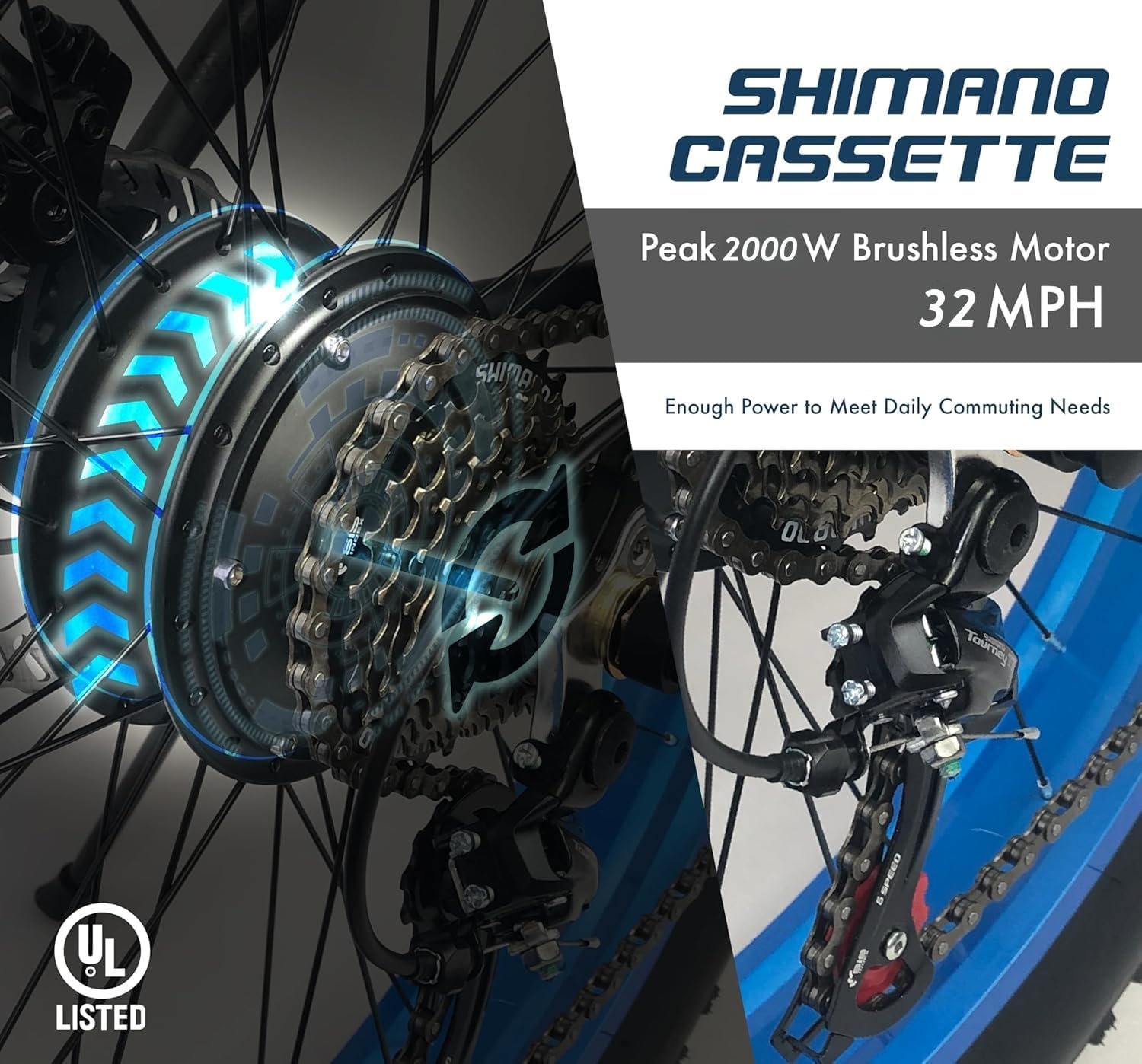
Figure 3: Rear view of the e-bike showing the taillight for night safety.
6. Maintenance
Regular maintenance ensures the longevity and optimal performance of your e-bike.
- Battery Care: Charge the battery regularly, even when not in use, to maintain its health. Avoid fully discharging the battery. Store in a cool, dry place. The BMS technology protects against overcharge, temperature, and short circuits.
- Tire Pressure: Check fat tire pressure before each ride. Refer to the tire sidewall for recommended PSI.
- Brake System: Regularly inspect disc brakes for wear and proper function. Adjust or replace pads as needed.
- Gear System: Keep the Shimano 7-speed gears clean and lubricated for smooth shifting.
- General Cleaning: Clean the bike with a damp cloth. Avoid high-pressure washing directly on electrical components.
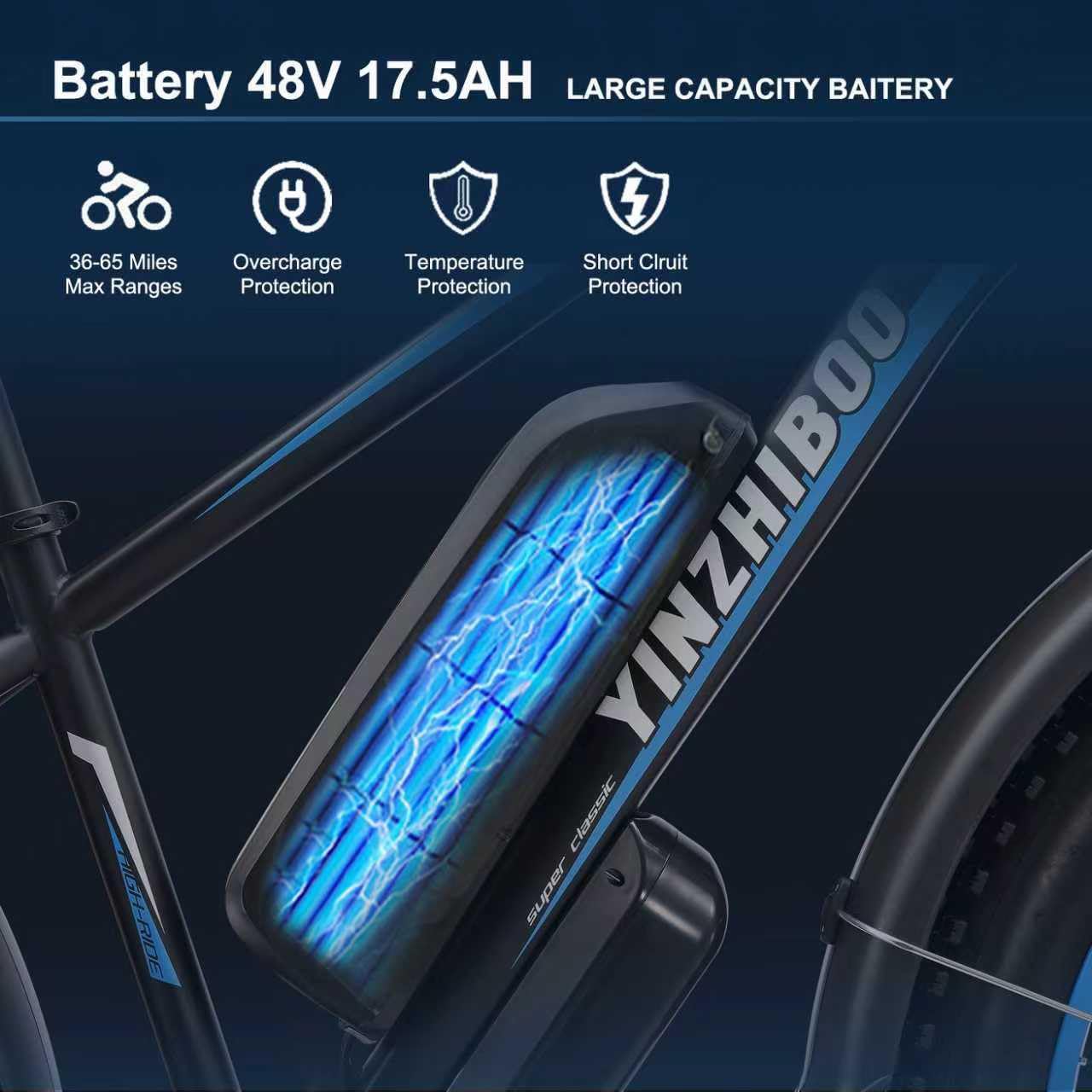
Figure 4: The 48V 17.5Ah battery with overcharge, temperature, and short circuit protection.

Figure 5: Close-up of the 2000W peak brushless motor and Shimano cassette.
7. Troubleshooting
If you encounter issues with your e-bike, please refer to the following common problems and solutions. If the problem persists, contact customer support.
- E-bike not powering on: Ensure the battery is fully charged and properly installed. Check that the key is in the 'ON' position and the power button on the display is pressed.
- Motor not engaging: Verify that the PAS level is set above 0 or that the throttle is engaged. Check for any loose connections to the motor or controller.
- Brakes not effective: Inspect brake pads for wear. Adjust brake cables or hydraulic fluid levels if applicable.
- Unusual noises: Check for loose components, rubbing parts, or debris in the drivetrain.
8. Specifications
| Feature | Specification |
|---|---|
| Model Name | XDC600 |
| Bike Type | Electric Mountain Bike |
| Motor | 2000W Peak Brushless Motor |
| Battery | 48V 17.5Ah (840Wh) Lithium-ion with BMS |
| Max Speed | 32 MPH (unlockable) |
| Range (Pure Electric) | 36-40 miles |
| Range (PAS Mode) | 60-65 miles |
| Wheel Size | 26 Inches |
| Tire Width | 4 Inches (Fat Tire) |
| Frame Material | High Carbon Steel |
| Suspension Type | Front |
| Brake Style | Disc (Dual) |
| Number of Speeds | 7 (Shimano) |
| Item Weight | 70 Pounds |
| Maximum Weight Recommendation | 330 Pounds |
| Recommended Rider Height | 5.2 - 6.9 ft |
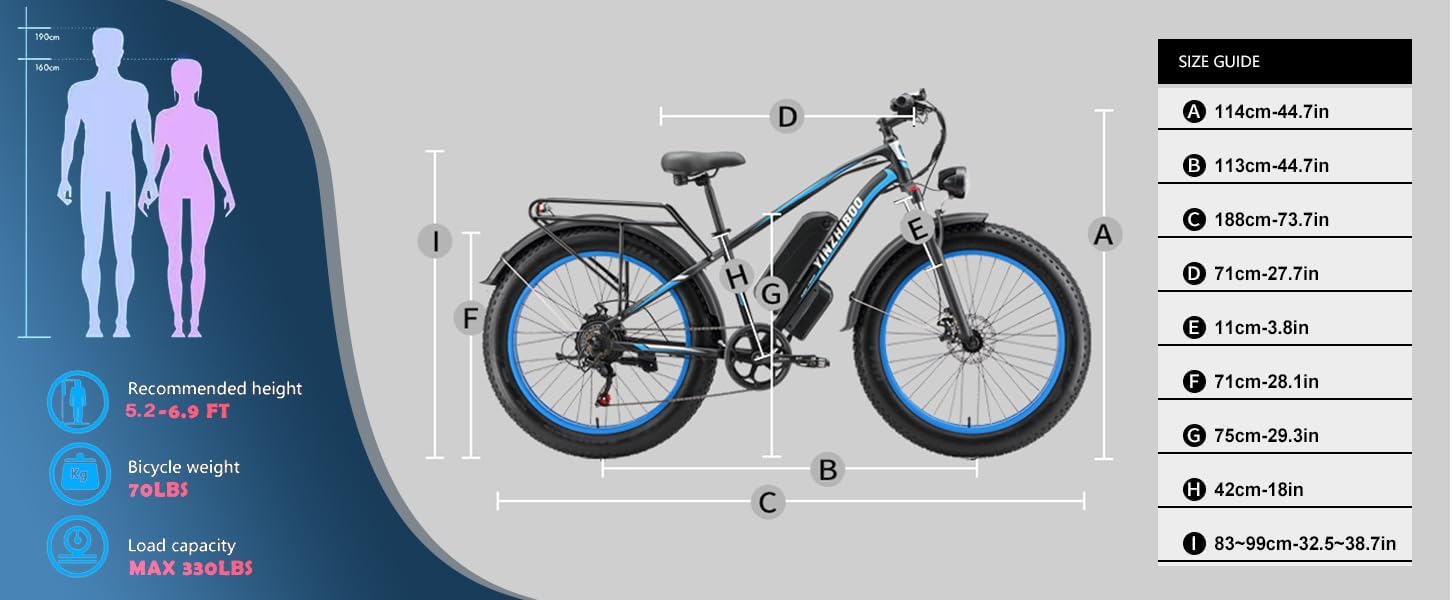
Figure 6: Size guide and dimensions for the YinZhiBoo XDC600 Electric Bike.
9. Warranty & Support
YinZhiBoo provides a one-year service and warranty for each electric bicycle. If you have any questions or require assistance, please do not hesitate to contact our support team via email. We are committed to serving you within 24 hours.
Contact: Please refer to your purchase documentation or the product listing for the specific support email address.
Return Tips: Please retain the original e-bike packaging for a period after purchase, in case a return is necessary. Contact our support team before initiating any returns to prevent package loss or complications.
Video 2: YinZhiBoo E-bike Aging Test. This video demonstrates the durability testing of the e-bike under a 330lb load over 1800 miles.