
iHome Zenergy Sunrise Bedside Therapy Machine
Contents
iHome Zenergy Sunrise Bedside Therapy Machine User Manual
Model: Zenergy Sunrise Bedside Therapy Machine
Introduction
The iHome Zenergy Sunrise Bedside Therapy Machine is designed to enhance your sleep and wake-up experience. It combines sound therapy with light therapy to create a calming environment for sleep and a gentle, natural awakening. This manual provides detailed instructions for setting up, operating, and maintaining your device.
Safety Information
Caution:
- To avoid risk of electric shock, do not use in rain or wet conditions.
- To prevent hearing damage, do not use at high volumes for extended periods.
- This product is not intended for use by children.
- Always follow the instructions provided with the product.
Package Contents
- iHome Zenergy Sunrise Bedside Therapy Machine
- Power Adapter (100-240V universal adapter)
- User Manual (this document)
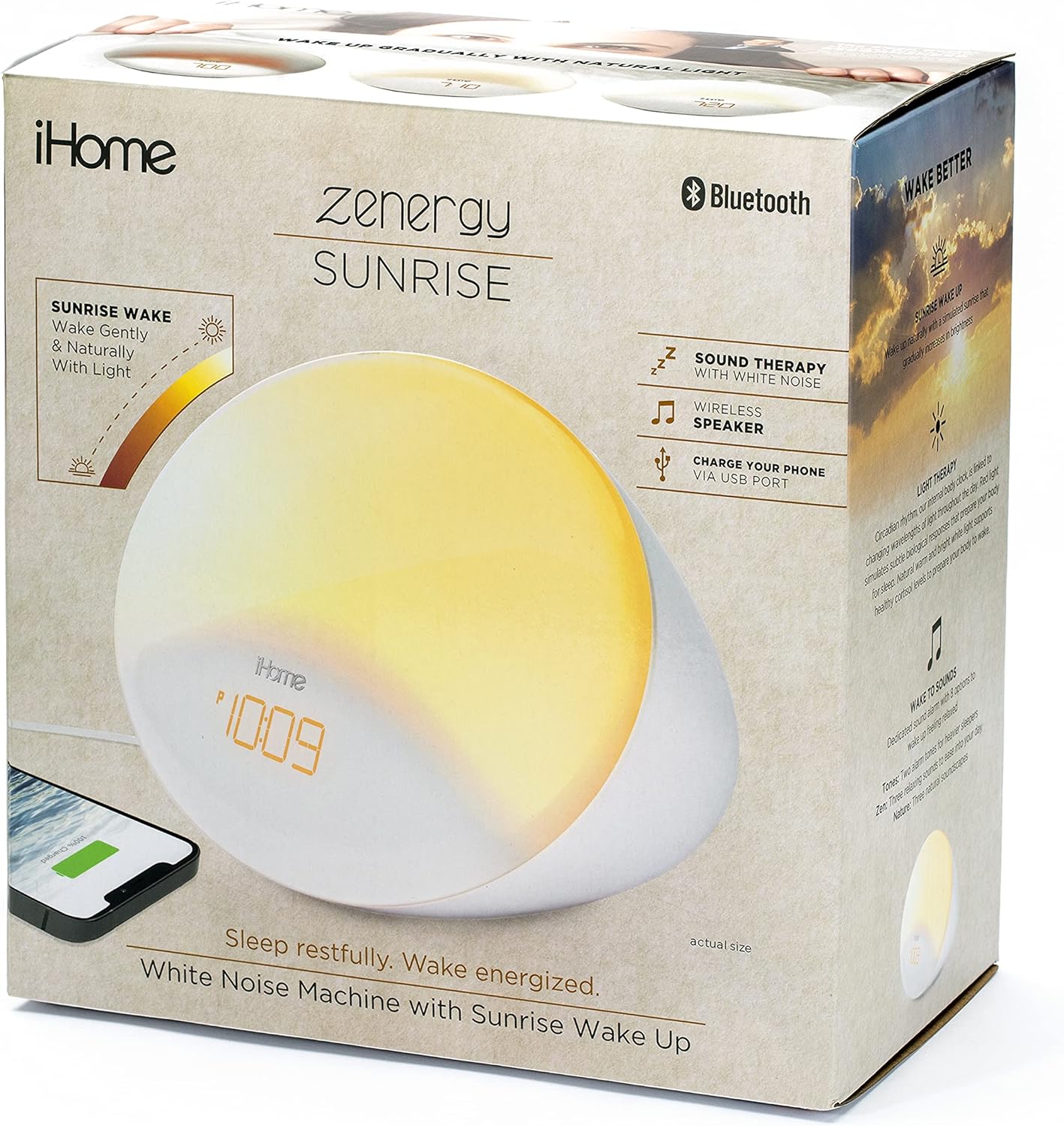
Figure 1: Product packaging showing the iHome Zenergy device and its features.
Setup
- Power Connection: Connect the provided power adapter to the DC input jack on the back of the unit. Plug the adapter into a standard wall outlet. The unit will power on and the clock display will illuminate.
- Battery Backup: The unit features a SureAlarm battery backup system. Insert the required batteries (not included) into the battery compartment to maintain time and alarm settings during a power outage.
- Setting the Time: Refer to the detailed instructions in the "Operating" section for setting the current time.
- Placement: Place the device on a stable, flat surface such as a bedside table, ensuring adequate ventilation.

Figure 2: Front view of the iHome Zenergy device, showing the time display and light.
Operating Instructions
Controls Overview

Figure 3: Rear view of the iHome Zenergy device, highlighting control buttons and USB charging port.
Familiarize yourself with the buttons and ports on your device. The main controls are located on the top and back of the unit.
Setting Alarms
The iHome Zenergy allows for dual customizable alarm schedules. Follow these steps to set an alarm:
- Press the Alarm 1 or Alarm 2 button to select which alarm to set.
- Use the +/- buttons to adjust the hour, then press the Alarm button again to confirm and move to minutes.
- Adjust minutes with +/-, then press the Alarm button to confirm.
- Select your desired alarm source (e.g., sound, light, or both) and volume.
- Confirm settings to activate the alarm.
Sunrise Wakeup Simulation
The device simulates a sunrise to gently wake you. The light gradually brightens before your set alarm time.

Figure 4: Visual representation of the sunrise simulation, showing light intensity increasing over time.

Figure 5: The iHome Zenergy device emitting a warm, sunrise-like glow on a bedside table.
Sound Therapy and White Noise
Choose from 15 different environmental and white noises to aid in sleep or relaxation.
- Press the Sound button to cycle through available sounds.
- Adjust volume using the Volume +/- buttons.
- Utilize the adjustable sleep timer to automatically turn off sounds after a set duration.
Light Modes and Color Therapy
The device offers five color modes to set a relaxing environment.
- Press the Light Mode button to cycle through different color options.
- Adjust brightness using the dedicated light brightness controls.

Figure 6: The iHome Zenergy device showcasing various color light modes for ambiance.
Bluetooth Audio Streaming
Wirelessly stream audio from your Bluetooth-enabled device.
- Press the Bluetooth button on the unit to enter pairing mode.
- Enable Bluetooth on your smartphone or audio device and select "iHome Zenergy" from the list of available devices.
- Once paired, you can stream music or other audio through the device's speaker.
USB Charging Port
The device includes a 5W USB charging port for your mobile devices.
- Connect your USB charging cable to the USB port on the back of the iHome Zenergy unit.
- Connect the other end of the cable to your smartphone or other USB-powered device to begin charging.
Figure 7: The USB charging port located on the rear of the device, capable of charging mobile phones.
Maintenance
- Cleaning: Disconnect the power adapter before cleaning. Use a soft, dry cloth to wipe the exterior of the unit. Do not use liquid cleaners or abrasive materials.
- Storage: If storing the unit for an extended period, disconnect it from power and remove any backup batteries. Store in a cool, dry place.
- Ventilation: Ensure the ventilation openings are not blocked to prevent overheating.
Troubleshooting
| Problem | Possible Cause | Solution |
|---|---|---|
| Unit does not power on. | Power adapter not connected or faulty outlet. | Ensure power adapter is securely plugged into the unit and a working wall outlet. Try a different outlet. |
| Alarm does not sound or light up. | Alarm not set correctly, volume too low, or alarm disabled. | Verify alarm settings (time, source, volume) are correct and the alarm is enabled. |
| Bluetooth pairing fails. | Device not in pairing mode, or too far from the unit. | Ensure the unit is in Bluetooth pairing mode. Move your Bluetooth device closer to the unit. Forget the device on your phone and re-pair. |
| USB charging not working. | Cable issue or device not compatible. | Try a different USB cable. Ensure your device is compatible with 5W USB charging. |
| Difficulty setting up or programming. | Complex features or user unfamiliarity. | Review the "Operating Instructions" section carefully. For persistent issues, contact customer support. |
Specifications
- Product Dimensions: 7.01 x 3.07 x 4.77 inches
- Weight: 1.94 Pounds
- Power Source: Battery Powered (for backup), 100-240V universal adapter
- Material: ABS or Polypropylene
- Color: White
- USB Charging Output: 5W
- Sound Modes: 15 environmental and white noises
- Light Modes: 5 color modes, Sunrise simulation
- Connectivity: Bluetooth
Warranty and Support
iHome products are designed for reliability and performance. For warranty information and customer support, please refer to the official iHome website or contact their customer service department directly. Keep your purchase receipt as proof of purchase for warranty claims.
iHome Customer Service: For assistance, visit the official iHome support page or contact their customer service line. Contact details are typically available on the product packaging or the iHome website.
Documents and downloads
Ask a question about this manual
Ask about setup, troubleshooting, compatibility, parts, safety, or missing instructions. Manuals+ will review the question and use this page’s manual context to help answer it.