
1. Product Overview
The Bosch Professional Expert Carbide Multi Wheel Cutting Disc is designed to expand the capabilities of your mini angle grinder, allowing it to cut a wider range of materials beyond traditional concrete, stone, and metal. This disc features sharp carbide grits on its rim, laser-bonded to a steel body for enhanced durability and consistent performance.
Key Features:
- Cuts materials previously challenging for angle grinders, such as wood, plastic, and modern composites.
- Extreme durability provided by Bosch Carbide Technology.
- Designed with a 10 mm bore for compatibility with mini angle grinders.
- Effective for cutting wood (including wood with embedded screws and nails), plastic pipes, laminates, and drywall.

Figure 1: Packaging of the Bosch Professional Expert Carbide Multi Wheel Cutting Disc, showing product details and compatible materials.

Figure 2: Detailed view of the cutting disc, highlighting its 76 mm diameter and 10 mm bore diameter.

Video 1: An official Bosch video demonstrating the capabilities and features of Bosch Expert accessories, including cutting discs.
2. Safety Information
Always prioritize safety when working with power tools and cutting accessories. Failure to follow safety instructions can result in serious injury.
- Wear Personal Protective Equipment (PPE): Always wear safety glasses, hearing protection, and protective gloves. A dust mask is recommended when cutting materials that produce fine particles.
- Read Angle Grinder Manual: Refer to your angle grinder's instruction manual for specific safety guidelines related to its operation and accessory attachment.
- Inspect Disc Before Use: Before each use, inspect the cutting disc for any damage, cracks, or deformities. Do not use a damaged disc.
- Secure Workpiece: Ensure the material being cut is securely clamped or held to prevent movement during operation.
- Maintain Proper Grip: Always maintain a firm grip on the angle grinder with both hands.
- Avoid Overloading: Do not force the disc into the material. Allow the disc to cut at its own pace.
- Keep Work Area Clear: Ensure the work area is free from obstructions and bystanders.
- Disconnect Power: Always disconnect the angle grinder from the power source before changing accessories or performing maintenance.

Figure 3: Universal safety icons indicating the necessity of eye protection, hearing protection, gloves, and respiratory protection, along with warnings against water contact and improper disposal. Always consult the manual.
3. Setup and Installation
Proper installation of the cutting disc is crucial for safe and effective operation.
- Ensure Power Tool is Off and Unplugged: Before attempting to install or remove any accessory, always ensure your mini angle grinder is switched off and disconnected from its power source (unplugged or battery removed).
- Clean Spindle and Flanges: Inspect the angle grinder's spindle and flanges for any debris or damage. Clean them thoroughly to ensure a secure fit.
- Position the Disc: Place the Bosch Expert Carbide Multi Wheel Cutting Disc onto the angle grinder's spindle, ensuring it sits flush against the inner flange. The disc should be oriented correctly according to any directional arrows on the disc or the grinder.
- Attach Outer Flange and Tighten: Secure the outer flange and tighten the locking nut using the appropriate wrench provided with your angle grinder. Ensure the disc is firmly secured and does not wobble. Do not overtighten.
- Check Guard: Verify that the angle grinder's guard is properly positioned and secured to provide maximum protection during operation.
- Test Spin: Briefly run the angle grinder at a safe distance from yourself and others to ensure the disc is properly mounted and runs smoothly without excessive vibration.

Figure 4: An angle grinder with the cutting disc installed, demonstrating the tool ready for operation. Always ensure proper installation and safety guards are in place.
4. Operating Instructions
Follow these guidelines for effective and safe operation of the Bosch Expert Carbide Multi Wheel Cutting Disc.
- Material Compatibility: This disc is designed for cutting wood, wood with embedded nails, plastic, laminates, and drywall. Do not use it for cutting metal, stone, or concrete, as it is not designed for these materials and could cause damage to the disc or injury.
- Starting the Cut: Allow the angle grinder to reach full speed before making contact with the workpiece.
- Cutting Technique: Apply light, consistent pressure. Let the disc do the work. Avoid excessive force, which can lead to kickback, disc damage, or premature wear. Move the grinder smoothly along the cutting line.
- Direction of Cut: Always cut in a direction that directs sparks and debris away from your body and any flammable materials.
- Cooling: For prolonged cuts in dense materials, periodically lift the disc from the workpiece to allow for cooling.
- Finishing the Cut: Once the cut is complete, allow the disc to stop rotating completely before setting the grinder down.

Figure 5: Demonstrating the cutting disc in action, precisely cutting a plastic profile. Note the proper use of safety gloves.
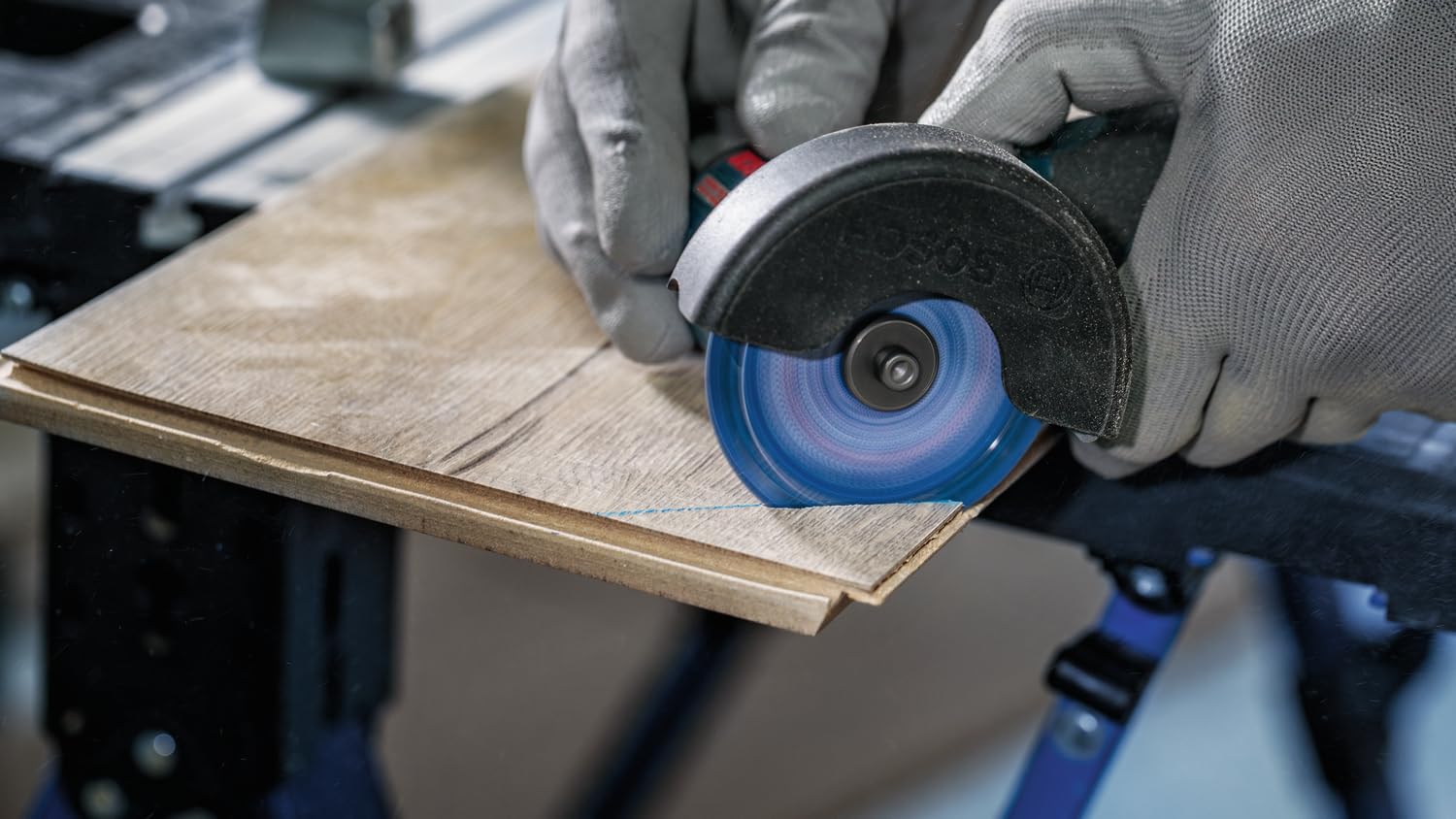
Figure 6: The cutting disc being used to cut a wooden laminate board, showcasing its versatility on different materials.
5. Maintenance and Storage
Proper maintenance and storage will extend the life of your cutting disc and ensure continued safe operation.
- Cleaning: After each use, clean the disc to remove any accumulated dust or debris. A brush or compressed air can be used. Ensure the disc is dry before storage.
- Inspection: Regularly inspect the carbide grits for wear or damage. If the grits are significantly worn or missing, the disc's cutting performance will be reduced, and it should be replaced. Check for any cracks or deformities in the steel body.
- Storage: Store the cutting disc in a dry, cool place, away from direct sunlight and moisture. Keep it in its original packaging or a protective case to prevent damage to the carbide teeth.
- Disposal: Dispose of worn or damaged discs responsibly according to local regulations.
6. Troubleshooting
If you encounter issues while using the cutting disc, consider the following common troubleshooting steps:
| Problem | Possible Cause | Solution |
|---|---|---|
| Poor cutting performance / Slow cutting | Worn or dull carbide grits; Incorrect cutting technique (too much pressure); Disc used on incompatible material. | Inspect disc for wear and replace if necessary; Use lighter, consistent pressure; Ensure material is compatible with the disc. |
| Excessive vibration / Wobbling disc | Disc not properly mounted; Damaged disc; Angle grinder spindle or flanges are dirty/damaged. | Re-mount disc securely; Replace damaged disc; Clean or inspect grinder components. |
| Disc overheating | Excessive pressure; Prolonged cutting without cooling; Cutting very dense material. | Reduce pressure; Allow disc to cool periodically; Ensure disc is suitable for the material density. |
| Kickback | Improper cutting angle; Workpiece not secured; Disc binding in the cut. | Maintain proper cutting angle; Secure workpiece firmly; Avoid twisting the grinder in the cut. |
If problems persist, discontinue use and consult a qualified technician or contact Bosch customer support.
7. Specifications
Detailed technical specifications for the Bosch Professional Expert Carbide Multi Wheel Cutting Disc.
- Model Number: 2608901196
- Diameter: 76 mm (2.99 inches)
- Bore Diameter: 10 mm
- Grit Material: Carbide
- Construction Type: Bonded
- Compatible Devices: Mini Angle Grinders (e.g., BOSCH GWX18V-8N)
- Compatible Materials: Wood, Wood with embedded screws and nails, Plastic, Laminates, Drywall
- Recommended Use: Cutting
- Item Weight: 0.04 kg
- Manufacturer: Bosch
- Industry Standard Identifier: ISO 13743
8. Warranty and Support
For warranty information, technical support, or service inquiries regarding your Bosch Professional Expert Carbide Multi Wheel Cutting Disc, please contact Bosch directly.
Manufacturer: Robert Bosch Power Tools GmbH
Address: 70538 Stuttgart, GERMANY
Website: www.bosch-professional.com
Please have your product model number (2608901196) available when contacting support.