
Introduction
This manual provides comprehensive instructions for the installation, operation, maintenance, and troubleshooting of your Ontel Beyond Bright Ultra LED Ultra-Bright Motion Activated Garage Light. Please read this manual thoroughly before use to ensure proper function and safety.

Figure 1: The Ontel Beyond Bright Ultra LED Garage Light, showcasing its three adjustable LED panels and integrated motion sensor.
Setup and Installation
The Beyond Bright Ultra LED Garage Light is designed for quick and easy installation into any standard light socket. No special tools or wiring are required.
- Power Off: Before beginning installation, ensure the power to the light fixture is turned off at the circuit breaker to prevent electrical shock.
- Remove Old Bulb: Carefully unscrew and remove the existing light bulb from the fixture.
- Install Beyond Bright: Screw the Beyond Bright Ultra LED Garage Light into the standard light socket until it is securely fastened.
- Adjust Panels: Once installed, adjust the three individual LED panels to direct light precisely where needed. The panels are designed to be customizable for optimal illumination.
- Restore Power: Turn the power back on at the circuit breaker. The light should illuminate, and the motion sensor will become active.

Figure 2: Illustrates the simple screw-in installation and the adjustability of the LED panels.
This light is ideal for garages, basements, closets, attics, sheds, workshops, and hallways, providing ultra-bright, motion-activated illumination.
Operating Instructions
The Ontel Beyond Bright Ultra LED Garage Light features motion activation for convenience and energy efficiency. It provides 6,000 lumens of pure white light.
Motion Sensor Functionality
The integrated motion sensor automatically turns the light on when movement is detected within its range. The light will remain on as long as motion is present and will turn off after a period of inactivity. This feature helps conserve energy.
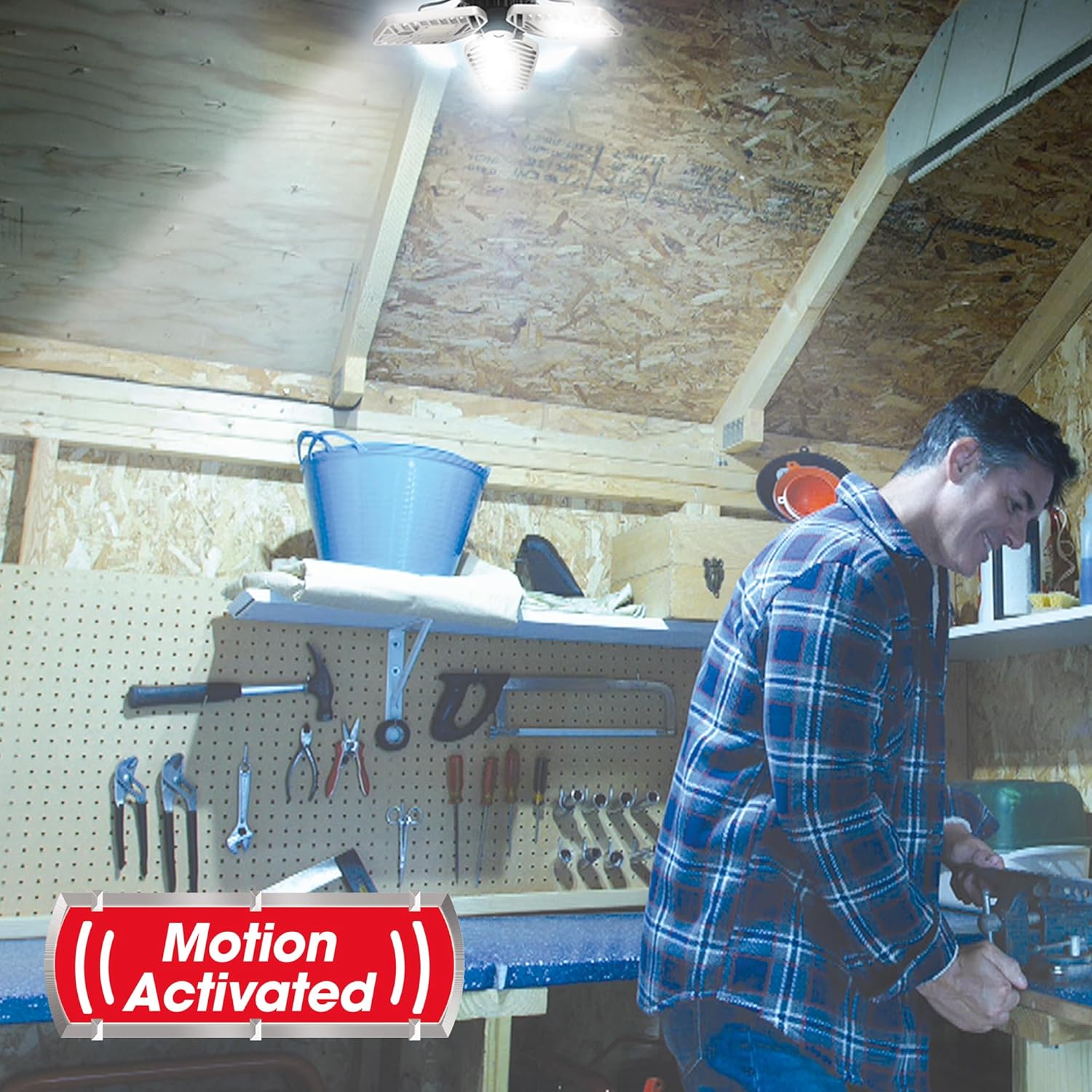
Figure 3: The light automatically activates upon detecting motion, providing illumination for tasks.
Switch Settings
The device may include a push-button switch with settings such as "Motion," "Off," and "On." Refer to the specific markings on your unit for exact functionality:
- Motion: Activates the motion sensor, turning the light on only when movement is detected.
- Off: Keeps the light turned off, regardless of motion.
- On: Keeps the light continuously on, bypassing the motion sensor.

Figure 4: Demonstrates the significant increase in brightness and coverage provided by the Beyond Bright light compared to standard lighting.
Maintenance
The Ontel Beyond Bright Ultra LED Garage Light is designed for long-lasting performance with minimal maintenance. The advanced LED technology is rated to last up to 30 years under normal usage conditions.
- Cleaning: To clean the light, ensure the power is off at the circuit breaker. Use a soft, dry cloth to wipe down the surfaces. Do not use abrasive cleaners or solvents, as these may damage the finish or electronic components.
- Inspection: Periodically inspect the light for any signs of damage, such as loose panels or cracks in the housing. If any damage is observed, discontinue use and contact customer support.
Troubleshooting
If you encounter issues with your Beyond Bright Ultra LED Garage Light, please refer to the following common problems and solutions:
| Problem | Possible Cause | Solution |
|---|---|---|
| Light does not turn on. |
|
|
| Motion sensor not working or light stays on/off. |
|
|
| Light flickers or dims. |
|
|
| Physical damage (e.g., broken housing). |
|
|
Product Specifications
| Feature | Detail |
|---|---|
| Model Number | ONTEL - 735541104206 |
| Brand | Ontel |
| Color | White |
| Material | Metal, Plastic |
| Dimensions (L x W x H) | 5.24 x 7.64 x 9.76 inches |
| Item Weight | 16 ounces (1 pound) |
| Power Source | Corded Electric |
| Wattage | 40 watts |
| Bulb Type | LED |
| Luminous Flux | 6000 Lumen |
| Special Features | Motion Sensor, Adjustable Panels |
| Installation Method | Flush Mount (Screw-in) |
| UPC | 735541104206 |
Warranty Information
The product comes with a manufacturer's warranty. For detailed information regarding the terms, conditions, and duration of the warranty, please refer to the documentation included with your purchase or visit the official Ontel website. Keep your proof of purchase for warranty claims.
Optional protection plans may also be available for purchase through retailers. These plans are separate from the manufacturer's warranty.
Customer Support and Resources
For further assistance, technical support, or to inquire about replacement parts, please contact Ontel customer service.
- Official Brand Store: Visit the Ontel Store on Amazon for product information and other offerings.
- User Manual (PDF): A downloadable PDF version of the user manual is available here.


