1. Important Safety Information
- Compatibility: These probes are ONLY compatible with Inkbird IBT-4XS and IBT-6XS meat thermometers. Using them with other models may result in inaccurate readings.
- Temperature Limits: The BBQ thermometer probes have a temperature range of 32°F ~ 572°F (0°C ~ 300°C) for short-time measurement and 32°F ~ 482°F (0°C ~ 250°C) for continuous monitoring. Do not exceed these temperatures.
- Probe Care: The probe tips are waterproof, but the connectors and cables are not. Do not submerge the probe connectors or cables in water. Hand wash only.
- Handling: Always use heat-resistant gloves when handling hot probes.
- Children: Keep probes out of reach of children.
2. Product Overview
This 4-pack kit provides replacement and additional probes for your Inkbird IBT-4XS or IBT-6XS Bluetooth meat thermometer. The kit includes three colored meat probes for monitoring internal food temperatures and one blue ambient probe for measuring smoker or oven temperatures. The colored design aids in distinguishing multiple food items being monitored simultaneously.
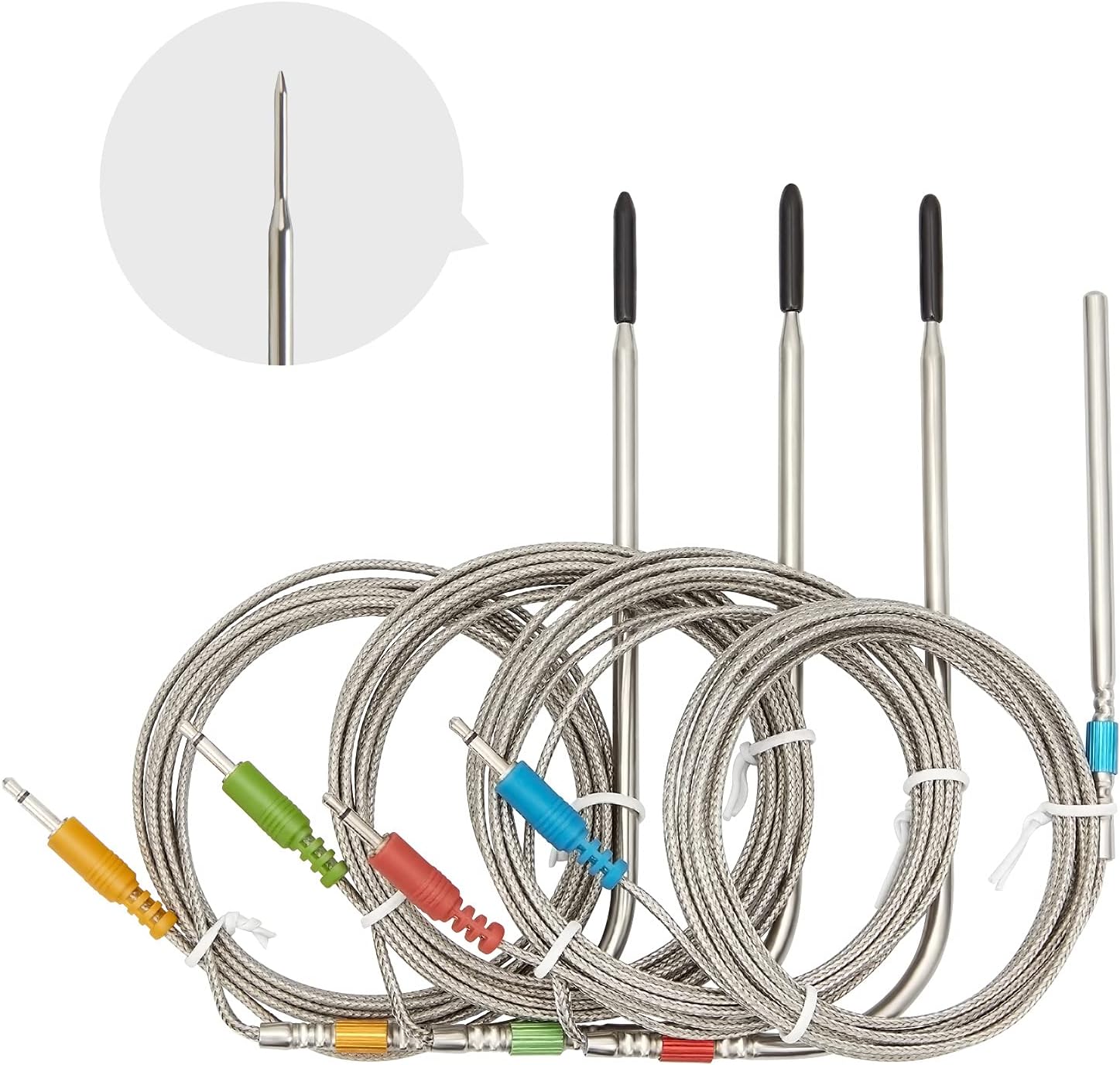
Image: A set of four Inkbird replacement probes, featuring braided metal cables and colored connectors (red, yellow, green for meat, blue for ambient).
3. Package Contents
- 3 x Colored Meat Probes (Red, Yellow, Green)
- 1 x Blue Ambient Probe
4. Compatibility
These replacement probes are specifically designed for and compatible with the following Inkbird meat thermometer models:
- Inkbird IBT-4XS Bluetooth Meat Thermometer
- Inkbird IBT-6XS Bluetooth Meat Thermometer
Important: Using these probes with other thermometer models may lead to inaccurate temperature readings and potential damage to the probes or the thermometer.
5. Setup
- Identify Probe Type: The red, yellow, and green probes are for internal meat temperature. The blue probe is for ambient temperature (e.g., inside a smoker or oven).
- Connect Probes: Insert the colored jack of each probe firmly into the corresponding port on your Inkbird IBT-4XS or IBT-6XS thermometer unit. Ensure a secure connection.
- Placement:
- For meat probes: Insert the probe tip into the thickest part of the meat, avoiding bone or gristle.
- For ambient probe: Use the included clip to attach the ambient probe to the grill grate, ensuring it is not directly touching the food or the heat source.
- Monitor: Once connected, your Inkbird thermometer unit and its associated app (if used) will display the temperature readings from each probe.

Image: Inkbird colored probes with braided cables, connected to an Inkbird thermometer unit, illustrating proper connection.
6. Operating Instructions
The probes function by transmitting temperature data to your compatible Inkbird thermometer. The color-coded design allows for easy identification of which probe is monitoring which food item or ambient temperature.
- Meat Temperature Monitoring: Insert the desired colored meat probe into the center of the thickest part of the food. The thermometer will display the internal temperature.
- Ambient Temperature Monitoring: Position the blue ambient probe within your smoker or oven using the grate clip to measure the surrounding air temperature.
- App Integration: For IBT-4XS/IBT-6XS models, utilize the Inkbird app on your smartphone to set target temperatures, receive alerts, and view temperature graphs remotely.
7. Temperature Range and Accuracy
- Short-time Measurement: 32°F ~ 572°F (0°C ~ 300°C)
- Continuous Monitoring: 32°F ~ 482°F (0°C ~ 250°C)
- Accuracy: ±2°F / ±1°C
The probes are designed for ultra-accurate and fast temperature readings to ensure your food is cooked perfectly.
8. Maintenance and Care
- Cleaning: After each use, clean the probe tips with warm soapy water. Avoid submerging the probe cables or connectors in water. Hand wash only.
- Storage: Store probes in a clean, dry place when not in use.
- Inspection: Regularly inspect probes and cables for any signs of wear or damage. Replace if necessary to maintain accuracy and safety.
- Oven Safe: The probes are oven safe within their specified temperature range.
9. Troubleshooting
| Problem | Possible Solution |
|---|---|
| Inaccurate temperature readings |
|
| Probe not detected |
|
10. Specifications
| Feature | Detail |
|---|---|
| Brand | Inkbird |
| Model Compatibility | IBT-4XS, IBT-6XS |
| Probe Type | 3 Meat Probes (Red, Yellow, Green), 1 Ambient Probe (Blue) |
| Material | Stainless Steel |
| Cable Length | 59 inches (approx. 150 cm) |
| Probe Length | 5 inches (approx. 12.7 cm) |
| Short-time Temp Range | 32°F ~ 572°F (0°C ~ 300°C) |
| Continuous Temp Range | 32°F ~ 482°F (0°C ~ 250°C) |
| Accuracy | ±2°F / ±1°C |
| Product Care | Hand Wash Only, Oven Safe |
11. Warranty and Support
Inkbird is committed to providing excellent customer service. If you encounter any questions during use or are not satisfied with your purchase, please contact Inkbird customer support for assistance. Replacements will be provided as soon as possible for any issues covered under warranty.
For further support, please refer to the official Inkbird website or contact their customer service directly.


