1. Introduction
This manual provides detailed instructions for the proper use and maintenance of your G-Shock GBD200-1 watch. The GBD200-1 is a sports watch designed with a step counter and smartphone linking capabilities, suitable for daily workouts and health management.
Please read this manual thoroughly to ensure correct operation and to maximize the features of your watch.
2. Watch Components and Display

Figure 1: Front view of the G-Shock GBD200-1 watch, illustrating the digital display and button layout. The display shows time, date, and fitness data.
The GBD200-1 features a high-contrast digital display and multiple buttons for navigation and function access:
- MODE Button (Left-bottom): Cycles through watch modes.
- DISP Button (Left-top): Changes display information within a mode.
- FWD/REV Buttons (Right-top/Right-bottom): Used for navigation and setting adjustments.
- START/LAP Buttons (Right-middle): Initiates and controls training functions, and records lap times.
- Front Button (Bottom-center): Activates the LED backlight.
3. Initial Setup
3.1. Time and Date Setting
Your watch can automatically adjust time and date by linking with a smartphone. Manual adjustment is also possible.
3.2. Smartphone Linking (Bluetooth®)
- Download the G-SHOCK MOVE application from your smartphone's app store.
- Enable Bluetooth on your smartphone.
- On the watch, navigate to the "CONNECT" mode (refer to the "Operating Instructions" section for mode navigation).
- Follow the on-screen instructions in the G-SHOCK MOVE app to pair your watch.
- Once paired, the watch will synchronize time, date, and allow for quicker calibration of distance measurements using the smartphone's GPS.
4. Operating Instructions
4.1. Mode Navigation
Press the MODE button to cycle through the various watch modes, which typically include Timekeeping, Training, Stopwatch, Timer, Alarm, and Connect modes.
4.2. Timekeeping Mode
Displays the current time, date, and day of the week. In this mode, you can also view world time for 38 cities and manage daylight saving settings.
4.3. Training Function
The watch offers comprehensive training support:
- Measurements: Displays distance, speed, pace, and other calculated values based on the accelerometer.
- Lap Times: Supports auto/manual lap times.
- Auto Pause: Automatically pauses measurement when you stop.
- Target Alerts: Set alerts for time, altitude, or calories burned.
- Customization: Customize the training display to show elapsed time, distance, pace, lap time, lap distance, lap pace, average pace, speed, average speed, and calories burned.
- Step Tracker: Monitors your daily step count.
- Interval Timers: Configurable timers for interval training.
- Calories Burned: Estimates calories expended during activities.
To start a training session, navigate to the Training mode and press the START button.
4.4. LED Backlight (Super Illuminator)
Press the front button to illuminate the display. The backlight duration can be set to 1.5 seconds or 3 seconds. An auto light switch feature is also available.
5. Features and Specifications
5.1. Key Features
- Water Resistance: 200-meter water resistance.
- Battery Life: Approximately 2 years on CR2032 battery.
- Smartphone Link: Bluetooth® connectivity for time synchronization and GPS-assisted distance calibration.
- Training Data: Records and displays various training metrics.
- World Time: 38 time zones (38 cities + coordinated universal time).
- LED Backlight: Super Illuminator with selectable duration and auto light switch.
- Durable Design: G-Shock's signature shock-resistant structure.
5.2. Product Specifications
| Specification | Detail |
|---|---|
| Model Number | GBD200-1 |
| Dimensions | 8 x 5 x 5 inches |
| Weight | 5.61 ounces |
| Battery Type | CR2032 Lithium Ion |
| Water Resistance | 200 meters |
| Manufacturer | G-SHOCK |
6. Maintenance and Care
6.1. Water Resistance Precautions
The GBD200-1 is water resistant to 200 meters. This means it is suitable for recreational scuba diving. However, avoid operating buttons underwater, and ensure the watch is clean and dry before operating buttons after exposure to water.
6.2. Battery Replacement
The watch uses a CR2032 Lithium Ion battery with an approximate life of 2 years. When the battery runs low, the display may dim or functions may become unreliable. Battery replacement should ideally be performed by an authorized service center to ensure water resistance integrity.
6.3. Cleaning
Wipe the watch with a soft, dry cloth. For stubborn dirt, use a soft cloth dampened with water and a mild neutral detergent, then wipe dry. Avoid using volatile agents like thinner or benzine.
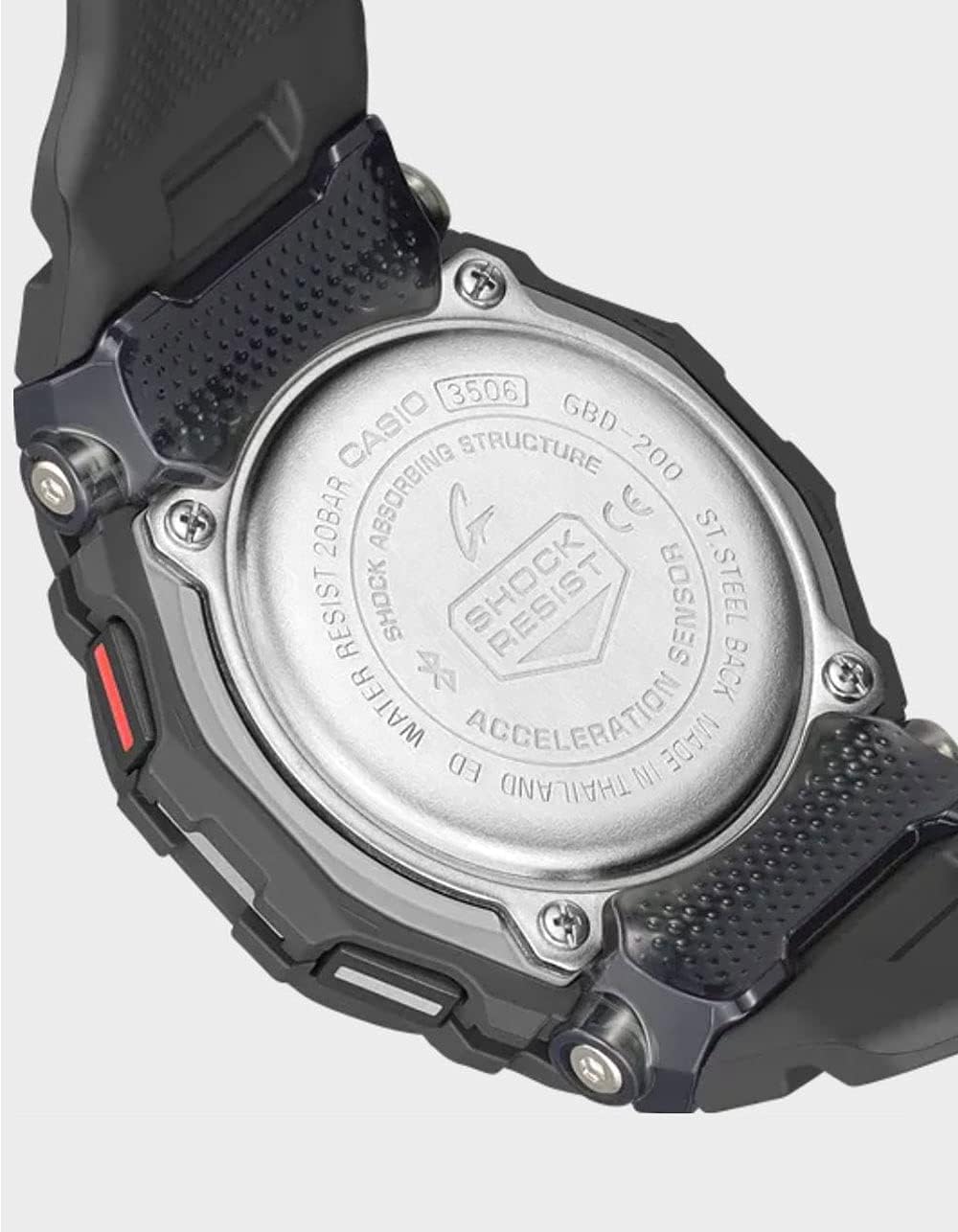
Figure 2: Rear view of the G-Shock GBD200-1 watch, displaying the stainless steel case back with model and water resistance markings.

Figure 3: Side view of the G-Shock GBD200-1 watch band and clasp, highlighting the soft urethane material and adjustable holes for comfort.
7. Troubleshooting
- Watch not linking to smartphone: Ensure Bluetooth is enabled on your phone and the G-SHOCK MOVE app is running. Check if the watch is in "CONNECT" mode. If issues persist, try restarting both devices.
- Inaccurate distance measurements: Ensure your watch is properly linked to your smartphone for GPS calibration. Regular calibration improves accuracy.
- Display is dim or blank: The battery may be low. Consider battery replacement.
- Buttons are unresponsive: Ensure the watch is not exposed to extreme temperatures or strong impacts. If underwater, avoid pressing buttons.
8. Warranty and Support
Your G-Shock GBD200-1 watch is covered by a manufacturer's warranty. For specific warranty terms and conditions, please refer to the warranty card included with your purchase or visit the official G-Shock website.
For technical support, service, or inquiries, please contact G-Shock customer service through their official channels. Keep your proof of purchase for warranty claims.


