
1. Introduction
Thank you for purchasing the mDesign Modern Minimalist Computer Desk (Model 18803MDHS). This desk is designed to provide a functional and stylish workspace for your home office, study, or bedroom. Featuring a durable metal and wood construction, a convenient storage drawer, and an open cubby, it offers practical storage solutions in a compact design. Please read this manual carefully before assembly and use to ensure proper setup and longevity of your product.
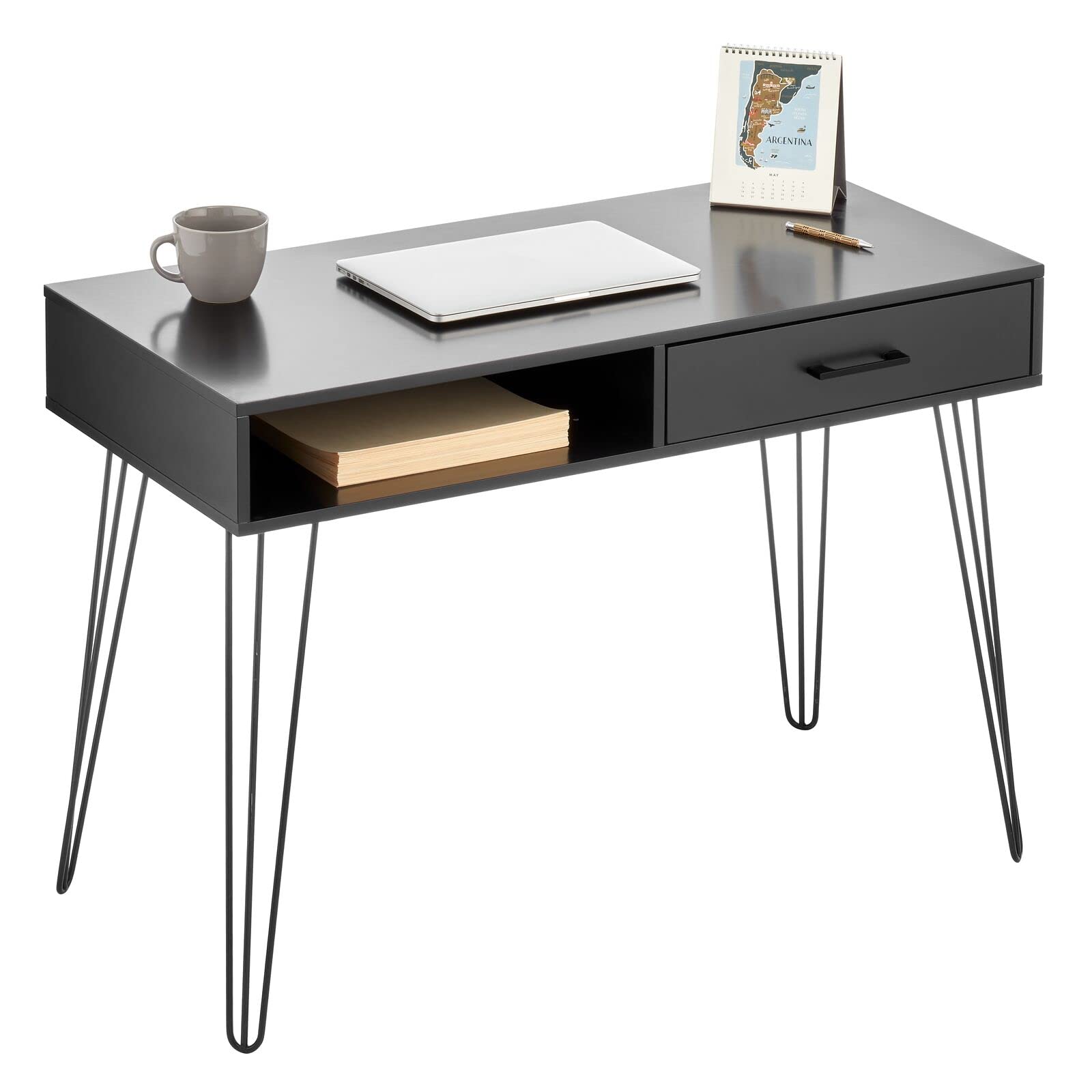
Image 1.1: The mDesign Modern Minimalist Computer Desk in a typical home office setup, showcasing its compact design and integrated storage.
2. Safety Information
Please observe the following safety precautions during assembly and use:
- Keep all small parts and packaging materials away from children and pets to prevent choking hazards.
- Assemble the desk on a soft, clean surface to avoid scratching the product or your floor.
- Ensure all screws and fasteners are securely tightened before using the desk. Periodically check and re-tighten as necessary.
- Do not overload the desk or its drawer/cubby. Refer to specifications for weight limits (if available, otherwise general caution).
- Do not stand or sit on the desk.
- Use only the provided hardware for assembly.
- If any parts are missing or damaged, do not proceed with assembly. Contact customer support immediately.
3. Package Contents
Before beginning assembly, verify that all components are present and undamaged. All assembly tools are included.
- Desk Top with integrated drawer and cubby (1)
- Hairpin Legs (4)
- Assembly Hardware (screws, washers, etc.)
- Assembly Tool (e.g., Allen wrench)
- Instruction Manual (this document)

Image 3.1: An angled view of the desk, highlighting the main desktop unit with its integrated drawer and open storage cubby.
4. Assembly Instructions
Follow these steps to assemble your mDesign Computer Desk. It is recommended to have two people for easier assembly.
- Unpack Components: Carefully remove all parts from the packaging. Place them on a soft, clean surface to prevent damage.
- Attach Hairpin Legs: Locate the four hairpin legs and the corresponding mounting points on the underside of the desk top. Align each leg with its designated holes.
- Secure Legs: Using the provided screws and the included assembly tool, securely fasten each hairpin leg to the desk top. Ensure all screws are tightened firmly but do not overtighten.
- Check Stability: Once all legs are attached, carefully turn the desk upright. Place it on a level surface and gently test its stability. If the desk wobbles, check that all leg screws are evenly tightened.
- Drawer Installation (if separate): If the drawer is not pre-assembled, follow the specific instructions provided for drawer rail attachment and drawer insertion. (Note: For this model, the drawer is typically integrated into the desk top.)
Assembly Tip: Do not fully tighten all screws until all components are loosely assembled. This allows for minor adjustments to ensure proper alignment, then tighten all screws completely.
5. Operating Instructions
The mDesign Computer Desk is designed for straightforward use as a workspace and storage unit.
- Workspace: Use the spacious desk top for your computer, monitor, writing, or other tasks.
- Storage Drawer: The integrated drawer provides concealed storage for office supplies, documents, or personal items. Gently pull the handle to open and push to close.
- Storage Cubby: The open cubby offers easy access storage for books, notebooks, or decorative items.

Image 5.1: A close-up view of the desk drawer being opened, demonstrating its functionality for storing small items.
6. Maintenance
To keep your desk in optimal condition, follow these simple maintenance guidelines:
- Cleaning: Wipe the desk surfaces with a damp cloth. Avoid using harsh chemicals or abrasive cleaners, which can damage the finish.
- Spills: Clean up spills immediately to prevent staining or damage to the wood and metal components.
- Regular Checks: Periodically inspect all screws and connections to ensure they remain tight. Re-tighten if necessary.
- Avoid Direct Sunlight: Prolonged exposure to direct sunlight can cause fading or warping of wood components.
- Avoid Excessive Moisture: Keep the desk away from areas with high humidity or direct water exposure.
7. Troubleshooting
If you encounter any issues with your desk, refer to the following common problems and solutions:
| Problem | Possible Cause | Solution |
|---|---|---|
| Desk wobbles or is unstable. | Legs not tightened evenly; uneven floor surface. | Ensure all leg screws are fully and evenly tightened. Move the desk to a level surface or use shims under the legs if necessary. |
| Drawer does not open/close smoothly. | Obstruction in the drawer slide; misaligned drawer. | Check for any objects blocking the drawer slides. If the drawer is removable, re-insert it carefully, ensuring it aligns with the rails. |
| Desk appears too short for comfortable use. | Ergonomic preference; chair height mismatch. | Adjust your chair height to match the desk. Consider a footrest if your feet do not comfortably reach the floor. The desk height is fixed at 29.9 inches. |
| Surface scratch or cosmetic damage. | Damage during shipping or assembly. | For minor scratches, touch-up pens or furniture markers may be used. For significant damage, contact customer support. |
8. Specifications
Key specifications for the mDesign Modern Minimalist Computer Desk (Model 18803MDHS):
- Model Number: 18803MDHS
- Brand: mDesign
- Product Dimensions (D x W x H): 19.7" x 41.9" x 29.9" (50cm x 106.4cm x 75.9cm)
- Color: Black/Black
- Style: Modern, Minimalist
- Base Material: Alloy Steel (Hairpin Legs)
- Top Material Type: Wood
- Finish Type: Wood
- Special Feature: Compact, 1 Drawer, Storage Cubby
- Assembly Required: Yes (All tools included)
- Product Care: Wipe with Damp Cloth
- UPC: 192173188033
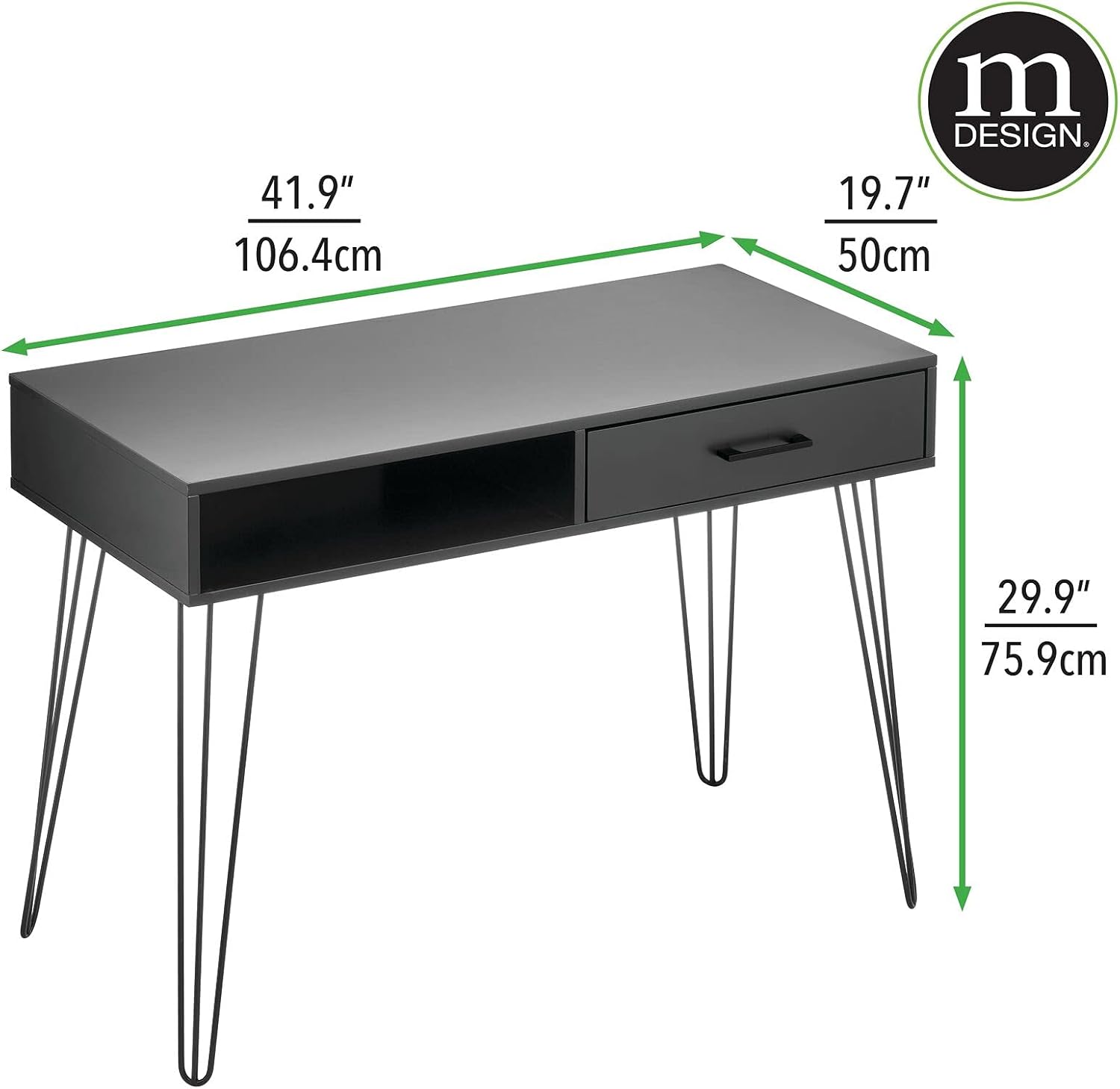
Image 8.1: Dimensional diagram of the desk, illustrating its width, depth, and height for planning your space.
9. Warranty and Support
mDesign stands behind the quality of its products. For any questions, concerns, or assistance with your mDesign Modern Minimalist Computer Desk, please contact mDesign customer support.
Please have your model number (18803MDHS) and proof of purchase ready when contacting support.
For the most up-to-date warranty information and contact details, please visit the official mDesign website or refer to the product packaging.