
1. Introduction
Thank you for purchasing the LG 34WP65C-B UltraWide Curved Monitor. This manual provides essential information for the safe and efficient use of your monitor. Please read it thoroughly before operating the device and keep it for future reference.
The LG 34WP65C-B is a 34-inch QHD (3440x1440) curved display featuring a 21:9 aspect ratio, 160Hz refresh rate, HDR10 support, AMD FreeSync Premium, built-in speakers, and a virtually borderless design with tilt and height adjustable stand.
2. Safety Information
- Always disconnect the power cord from the wall outlet before cleaning the product.
- Do not use volatile solvents such as benzene, alcohol, or paint thinner to clean the product.
- Do not place heavy objects on the power cord.
- Do not attempt to repair the product yourself. Refer all servicing to qualified service personnel.
- Ensure proper ventilation around the monitor.
3. What's in the Box
Verify that all components are present in the package:
- Display Unit
- Stand Base
- Power Cord
- Warranty Card and Manual
- DisplayPort Cable
- HDMI Cable
4. Setup
4.1 Stand Assembly
Attach the stand base to the stand neck, then secure the assembled stand to the back of the monitor panel. Ensure all screws are tightened securely.

Image: Front view of the LG 34WP65C-B UltraWide Curved Monitor on its stand.
4.2 Adjusting the Stand
The monitor stand allows for height and tilt adjustments to optimize your viewing comfort.
- Height Adjustment: Gently push or pull the monitor up or down to your desired height.
- Tilt Adjustment: Hold the top and bottom edges of the monitor and gently tilt it forward or backward.

Image: Side view of the LG 34WP65C-B monitor demonstrating its tilt adjustment range.
4.3 Connecting Cables
Connect the power cord and video cables (HDMI or DisplayPort) to the corresponding ports on the monitor and your computer. Ensure all connections are secure.

Image: Close-up of the rear panel of the LG 34WP65C-B monitor, highlighting the HDMI and DisplayPort input ports.
5. Operating Instructions
5.1 Power On/Off
Press the joystick button located at the bottom center of the monitor to power it on or off.
5.2 On-Screen Display (OSD) Menu Navigation
Use the joystick button to navigate the OSD menu. Press the joystick to open the menu, then move it left/right/up/down to select options and adjust settings.
5.3 Key Features and Settings
- 160Hz Refresh Rate: Provides smoother motion for gaming and fast-paced content. Ensure your graphics card and cable support this refresh rate.
- AMD FreeSync Premium: Synchronizes the monitor's refresh rate with your graphics card's frame rate to eliminate screen tearing and stuttering. Activate this feature in your graphics card settings.
- HDR10 Support: Enhances picture quality with a wider range of colors and contrast for compatible content.
- Dynamic Action Sync: Minimizes input lag for real-time action.
- Black Stabilizer: Automatically brightens dark areas to help you spot enemies in dimly lit game environments.
- Crosshair Feature: Provides a fixed crosshair on the screen for improved aiming in first-person shooter games.
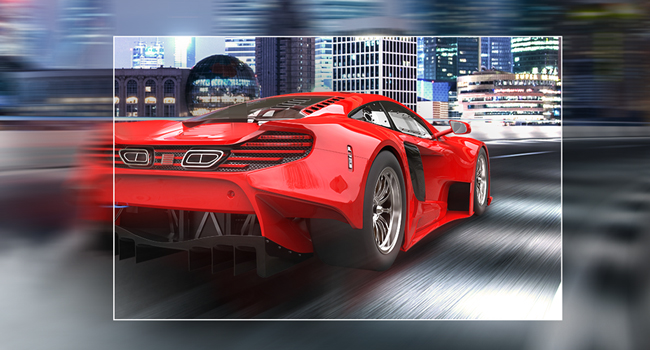
Image: A visual demonstrating the smooth motion provided by a 160Hz refresh rate, showing a clear image of a moving car.

Image: A split image illustrating the difference between a screen with tearing (left) and a smooth screen (right) due to AMD FreeSync technology.
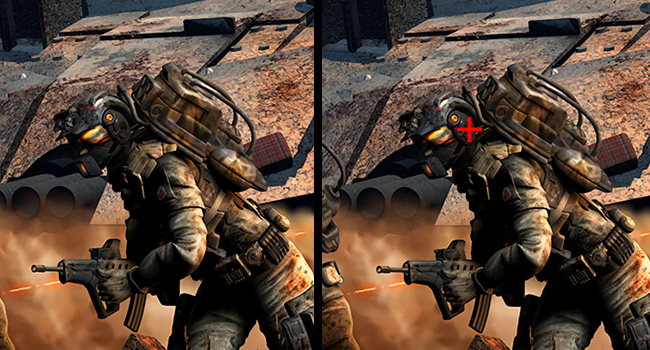
Image: A visual comparison of a dark gaming scene, showing how Black Stabilizer brightens shadowed areas to reveal details.
6. Maintenance
6.1 Cleaning the Monitor
To clean the screen, gently wipe the surface with a soft, lint-free cloth. For stubborn marks, lightly dampen the cloth with water or a mild, non-abrasive screen cleaner. Avoid spraying liquids directly onto the screen.
6.2 General Care
Keep the monitor away from direct sunlight, excessive heat, and moisture. Do not block the ventilation openings on the back of the monitor.
7. Troubleshooting
If you encounter issues with your monitor, refer to the following common solutions:
- No Power: Ensure the power cord is securely connected to both the monitor and a working wall outlet. Check if the power indicator light is on.
- No Signal: Verify that the video cable (HDMI/DisplayPort) is correctly connected to both the monitor and your computer. Ensure the correct input source is selected in the OSD menu.
- Image Issues (Flickering, Distorted): Check the video cable for damage. Try a different cable or port. Ensure your graphics card drivers are up to date. Adjust refresh rate settings in your computer's display settings.
- No Sound: Check the monitor's volume settings in the OSD menu. Ensure your computer's audio output is set to the monitor. If using external speakers, ensure they are properly connected.
8. Specifications
| Feature | Specification |
|---|---|
| Model Number | 34WP65C-B |
| Screen Size | 34 Inches |
| Resolution | QHD (3440 x 1440 Pixels) |
| Aspect Ratio | 21:9 |
| Refresh Rate | 160Hz |
| Screen Surface | Curved |
| Image Brightness | 300 Candela |
| HDR Support | HDR10 |
| Adaptive Sync | AMD FreeSync Premium |
| Connectivity | HDMI, DisplayPort, 1x USB Port |
| Built-in Speakers | Yes |
| Product Dimensions | 10.2 x 31.9 x 18 inches |
| Item Weight | 16.94 pounds |

Image: Detailed dimensions of the LG 34WP65C-B monitor.
9. Product Overview Video
Video: An official product overview video for the LG 34WP65C-B UltraWide Curved Monitor, provided by Amazon Product Imaging. This video highlights the monitor's design, features, and benefits.
10. Warranty and Support
Your LG 34WP65C-B monitor comes with a manufacturer's warranty. Please refer to the 'Warranty Card and Manual' included in your product package for detailed warranty terms and conditions. For technical support, service inquiries, or additional product information, please visit the official LG Electronics website or contact LG customer service.
Online resources and FAQs are available on the LG support page to assist with common questions and troubleshooting.