
Introduction
This manual provides instructions for the proper installation and care of your AIRPLUS Dehumidifier Rubber Stopper. This stopper is designed for use with AIRPLUS Dehumidifier models AP602 and AP1902. Please read these instructions carefully before proceeding to ensure correct usage and to maintain the functionality of your dehumidifier.
Important Safety Information
- Always unplug the dehumidifier from the power outlet before attempting any installation or maintenance.
- Ensure the dehumidifier's water tank is empty before handling the stopper.
- Keep the rubber stopper out of reach of children and pets to prevent choking hazards.
- Use only genuine AIRPLUS replacement parts to ensure compatibility and proper function.
Package Contents
Your package should contain the following item:
- 1 x AIRPLUS Dehumidifier Rubber Stopper (Black)
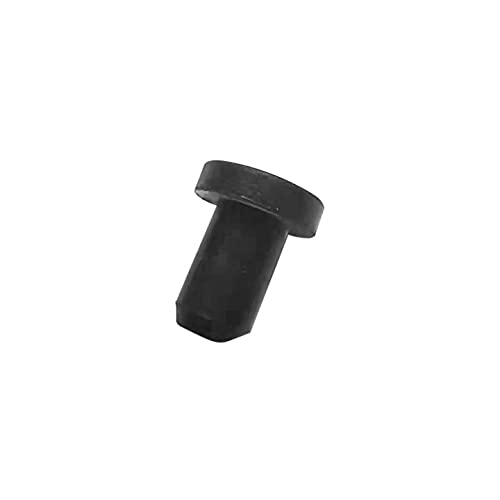
Image: The AIRPLUS Dehumidifier Rubber Stopper, a small black rubber component.
Installation Instructions
Follow these steps to properly install or replace the rubber stopper on your AIRPLUS Dehumidifier (models AP602, AP1902):
- Power Off and Unplug: Before beginning, ensure your dehumidifier is turned off and completely unplugged from the electrical outlet.
- Empty Water Tank: Remove the water collection tank from the dehumidifier and empty any accumulated water.
- Locate Stopper Opening: Identify the drainage opening on the water tank or the continuous drainage port of your dehumidifier where the rubber stopper is inserted. This is typically at the bottom or rear of the water tank.
- Remove Old Stopper (if applicable): If you are replacing an existing stopper, gently pull it out from the drainage opening. Dispose of the old stopper responsibly.
- Insert New Stopper: Take the new AIRPLUS rubber stopper. Align the stopper with the drainage opening and firmly push it into place until it creates a tight seal. Ensure it is fully seated to prevent leaks.
- Verify Seal: Once installed, gently tug on the stopper to confirm it is securely in place and does not easily dislodge.
- Reassemble and Test: Reinsert the empty water tank into the dehumidifier. Plug the dehumidifier back into the power outlet and turn it on. Monitor for any leaks around the stopper area during the first few hours of operation.
If you encounter any difficulties or observe leaks, repeat the installation steps, ensuring the stopper is correctly and firmly seated.
Care and Maintenance
To ensure the longevity and effectiveness of your rubber stopper:
- Cleaning: The rubber stopper is washable. If it becomes dirty, remove it from the dehumidifier, wash it with mild soap and water, rinse thoroughly, and allow it to air dry completely before reinstallation.
- Inspection: Periodically inspect the stopper for any signs of wear, cracking, or damage. A damaged stopper may not create a proper seal and could lead to leaks. Replace the stopper if any damage is observed.
- Storage: If the dehumidifier is stored for an extended period, ensure the stopper is clean and properly seated to prevent dust or debris from entering the drainage port.
Specifications
| Product Name | AIRPLUS Dehumidifier Rubber Stopper |
| Compatible Dehumidifier Models | AIRPLUS AP602, AIRPLUS AP1902 |
| Material | Rubber |
| Color | Black |
| Features | Washable, Reusable |
| Item Weight | 0.634 ounces (approx. 18 grams) |
| Package Dimensions | 6.06 x 2.36 x 0.83 inches |
| UPC | 850017320888 |
Warranty and Customer Support
For information regarding warranty coverage or to obtain customer support, please refer to the original documentation provided with your AIRPLUS Dehumidifier or visit the official AIRPLUS website. You may also contact AIRPLUS customer service directly for assistance with replacement parts.
AIRPLUS Official Website: Visit the AIRPLUS Store on Amazon