
Introduction
This manual provides detailed instructions for the operation and maintenance of your GUESS Digital Watch, model GW0271G2. Please read this manual thoroughly to ensure proper use and to maximize the lifespan of your watch. This timepiece features a digital display, a durable stainless steel case, and is water-resistant up to 50 meters.
Product Overview
The GUESS Digital Watch GW0271G2 combines a classic design with modern digital functionality. Familiarize yourself with the watch's components:
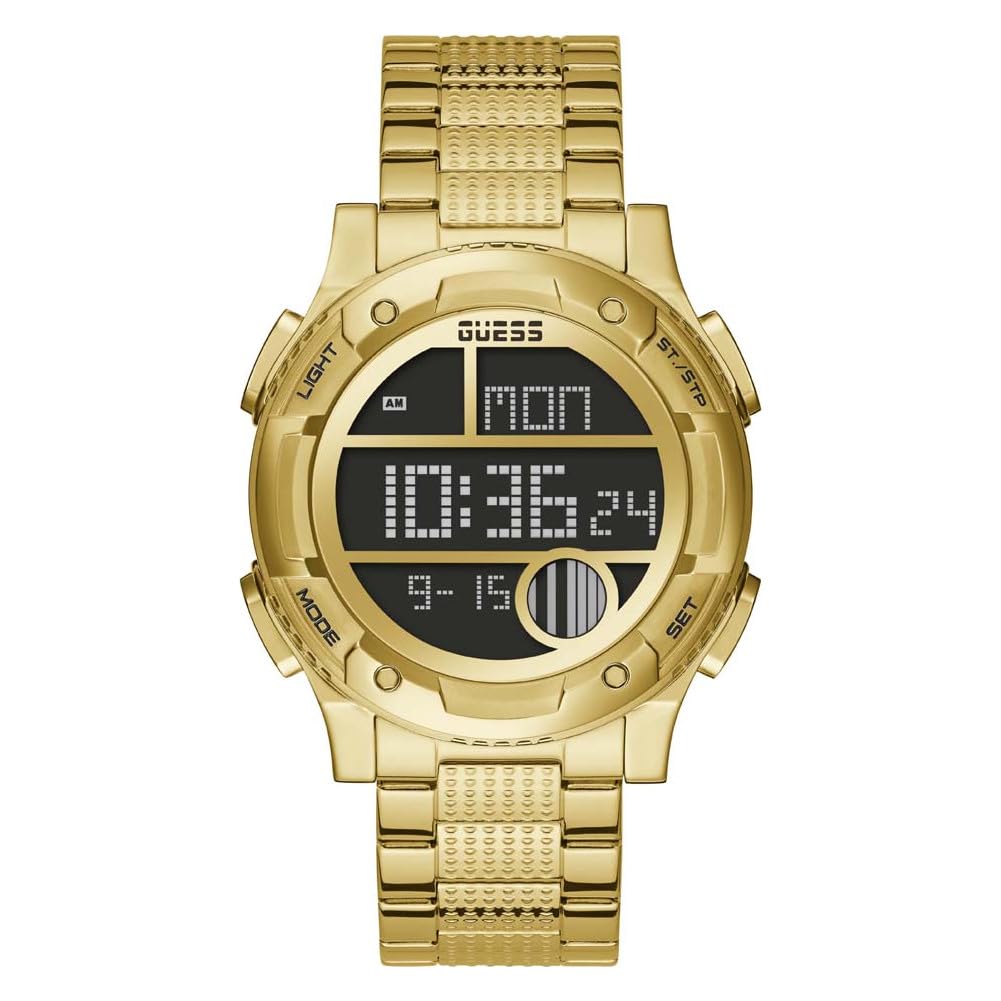
Figure 1: Front View of GUESS Digital Watch GW0271G2. This image displays the watch face, highlighting the digital display and the four control buttons located on the sides of the case.
Watch Components:
- Digital Display: Shows time, date, and other functions.
- Light Button: Activates the backlight for visibility in low light conditions.
- Mode Button: Cycles through different display modes (e.g., time, alarm, stopwatch).
- ST./STP Button: Used for starting/stopping functions like the stopwatch.
- Set Button: Used to enter and confirm settings adjustments.
- Stainless Steel Case and Bracelet: Provides durability and a secure fit.

Figure 2: Angled View of Watch Display. This image provides a closer look at the digital display and the texture of the gold-toned stainless steel bracelet.
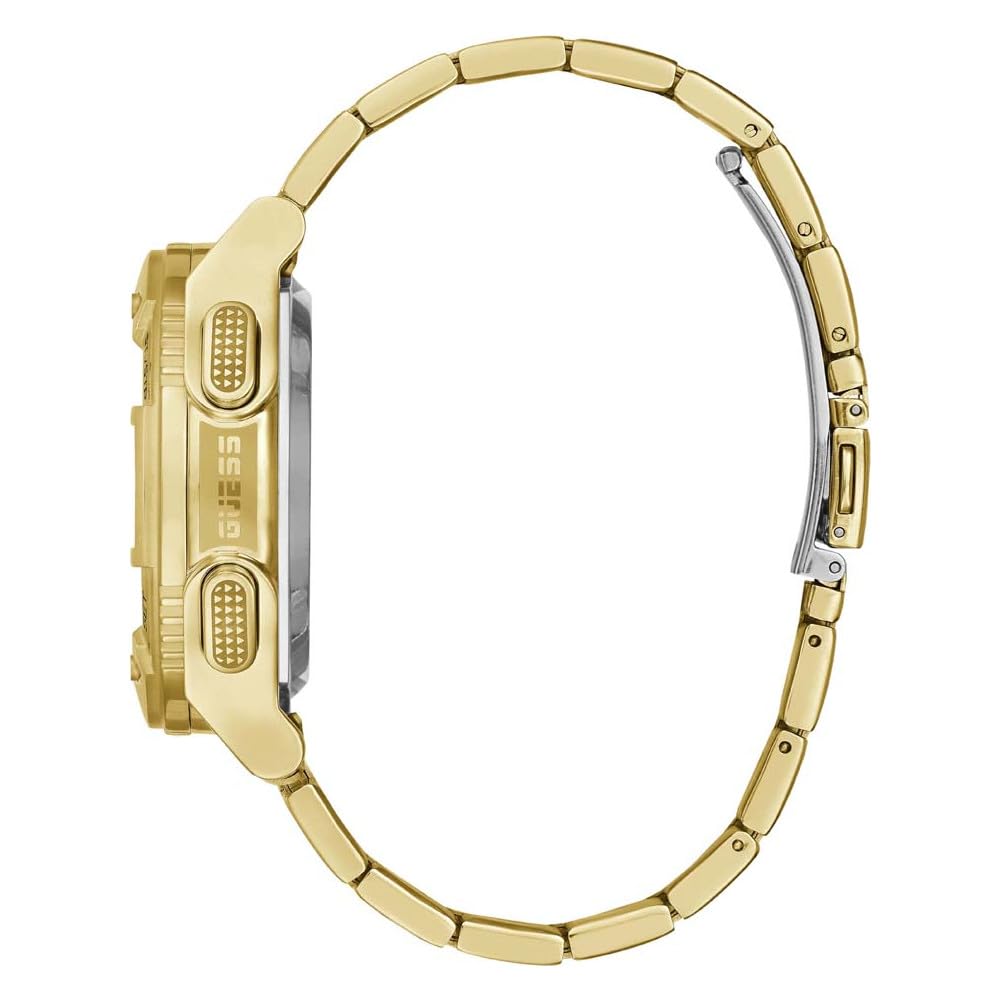
Figure 3: Side View with Clasp Open. This image illustrates the watch's profile and the design of the stainless steel bracelet and clasp mechanism.
Setup
Initial Power On and Battery
Your watch comes with a pre-installed C battery. If the display is blank or dim, the battery may need to be activated or replaced. It is recommended to have battery replacement performed by a qualified watch technician.
Setting Time and Date
- Press the MODE button repeatedly until the time setting mode is displayed (often indicated by flashing digits).
- Press the SET button to select the digit you wish to adjust (e.g., hours, minutes).
- Use the ST./STP button to increase the value. The LIGHT button may be used to decrease the value on some models.
- Continue pressing SET to move to the next setting (minutes, year, month, day).
- Adjust each value using the ST./STP (and potentially LIGHT) button.
- Once all settings are correct, press the MODE button to exit the setting mode and return to the normal time display.
Note: Specific button functions for increasing/decreasing values may vary slightly. Refer to the on-screen prompts if available.
Operating Instructions
Basic Time Display
In normal mode, the watch displays the current time (hours, minutes, seconds), day of the week, and date (month, day).
Using the Backlight
Press the LIGHT button to illuminate the display for a few seconds, improving visibility in dark environments.
Cycling Through Modes (MODE Button)
Press the MODE button to cycle through the available functions, which typically include:
- Normal Time Display
- Alarm Setting
- Stopwatch
- Date Display (if not shown in normal mode)
Using the Stopwatch
- Press the MODE button until the stopwatch function is displayed (usually showing "00:00:00").
- Press the ST./STP button to start the stopwatch.
- Press ST./STP again to pause the stopwatch.
- To reset the stopwatch, press the SET button while the stopwatch is paused.
- Press the MODE button to return to the normal time display.
Setting the Alarm
- Press the MODE button until the alarm setting mode is displayed.
- Press the SET button to select the hour digit.
- Use the ST./STP button to adjust the hour.
- Press SET again to select the minute digit.
- Use the ST./STP button to adjust the minutes.
- Press SET to confirm and activate/deactivate the alarm (an alarm icon usually appears when active).
- Press the MODE button to exit the alarm setting mode.
Maintenance
Cleaning Your Watch
To maintain the appearance of your GUESS watch, wipe it regularly with a soft, dry cloth. For the stainless steel bracelet, a slightly damp cloth can be used, followed by immediate drying. Avoid using harsh chemicals, abrasive cleaners, or solvents, as these can damage the finish.
Water Resistance (50m)
Your watch is water-resistant up to 50 meters (5 ATM). This means it is suitable for short periods of recreational swimming, showering, or washing hands. It is not suitable for diving, snorkeling, or high-impact water sports. Avoid operating buttons while the watch is wet or submerged, as this can compromise the water seal.
Battery Replacement
The watch is powered by one C battery. When the display becomes dim or stops functioning, the battery may need replacement. It is strongly recommended to have battery replacement performed by an authorized GUESS service center or a professional watchmaker to ensure the water resistance is maintained.
Storage
When not in use, store your watch in a cool, dry place, away from direct sunlight and extreme temperatures. Avoid placing it near magnetic fields, which can affect timekeeping accuracy.
Troubleshooting
If you encounter issues with your GUESS Digital Watch GW0271G2, please refer to the following common problems and solutions:
| Problem | Possible Cause | Solution |
|---|---|---|
| Display is blank or dim. | Low or depleted battery. | Replace the battery. It is recommended to seek professional service. |
| Time is incorrect. | Time settings need adjustment. | Refer to the "Setting Time and Date" section to reset the time. |
| Buttons are unresponsive. | Watch may be in a locked mode or internal malfunction. | Try pressing all buttons firmly. If unresponsive, the battery may be too low. If problem persists after battery replacement, contact customer support. |
| Condensation inside the watch. | Water resistance compromised. | Stop using the watch immediately and take it to an authorized service center for inspection and repair. |
If the problem persists after attempting these solutions, please contact GUESS customer support or an authorized service center.
Specifications
| Feature | Detail |
|---|---|
| Model Number | GW0271G2 |
| Brand | GUESS |
| Movement Type | Digital (Quartz) |
| Case Material | Stainless Steel |
| Case Diameter | 44.5 Millimetres |
| Band Material | Stainless Steel |
| Band Color | Gold |
| Water Resistance | 50 Meters (5 ATM) |
| Battery | 1 C battery (included) |
| Item Weight | 185 Grams |
| Product Dimensions | 17.78 x 12.7 x 17.78 cm |
Warranty and Support
Manufacturer's Warranty
Your GUESS Digital Watch GW0271G2 comes with a one-year manufacturer's warranty. This warranty covers manufacturing defects from the date of purchase. It does not cover damage resulting from improper use, accidents, unauthorized repairs, normal wear and tear, or battery replacement.
Customer Support
For warranty claims, technical assistance, or service inquiries, please contact GUESS customer support. Refer to the official GUESS website or your purchase documentation for the most current contact information.
Please retain your proof of purchase for warranty validation.

