
1. Introduction
The Altec Lansing NanoBuds are true wireless earbuds designed for an active lifestyle. They feature a compact design, IPX4 water resistance, and dual microphones for clear calls. This manual provides instructions for setting up, operating, and maintaining your NanoBuds.
2. What's in the Box
- Altec Lansing NanoBuds True Wireless Earbuds
- Charging Case
- Ear Cushions
3. Product Overview
The NanoBuds are designed for comfort and secure fit, featuring a sleek profile and a portable charging case.

Figure 3.1: Altec Lansing NanoBuds True Wireless Earbuds (Icy Blue)

Figure 3.2: Charging Case with NanoBuds
4. Charging Your NanoBuds
To ensure optimal performance, fully charge your NanoBuds and their charging case before first use.
- Place the earbuds into the charging case. Ensure they are seated correctly to initiate charging.
- Connect the charging case to a power source using the provided USB cable.
- The indicator lights on the case will show the charging status.
- A full charge provides up to 5 hours of playtime for the earbuds, with the charging case offering an additional 4 charges, totaling up to 30 hours of continuous use.
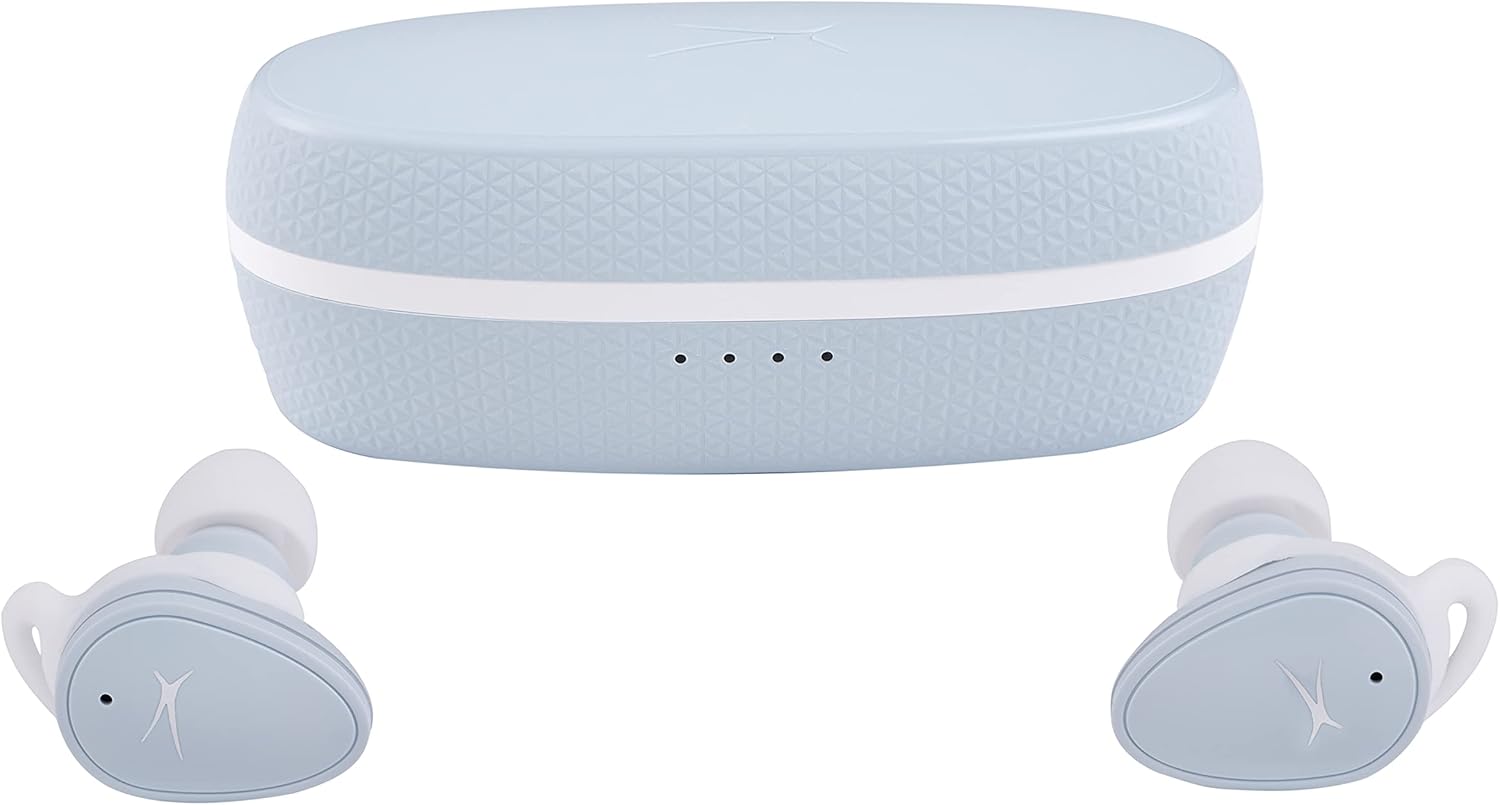
Figure 4.1: Closed Charging Case
5. Pairing Your NanoBuds
Follow these steps to pair your NanoBuds with your device:
- Ensure the earbuds are charged and removed from the charging case. They will automatically enter pairing mode.
- On your device (smartphone, tablet, laptop), go to the Bluetooth settings.
- Select "Altec Lansing NanoBuds" from the list of available devices.
- Once connected, you will hear an audio confirmation.
- The NanoBuds offer an enhanced signal range of up to 50 feet.
6. Operating Your NanoBuds
6.1 Touch Controls
The NanoBuds feature touch controls for media playback and call management. Refer to the quick start guide for specific tap functions (e.g., play/pause, skip track, answer/end call).
6.2 Dual Microphone for Clear Calling
Equipped with dual microphones, the NanoBuds provide clear call quality, allowing you to hear and be heard effectively, even in moderately noisy environments.

Figure 6.1: Using NanoBuds for Calls
6.3 Water Resistance (IPX4)
The NanoBuds are rated IPX4 water-resistant, meaning they are protected against splashing water from any direction. This makes them suitable for workouts and outdoor activities where they may be exposed to sweat or light rain. They are not designed for submersion in water.

Figure 6.2: NanoBuds IPX4 Water Resistance
7. Maintenance and Care
Proper care extends the life of your NanoBuds:
- Cleaning: Gently wipe the earbuds and charging case with a soft, dry, lint-free cloth. Do not use harsh chemicals or abrasive materials.
- Storage: Store the earbuds in their charging case when not in use to protect them and keep them charged. Avoid extreme temperatures.
- Water Exposure: While IPX4 rated, avoid prolonged exposure to water or submersion. Ensure earbuds are dry before placing them in the charging case.
8. Troubleshooting
If you encounter issues with your NanoBuds, try the following solutions:
- Earbuds Not Charging: Ensure the earbuds are properly seated in the charging case. Check that the charging case itself is charged or connected to a power source. Clean the charging contacts on both the earbuds and the case with a dry cotton swab.
- Pairing Issues: Turn off Bluetooth on your device, then turn it back on. Forget the NanoBuds from your device's Bluetooth list and attempt to pair again. Ensure no other Bluetooth devices are interfering.
- No Sound/Low Volume: Check the volume levels on both your device and the earbuds. Ensure the earbuds are properly connected.
- Intermittent Connection: Stay within the recommended 50-foot Bluetooth range. Avoid physical obstructions between the earbuds and your device.
- Reset: If issues persist, perform a factory reset (refer to the quick start guide for specific instructions, as this often involves holding a button on the earbuds or case).
9. Specifications
| Brand | Altec Lansing |
| Model Number | MZX5200 |
| Model Name | Nanobuds 2.0 |
| Color | Icy Blue |
| Ear Placement | In Ear |
| Form Factor | In Ear |
| Noise Control | Sound Isolation |
| Control Method | Touch |
| Connectivity Technology | Wireless (Bluetooth 5.0) |
| Water Resistance Level | IPX4 (Water Resistant) |
| Earbud Battery Life | Up to 5 Hours |
| Total Playtime (with case) | Up to 30 Hours |
| Compatible Devices | Smartphones, Tablets, Laptops, Other Bluetooth-enabled Devices |
10. Important Safety Information
- Do not expose to extreme temperatures or direct sunlight for extended periods.
- Avoid dropping or applying excessive force to the earbuds or charging case.
- Do not attempt to disassemble or modify the product.
- Listen at moderate volume levels to prevent hearing damage.
- Keep out of reach of children and pets.
11. Warranty and Support
Altec Lansing products are covered by a manufacturer's warranty. For detailed warranty information, product support, or to contact customer service, please visit the official Altec Lansing website or refer to the warranty card included with your purchase.
You can also visit the Altec Lansing Store on Amazon for more information.
12. Product Video
Watch this video for an overview of the Altec Lansing NanoBud family, including the NanoBuds 2.0.
Video 12.1: Altec Lansing NanoBud Family Overview. This video showcases various NanoBud models and their features.


