
1. Introduction
Welcome to your new Candy CS1412TME/FR washing machine. This manual provides essential information for the safe and efficient use, installation, operation, and maintenance of your appliance. Please read it thoroughly before using the washing machine and keep it for future reference. This appliance is designed for domestic use only.
2. Safety Information
Always follow basic safety precautions when using electrical appliances to reduce the risk of fire, electric shock, and injury to persons.
General Safety
- This appliance can be used by children aged 8 years and above and persons with reduced physical, sensory or mental capabilities or lack of experience and knowledge if they have been given supervision or instruction concerning use of the appliance in a safe way and understand the hazards involved.
- Children should be supervised to ensure that they do not play with the appliance.
- Cleaning and user maintenance shall not be made by children without supervision.
- Do not touch the appliance with wet hands or feet.
- Do not pull the power cord to unplug the appliance.
- Ensure the appliance is properly grounded.
Installation Safety
- Remove all transport bolts and packing materials before use. Failure to do so can cause serious damage to the appliance.
- Ensure the appliance is installed on a firm, level surface.
- Connect the water inlet hose to a cold water tap and ensure all connections are tight to prevent leaks.
- The drain hose must be properly secured to prevent displacement during operation.
- Do not install the appliance in areas where the temperature may fall below freezing.
Operation Safety
- Do not open the detergent drawer during the wash cycle.
- Do not force the door open during operation. Wait until the cycle is complete and the door lock has released.
- Do not overload the washing machine. Refer to the maximum load capacity for each program.
- Use only detergents and additives suitable for automatic washing machines.
3. Installation
3.1 Unpacking and Removing Transport Bolts
Before using your washing machine, it is crucial to remove all internal packaging and the transport bolts located at the rear of the appliance. These bolts secure the drum during transit and must be removed to prevent damage during operation.
- Carefully remove all packaging materials, including the polystyrene base.
- Tilt the machine slightly and remove any protective plastic bags or foam from underneath.
- Locate the transport bolts on the rear panel of the washing machine. There are typically 3 or 4 bolts.
- Using a suitable wrench, loosen and remove each bolt. Keep the bolts and plastic spacers in a safe place for future transport if needed.
- Insert the plastic caps (supplied with the machine) into the holes left by the transport bolts.

Image: Rear view of the washing machine, highlighting the location of the transport bolts and hose connections. Ensure these bolts are removed before first use.
3.2 Positioning and Leveling
Place the washing machine on a flat, stable floor. Ensure there is adequate space around the appliance for ventilation and maintenance. Adjust the adjustable feet at the bottom of the machine to ensure it is perfectly level. A level machine reduces vibration and noise during operation.
3.3 Water and Electrical Connections
- Connect the water inlet hose to a cold water tap with a 3/4" thread. Hand-tighten the connection, then use a wrench to tighten it further, ensuring no leaks.
- Position the drain hose into a standpipe or over the edge of a sink, ensuring it is securely fixed and cannot become dislodged. The height of the drain point should be between 50 cm and 85 cm from the floor.
- Plug the power cord into a properly grounded electrical outlet. Ensure the voltage and frequency match the specifications of the appliance.
3.4 First Wash Cycle
Before washing clothes, run an empty wash cycle at 60°C with a small amount of detergent to clean the drum and remove any manufacturing residues.
4. Product Overview
Familiarize yourself with the main components of your Candy CS1412TME/FR washing machine.
4.1 Front View
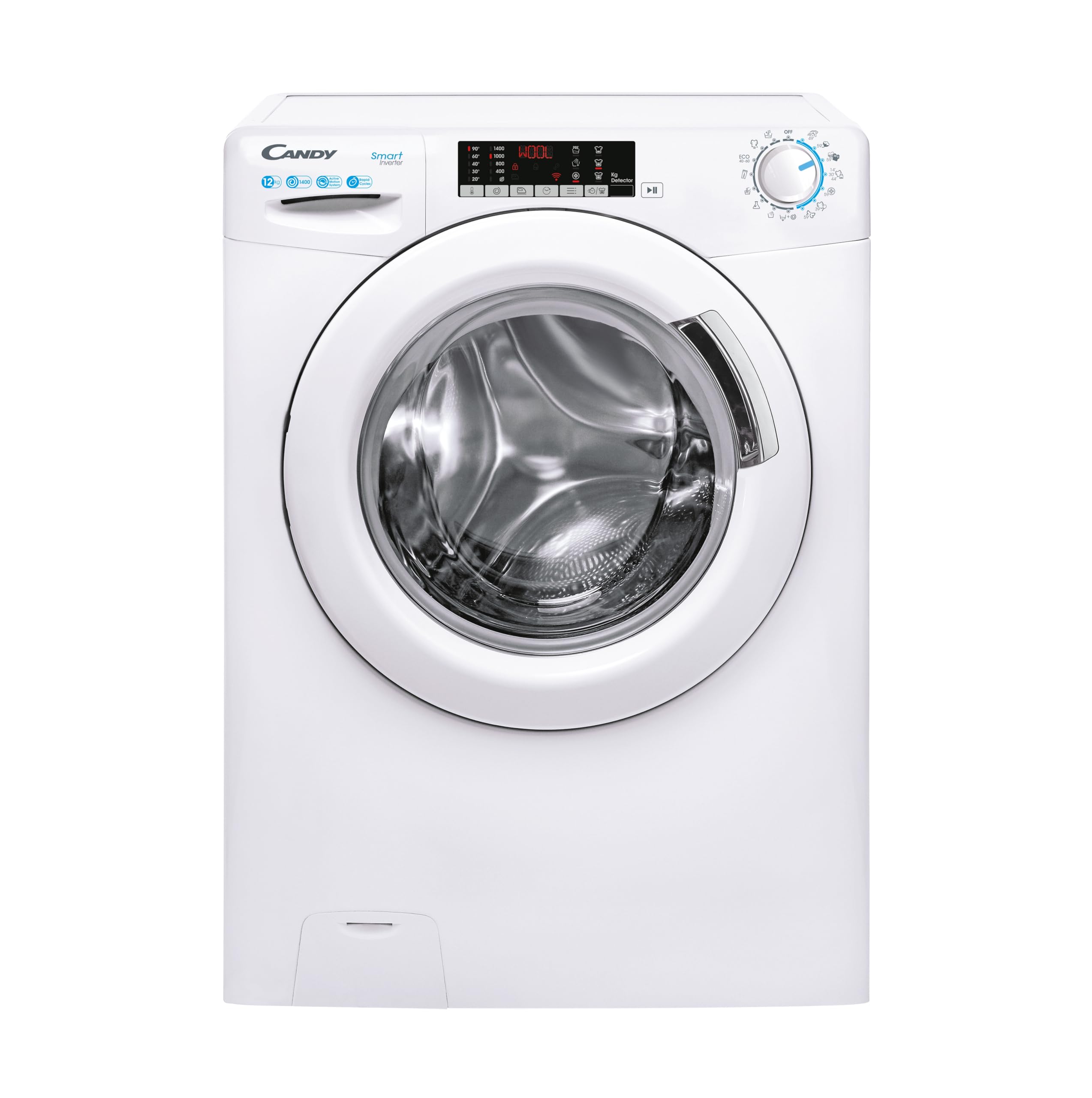
Image: Front view of the Candy CS1412TME/FR washing machine, showing the door, control panel, and detergent drawer.
4.2 Control Panel and Detergent Dispenser
The control panel features a digital display and touch controls for program selection and function activation. The detergent dispenser is located on the top left and has compartments for pre-wash, main wash detergent, and fabric softener.

Image: Close-up view of the washing machine's control panel with digital display and the interior of the stainless steel drum.
5. Operating Instructions
5.1 Loading Laundry
Open the door and load your laundry into the drum. Do not overload the machine; ensure there is enough space for the clothes to tumble freely. The maximum capacity for this model is 12 kg.
5.2 Adding Detergent and Additives
Pull out the detergent drawer. Add the appropriate amount of detergent to the main wash compartment and fabric softener to its designated compartment. For pre-wash, add detergent to the pre-wash compartment.
5.3 Program Selection
Turn the program selector knob to choose one of the 15 available wash programs. The digital display will show the default settings for the selected program.
Key Programs:
- Cotton: For durable cotton items.
- Synthetics: For synthetic and mixed fabrics.
- Delicates: For delicate items requiring gentle care.
- Wool/Hand Wash: For woolens and hand-washable items.
- Quick Wash (59 min full load): For lightly soiled items needing a fast wash.
- Eco: Energy-efficient program.
- Rinse: For rinsing and spinning separately.
- Spin: For spinning only.
Additional programs can be downloaded and managed via the simplyFi app using NFC connectivity.
5.4 Special Functions and NFC Connectivity
Use the touch control panel to select additional functions such as:
- Delay Start: Postpone the start of the wash cycle.
- Temperature Selection: Adjust the wash temperature.
- Spin Speed Selection: Adjust the spin speed (up to 1400 rpm).
- Mix Power System+: Optimizes detergent injection for better cleaning and reduced consumption.
- NFC Connectivity: Connect your smartphone to the appliance via the simplyFi app for additional programs, diagnostics, and remote control. To use NFC, enable NFC on your smartphone and follow the app instructions to pair with the washing machine.

Image: Diagram showing key operational features including delayed start, quick programs, front-load design, and automatic laundry weight detection.
5.5 Starting and Ending a Cycle
- Press the Start/Pause button to begin the selected program.
- The machine will automatically proceed through the wash cycle.
- At the end of the cycle, an audible signal may sound, and the display will indicate 'End'.
- Wait for the door lock to release before opening the door and removing your laundry.
6. Maintenance
Regular maintenance ensures the longevity and optimal performance of your washing machine.
6.1 Cleaning the Exterior
Wipe the exterior surfaces with a soft, damp cloth. Do not use abrasive cleaners or solvents.
6.2 Cleaning the Detergent Dispenser
Periodically remove the detergent drawer and rinse it under running water to remove any detergent residue. Clean the housing of the drawer with a brush.
6.3 Cleaning the Filter
The filter, usually located at the bottom front of the machine, should be cleaned regularly to prevent blockages. Place a shallow container underneath to catch any residual water. Unscrew the filter cap, remove any lint or foreign objects, and then screw it back on securely.
6.4 Drum Cleaning
Run a maintenance wash cycle (e.g., a hot cotton cycle at 90°C) with no laundry and a descaling agent or a small amount of detergent to clean the drum and remove any odors or residue.
7. Troubleshooting
Before contacting customer service, refer to this section for solutions to common issues.
| Problem | Possible Cause | Solution |
|---|---|---|
| Machine does not start | Power plug not inserted; Door not closed properly; Program not selected; Start/Pause button not pressed. | Check power connection; Close door firmly; Select a program; Press Start/Pause. |
| Water not filling | Water tap closed; Inlet hose kinked; Water filter blocked. | Open water tap; Straighten hose; Clean inlet filter. |
| Water not draining | Drain hose kinked or blocked; Pump filter blocked. | Straighten/clear drain hose; Clean pump filter. |
| Excessive vibration/noise | Transport bolts not removed; Machine not level; Laundry unevenly distributed. | Remove transport bolts; Adjust feet to level machine; Redistribute laundry. |
| Error code on display | Specific fault detected. | Refer to the full manual for specific error code meanings or use the simplyFi app for diagnostics. |
8. Specifications
Detailed technical specifications for the Candy CS1412TME/FR washing machine.
| Feature | Detail |
|---|---|
| Model Name | CS1412TME/FR |
| Brand | CANDY |
| Capacity | 12 Kilograms |
| Maximum Spin Speed | 1400 rpm |
| Energy Class | B |
| Number of Programs | 15 (plus 40 via app) |
| Special Feature | Smart Connectivity (NFC) |
| Access Location | Front Load |
| Display Type | LED Digital Display |
| Controls Type | Push Button / Touch Control Panel |
| Noise Level (Spin) | 80 Decibels |
| Drum Material | Stainless Steel |
| Product Dimensions (D x W x H) | 67 cm x 60 cm x 85 cm |
| Item Weight | 74 Kilograms |
| Voltage | 220 Volts |
| Country of Origin | China |
| Included Options | Power cord, Fill hose, Drain hose |

Image: Candy washing machine in a modern setting, illustrating its dimensions (Depth 67cm, Width 60cm, Height 85cm).
9. Warranty and Support
9.1 Product Warranty
This Candy CS1412TME/FR washing machine comes with a 2-year manufacturer's warranty. This warranty covers manufacturing defects and material faults under normal domestic use. Please retain your proof of purchase for any warranty claims.
9.2 Customer Support
For technical assistance, spare parts, or to report a fault, please contact Candy customer service. Contact details can typically be found on the official Candy website or in the documentation provided with your appliance. When contacting support, please have your model number (CS1412TME/FR) and serial number ready.


