1. Introduction
This manual provides instructions for the installation, operation, and maintenance of the PDA工房 Self-Healing Glossy Screen Protector for the Panasonic Built-in Navigation CN-FX800DFD, specifically designed for Subaru vehicles. This product is engineered to protect your navigation screen from scratches while maintaining optical clarity and touch sensitivity.
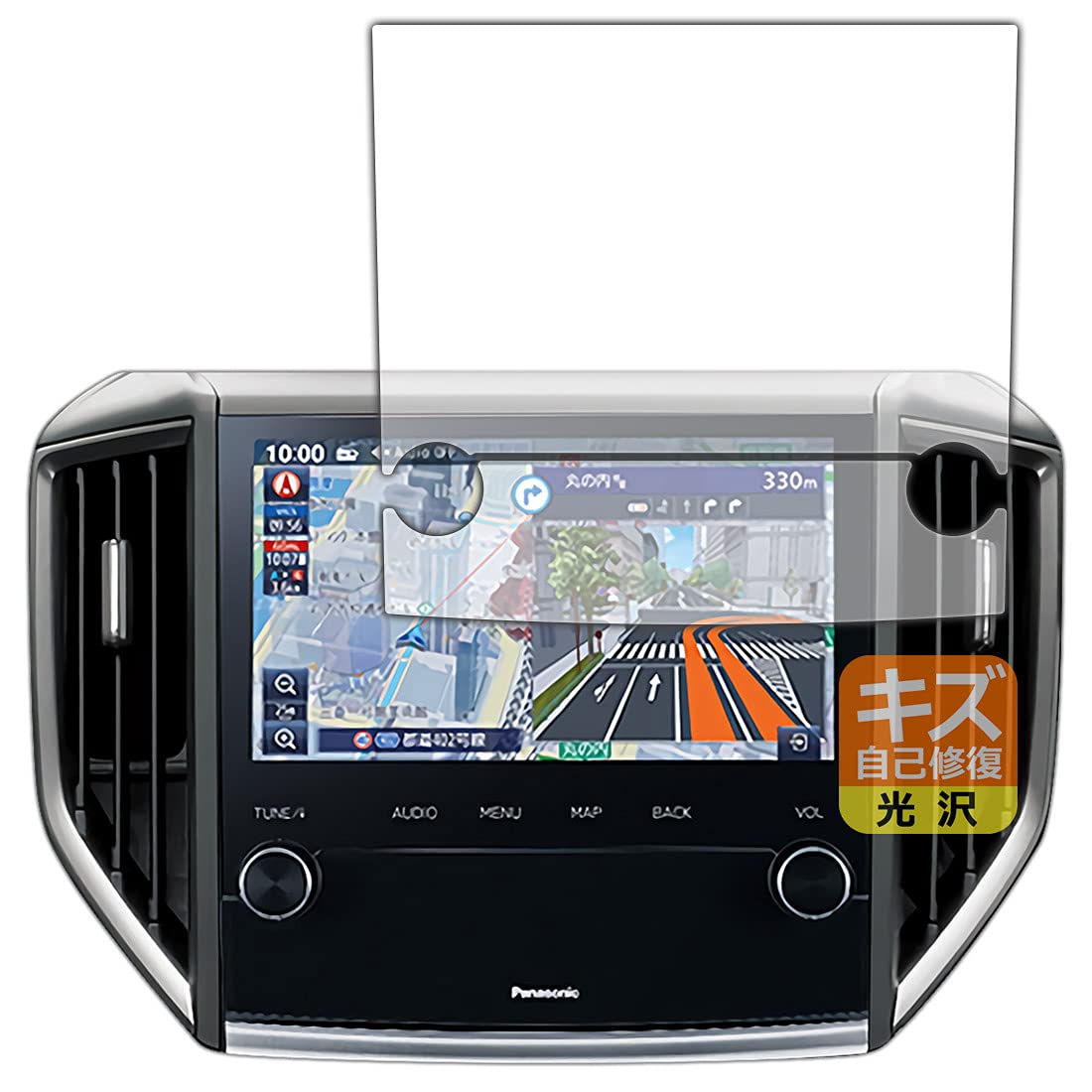
Image 1.1: The screen protector applied to the Panasonic Built-in Navigation CN-FX800DFD.
2. Product Features
The PDA工房 Self-Healing Glossy Screen Protector offers several advanced features to enhance your device's protection and user experience:
- Self-Healing Layer: A special surface coating automatically repairs minor scratches over time, restoring the film to its original state. Note that deep scratches exceeding the coating layer may not heal.
- High Transparency: Designed to be virtually invisible, preserving the original brightness and clarity of your screen. Ideal for users who prioritize video viewing and image quality.
- Bubble-Free Application: Features a unique self-adsorbing adhesive that minimizes air bubbles during application. Small dust particles are also absorbed.
- Repositionable: The flexible material allows for easy repositioning during installation, ensuring perfect alignment.
- Fingerprint Resistance: The surface is treated to resist fingerprints, keeping your screen cleaner.
- Impact Resistance: Provides a degree of protection against impacts.
- Hard Coat: A durable hard coating further enhances scratch resistance.
- Dirt-Repellent Coating: Repels dirt and oil, making the screen easier to clean.
- Blue Light & UV Cut: Reduces blue light by 11% and UV light by 66%, contributing to eye comfort.
- Thin Design: With a thickness of only 0.17mm, it provides robust protection without affecting touch sensitivity or device operation.
- Made in Japan: Manufactured in Japan using high-quality domestic materials, ensuring reliability and durability.
- Shatterproof Resin Material: Unlike glass films, this resin film will not shatter, preventing potential injury from broken fragments. This makes it safe for use around children and pets.

Image 2.1: Overview of self-healing and high gloss features.
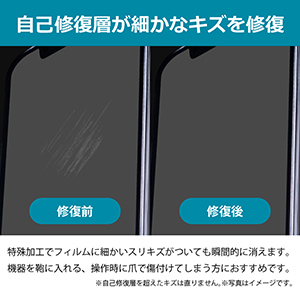
Image 2.2: Demonstration of the self-healing capability.
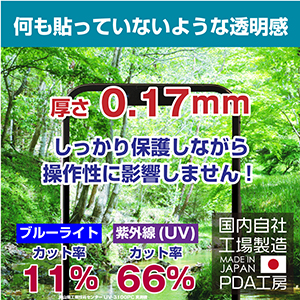
Image 2.3: Transparency, thickness, and light-cutting properties.

Image 2.4: Dirt-repellent coating and hard coat benefits.
3. Installation Instructions
Follow these steps carefully for optimal application of your screen protector:
- Preparation: Ensure your work area is clean and dust-free. Wash your hands thoroughly to avoid transferring oils or dirt to the screen or film. Do not use alcohol, thinner, or other chemical cleaners on the screen.
- Preliminary Alignment: Place the screen protector on the device's screen without removing the protective liners. Align it with the screen's edges, camera, and sensor openings to confirm the correct position.
- Dust Removal: Use the included dust-removal sticker or a piece of tape to meticulously remove any dust or lint from the screen surface. This is a critical step for a bubble-free application.
- Application: Carefully peel off the release liner (usually marked with a tab). Align the film precisely with the screen, starting from one edge and slowly lowering it onto the screen. The self-adsorbing layer will begin to adhere.
- Bubble Removal: If air bubbles appear, gently push them towards the edges of the film using a soft cloth or a squeegee (if provided). For stubborn bubbles, you may gently lift a corner of the film and reapply.
- Final Check: Once applied, inspect the screen for any remaining dust or bubbles. If necessary, you can gently lift and reapply the film multiple times until satisfied.
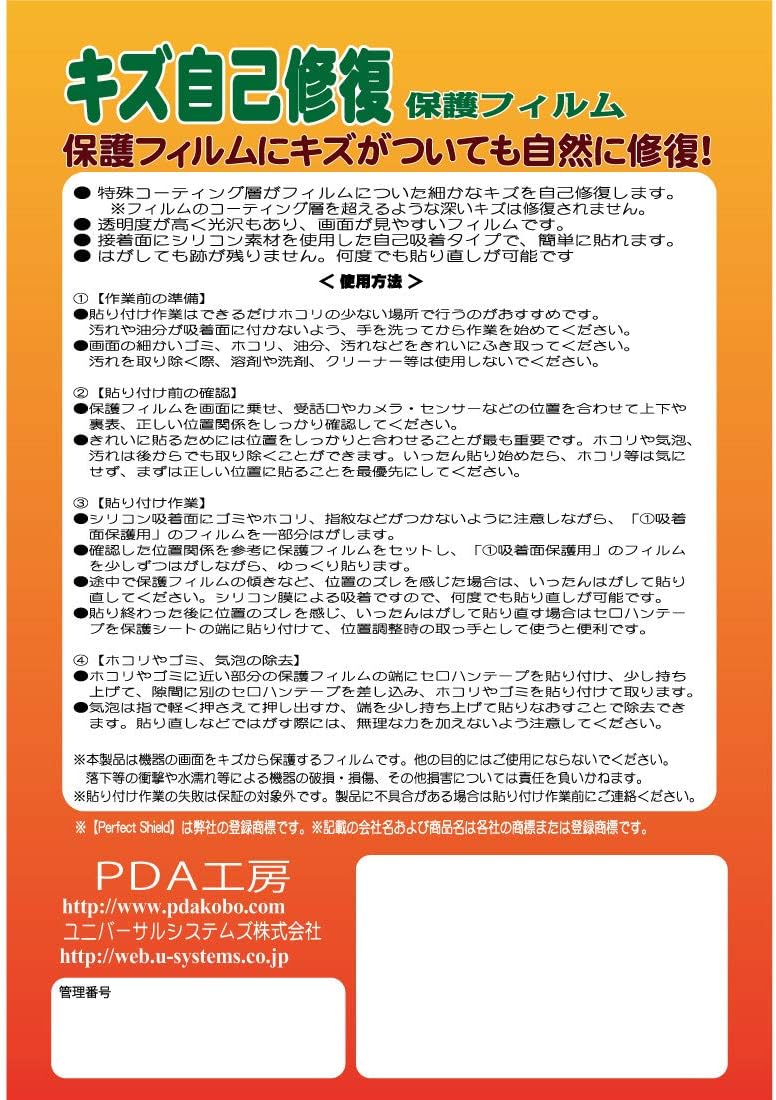
Image 3.1: Visual guide for screen protector installation.

Image 3.2: Features that simplify application for beginners.
4. Operating Instructions
Once the screen protector is installed, your Panasonic Built-in Navigation CN-FX800DFD will function as usual. The film is designed to maintain the original touch sensitivity and display quality of your device. No special operating procedures are required.
- Touch Sensitivity: The ultra-thin design ensures that touch screen responsiveness is unaffected.
- Display Quality: The high transparency of the film preserves the vibrant colors and sharpness of your navigation display.
5. Maintenance and Care
To ensure the longevity and performance of your screen protector, follow these maintenance guidelines:
- Cleaning: Gently wipe the screen with a soft, lint-free cloth. For stubborn smudges, slightly dampen the cloth with water. Avoid using harsh chemicals, alcohol-based cleaners, or abrasive materials, as these can damage the film's coating.
- Avoid Sharp Objects: While the film has self-healing properties and a hard coat, avoid intentional scratching with sharp objects to prevent damage that may not heal.
- Temperature Exposure: Avoid exposing the device to extreme temperatures, which can affect the adhesive and film integrity.
6. Troubleshooting
Here are solutions to common issues you might encounter:
- Bubbles After Application: Small bubbles may disappear naturally within 24-48 hours due to the film's self-adsorbing properties. For larger or persistent bubbles, gently lift the nearest edge of the film and reapply, pushing the bubble out with a soft cloth.
- Dust Under the Film: If dust is trapped, carefully lift the film near the dust particle using a piece of tape. Use another piece of tape to gently dab and remove the dust from both the screen and the adhesive side of the film. Then, reapply.
- Scratches on Film: Minor scratches will self-heal over time. For deeper scratches that do not disappear, the film may need to be replaced.
- Film Not Adhering Properly: Ensure the screen was thoroughly cleaned and free of oils or residue before application. If the film was applied in a wet condition, adhesion may be compromised. This film is not designed for wet application.
7. Specifications
| Specification | Detail |
|---|---|
| Compatible Model | Panasonic Built-in Navigation CN-FX800DFD (Subaru Dedicated) |
| Product Contents | 1 film for upper LCD, 1 film for lower LCD |
| Material | Polyethylene terephthalate |
| Screen Size | 8 inches |
| Surface Description | Glossy |
| Dimensions (Package) | 28 x 20 x 0.2 cm |
| Weight (Package) | 10 g |
| Manufacturer Reference | 120PDA60180669 |
| Country of Origin | Japan |
8. Warranty Information
This product is designed to protect your device's screen from scratches. It is not intended to guarantee the complete safety of the device itself against breakage, damage, or other incidents. PDA工房 is not responsible for any damage to the device caused by the use of this product.
For specific warranty details or claims, please refer to the product packaging or contact PDA工房 directly.
9. Customer Support
For further assistance, technical support, or inquiries regarding your PDA工房 screen protector, please contact the manufacturer directly.
- Brand Store: PDA工房 Amazon Store
- Manufacturer Website: www.pdakobo.com

Image 9.1: PDA工房's commitment to quality and experience.