
HOREVO B027-110V
HOREVO Retractable Ceiling Fan with Lights and Bluetooth Speaker Instruction Manual
Brand: HOREVO
Model: B027-110V
1. Introduction and Product Overview
This manual provides detailed instructions for the installation, operation, and maintenance of your HOREVO Retractable Ceiling Fan with Lights and Bluetooth Speaker. This innovative product combines a ceiling fan, lighting, and an integrated Bluetooth speaker, offering convenience and ambiance for various rooms.
- Smart Home Integration: Seamlessly control the fan and lights with Alexa and Google App for hands-free convenience.
- Retractable Blades: Unique retractable design conceals the fan blades when not in use, providing a sleek and modern appearance.
- Bluetooth Speaker: Enjoy your favorite tunes directly from the built-in Bluetooth speaker, enhancing both function and ambiance.
- Kids Fan Light: 24W mini-size design, no noise, good choice for kid's room. Accompanied by starry lights, soft music and breeze, children will no longer be afraid of the dark night. Set a timer for the fan, so that no need to worry about catch cold.

Figure 1: HOREVO Retractable Ceiling Fan with Lights and Bluetooth Speaker. This image shows the fan with its blades extended and the light illuminated, with musical notes indicating the Bluetooth speaker function.
2. Setup and Installation
The HOREVO Retractable Ceiling Fan is designed for easy installation. It comes with all necessary installation materials and clear instructions. Ensure power is disconnected before beginning installation.
2.1 Dimensions
The fan has a diameter of 36 inches when the fan blades are extended and 16 inches when the blades are retracted. Rods of 3.9 inches and 7.9 inches are included for adjustable hanging, allowing for flexible installation heights.

Figure 2: Detailed dimensions of the HOREVO Retractable Ceiling Fan, showing its height and width in both extended and retracted states.
2.2 Installation Steps
- Disconnect Power: Before starting, ensure the power supply to the installation area is turned off at the circuit breaker.
- Mount the Bracket: Securely attach the mounting bracket to the ceiling junction box.
- Wire Connections: Connect the fan's electrical wires to your home's power supply wires according to local electrical codes. The fan is designed with three parts in one piece, simplifying wiring.
- Attach Fan Body: Carefully lift and attach the fan body to the mounted bracket.
- Install Lampshade: Rotate and install the lampshade onto the fan body.
- Restore Power: Once installation is complete, restore power and test the fan and light functions.
Note: Professional installation is recommended if you are unfamiliar with electrical wiring.
3. Operating Instructions
Your HOREVO ceiling fan offers multiple control options for convenience.
3.1 Remote Control Operation
The fan comes with a dedicated remote control for easy access to all functions.
Figure 3: The remote control for the HOREVO ceiling fan, showing various buttons for fan speed, light control, and other functions.
- Fan Speed: Select from 3 fan speeds (low, medium, high) using the designated buttons.
- Light Control: Turn the light on/off, adjust brightness, and change light color (white, warm, neutral, or RGB colors) using the light control buttons.
- Timer Function: Set a timer for the fan to automatically turn off after 1, 2, or 3 hours.
- Blade Retraction: The blades automatically retract when the fan is turned off and extend when the fan is turned on.

Figure 4: Illustration of the fan's forward and reverse modes. Forward turn provides cool wind for summer, while reverse turn promotes warm air circulation for winter.
3.2 Smart Home Integration (Alexa/Google Home)
Control your fan and lights using voice commands through Alexa or Google Home. Ensure your fan is connected to your home Wi-Fi network and linked to the respective smart home app.
- Voice Commands: Use commands like "Alexa, turn on the fan," "Google, set fan speed to 2," or "Alexa, change light color to blue."
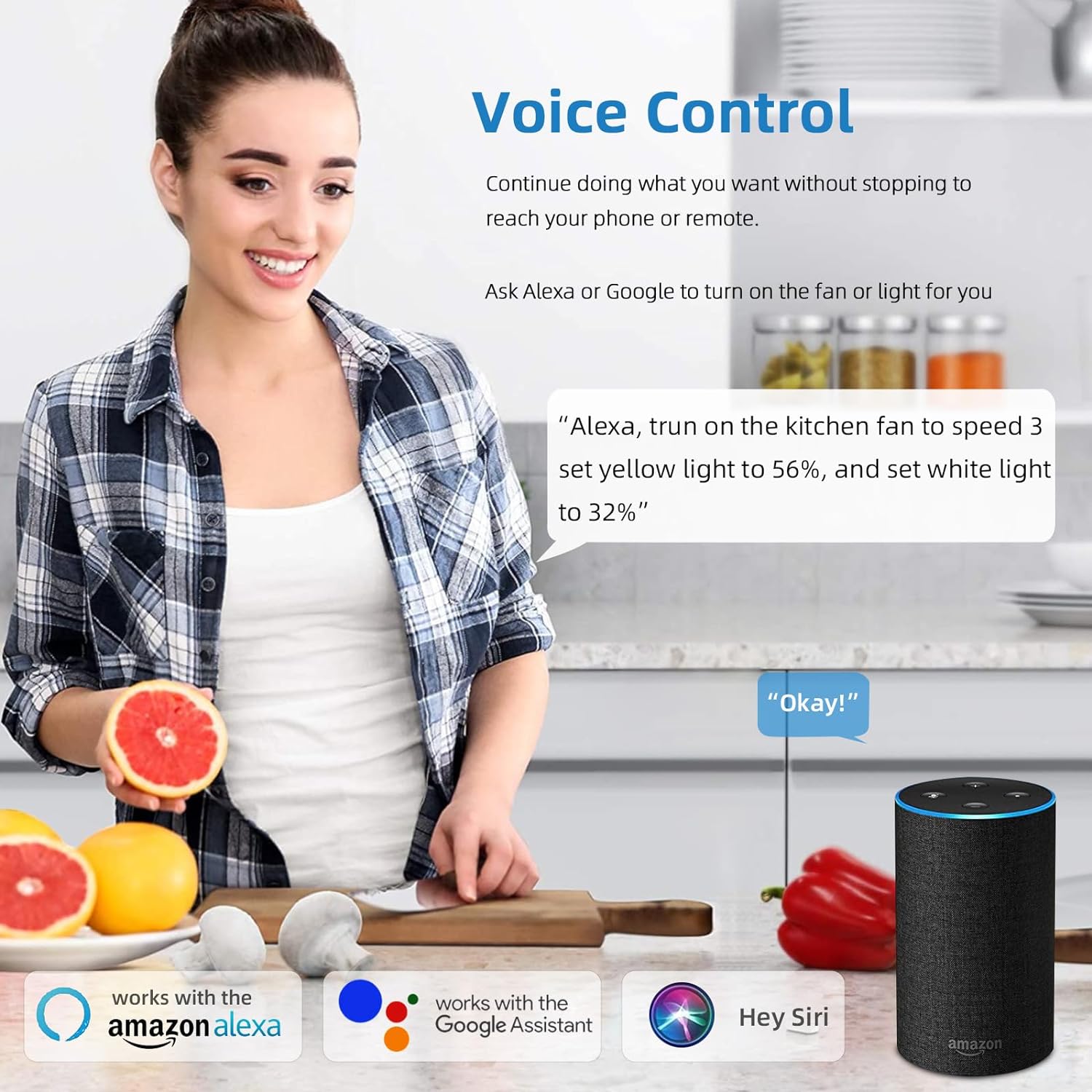
Figure 5: A user interacting with the HOREVO fan using voice commands via Alexa, demonstrating hands-free control.
3.3 Bluetooth Speaker Functionality
The integrated Bluetooth speaker allows you to play music directly from your smartphone or other Bluetooth-enabled devices.
- Pairing: Enable Bluetooth on your device and search for the fan's Bluetooth name (usually "AnSLong" or similar). Select it to pair.
- Music Playback: Once paired, play music through your device, and it will stream through the fan's speaker.
- Light Synchronization: The lights can dance to the beat of the music, enhancing the ambiance.
Figure 6: Visual representation of the fan's Bluetooth connectivity, three-color light effect, colorful light options, music playback, and rhythm synchronization.
4. Maintenance
Regular maintenance ensures the longevity and optimal performance of your HOREVO ceiling fan.
- Cleaning:
- Before cleaning, ensure the fan is turned off and the power supply is disconnected.
- Wipe the fan blades and light fixture with a soft, damp cloth. Avoid using harsh chemicals or abrasive cleaners, as they may damage the finish.
- For crystal components, use a soft, lint-free cloth to gently polish.
- Blade Inspection: Periodically check the retractable blades for any dust accumulation or obstructions. Ensure they move smoothly.
- Light Source: The LED light source is designed for long-term use and typically does not require replacement. If issues arise, consult the troubleshooting section or contact support.
5. Troubleshooting
If you encounter any issues with your HOREVO ceiling fan, refer to the following common troubleshooting steps:
| Problem | Possible Cause | Solution |
|---|---|---|
| Fan does not turn on. | No power supply; loose wiring; remote control battery dead. | Check circuit breaker; ensure all wires are securely connected; replace remote control batteries. |
| Light does not turn on. | Loose wiring; LED driver issue; remote control battery dead. | Check wiring connections; contact support if LED driver is suspected; replace remote control batteries. |
| Bluetooth speaker not connecting. | Device not in pairing mode; fan not discoverable; interference. | Ensure Bluetooth is enabled on your device and the fan is in pairing mode; try restarting both devices. |
| Fan makes unusual noise. | Loose screws; unbalanced blades; motor issue. | Check and tighten all screws; ensure blades are properly balanced; contact support if motor issue is suspected. |
| Blades do not retract/extend properly. | Obstruction; mechanism fault. | Check for any physical obstructions; contact support for mechanism issues. |
6. Specifications
Detailed technical specifications for the HOREVO Retractable Ceiling Fan:
- Brand: HOREVO
- Model Number: B027-110V
- Color: 24w-crystal-36 inch
- Material: Acrylic
- Style: Modern
- Light Fixture Form: Ceiling
- Room Type: Kids Room, Bedroom
- Product Dimensions: 15.7"L x 3.2"W x 15.7"H (retracted)
- Extended Diameter: 36 inches
- Power Source: Corded Electric, Battery Powered (for remote)
- Installation Type: Flush Mount
- Special Feature: Remote Control
- Control Method: Remote, Alexa/Google App
- Light Source Type: LED
- Finish Type: Polished
- Shade Material: Acrylic
- Number of Light Sources: 1
- Voltage: 110 Volts
- Theme: Kids
- Light Color: White, RGB
- Included Components: Remote Control
- Embellishment: Crystal
- Lighting Method: Remote
- Number of Items: 1
- Wattage: 24 watts
- Controller Type: Remote Control
- Switch Type: Remote
- Unit Count: 1 Count
- Water Resistance Level: Not Water Resistant
- Connectivity Protocol: Wi-Fi (for smart home integration)
- Brightness: 2160 Lumen
- Efficiency: 90 lm/W
- Mounting Type: Ceiling Mount
- Shade Color: Crystal
- Fixture Type: Non Removable
- Assembly Required: No
- Item Weight: 18.96 pounds
- UPC: 696629191115
7. Warranty and Support
HOREVO is committed to providing high-quality products. For any product-related inquiries, technical assistance, or warranty claims, please contact HOREVO customer support.
- Protection Plans: Extended protection plans are available for purchase separately to cover your product beyond the standard warranty period. Please refer to your purchase documentation for details on available plans and coverage.
- Contact Information: For support, please visit the official HOREVO store on Amazon or refer to the contact details provided in your product packaging.
- Online Resources: Additional support and FAQs may be available on the HOREVO brand website or Amazon product page.
Ask a question about this manual
Ask about setup, troubleshooting, compatibility, parts, safety, or missing instructions. Manuals+ will review the question and use this page’s manual context to help answer it.