1. Introduction
Thank you for choosing the Haier H43D6FG 43-inch Full HD LED Smart TV. This manual provides essential information for the safe and efficient operation of your television. Please read it thoroughly before using the product and retain it for future reference.
2. Safety Information
To ensure safe operation and prevent damage, please observe the following precautions:
- Do not expose the TV to rain or moisture.
- Ensure proper ventilation around the TV.
- Avoid placing the TV near heat sources or in direct sunlight.
- Use only the power cord supplied with the TV.
- Do not open the TV casing; refer all servicing to qualified personnel.
- Keep small parts and batteries out of reach of children.
3. Package Contents
Verify that all items are present in the packaging:
- Haier H43D6FG 43-inch Full HD LED Smart TV
- Remote Control
- TV Stand (2 pieces)
- Power Cord
- User Manual (this document)
4. Physical Features and Connections
4.1 Front View

Figure 4.1: Front view of the Haier H43D6FG Smart TV, showcasing the slim bezel and integrated stand. The screen displays a vibrant landscape image.
4.2 Rear View
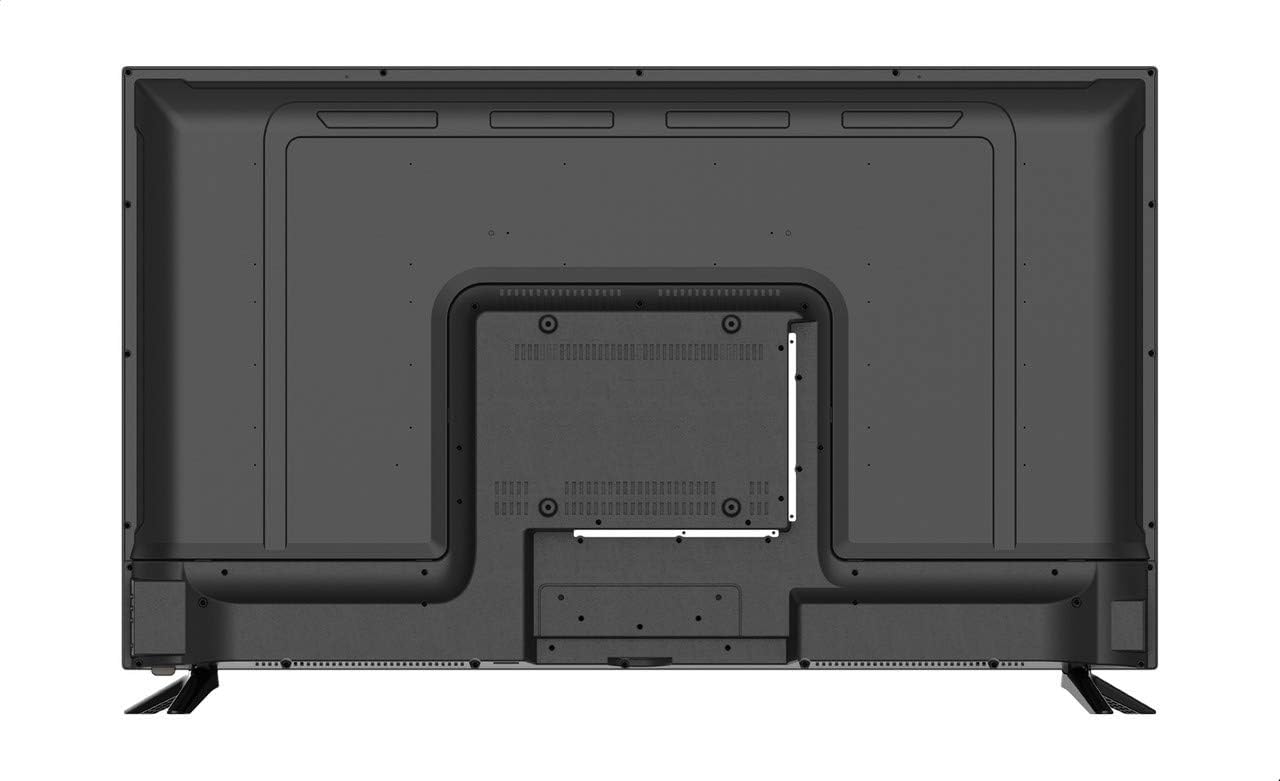
Figure 4.2: Rear view of the Haier H43D6FG Smart TV, showing the VESA mounting points and the general layout of the back panel. Connection ports are typically located on the side or bottom-rear for easy access.
4.3 Side View

Figure 4.3: Side profile of the Haier H43D6FG Smart TV, illustrating its slim design. Some connectivity ports may be visible on the side for convenient access.
4.4 Connectivity Ports
The Haier H43D6FG TV offers various ports for connecting external devices:
- HDMI Ports: 3 ports for high-definition audio and video input (e.g., Blu-ray players, gaming consoles).
- USB Ports: 2 ports for connecting USB storage devices (e.g., flash drives) for media playback.
- Ethernet (LAN) Port: For wired internet connection.
- SD Card Port: For reading media from SD cards.
- Audio Output: For connecting external audio systems.
5. Setup
5.1 Unpacking
- Carefully remove the TV from its packaging.
- Place the TV screen-down on a soft, flat surface to prevent scratches.
- Remove all protective films and packaging materials.
5.2 Attaching the Stand
- Identify the left and right stand pieces.
- Align each stand piece with the corresponding slots on the bottom of the TV.
- Secure the stands using the provided screws. Do not overtighten.
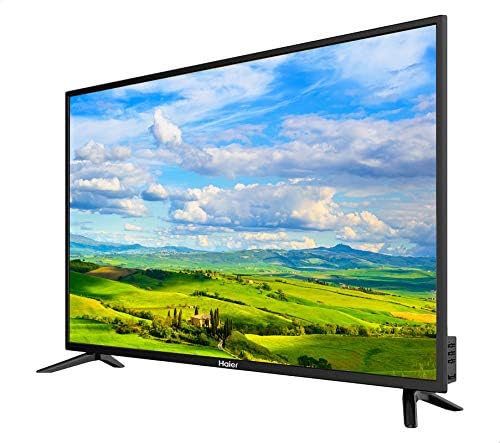
Figure 5.1: Angled front view of the Haier H43D6FG Smart TV, illustrating the attached stand legs. Ensure the stand is securely fastened before placing the TV upright.
5.3 Connecting Power
- Connect the power cord to the TV's power input.
- Plug the other end of the power cord into a suitable electrical outlet.
5.4 Initial Setup (Android OS)
- Press the Power button on the remote control to turn on the TV.
- Follow the on-screen instructions to select your language, country, and time zone.
- Connect to your Wi-Fi network or use an Ethernet cable for a wired connection.
- Sign in with your Google account to access the full features of Android TV, including the Google Play Store.
- Complete the channel scan if you are using an antenna or cable connection.
6. Operating Instructions
6.1 Remote Control
The included remote control allows you to navigate the TV's functions. Familiarize yourself with the buttons for power, volume, channel selection, input source, and smart TV navigation.
6.2 Basic Functions
- Power On/Off: Press the Power button on the remote.
- Volume Adjustment: Use the Volume Up/Down buttons.
- Channel Selection: Use the Channel Up/Down buttons or number pad.
- Input Source: Press the Source button to switch between HDMI, USB, and other inputs.
6.3 Smart TV Features (Android OS)
Your Haier H43D6FG TV runs on Android 9, providing access to a wide range of smart features:
- Google Play Store: Download and install various applications, games, and streaming services.
- Built-in Chromecast: Cast content from your smartphone or tablet directly to the TV.
- Voice Control: Use the remote's microphone (if available) for voice commands and search.
- Web Browser: Access the internet directly from your TV.
- Bluetooth Connectivity: Connect wireless headphones, speakers, or other Bluetooth devices.
7. Maintenance
Proper maintenance ensures the longevity of your TV:
- Cleaning the Screen: Gently wipe the screen with a soft, dry, lint-free cloth. For stubborn marks, use a screen-cleaning solution specifically designed for TVs, applied to the cloth, not directly to the screen.
- Cleaning the Casing: Use a soft, dry cloth to wipe the TV casing. Avoid abrasive cleaners or solvents.
- Ventilation: Ensure the ventilation openings on the back of the TV are not blocked.
- Power Off: When not in use for extended periods, unplug the TV from the power outlet.
8. Troubleshooting
If you encounter issues with your TV, refer to the following common solutions:
- No Power:
- Check if the power cord is securely connected to both the TV and the power outlet.
- Ensure the power outlet is functioning by testing it with another device.
- Press the power button on the TV itself, not just the remote.
- No Picture/Sound:
- Verify the correct input source is selected (e.g., HDMI 1, USB).
- Check all cable connections (HDMI, antenna, etc.).
- Ensure the volume is not muted or set to minimum.
- Remote Control Not Working:
- Replace the batteries in the remote control.
- Ensure there are no obstructions between the remote and the TV's IR sensor.
- Point the remote directly at the TV.
- Network Connection Issues:
- Restart your Wi-Fi router.
- Check the Wi-Fi password.
- Try a wired Ethernet connection if Wi-Fi is unstable.
If the problem persists, contact Haier customer support for assistance.
9. Specifications
| Feature | Detail |
|---|---|
| Model Number | H43D6FG |
| Display Size | 43 inches |
| Display Type | LED |
| HD Type | Full HD (FHD) |
| Resolution | 1920 x 1080 (1080p) |
| Refresh Rate | 60 Hz |
| Aspect Ratio | 16:9 |
| Color | Black |
| Bezel Type | Slim |
| RAM | 1 GB |
| Storage | 8 GB |
| Operating System | Android 9 |
| Speakers | 2 x 8 Watts |
| Connectivity | Bluetooth, Wireless Internet (Wi-Fi), 3x HDMI, 2x USB, Ethernet (LAN), SD Card Port |
| Supported Internet Services | Browser |
| Package Dimensions | 100 x 64 x 14 cm |
| Package Weight | 4 kg |
| Manufacturer | Haier |
| Origin | Made in Egypt |
10. Warranty and Support
Your Haier H43D6FG TV comes with a manufacturer's warranty. Please refer to the warranty card included in your package for specific terms and conditions. For technical support, service, or warranty claims, please contact Haier customer service.
You can find more information and support resources on the official Haier website or by visiting the Haier Store on Amazon.


