
1. Introduction
This manual provides detailed instructions for the assembly, operation, maintenance, and troubleshooting of your Greesum GS-ZGDC1BK 44-inch gaming desk. Please read this manual thoroughly before assembly and use to ensure proper function and safety.
2. Safety Information
- Ensure all components are present and undamaged before assembly. Do not proceed with assembly if any parts are missing or damaged.
- Assemble the desk on a soft, clean surface to prevent scratches.
- Tighten all screws and bolts securely, but do not overtighten. Periodically check and retighten fasteners as needed.
- Keep small parts away from children during assembly.
- Do not stand or sit on the desk.
- Distribute weight evenly on the desktop. Avoid placing heavy items on one side.
- Use the desk on a level surface to prevent tipping.
3. Package Contents
Verify that all the following components are included in your package:
- Desktop (Carbon Fiber Surface)
- Z-Shaped Metal Legs (2)
- Support Beams/Crossbars
- Adjustable Desk Feet (4)
- Cup Holder
- Headphone Hook
- Controller Stand (if included in your specific model)
- Assembly Hardware (screws, bolts, Allen wrench)
- Instruction Manual

Figure 3.1: Overview of desk components and key dimensions.
4. Setup and Assembly Instructions
Follow these steps carefully to assemble your Greesum gaming desk:
- Unpack Components: Carefully remove all parts from the packaging. Place them on a soft, flat surface to prevent damage.
- Attach Z-Shaped Legs: Secure the Z-shaped metal legs to the desktop using the provided screws and Allen wrench. Ensure the legs are oriented correctly as shown in the diagram.
- Install Support Beams: Connect the support beams or crossbars between the Z-shaped legs. This provides additional stability. Tighten all fasteners.
- Attach Adjustable Feet: Screw the adjustable desk feet into the bottom of each leg. These feet allow for minor height adjustments and help stabilize the desk on uneven floors.
- Install Accessories:
- Cup Holder: Attach the cup holder to the desired side of the desktop using the designated mounting points.
- Headphone Hook: Mount the headphone hook to the side of the desk.
- Controller Stand: If included, attach the controller stand as per its specific instructions.

Figure 4.1: Installation of the cup holder and headphone hook.
- Final Check: Once assembled, gently lift and place the desk in its intended location. Ensure all connections are secure and the desk is stable. Adjust the feet if necessary to eliminate wobbling.
5. Operating Instructions (Usage)
Your Greesum gaming desk is designed for optimal functionality and comfort. Here are guidelines for its use:
- Desktop Surface: The carbon fiber textured surface provides a smooth area for your mouse and keyboard. It is also designed to be stain-resistant and easy to clean.
- Cup Holder: Use the integrated cup holder to keep beverages secure and prevent spills on your electronics.
- Headphone Hook: Hang your headphones on the dedicated hook to keep them organized and within easy reach.
- Cable Management: Utilize any available cable routing features (not explicitly detailed in product description, but common for gaming desks) to keep your cables tidy and prevent clutter.
- Adjustable Feet: If the desk wobbles, adjust the individual feet by twisting them until the desk is stable on your floor.

Figure 5.1: The Greesum gaming desk set up for use.
6. Maintenance and Care
To ensure the longevity and appearance of your Greesum gaming desk, follow these maintenance guidelines:
- Cleaning the Surface: Wipe the carbon fiber surface with a soft, damp cloth. For stubborn stains, a mild soap solution can be used, followed by wiping with a clean, dry cloth. Avoid abrasive cleaners or harsh chemicals.
- Frame Care: The metal frame can be cleaned with a damp cloth. Dry immediately to prevent rust.
- Regular Checks: Periodically inspect all screws and bolts to ensure they remain tight. Retighten if any feel loose.
- Avoid Excessive Heat/Moisture: Do not place hot items directly on the desktop without protection. Avoid prolonged exposure to direct sunlight or excessive moisture.
7. Troubleshooting
| Problem | Possible Cause | Solution |
|---|---|---|
| Desk is wobbly | Uneven floor or loose connections | Adjust the leveling feet at the bottom of the legs. Ensure all assembly screws are tightened securely. |
| Parts do not fit during assembly | Incorrect orientation of parts or manufacturing defect | Review the assembly diagrams carefully. If parts still do not fit, contact customer support. |
| Scratches on desktop surface | Rough handling or sharp objects | Use mouse pads and avoid dragging sharp objects across the surface. Minor scratches may be less visible due to the carbon fiber texture. |
8. Specifications
- Model Number: GS-ZGDC1BK
- Brand: Greesum
- Desk Design: Computer Desk / Gaming Desk
- Dimensions (Overall): 23.6"D x 44"W x 29.3"H (60cm D x 111.7cm W x 74.4cm H)
- Color: Carbon Black
- Top Material Type: Carbon Fiber
- Base Material: Metal (Z-Shaped Base)
- Item Weight: Approximately 42 lbs (19 kg)
- Special Features: Ergonomic design, Cup Holder, Headphone Hook
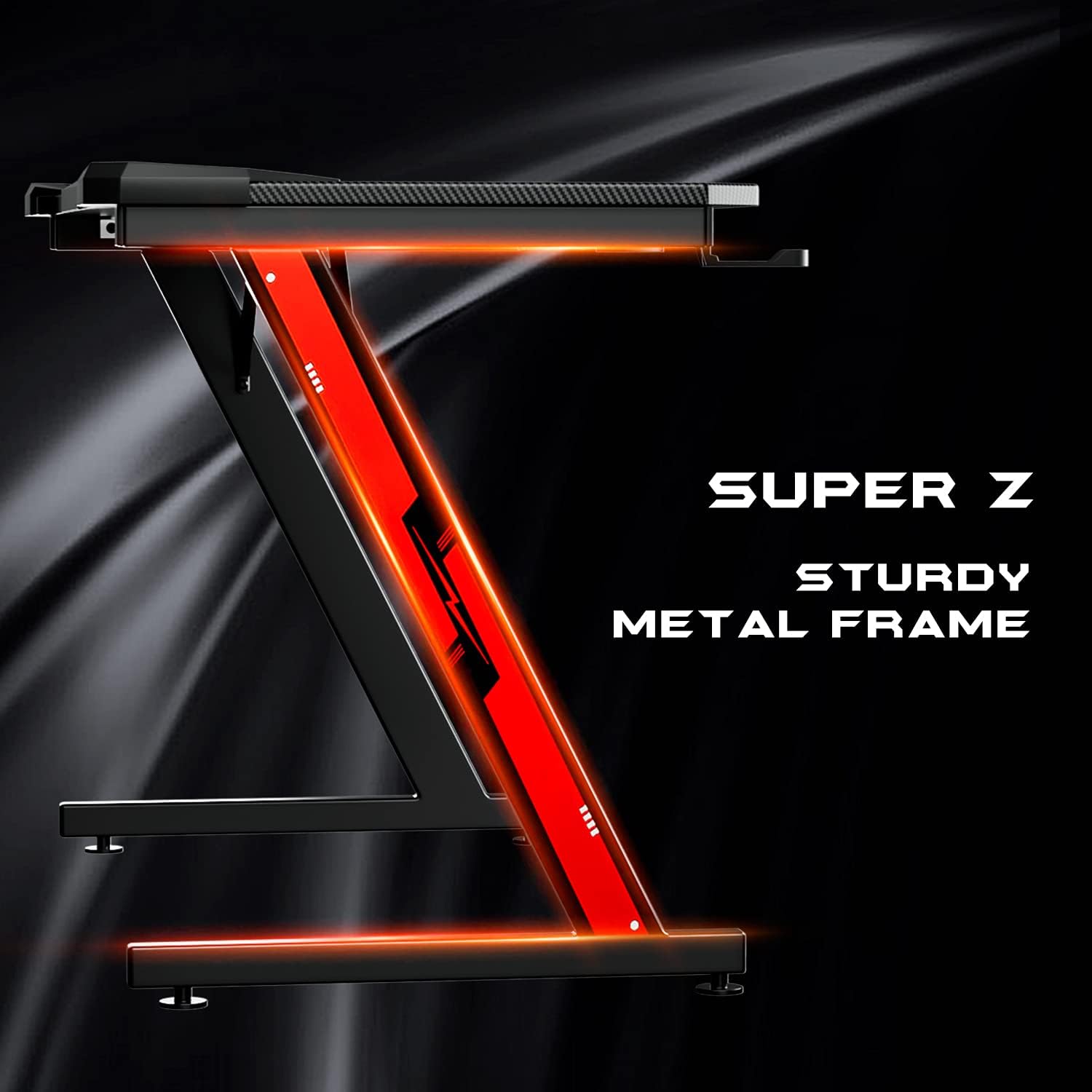
Figure 8.1: Detail of the sturdy Z-shaped metal frame.
9. Warranty and Support
This Greesum gaming desk comes with a Limited Warranty. For specific details regarding warranty coverage, duration, and terms, please refer to the warranty card included in your package or contact Greesum customer support directly.
If you encounter any issues or have questions not covered in this manual, please contact Greesum customer service for assistance. Please have your model number (GS-ZGDC1BK) and purchase information ready when contacting support.