
BoxWave ClearTouch Crystal (2-Pack)
BoxWave ClearTouch Crystal Screen Protector User Manual
Compatible with Lilliput PC-9715
Introduction
The BoxWave ClearTouch Crystal Screen Protector is designed to provide superior protection for your Lilliput PC-9715 device's display. This high-quality film offers exceptional clarity and safeguards your screen from scratches, dust, and daily wear, ensuring the longevity and pristine condition of your device's screen. This manual provides detailed instructions for installation, usage, and maintenance.

Image: Lilliput PC-9715 device with the ClearTouch Crystal screen protector applied, showcasing its clear and protective layer.
Product Overview
The ClearTouch Crystal screen protector is engineered with advanced features to enhance your viewing experience and protect your device:
- Perfect Fit: Precision-cut to match the exact dimensions of your Lilliput PC-9715, ensuring full screen coverage.
- Exceptional Clarity: Boasts an ultra-high 99% visual transparency, providing a glass-like clarity that preserves vibrant colors and original screen resolution.
- Durable Protection: Made from high-grade Polyethylene Terephthalate (PET) thermoplastics, designed to shield your screen from scratches, scuffs, and dust.
- Residue-Free Adhesive: Features a glueless adhesive that bonds perfectly to your screen without leaving any sticky residue upon removal.
- Two-Pack Value: Each package includes two screen protectors, offering a spare or an option to share.

Image: An infographic highlighting key features such as vibrant colors, 99% transparency, the inclusion of two protectors, and precise manufacturing.
What's Included
Your BoxWave ClearTouch Crystal Screen Protector package contains the following items:
- Two (2) ClearTouch Crystal Screen Protectors
- One (1) ClearTouch Applicator Card
- One (1) Microfiber Cleaning Cloth
- One (1) Dust Removing Sticker
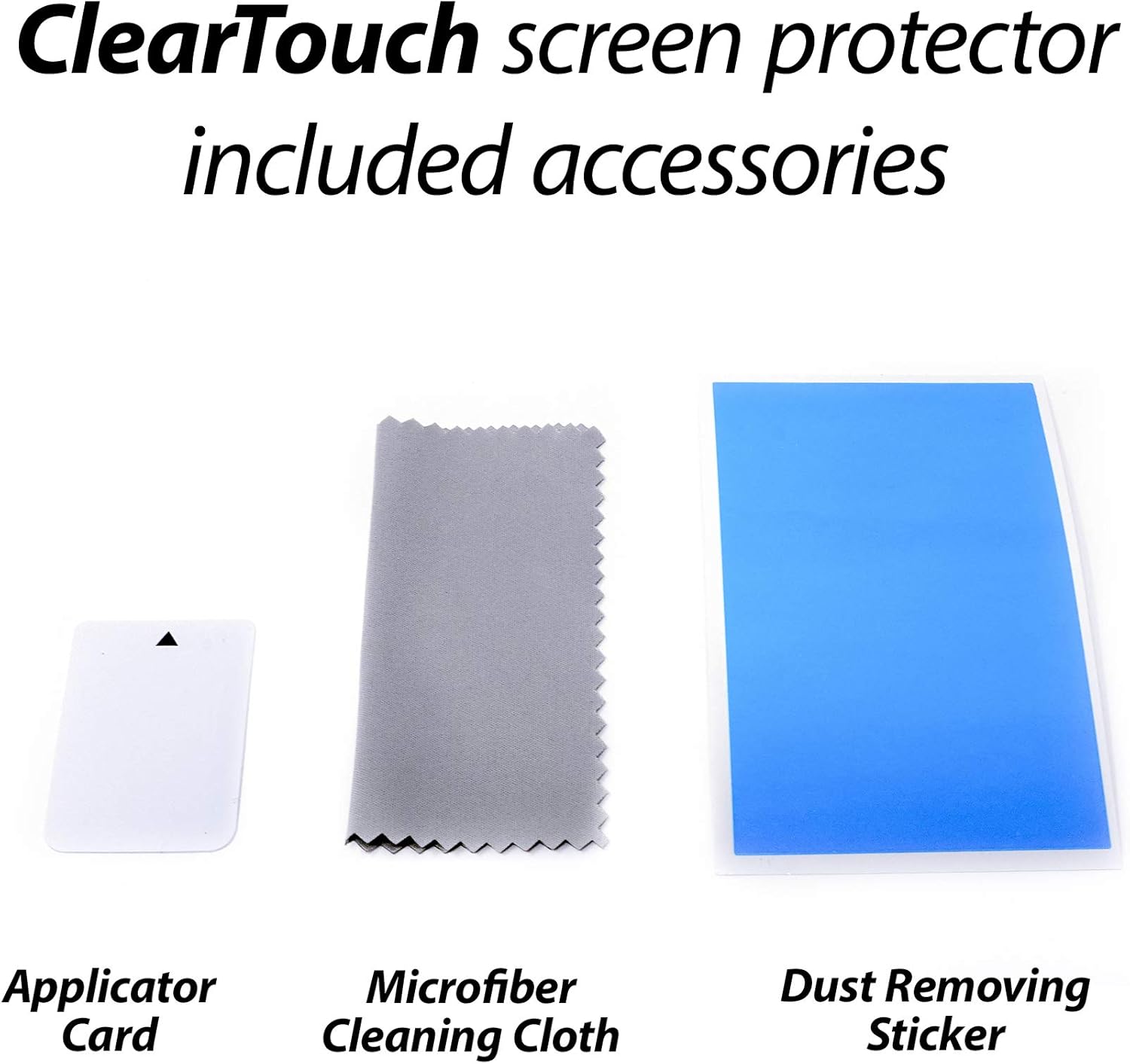
Image: A visual representation of the included accessories: applicator card, microfiber cleaning cloth, and dust removing sticker, alongside the screen protectors.
Setup and Installation Guide
Follow these steps carefully for optimal installation of your ClearTouch Crystal screen protector:
- Prepare Your Workspace: Choose a clean, dust-free environment. Wash your hands thoroughly to avoid transferring oils or dirt to the screen or protector.
- Clean the Device Screen: Use the provided microfiber cleaning cloth to thoroughly wipe down the Lilliput PC-9715 screen. Ensure all dust, fingerprints, and smudges are removed. For stubborn marks, a screen cleaner (not included) can be used, followed by drying with the microfiber cloth.
- Remove Dust: Use the dust removing sticker to lift any remaining dust particles from the screen. Lightly dab the sticker across the screen surface.
- Peel Back Layer 1: Carefully peel back a small portion of the protective film labeled "Layer 1" (or similar indicator) from one end of the screen protector. Avoid touching the adhesive side.
- Align the Protector: Align the exposed adhesive edge of the screen protector with one edge of your device's screen. Take your time to ensure precise alignment with the screen's borders and any cutouts (e.g., camera, sensors).
- Apply Gradually: Slowly and steadily lower the rest of the screen protector onto the device screen while simultaneously using the ClearTouch Applicator Card to smooth it down. Apply gentle, even pressure from the aligned edge towards the opposite end, pushing out any air bubbles as you go.
- Remove Air Bubbles: If air bubbles appear, use the applicator card to gently push them towards the nearest edge of the screen. For persistent bubbles, you may carefully lift a small section of the protector and reapply, smoothing it down again.
- Remove Layer 2: Once the protector is fully applied and free of major bubbles, carefully peel off the top protective film labeled "Layer 2" (or similar indicator).
- Final Adhesion Note: Please be advised that the special low-tack adhesive may take a little time to fully adhere around the edges. Any small air gaps around the edges will typically clear out within about 2 days of regular use.

Image: A visual representation of the precision engineering involved in designing the screen protector for a perfect fit.
Operating (Usage)
Once installed, the BoxWave ClearTouch Crystal screen protector operates passively, providing continuous protection without interfering with your device's functionality. It maintains the original touch sensitivity and display clarity of your Lilliput PC-9715. You can use your device as normal, confident that its screen is shielded from everyday hazards.
Maintenance
To keep your ClearTouch Crystal screen protector in optimal condition and maintain its clarity:
- Regular Cleaning: Use the provided microfiber cleaning cloth to gently wipe away fingerprints, smudges, and dust from the screen protector. For best results, wipe in one direction.
- Avoid Harsh Chemicals: Do not use abrasive cleaners, alcohol, or ammonia-based solutions, as these can damage the screen protector's coating.
- Gentle Pressure: When cleaning, apply only gentle pressure to avoid dislodging the protector or damaging the screen underneath.
- Reusability: The ClearTouch Crystal is designed with installation forgiveness, allowing for reuse and reinstallation if needed. If you need to remove and reapply, ensure the adhesive side remains clean and free of dust.
Troubleshooting
Here are solutions to common issues you might encounter:
| Problem | Solution |
|---|---|
| Air Bubbles After Installation | Use the applicator card to gently push bubbles towards the nearest edge. For small bubbles, especially around edges, allow 1-2 days for the low-tack adhesive to fully settle; they often disappear on their own. |
| Dust Particles Under Protector | If dust is trapped, carefully lift the nearest corner of the protector using a piece of tape. Use another piece of tape to dab the dust off the adhesive side of the protector and the device screen. Reapply slowly. |
| Protector Not Sticking at Edges | Ensure the screen is perfectly clean and free of oils. Apply firm, consistent pressure with the applicator card along the edges. As noted, the adhesive may take up to 2 days to fully bond. |
| Reduced Touch Sensitivity | This is highly unlikely with ClearTouch Crystal. Ensure the protector is fully adhered without large air pockets. If issues persist, verify the protector is correctly aligned and not interfering with sensors. |
Specifications
- Product Name: BoxWave ClearTouch Crystal Screen Protector
- Compatibility: Lilliput PC-9715
- Material: Polyethylene Terephthalate (PET)
- Transparency: 99% Visual Transparency
- Surface Description: Glossy
- Package Contents: 2 Screen Protectors, Applicator Card, Microfiber Cleaning Cloth
- Item Weight: 1.6 ounces
- Manufacturer: BoxWave
- ASIN: B0939K57JQ
Warranty and Support
BoxWave products are designed for quality and performance. For any questions, concerns, or support regarding your ClearTouch Crystal Screen Protector, please contact BoxWave Customer Service. While specific warranty details are not provided in this manual, BoxWave is committed to customer satisfaction.
You can typically find contact information for BoxWave Corporation on their official website or through the retailer where you purchased the product. Please have your product model (ClearTouch Crystal) and device model (Lilliput PC-9715) ready when contacting support.
Ask a question about this manual
Ask about setup, troubleshooting, compatibility, parts, safety, or missing instructions. Manuals+ will review the question and use this page’s manual context to help answer it.