Introduction
The Rockville MS81 8-inch 70V/25V Commercial Ceiling Speakers are designed for distributed audio systems in various commercial environments. These speakers feature a dual-cone full-range design, delivering clear background music and paging with a frequency response of 70Hz-20kHz and 90dB sensitivity. The robust metal enclosure includes a steel grille and a convenient front-mounted volume control for easy adjustments without speaker removal. They offer flexible power taps for 70V and 25V systems, as well as an 8-Ohm bypass option.
This manual provides detailed instructions for the proper setup, operation, and maintenance of your MS81 speakers to ensure optimal performance and longevity.
Setup
Understanding 70V/25V Systems
70V/25V amplifier systems allow for running a large number of speakers at a fixed and constant wattage from a single amplifier. This is achieved by 'tapping' each speaker to a specific wattage amount using the tap control on the back of the speaker. The total wattage drawn by all speakers should match the wattage capability of your amplifier.
Wiring the Speakers
The MS81 speakers offer multiple wiring options for 70V, 25V, and 8-Ohm bypass. Always ensure power is off before making any connections.

Figure 1: Rear view of the MS81 speaker, highlighting the wiring terminals and transformer taps.
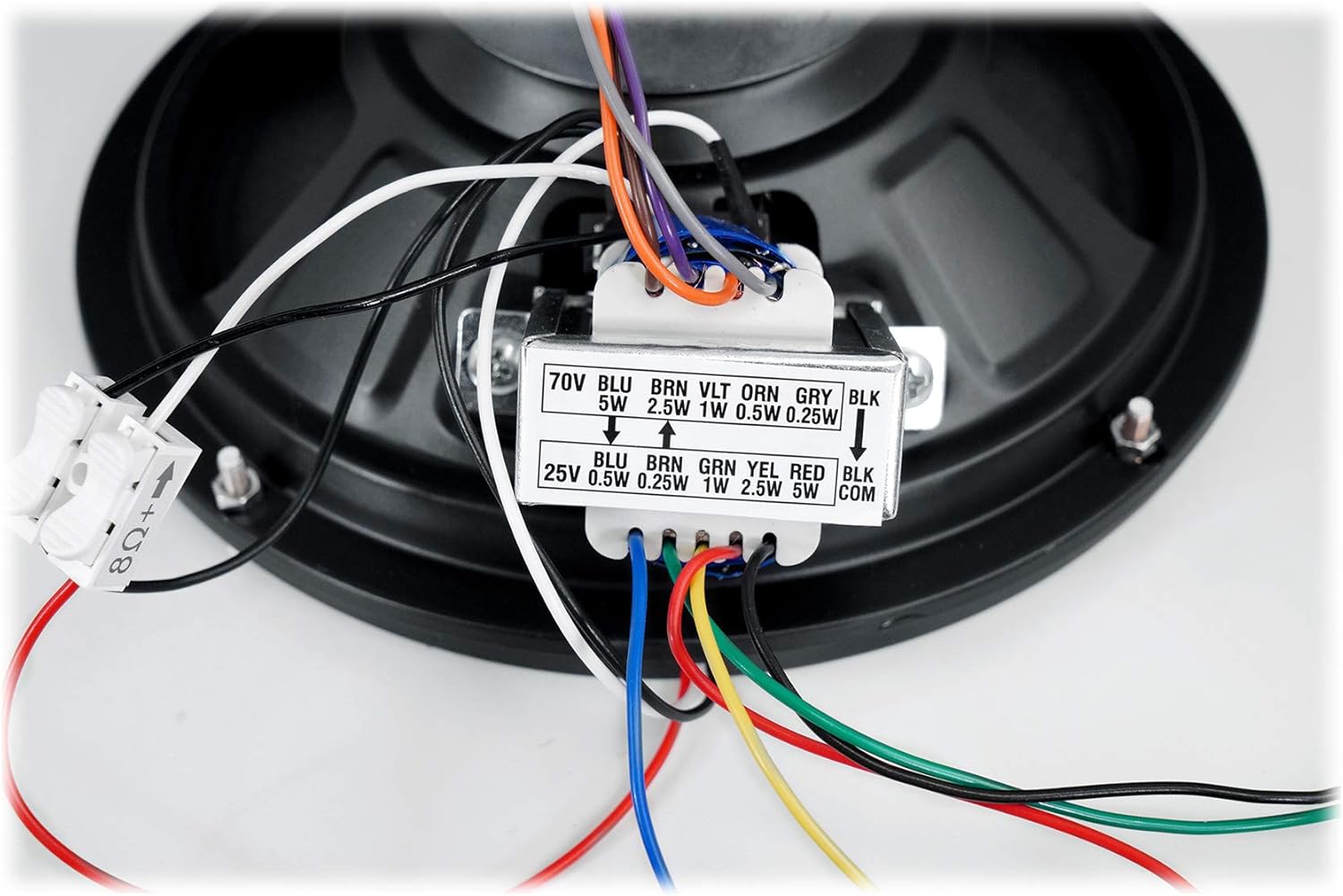
Figure 2: Detailed view of the 70V and 25V wattage tap options on the speaker's transformer.
- 70V/25V Tapping: Identify the desired wattage tap (e.g., 0.5W, 1W, 2.5W, 5W) for your 70V or 25V system. Connect the positive speaker wire from your amplifier to the corresponding colored wire for your chosen wattage tap. Connect the negative speaker wire from your amplifier to the black common (COM) wire.
- 8-Ohm Bypass: For standard home theater or non-70V/25V amplifiers, use the 8-Ohm bypass. Disconnect the black and white wires from the 8-Ohm bypass harness. Connect your regular speaker wires (positive to red, negative to black) to these terminals.
- Parallel Wiring: When connecting multiple speakers in parallel to a 70V amplifier, daisy-chain them by connecting the positive output of one speaker to the positive input of the next, and similarly for the negative connections. Ensure the total tapped wattage does not exceed the amplifier's capacity.
- Secure Unused Wires: It is crucial to cover any unused wires with wire nuts or electrical tape to prevent electrical shorts or hazards.
Installation
The MS81 speakers are designed for easy installation in both sheetrock and drop ceilings.

Figure 3: The included cutting template for precise installation.
- Prepare the Opening: Use the included paper cut-out template. Place it on your ceiling tile or sheetrock and trace the cut line. Carefully cut out the hole using a suitable blade or saw.
- Insert the Speaker: Once the hole is cut, feed the speaker through the opening.
- Secure the Speaker:
- For Drop Ceilings (accessible from above): Use the included bolts. Screw them into the holes on the grille of your speaker. From the back of the ceiling tile, use the included nuts on each bolt to hold the speaker in place.
- For Sheetrock (less accessible): Use the included screws and anchors. Drill pilot holes, insert the anchors, and then screw the speaker into place.
- Connect to Amplifier: Run the speaker wires from the installed speaker(s) through the ceiling to your amplifier. Connect the wires to the appropriate direct output terminals or available zone outputs on your 70V/25V amplifier.
Official Setup Video
Video 1: Detailed guide on how to set up your Rockville MS81 speakers.
Operating the MS81 Speakers
Volume Control
The MS81 speakers feature a convenient volume control knob located on the front grille. This allows for quick and easy adjustment of the individual speaker's volume without needing to access the amplifier or change any wiring. Simply rotate the knob to increase or decrease the sound output.
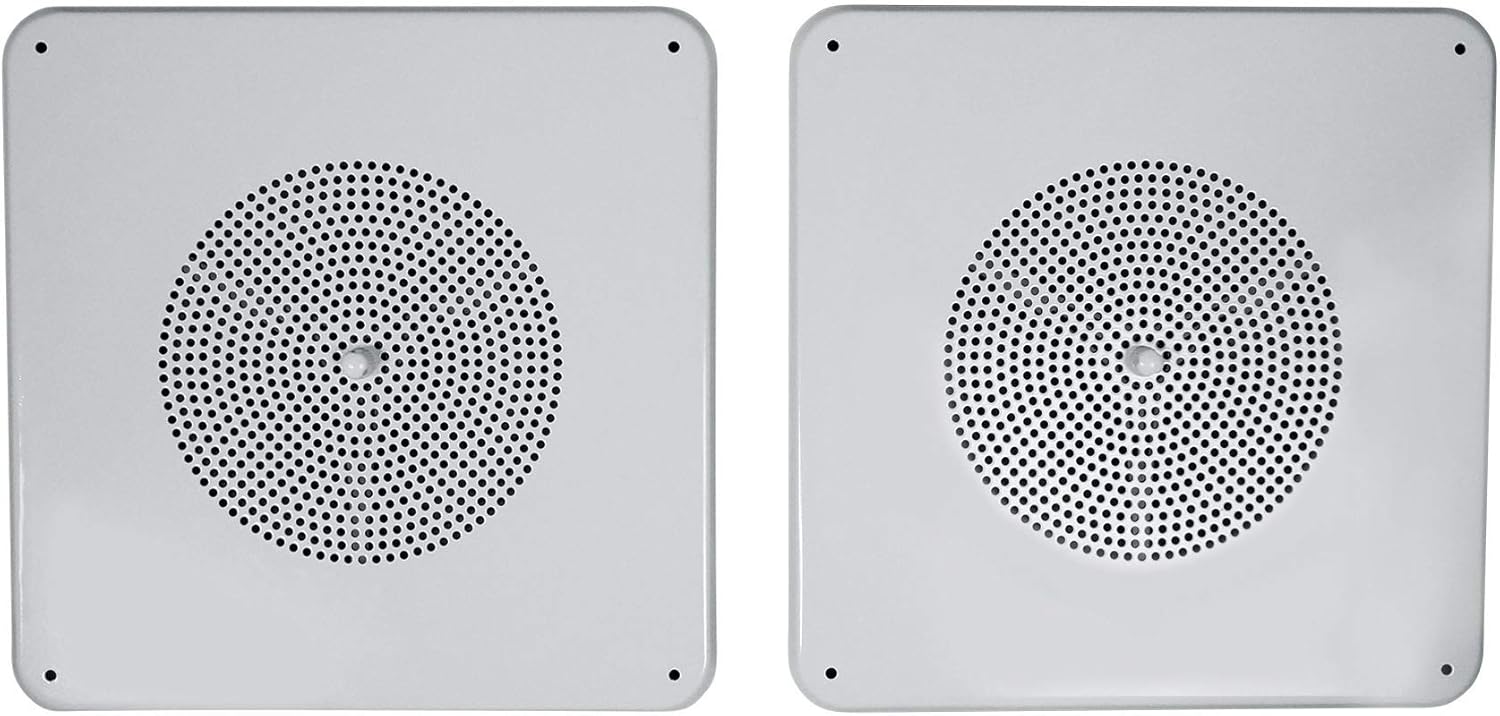
Figure 4: Front view of the MS81 speaker, showing the integrated volume control knob.
Product Overview Video
Video 2: An overview of the Rockville MS81 speaker features and design.
Specifications
- Mounting Type: Ceiling Mount
- Material: Plastic (enclosure), Steel (grille)
- Speaker Type: In-Ceiling
- Special Feature: Hi Res Audio
- Recommended Uses: Music, PA announcements
- Compatible Devices: AV Receivers, Amplifiers
- Woofer Diameter: 8 Inches
- Impedance: 8 Ohms (bypass)
- Power Taps: 70V (0.5W, 1W, 2.5W, 5W), 25V (0.25W, 0.5W, 1W, 2.5W, 5W)
- Speaker Maximum Output Power: 160 Watts
- Frequency Response: 70Hz-20kHz
- Sensitivity: 90dB
- Connectivity Technology: RCA (for amplifier connection)
- Audio Output Mode: Mono
- Color: White
- Product Dimensions: 13.77"D x 13.77"W x 7.48"H
- Item Weight: 42 Pounds (for 8 speakers)
Maintenance
To ensure the longevity and optimal performance of your Rockville MS81 speakers, follow these simple maintenance guidelines:
- Cleaning: Gently wipe the speaker grille and frame with a soft, dry cloth to remove dust. For stubborn dirt, a slightly damp cloth can be used, but ensure no moisture enters the speaker components.
- Avoid Harsh Chemicals: Do not use abrasive cleaners, solvents, or strong detergents, as these can damage the finish or internal components.
- Regular Inspection: Periodically check the speaker for any loose connections or physical damage. Address any issues promptly to prevent further problems.
- Environmental Conditions: Ensure the speakers are installed in an environment free from excessive moisture, extreme temperatures, or direct exposure to sunlight, which can degrade materials over time.
Troubleshooting
If you encounter any issues with your Rockville MS81 speakers, consider the following basic troubleshooting steps:
- No Sound:
- Check all wiring connections at both the speaker and the amplifier. Ensure they are secure and correctly matched (positive to positive, negative to negative).
- Verify the amplifier is powered on and functioning correctly.
- Confirm the correct wattage tap is selected on the speaker and that the amplifier's output matches the total tapped wattage.
- Adjust the volume knob on the speaker and the master volume on the amplifier.
- Distorted Sound:
- Reduce the volume level on both the speaker and the amplifier.
- Check for any loose wiring connections that might be causing interference.
- Ensure the amplifier is not being overdriven or clipping.
- Intermittent Sound:
- Inspect all wiring for any breaks, frayed insulation, or loose connections.
- Ensure that any unused wires are properly insulated to prevent intermittent shorts.
If these steps do not resolve the issue, please contact customer support for further assistance.
Warranty and Support
For any questions, comments, or concerns regarding your Rockville MS81 speakers, please reach out to our customer support team.
- Phone: 1-646-758-0144 (9 AM - 5 PM Monday-Friday EST)
- Email: Sales@rockvilleaudio.com
Please retain your proof of purchase for warranty claims. Refer to the official Rockville website or your product packaging for detailed warranty information.


