
Cybex ZENO
CYBEX ZENO 4-in-1 Multisport Trailer User Manual
Model: ZENO | Brand: Cybex
Introduction
Welcome to the comprehensive user manual for your CYBEX ZENO 4-in-1 Multisport Trailer. This manual provides essential information for the safe and effective use, assembly, maintenance, and troubleshooting of your ZENO trailer. Please read this manual thoroughly before first use and keep it for future reference.
The CYBEX ZENO is designed to offer versatility for active parents, transforming from a jogging stroller to a cycling trailer, hands-free running trailer, and cross-country skiing trailer (with optional kits). It is suitable for children aged 6 months and older, with specific age recommendations for different modes of use.
Safety Information
Your child's safety is paramount. Always adhere to the following safety guidelines:
- Age and Weight Limits: The ZENO is designed for infants 6 months and older. For jogging, children should be at least 9 months old and sitting independently. For cycling, children should be at least 12 months old. Do not exceed the maximum weight recommendation of 48 pounds.
- Harness System: Always secure your child using the integrated 5-point harness system. Ensure straps are snug but comfortable.
- Braking: Always engage the parking brake when the trailer is stationary.
- Tire Pressure: Maintain correct tire pressure as indicated on the tires or in the specifications section to ensure optimal performance and safety.
- Pre-Ride Checks: Before each use, check that all wheels are securely attached, the harness is functional, and the trailer is properly connected to your bicycle (if applicable).
- Visibility: Use the reflective elements and safety flag (for cycling mode) to enhance visibility, especially in low-light conditions.
- Terrain: Use the ZENO on appropriate surfaces. Avoid rough or uneven terrain that could compromise stability or comfort.
- Supervision: Never leave your child unattended in the trailer.

Image: The Cybex ZENO trailer showcasing its reflective elements for enhanced visibility during low-light conditions.

Image: A detailed view of the secure 5-point harness system within the Cybex ZENO, designed to keep your child safely restrained.
Product Overview
The CYBEX ZENO is a versatile multisport trailer designed for active lifestyles. Key components include:
- Main Chassis: Lightweight aluminum frame providing stability and durability.
- Passenger Cabin: Padded interior seat with a 5-point harness for child comfort and safety.
- Air-Filled Tires: Large, air-filled tires for a smooth ride and excellent shock absorption.
- Rear Suspension: Soft rear suspension system to absorb bumps and provide a comfortable experience.
- Adjustable Handlebar: Non-slip handlebar that can be adjusted to various heights for ergonomic pushing.
- Compact Fold Mechanism: Allows for easy storage and transport.
- Ventilation: Integrated ventilation for airflow within the cabin.
- Storage Pocket: Rear pocket for small essentials.

Image: The Cybex ZENO 4-in-1 Multisport Trailer presented in its jogging configuration, highlighting its sleek design and large wheels.
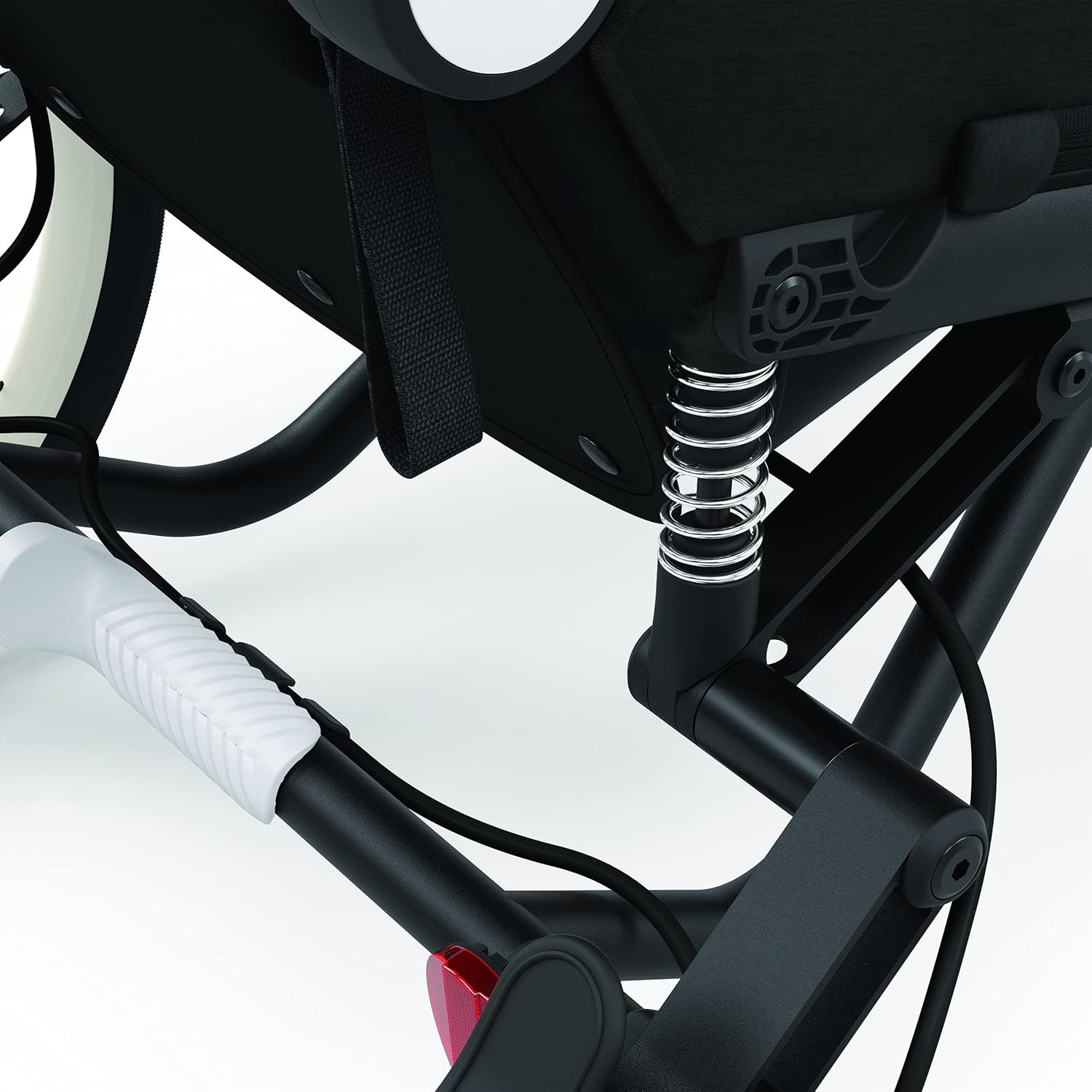
Image: A detailed view of the Cybex ZENO's advanced rear suspension system, designed to provide a smooth and comfortable ride over various terrains.

Image: The adjustable handlebar of the Cybex ZENO, demonstrating its range of motion for ergonomic comfort for users of different heights.

Image: Rear view of the Cybex ZENO, illustrating the ventilation system and integrated storage pocket for convenience.
Setup
Unfolding the ZENO
- Place the folded ZENO on a flat surface.
- Release the folding latch mechanism.
- Gently pull the handlebar upwards until the frame locks into place. Ensure both sides are securely latched.
Attaching the Wheels
- Insert the rear wheels into their respective axles until they click securely. Pull gently to ensure they are locked.
- For the front wheel (jogging mode), align the quick-release skewer with the fork dropouts and tighten the skewer firmly.

Image: Illustration of how to attach the front wheel to the Cybex ZENO, demonstrating the quick-release mechanism for easy setup.
Adjusting the Handlebar
- Locate the handlebar adjustment buttons on either side of the handlebar.
- Press the buttons and pivot the handlebar to your desired height. Release the buttons to lock it in position.

Image: A close-up view of the Cybex ZENO's handlebar, showing the ergonomic grip and adjustment points for user comfort.
Operating
The CYBEX ZENO offers four distinct modes of operation:

Image: A visual diagram illustrating the four versatile modes of the Cybex ZENO: jogging, hands-free running, cycling, and cross-country skiing, demonstrating its adaptability for various sports.
1. Jogging Stroller Mode
In this mode, the ZENO functions as a high-performance jogging stroller. Ensure the front wheel is securely attached and locked in the forward position.
- Push the stroller using the adjustable handlebar.
- Utilize the hand brake for speed control on descents.
- Always use the wrist strap for added security.
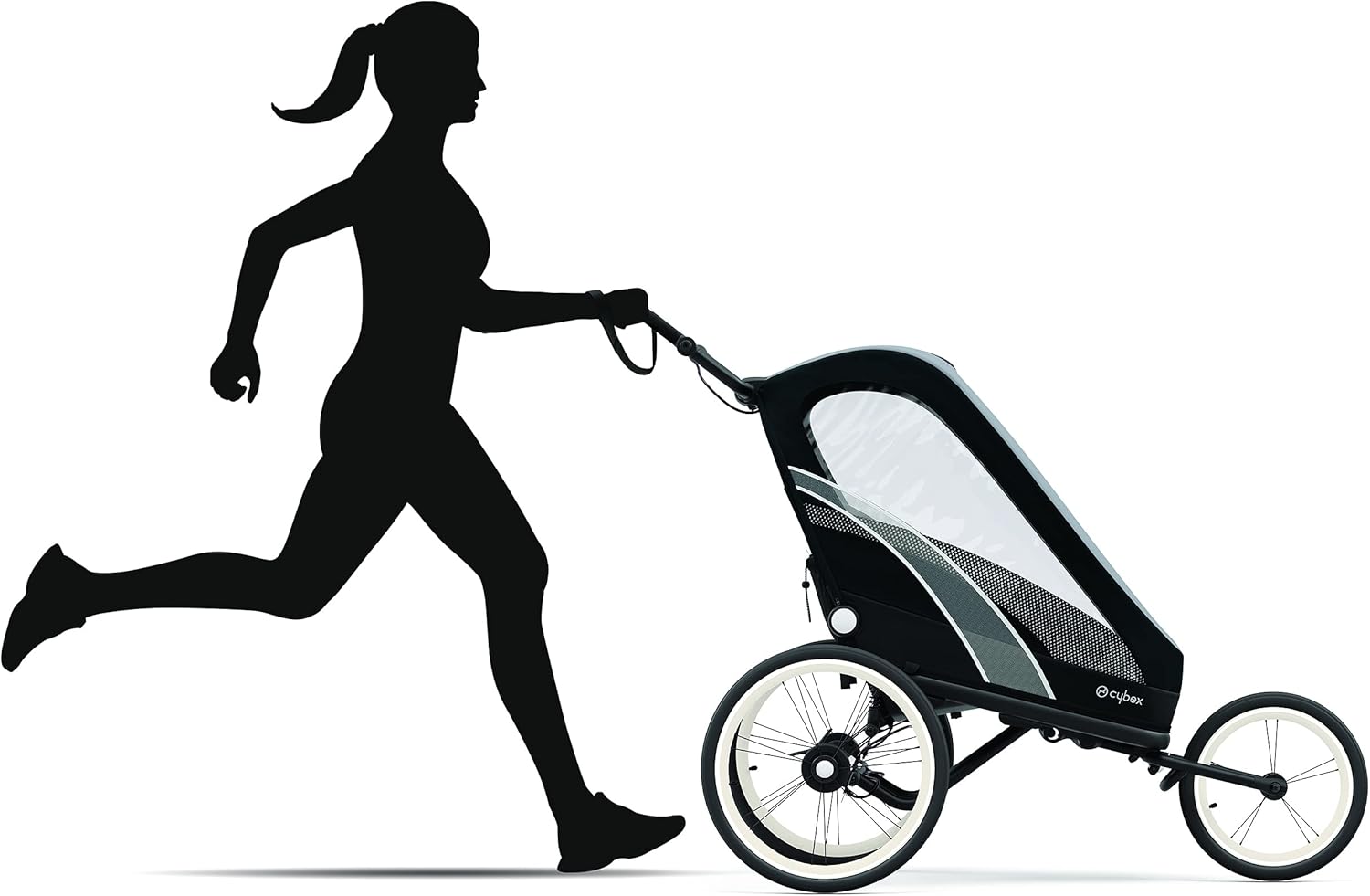
Image: A person demonstrating the Cybex ZENO in jogging stroller mode, highlighting its ease of use for active parents.
2. Hands-Free Running Mode
Convert the ZENO for hands-free running by attaching the specialized running kit (sold separately). This allows for a natural running stride.
- Attach the tow bar to the ZENO and secure the waist belt.
- Ensure the ZENO is properly balanced and the child is securely harnessed.

Image: A person engaging in hands-free running with the Cybex ZENO trailer, showcasing the waist attachment for a natural running experience.
3. Cycling Trailer Mode
Transform the ZENO into a bicycle trailer using the cycling kit (sold separately). Always attach the safety flag for visibility.
- Attach the cycling tow arm to the ZENO and your bicycle's rear axle.
- Ensure all connections are secure before riding.
- Always use the safety flag.

Image: A person cycling with the Cybex ZENO attached as a bicycle trailer, demonstrating its use for family bike rides.
4. Cross-Country Skiing Mode
For winter adventures, the ZENO can be converted into a cross-country skiing trailer with the appropriate kit (sold separately).
- Replace wheels with skis and attach the tow bar for skiing.
- Follow instructions provided with the skiing kit for proper setup.
Maintenance
Cleaning
- Fabric: Spot clean fabric components with a mild soap and water solution. Do not machine wash or tumble dry.
- Frame: Wipe the aluminum frame with a damp cloth. Dry thoroughly to prevent rust.
- Wheels: Clean wheels and tires with water and a brush. Ensure no debris is lodged in the axles.
Storage
When not in use, the ZENO can be compactly folded for storage.
- Remove your child and any accessories.
- Engage the parking brake.
- Follow the unfolding steps in reverse to fold the ZENO. Ensure the folding latch is secured.
- Store in a dry, cool place away from direct sunlight.

Image: The Cybex ZENO shown in its compact folded state, demonstrating its space-saving design for easy storage and transport.
General Care
- Regularly check all nuts, bolts, and fasteners to ensure they are tight.
- Inspect tires for wear and proper inflation.
- Lubricate moving parts as needed, following manufacturer recommendations.
Troubleshooting
| Problem | Possible Cause | Solution |
|---|---|---|
| Stroller pulls to one side | Uneven tire pressure; misaligned front wheel | Check and adjust tire pressure; realign front wheel according to setup instructions. |
| Brake not engaging properly | Brake cable too loose; debris in brake mechanism | Adjust brake cable tension; clean brake mechanism. If issue persists, contact support. |
| Difficulty folding/unfolding | Latching mechanism obstructed or stiff | Ensure no fabric or debris is blocking the latch; apply a small amount of silicone lubricant to moving parts if stiff. |
| Rough ride | Low tire pressure; suspension issue | Inflate tires to recommended pressure; inspect suspension for damage. |
Specifications
| Feature | Detail |
|---|---|
| Brand | Cybex |
| Model | ZENO |
| Color | All Black |
| Item Weight | 32 Pounds (approx. 14.5 kg) |
| Product Dimensions (L x W x H) | 55"L x 27"W x 49"H (approx. 140cm L x 69cm W x 124cm H) |
| Frame Material | Aluminum |
| Maximum Weight Recommendation | 48 Pounds (approx. 21.8 kg) |
| Seating Capacity | 1 Child |
| Harness Type | 5-Point |
| Minimum Child Age | 6 Months+ (9 months for jogging, 12 months for cycling) |
Warranty and Support
Warranty Information
The CYBEX ZENO 4-in-1 Multisport Trailer comes with a 2 Year Limited Warranty from the date of purchase. This warranty covers manufacturing defects in materials and workmanship under normal use. Please retain your proof of purchase for warranty claims.
The warranty does not cover damage caused by misuse, accidents, unauthorized modifications, normal wear and tear, or failure to follow the instructions in this manual.
Customer Support
For technical assistance, spare parts, or warranty claims, please contact Cybex customer support:
- Website: Visit the official Cybex website for FAQs and support contact information.
- Phone: Refer to the contact details provided on the Cybex website or your product registration card.
- Online Resources: Explore additional guides and video tutorials available on the Cybex brand store or product page.
When contacting support, please have your product model (ZENO) and purchase details ready.
Related documentsZENO


Ask a question about this manual
Ask about setup, troubleshooting, compatibility, parts, safety, or missing instructions. Manuals+ will review the question and use this page’s manual context to help answer it.