1. Introduction
The Polk Audio Reserve Series R700 Tower Speaker is engineered to deliver exceptional audio performance for both music and home theater systems. Featuring advanced acoustic technologies, this floorstanding loudspeaker provides ultra-clear highs, detailed midrange, and powerful, distortion-free bass. This manual provides essential information for setting up, operating, and maintaining your R700 speaker to ensure optimal performance and longevity.

Figure 1.1: Front view of the Polk Audio Reserve R700 Tower Speaker in black.
2. Product Features
The R700 incorporates several key technologies designed to enhance your listening experience:
2.1 Pinnacle Ring Radiator Tweeter

Figure 2.1: Close-up of the 1-inch Pinnacle Ring Radiator Tweeter.
The 1-inch Pinnacle Ring Radiator Tweeter features a distinctive pointed shape that directs the dispersion of high-frequency sounds. This design delivers ultra-clear, crisp highs without unwanted coloration or distortions, ensuring a wide and consistent sweet spot for optimal listening. It is Hi-Res Audio Certified, capable of reproducing frequencies beyond 40 kHz, allowing for extreme sonic detail in high-resolution audio formats.
2.2 Turbine Cone Woofers
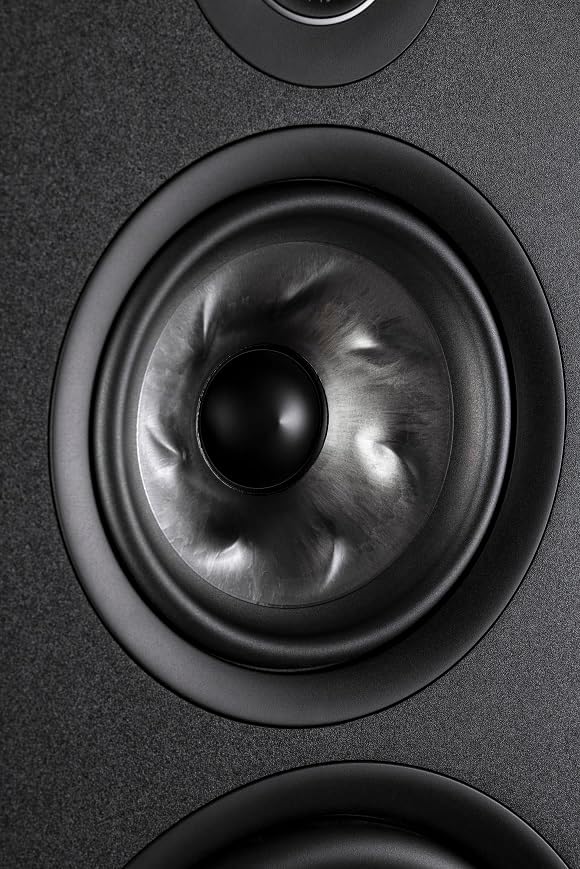
Figure 2.2: Close-up of the 6.5-inch Turbine Cone Woofer.
The R700 is equipped with dual 6.5-inch Turbine Cone Woofers. These woofers are designed with fin-like ridges in a vortex pattern, which increases stiffness without adding significant mass. This innovative design suppresses resonances and helps move them out of the driver's range, resulting in a stable and rigid cone that delivers smooth and incredibly detailed midrange imaging. The cone's overhung voice coil allows for greater travel, handling more power and moving more air for accurate sound at every volume level.
2.3 Power Port 2.0 with X-Port Technology

Figure 2.3: The speaker's base featuring the Power Port 2.0 design.
Polk's Patented Power Port 2.0 combines an airflow-smoothing port design with closed-pipe absorbers (X-Port Technology). The Power Port reduces air turbulence as it exits the cabinet, promoting a more streamlined flow and creating less port noise. The X-Port eliminates unwanted port and cabinet resonances by absorbing them, resulting in cleaner, louder, and more distortion-free bass. This technology ensures that the bass output is clean and the midrange is clearer.
3. Unpacking and Setup
3.1 What's in the Box
- Floorstanding loudspeaker (1 unit)
- 4 Outrigger feet (pre-installed)
- 4 Rubber feet (pre-installed, for hardwood, vinyl, laminate, and tile floors)
- 4 Spike feet (pre-installed, for carpet floors)
- Grille (magnetic, anti-diffraction)
Carefully remove all components from the packaging. Inspect for any damage during transit. Retain packaging for future transport or storage.
3.2 Installing the Feet
The R700 comes with pre-installed outrigger feet. Depending on your flooring, you can choose to use the pre-installed rubber feet or swap them for the spike feet.
- For Hardwood, Vinyl, Laminate, or Tile Floors: Use the pre-installed rubber feet to prevent scratching and provide stability.
- For Carpet Floors: The pre-installed spike feet can be used to penetrate the carpet and provide a stable contact with the subfloor, improving sound clarity.
The feet are adjustable, allowing you to level or angle the speaker according to your preference for optimal sound dispersion.
4. Placement and Connections
4.1 Speaker Placement
Proper speaker placement is crucial for achieving the best audio performance.
- Stereo Setup: Place the speakers equidistant from your primary listening position, forming an equilateral triangle.
- Home Theater Setup: The R700 can be used as front, side, or rear surround speakers. Ensure they are positioned to create an immersive soundstage.
- Distance from Walls: Experiment with placing the speakers a few inches to a few feet from walls to optimize bass response and imaging.
4.2 Connecting the Speaker
The R700 features high-quality binding posts for secure and lossless connections.
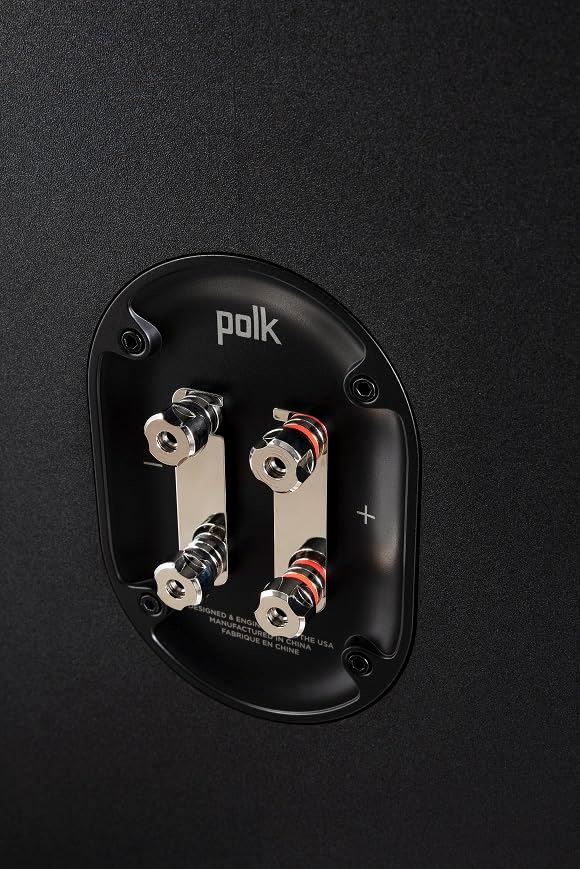
Figure 4.1: Rear view of the R700 showing the speaker binding posts.
- Connect the positive (+) terminal of your amplifier to the positive (+) terminal of the speaker.
- Connect the negative (-) terminal of your amplifier to the negative (-) terminal of the speaker.
- Ensure all connections are tight and secure to prevent signal loss.
- The R700 supports bi-amping, allowing for separate amplification of the high and low frequencies for enhanced performance. Consult your amplifier's manual for bi-amping instructions.
5. Operating
Once connected, your Polk Audio Reserve R700 speakers are ready for use.
5.1 Basic Operation
- Ensure your amplifier or receiver is powered on and set to the correct input.
- Adjust the volume on your amplifier. Start at a low volume and gradually increase it to a comfortable listening level.
- The R700 is designed for dynamic home theater audio and music listening.
5.2 System Integration
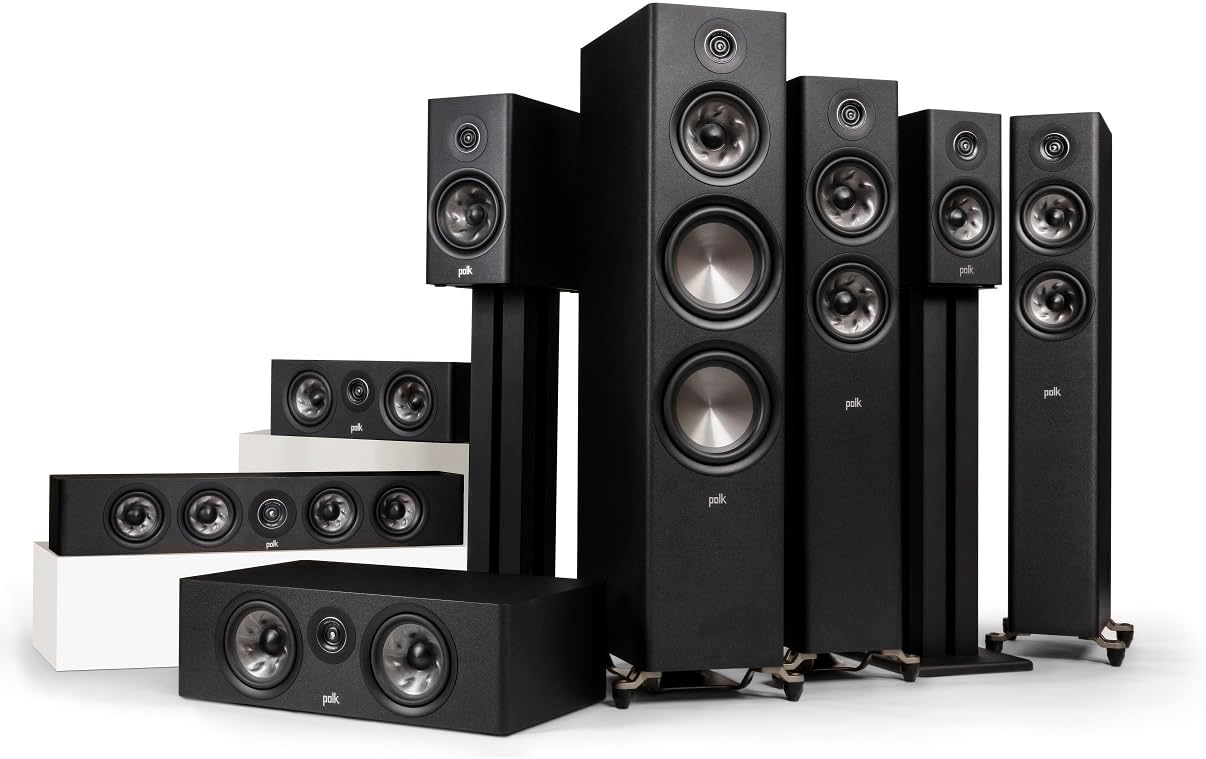
Figure 5.1: Example of a Polk Audio Reserve Series home theater setup.
The R700 can be integrated into a complete 5-channel home theater system. You can pair another R700 with two R200 bookshelf speakers and an R400 center channel, or use three R350s as L/R surrounds and a center channel. For immersive vertical sound, the optional R900 Height Module (sold separately) can be added. The R700 is compatible with the latest file formats like DSD, FLAC, WAV, ALAC, and MQA.
6. Maintenance
To ensure the longevity and optimal performance of your Polk Audio Reserve R700 speakers, follow these maintenance guidelines:
- Cleaning: Use a soft, dry cloth to wipe down the speaker cabinets. Avoid using abrasive cleaners or solvents, as they may damage the finish.
- Grilles: The acoustically inert anti-diffraction magnetic grilles can be removed for cleaning or for a different aesthetic. Handle them gently to avoid damage.
- Dusting: Regularly dust the drivers and tweeters with a soft brush or compressed air to prevent dust buildup.
- Placement: Avoid placing speakers in direct sunlight or near heat sources, which can degrade materials over time.
7. Troubleshooting
If you encounter any issues with your Polk Audio Reserve R700 speakers, refer to the following common troubleshooting steps:
| Problem | Possible Cause | Solution |
|---|---|---|
| No Sound | Loose connections, incorrect input selection on amplifier, amplifier off. | Check all speaker wire connections. Ensure amplifier is on and set to the correct source. |
| Distorted Sound | Overdriven amplifier, damaged speaker wire, incorrect impedance setting. | Reduce volume. Inspect speaker wires for damage. Check amplifier impedance settings. |
| Weak Bass | Incorrect speaker placement, phase issues, room acoustics. | Adjust speaker placement. Check speaker polarity (+/- connections). Consider room acoustic treatments. |
| Uneven Soundstage | Unequal distance from listening position, room reflections. | Ensure speakers are equidistant from the main listening spot. Adjust toe-in. |
8. Technical Specifications
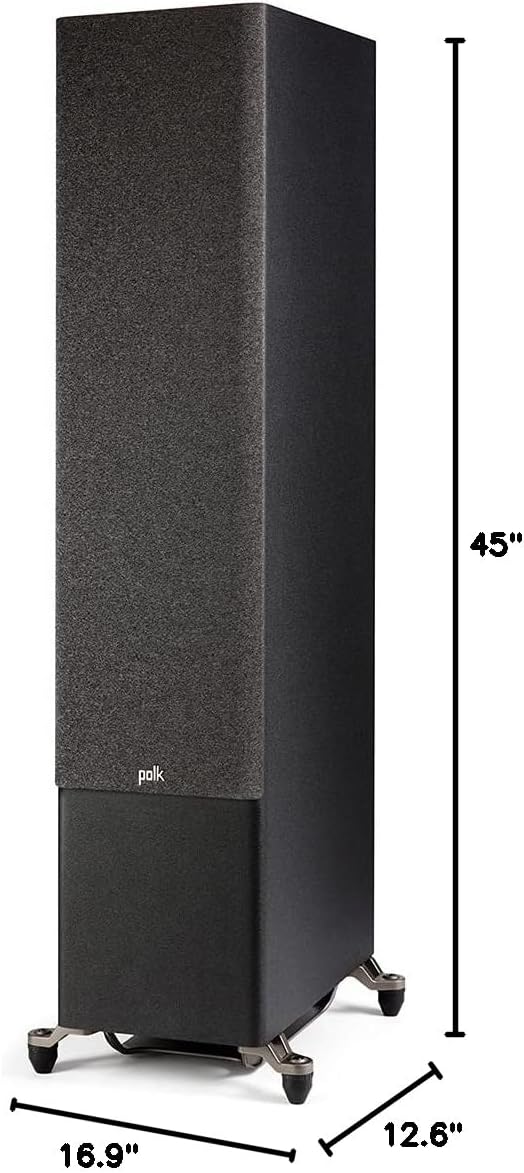
Figure 8.1: Dimensions of the Polk Audio Reserve R700 Tower Speaker.
| Specification | Value |
|---|---|
| Brand | Polk Audio |
| Model Name | R700 |
| Mounting Type | Floor Standing |
| Speaker Type | Surround Sound |
| Color | Black |
| Product Dimensions (D x W x H) | 16.9"D x 12.6"W x 45"H |
| Item Weight | 79 pounds (35.9 Kilograms) |
| Tweeter Diameter | 1 Inches (Pinnacle Ring Radiator) |
| Woofer Diameter | 6.5 Inches (Turbine Cone Woofers) & Dual 8" Long-Throw Drivers |
| Speaker Maximum Output Power | 300 Watts |
| Frequency Response | 50 KHz (Hi-Res Certified) |
| Connectivity Technology | Bluetooth (Note: This is likely a general spec from Amazon, speakers are typically wired) |
| Audio Output Mode | Stereo |
| Surround Sound Channel Configuration | 5.0 (Can be integrated into larger systems) |
| UPC | 747192132101 |
9. Warranty and Support
Polk Audio products are designed for reliability and performance. For specific warranty information, please refer to the warranty card included with your product or visit the official Polk Audio website.
For technical support, troubleshooting assistance, or service inquiries, please contact Polk Audio Customer Support through their official channels.