
Introduction
Thank you for choosing the Fitkit FT100 Series DC-Motorized Treadmill. This manual provides essential information for the safe and efficient operation, assembly, and maintenance of your new fitness equipment. Please read this manual thoroughly before using the treadmill and retain it for future reference.
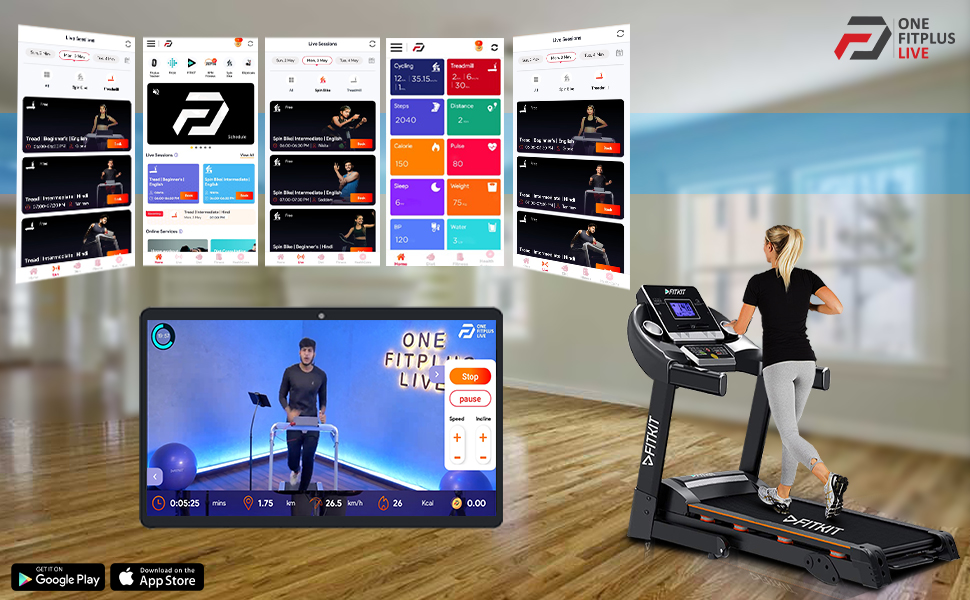
Image: Three different models of Fitkit treadmills, including the FT100 Series, showcasing the brand's range of smart cardio equipment.
Important Safety Instructions
WARNING: To reduce the risk of serious injury, read all instructions before using this equipment.
- Always consult with a physician before starting any exercise program.
- Keep children and pets away from the treadmill during operation.
- Place the treadmill on a flat, stable surface with at least 2 meters (6.5 feet) of clear space behind it and 0.6 meters (2 feet) on each side.
- Ensure the safety key is properly attached to your clothing before beginning a workout.
- Do not operate the treadmill if it has a damaged cord or plug, or if it is not working properly.
- Maximum user weight capacity: 110 kg. Do not exceed this limit.
- Wear appropriate athletic footwear and clothing.
- Unplug the treadmill from the power outlet when not in use or before cleaning/maintenance.
Package Contents
Before assembly, ensure all components are present. If any parts are missing or damaged, contact customer support.
- Treadmill Main Frame
- Console Assembly
- Upright Posts (Left and Right)
- Hardware Kit (bolts, washers, nuts, tools)
- Safety Key
- Power Cord
- User Manual (this document)
- Lubricant (silicone oil)
Assembly Instructions
Assembly typically requires two people. Follow these steps carefully:
- Unpack Components: Carefully remove all parts from the packaging and lay them out on a clear, flat surface.
- Attach Upright Posts: Secure the left and right upright posts to the main frame using the provided bolts and washers from the hardware kit.
- Mount Console: Attach the console assembly to the top of the upright posts. Connect any pre-wired cables from the uprights to the console.
- Secure Handrails: Fasten any additional handrail components if separate.
- Final Checks: Ensure all bolts are tightened securely. Do not overtighten.
- Placement: Position the treadmill on a level surface, ensuring adequate clearance around the unit.
Operating Instructions
Getting Started
- Power On: Plug the power cord into a grounded outlet. Flip the main power switch (usually located near the front of the treadmill base) to the 'ON' position.
- Attach Safety Key: Clip the safety key to your clothing. Insert the other end into the designated slot on the console. The treadmill will not operate without the safety key in place.
- Stand on Side Rails: Step onto the side rails of the treadmill, not directly onto the running belt.
- Start Workout: Press the 'START' button on the console. The belt will begin to move at a low speed.
- Adjust Speed/Incline: Use the speed '+' and '-' buttons to adjust your desired walking or running speed. The FT100 Series features manual inclination, which must be adjusted before starting your workout by physically raising or lowering the rear of the treadmill (refer to assembly for specific mechanism).
- Monitor Progress: The LCD display will show time, distance, speed, calories burned, and pulse (if hand pulse sensors are used).
- Stop Workout: To stop, press the 'STOP' button. For emergency stops, pull the safety key from the console.

Image: A person actively using the Fitkit FT100 Series Treadmill, demonstrating proper posture and engagement with the equipment. This illustrates the treadmill in operation.
Using Connected Features (Onefitplus App)
The Fitkit FT100 Series Treadmill can be connected to the Onefitplus app for interactive sessions and personalized coaching.
- Download App: Download the "Onefitplus" app from your device's app store.
- Pair Device: Follow the in-app instructions to pair your treadmill via Bluetooth.
- Access Sessions: Explore live interactive sessions, on-demand workouts, and coaching programs available through the app.
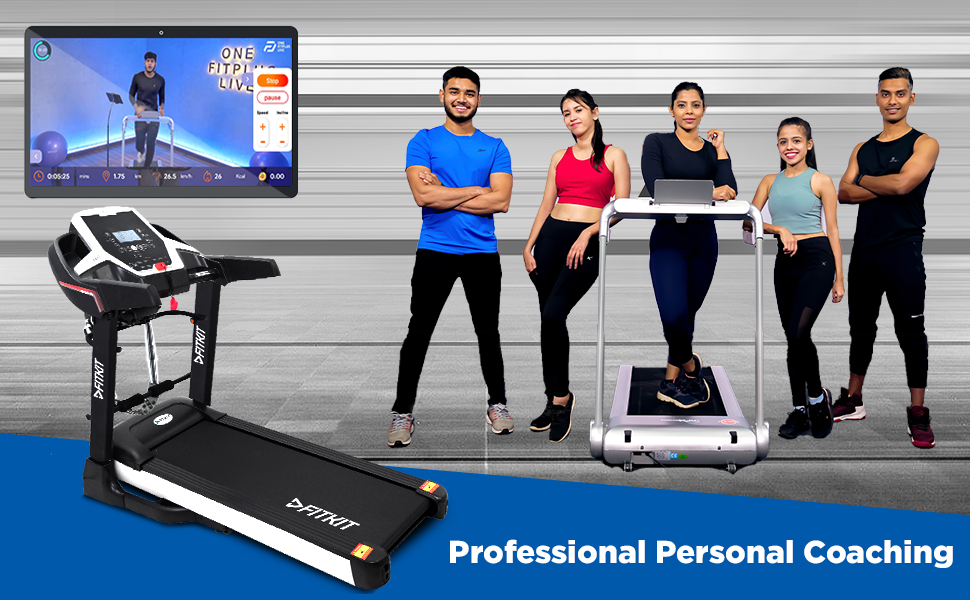
Image: A user on a treadmill with a tablet displaying the Onefitplus Live application, showing an interactive workout session. This highlights the integrated digital fitness experience.
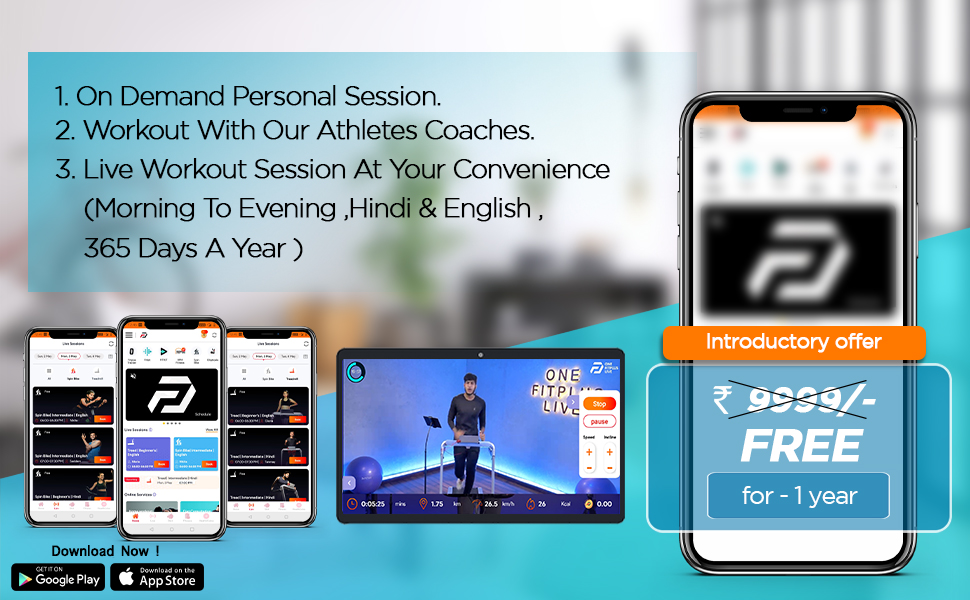
Image: A group of fitness coaches standing alongside Fitkit treadmills, representing the professional personal coaching available through connected services.
Maintenance
Regular maintenance ensures the longevity and safe operation of your treadmill.
- Cleaning: Wipe down the treadmill after each use with a damp cloth to remove sweat and dust. Do not use abrasive cleaners.
- Belt Lubrication: The running belt requires lubrication every 3-6 months, or after every 100-150 hours of use, using 100% silicone lubricant. Lift the belt and apply lubricant to the center of the deck. Run the treadmill at a slow speed for 5 minutes to distribute.
- Belt Tension and Alignment: Check the running belt tension and alignment periodically. If the belt slips or drifts to one side, refer to the detailed instructions in the full manual (if available) or contact customer support for adjustment procedures.
- Motor Cover Cleaning: Periodically vacuum dust from under the motor cover (ensure treadmill is unplugged).
Troubleshooting
| Problem | Possible Cause | Solution |
|---|---|---|
| Treadmill does not power on. | Power cord unplugged, main power switch off, circuit breaker tripped. | Ensure power cord is securely plugged in. Turn main power switch ON. Check household circuit breaker. |
| Running belt stops or slips. | Belt too loose, belt needs lubrication, motor overload. | Adjust belt tension (refer to full manual). Lubricate the running belt. Reduce user weight or intensity. |
| Console display is blank or erratic. | Loose cable connection, power issue. | Check all cable connections between console and main frame. Power cycle the treadmill. |
| Unusual noise during operation. | Loose parts, worn belt, motor issue. | Inspect for loose bolts and tighten. Lubricate belt. If noise persists, contact customer support. |
For issues not listed here, or if solutions do not resolve the problem, please contact Fitkit customer support.
Specifications
- Model: Fitkit FT100 Series
- Motor: DC-Motorized, 3.25 HP Peak
- Maximum User Weight: 110 Kilograms
- Inclination: Manual
- Power Source: Corded Electric
- Controls Type: Touch Button
- Display Type: LCD
- Connectivity: Onefitplus App compatible
- Manufacturer: Fitkit
Warranty and Support
Your Fitkit FT100 Series Treadmill comes with a manufacturer's warranty. Please refer to the warranty card included with your purchase for specific terms and conditions. For technical assistance, spare parts, or warranty claims, please contact Fitkit customer support through their official website or the contact information provided in your purchase documentation.
Customer Support: Visit the Fitkit Store on Amazon for more information or to find contact details.
