
Introduction
This manual provides detailed instructions for the operation and maintenance of the LAUNCH X431 PRO3S+ V5.0 automotive diagnostic tool. It covers essential information to help users effectively utilize the device's advanced diagnostic capabilities, bi-directional control, and extensive service functions.
The LAUNCH X431 PRO3S+ V5.0 is designed for professional automotive technicians, offering OE-level diagnostic features, broad vehicle coverage, and support for various specialized functions.
Key Features
- OE-Level Full System Diagnostics: Comprehensive scanning of all available vehicle systems.
- Bi-Directional Control (Active Test): Perform active tests on various vehicle components to verify functionality.
- Advanced ECU Coding: Customize vehicle settings, perform online coding, and flash hidden features.
- 37+ Reset and Service Functions: Includes Oil Reset, EPB, SAS, BMS, DPF, TPMS, IMMO, ABS Bleeding, Injector Coding, Gearbox Matching, and more.
- Guided Functions: Step-by-step instructions for complex procedures, compatible with VAG vehicles (VW/Audi/Skoda/Seat).
- AutoAuth for FCA SGW: Secure gateway access for Chrysler, Alfa Romeo, and Fiat vehicles (2017 and newer).
- Extensive Vehicle Coverage: Supports over 10,000 vehicle models and 160+ brands.
- Remote Diagnosis: Facilitates remote technical assistance.
- Topology Mapping: Visual representation of vehicle communication networks for efficient troubleshooting.
- Support for Extension Modules: Compatible with optional modules like Videoscop, X431 TSGUN, X-PROG3, and ADAS calibration tools (sold separately).
Setup
1. Unpacking and Initial Inspection
Carefully unpack all components from the packaging. Verify that all items listed in the packing list are present and undamaged. Report any missing or damaged items to your vendor immediately.

Image: Contents of the LAUNCH X431 PRO3S+ V5.0 package, including the diagnostic tablet, various connectors, and accessories.
2. Powering On and Initial Configuration
- Press and hold the power button to turn on the device.
- Follow the on-screen prompts to select your preferred language. The device supports 24 languages.
- Connect to a Wi-Fi network for software updates and online functions.
- Register your device and create a user account as prompted.

Image: The main user interface of the LAUNCH X431 PRO3S+ V5.0 diagnostic tool, showing various diagnostic and service options.
3. Connecting to the Vehicle
- Locate the vehicle's OBD-II diagnostic port, typically under the dashboard on the driver's side.
- Connect the diagnostic cable from the LAUNCH X431 PRO3S+ V5.0 to the vehicle's OBD-II port.
- Turn the vehicle's ignition to the ON position (engine off).
- The device will automatically establish communication with the vehicle.
Operating Instructions
1. Diagnostic Functions
- Intelligent Diagnose: Automatically identifies vehicle VIN and performs a full system scan.
- Local Diagnose: Manually select vehicle make, model, and year to perform specific diagnostic tests.
- Read/Clear DTCs: Retrieve and erase Diagnostic Trouble Codes from all control modules.
- Live Data Stream: View real-time sensor data in text, graph, or gauge format. Supports 12-in-1 live data graphing for detailed analysis.
- Topology Mapping: Access a visual map of the vehicle's communication network to quickly identify problematic modules.

Image: The full system diagnostic interface of the LAUNCH X431 PRO3S+ V5.0, showing a vehicle's system status.

Image: The intuitive topology mapping feature on the LAUNCH X431 PRO3S+ V5.0, displaying vehicle module connections.
2. Special Functions and Services
- ECU Coding: Modify vehicle parameters, activate hidden functions, and perform component matching.
- Bi-Directional Control (Active Test): Send commands to vehicle systems to test their operational status. Examples include:
- Turning on/off radiator fan
- Modulating throttle
- Operating windows and mirrors
- Testing injector buzz
- Activating interior/exterior lights and horn
- Testing door locks
- Reset Services: Access over 37 common maintenance and reset functions. Navigate to the "Reset" menu and select the required service.

Image: A display of the 37+ reset and service functions available on the LAUNCH X431 PRO3S+ V5.0, including ABS bleeding, oil reset, and IMMO services.
3. Remote Diagnosis and Reporting
- Remote Diagnosis: Initiate a remote diagnostic session to receive assistance from a technician.
- Health Report: Generate and print comprehensive diagnostic reports for record-keeping or client presentation.
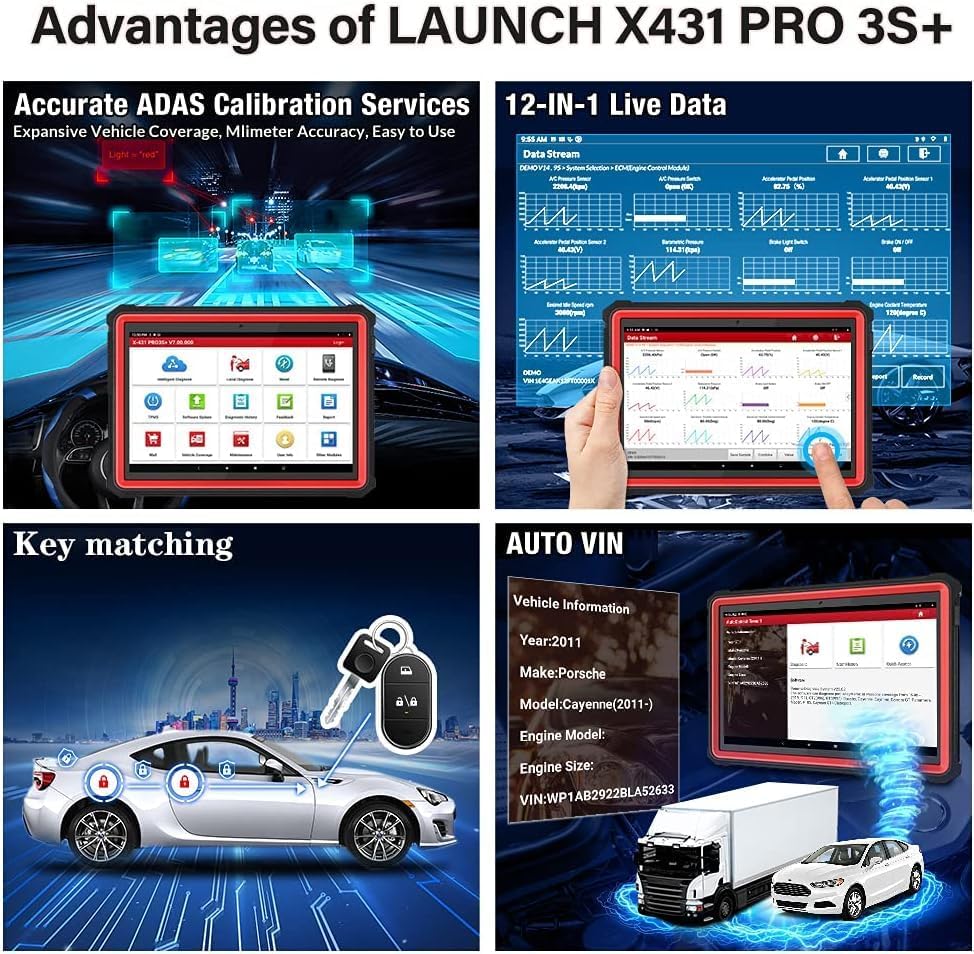
Image: Screenshots illustrating the remote diagnosis and health report generation capabilities of the LAUNCH X431 PRO3S+ V5.0.
Maintenance
1. Software Updates
Regularly update the diagnostic software to ensure compatibility with the latest vehicle models and access new features. Connect the device to a stable Wi-Fi network and navigate to the "Software Update" section on the main menu.
2. Battery Care
The device is equipped with a 6300mAh Lithium-ion battery. To prolong battery life:
- Avoid extreme temperatures.
- Charge the device regularly, but avoid overcharging for extended periods.
- If storing the device for a long time, ensure the battery is charged to approximately 50-70%.
3. Cleaning and Storage
Clean the device with a soft, damp cloth. Avoid using abrasive cleaners or solvents. Store the device in its protective case in a dry, cool environment when not in use.
Troubleshooting
If you encounter issues with your LAUNCH X431 PRO3S+ V5.0, refer to the following common troubleshooting steps:
- Device Not Powering On: Ensure the battery is charged. Connect the device to the power adapter and try again.
- No Communication with Vehicle:
- Verify the diagnostic cable is securely connected to both the device and the vehicle's OBD-II port.
- Ensure the vehicle's ignition is in the ON position.
- Check if the vehicle's battery is sufficiently charged.
- Try a different vehicle to rule out vehicle-specific issues.
- Software Freezes or Slow Performance:
- Restart the device.
- Ensure the software is up to date.
- Clear cache or free up storage space if necessary.
- Inaccurate Readings: Ensure the correct vehicle information (make, model, year) is selected. Perform a software update.
For persistent issues, consult the "Feedback" section on the device or contact technical support.
Specifications
| Feature | Specification |
|---|---|
| Model Number | X431-005 |
| Operating System | Android 10.0 |
| Processor | Octa-Core |
| Internal Storage | 64GB (expandable up to 128GB) |
| Screen Size | 10.1 inches |
| Battery | 6300mAh Lithium-ion |
| Connectivity | Dual-band Wi-Fi (2.4 & 5 GHz), Bluetooth |
| Dimensions (L x W x H) | 60 x 44 x 19 cm |
| Weight | 7.65 Kilograms |
| Supported Languages | 24 languages |
| Supported Protocols | CAN FD & DOIP Protocols |

Image: An illustration highlighting the high-configuration hardware of the LAUNCH X431 PRO3S+ V5.0, including its Octa-Core processor, 6300mAh battery, 64GB ROM, 10.1-inch touchscreen, Wi-Fi, and Bluetooth capabilities.

Image: A visual representation of the 24 supported languages on the LAUNCH X431 PRO3S+ V5.0 diagnostic tool.
Warranty and Support
- Warranty: The LAUNCH X431 PRO3S+ V5.0 comes with a 24-month maintenance warranty.
- Technical Support: 7 days a week, 24 hours a day, 365 days a year technical support is available.
- Return Policy: A 60-day refund or return policy is applicable.
For technical assistance or warranty claims, please contact your vendor or LAUNCH customer service.


