
1. Introduction
The NICRON H25 is a high-performance rechargeable headlamp designed for various outdoor and work activities. It features a durable aluminum alloy construction, multiple light sources, and various operating modes to suit different lighting needs. This manual provides detailed instructions for the proper use, maintenance, and troubleshooting of your H25 headlamp.
2. Safety Information
- Do not look directly into the LED light when it is active, as this may cause temporary vision impairment or eye damage.
- Keep the headlamp out of reach of children.
- Use only the specified Type-C charging cable and power source to prevent damage to the battery or headlamp.
- Do not disassemble or modify the headlamp, as this will void the warranty and may cause damage or injury.
- Avoid exposing the headlamp to extreme temperatures or corrosive liquids.
3. Package Contents
Verify that all items are present in your package:
- NICRON H25 Rechargeable Headlamp
- Adjustable Head Strap
- Type-C USB Charging Cable
- Lithium Ion Battery (pre-installed)
4. Product Overview
The NICRON H25 headlamp features a dual-button interface for intuitive control, an adjustable headlamp strap for comfort, and a 180° rotating body for directional lighting. It includes a USB-C charging port with an indicator and offers dual illuminants (spotlight and floodlight) along with a red light option.

Image 4.1: Key features of the NICRON H25 Headlamp.
The headlamp is constructed with an all-metal design for durability and includes a non-slip headband with adjustable circumference for a secure and comfortable fit.

Image 4.2: All-metal design and adjustable headband.
5. Setup
5.1. Charging the Headlamp
- Locate the Type-C charging port on the side of the headlamp.
- Connect the provided Type-C USB cable to the headlamp and a suitable USB power source (e.g., wall adapter, computer USB port).
- The charging indicator light will illuminate to show charging status. Refer to Image 4.1 for the indicator location.
- Charging is complete when the indicator light changes color or turns off (refer to product specifications for exact behavior).
5.2. Adjusting the Head Strap
The elastic head strap is adjustable to fit various head sizes. Use the buckles on either side of the strap to lengthen or shorten it until a comfortable and secure fit is achieved. The strap is designed to be sweatproof for extended wear.
6. Operating Instructions
6.1. Power On/Off
- To turn the headlamp ON or OFF, press and hold the right switch for approximately 1.2 seconds.
6.2. Switching Light Modes
The H25 headlamp features three independent light sources: Spotlight, Floodlight, and Red Light, offering a total of 10 lighting modes. Independent switches control the floodlight and spotlight functions.

Image 6.1: Overview of light modes and brightness levels.
- Spotlight Modes: Press the designated spotlight button to cycle through High (1000 lumens), Medium (500 lumens), Low (250 lumens), and Lower (50 lumens). Press and hold for 1.2 seconds to turn on/off the spotlight.
- Floodlight Modes: Press the designated floodlight button to cycle through High (800 lumens), Medium (400 lumens), Low (200 lumens), and Lower (50 lumens). Press and hold for 1.2 seconds to turn on/off the floodlight.
- Red Light Modes: The red light offers two modes: constant Red light and Red light strobe. Activate and cycle through these modes using the dedicated red light button.
- Dual Illuminant: The spotlight and floodlight can be activated simultaneously for maximum brightness of up to 1500 lumens.

Image 6.2: Spotlight and Floodlight combined for maximum brightness.
6.3. Intelligent Power Detection
The headlamp features an intelligent power detection function to indicate the remaining battery level. Softly press the right switch to activate the battery indicator. The number of flashes corresponds to the battery power:
- 4 Flashes: >90% battery
- 3 Flashes: 70–90% battery
- 2 Flashes: 30–70% battery
- 1 Flash: <30% battery
Additionally, the headlamp will flash 3 times every 30 seconds for 2 minutes before turning off when the battery is critically low.

Image 6.3: Battery level indication via flashes.
6.4. 180° Adjustment
The headlamp body can be rotated up to 180 degrees, allowing you to direct the light precisely where needed without adjusting your head position.
7. Maintenance
- Cleaning: Wipe the headlamp with a soft, damp cloth. Do not use abrasive cleaners or solvents.
- Storage: Store the headlamp in a cool, dry place away from direct sunlight when not in use for extended periods.
- Battery Care: Recharge the battery regularly, even if not in frequent use, to maintain battery health. Avoid fully discharging the battery.
- Water Resistance: The NICRON H25 has an IP65 water resistance rating, meaning it is protected against dust ingress and low-pressure water jets from any direction. It is not designed for submersion.
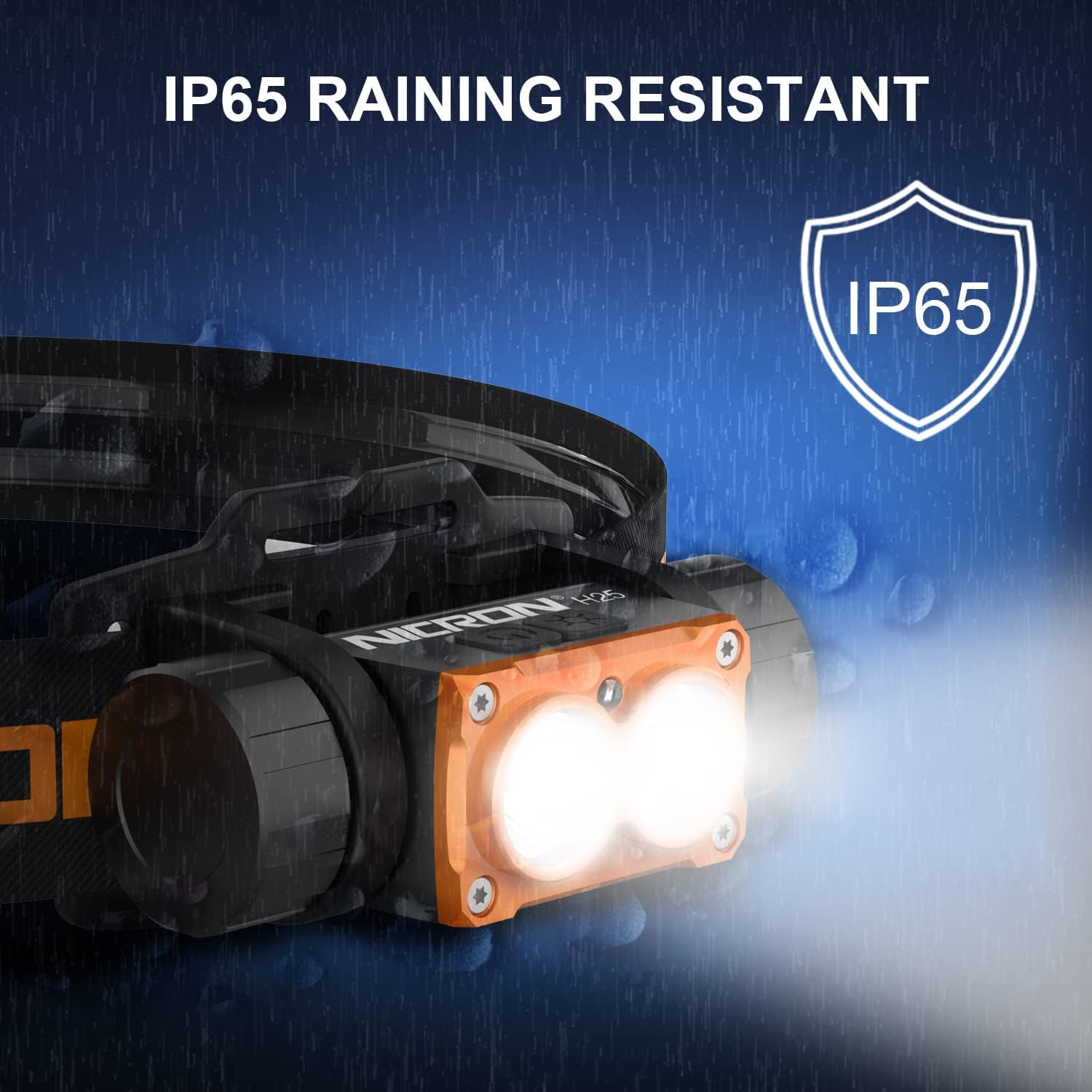
Image 7.1: IP65 Raining Resistant feature.
8. Troubleshooting
| Problem | Possible Cause | Solution |
|---|---|---|
| Headlamp does not turn on | Low battery; Incorrect button press; Faulty battery | Charge the headlamp; Ensure long press (1.2s) for power; Replace battery if necessary |
| Low brightness or short runtime | Low battery; Battery degradation; High power mode selected | Fully charge the headlamp; Consider replacing battery if old; Switch to a lower power mode for longer runtime |
| Headlamp not charging | Faulty cable/adapter; Loose connection; Charging port obstruction | Try a different Type-C cable and adapter; Ensure secure connection; Check charging port for debris |
| Buttons unresponsive | Software glitch; Physical damage | Try resetting by fully discharging and recharging; Contact customer support if issue persists |
9. Specifications
| Feature | Detail |
|---|---|
| Model Number | H25 |
| Light Source Type | LED |
| Material | Aluminum |
| Max Brightness (White) | 1500 Lumens (combined spotlight and floodlight) |
| Spotlight Modes | 1000/500/250/50 Lumens |
| Floodlight Modes | 800/400/200/50 Lumens |
| Red Light Modes | Constant Red, Red Strobe |
| Power Source | Battery Powered (1 Lithium Ion battery included) |
| Charging Port | Type-C USB |
| Water Resistance | IP65 |
| Product Dimensions | 4.06 x 7.62 x 4.32 cm |
| Weight | 181 g |
10. Warranty and Support
For warranty information, technical support, or any inquiries regarding your NICRON H25 headlamp, please contact NICRON customer service through the retailer where the product was purchased or visit the official NICRON website. Please retain your proof of purchase for warranty claims.


