
DEWENWILS HRS101H
Contents
DEWENWILS Indoor Remote Control Outlet User Manual
Model: HRS101H
1. Product Overview
The DEWENWILS Indoor Remote Control Outlet provides convenient wireless control for your indoor electrical appliances. Its compact design ensures that adjacent outlets remain accessible, and the two side-way outlets allow for flexible multi-device connections, even in tight spaces.
Equipped with a strong RF signal, this system operates effectively through walls, doors, and windows, offering a reliable range of up to 100 feet (30 meters) in open areas. The advanced technology minimizes interference with other RF systems.
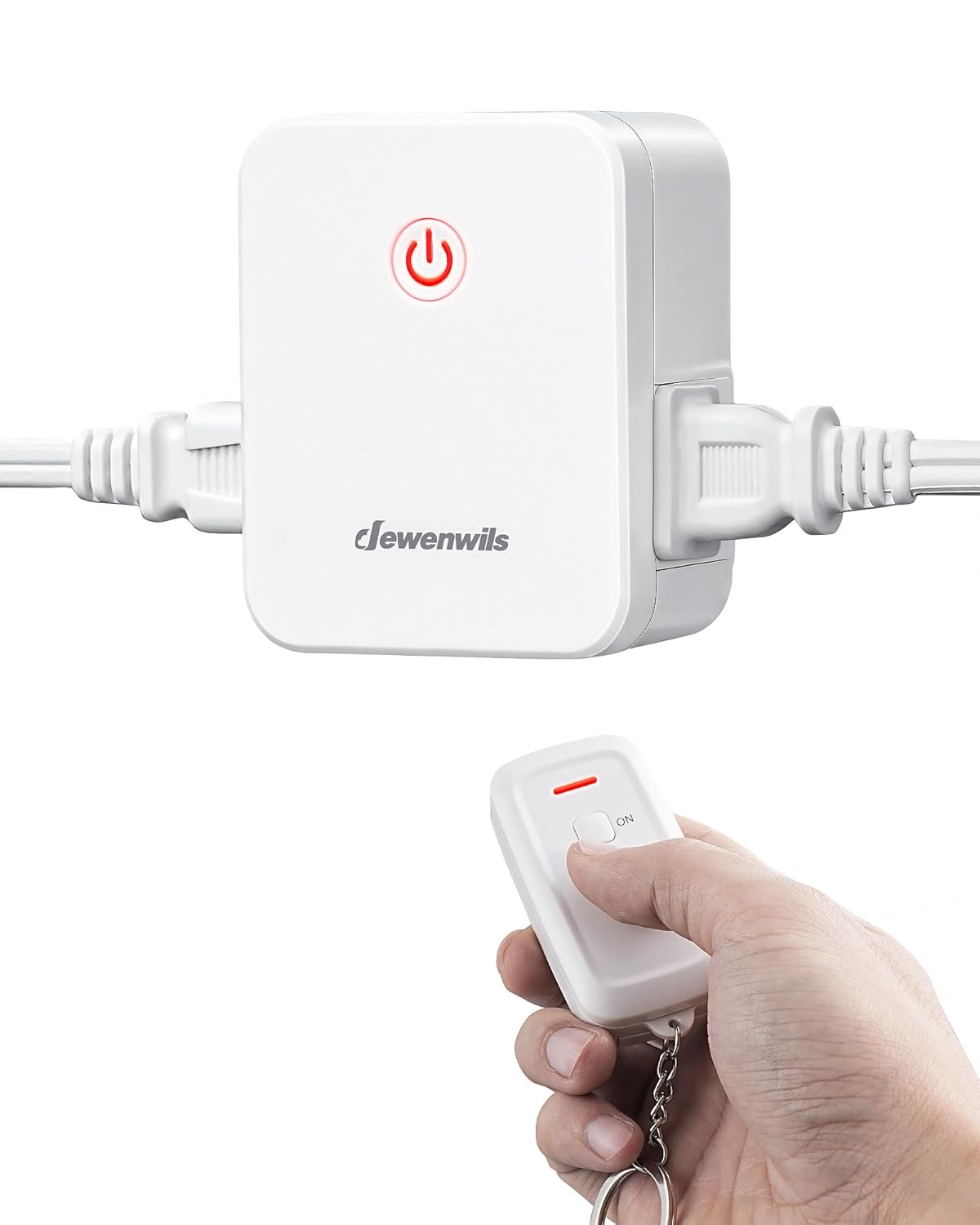
Image: The DEWENWILS remote control outlet and its accompanying remote, demonstrating the compact design and wireless functionality.
2. Safety Information
Please read and understand all safety instructions before using this product. Failure to follow these instructions may result in electric shock, fire, or serious injury.
- For indoor use only. Do not expose to water or moisture.
- Do not exceed the maximum load rating of 15A, 1875W.
- Ensure the outlet is properly grounded.
- Keep out of reach of children.
- Do not disassemble or modify the device.
- Unplug the device from the power outlet before cleaning.
This product is ETL and FCC listed, ensuring compliance with safety and quality standards.
3. Package Contents
Verify that all components are present in the package:
- 1 x DEWENWILS Remote Control Outlet
- 1 x Wireless Remote Transmitter
- 1 x CR2 Battery (pre-installed in remote)
- 1 x User Manual (this document)
4. Setup
The DEWENWILS remote control outlet is designed for immediate use, with the remote and outlet pre-programmed at the factory. No complex setup or tools are required.
- Insert Battery (if not pre-installed): The remote control requires one CR2 battery. Ensure it is correctly inserted with the proper polarity.
- Plug in the Outlet: Insert the remote control outlet into any standard 125V AC wall outlet. The compact design with side-way outlets ensures it does not block the upper receptacle.
- Connect Appliance: Plug your desired electrical appliance (e.g., lamp, fan, Christmas lights) into one of the two side outlets on the remote control unit.

Image: The remote control outlet plugged into a wall socket, highlighting its compact design and side-facing outlets that prevent blocking other receptacles.

Image: A DEWENWILS remote control outlet connected to a lamp and a fan, demonstrating its plug-and-play functionality.
5. Operating Instructions
Controlling your connected appliance is simple with the wireless remote transmitter.
- Turning On: Press the "ON" button on the remote transmitter to power on the appliance connected to the outlet.
- Turning Off: Press the "OFF" button on the remote transmitter to power off the appliance connected to the outlet.
The strong RF signal allows you to control appliances from up to 100 feet away, even through walls, doors, and windows, making it ideal for hard-to-reach areas or for convenience from another room.

Image: A hand holding the remote control, operating Christmas lights plugged into the DEWENWILS outlet, illustrating control over hard-to-reach switches.
6. Programming and Expandability
While the remote and outlet are pre-programmed for immediate use, the system is programmable and expandable. You can add additional DEWENWILS remotes and remote control switches (of the same model only) to customize your control system.
This feature allows for flexible configurations, such as controlling multiple outlets with one remote, or controlling a single outlet from multiple remotes.

Image: A diagram illustrating the 100ft RF remote range and different control setups, including multiple switches controlling one outlet, one switch controlling one outlet, and one switch controlling multiple outlets.
7. Maintenance
To ensure optimal performance and longevity of your DEWENWILS remote control outlet:
- Cleaning: Wipe the devices with a soft, dry cloth. Do not use abrasive cleaners or solvents.
- Battery Replacement: If the remote's indicator light does not illuminate or the range decreases significantly, replace the CR2 battery.
- Storage: Store the devices in a cool, dry place when not in use for extended periods.
8. Troubleshooting
| Problem | Possible Cause | Solution |
|---|---|---|
| Appliance does not turn on/off. |
|
|
| Reduced remote range or intermittent control. |
|
|
9. Specifications
| Feature | Detail |
|---|---|
| Model Number | HRS101H |
| Operating Voltage | 125V AC |
| Current Rating | 15 Amps |
| Maximum Load | 1875W Resistive |
| RF Frequency | Not specified |
| Remote Range | Up to 100ft (30m) in open areas |
| Remote Battery | 1 x CR2 (included) |
| Product Dimensions (L x W x H) | 3.39 x 2.48 x 3.15 inches |
| Certifications | ETL, FCC Listed |

Image: Detailed view of the remote control outlet with dimensions and key components labeled, including the indicator light, program button, and manual switch.
10. Warranty and Support
DEWENWILS is committed to providing high-quality products and customer satisfaction. For any questions, concerns, or support needs regarding your Indoor Remote Control Outlet, please contact DEWENWILS customer service.
Please refer to the product packaging or the official DEWENWILS website for the most up-to-date warranty information and contact details.
Online Support: Visit the DEWENWILS Store on Amazon
Ask a question about this manual
Ask about setup, troubleshooting, compatibility, parts, safety, or missing instructions. Manuals+ will review the question and use this page’s manual context to help answer it.