
1. Introduction
This manual provides detailed instructions for the installation, operation, and maintenance of your SRAM Rival D1 eTap AXS Left Shifter and Hydraulic Disc Brake Lever with Caliper. Please read this manual thoroughly before use to ensure proper function and safety. Retain this manual for future reference.
2. Safety Information
- Professional Installation Recommended: Installation of bicycle components, especially hydraulic brake systems, requires specialized tools and knowledge. It is highly recommended that installation be performed by a qualified bicycle mechanic.
- Brake System Integrity: Ensure all brake components are correctly installed and adjusted before riding. Improper installation can lead to brake failure and serious injury.
- Rotor Compatibility: This product does not include a brake rotor. Ensure you use a compatible brake rotor of the correct size (140mm or 160mm) for your bicycle and riding conditions.
- Brake Fluid: Hydraulic brake systems use specific brake fluid. Refer to SRAM's official documentation for the correct fluid type and bleeding procedures.
- Regular Inspection: Periodically inspect your shifter and brake system for wear, damage, and proper function. Replace worn or damaged parts immediately.
3. Product Overview
The SRAM Rival D1 eTap AXS Left Shifter and Hydraulic Disc Brake Lever with Caliper is designed for drop handlebars, offering precise electronic shifting and powerful hydraulic braking. It is compatible with SRAM eTap AXS and Eagle AXS series components.
Key Features:
- eTap AXS/Eagle AXS compatibility for seamless electronic shifting.
- Integrated hydraulic disc brake lever for reliable stopping power.
- Reach Adjust function for personalized lever position.
- Single shift paddle design for intuitive operation.
- AXS app connectivity for customization and firmware updates.
- 2-piston disc brake caliper with enhanced pad clearance.
- Includes 140/160mm mount adapter.
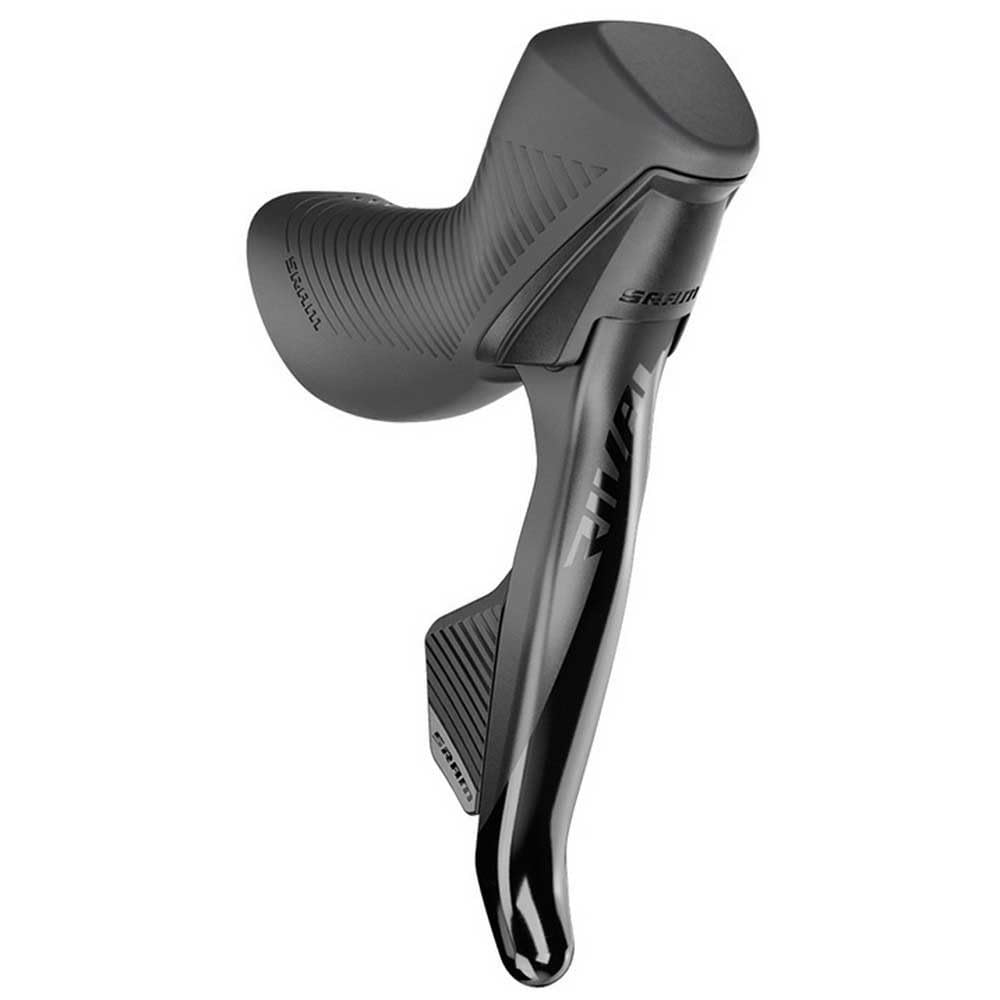
Figure 1: SRAM Rival D1 eTap AXS Left Shifter and Hydraulic Disc Brake Caliper. This image displays the complete assembly, including the ergonomic lever body, the single shift paddle, and the hydraulic disc brake caliper. The unit is finished in black.
4. Setup and Installation
Proper installation is crucial for the performance and safety of your SRAM Rival D1 system. If you are not confident in performing these steps, seek assistance from a professional bicycle mechanic.
4.1. Mounting the Shifter/Brake Lever
- Securely mount the shifter/brake lever onto your drop handlebars. Ensure the lever is positioned ergonomically for comfortable reach and control.
- Tighten the clamp bolt to the manufacturer's specified torque.
4.2. Hydraulic Hose Routing and Connection
- Route the 1800mm brake hose from the lever to the caliper. The system utilizes Stealthamajig technology for clean and efficient hose routing.
- Connect the brake hose to the caliper and lever, ensuring a secure, leak-free connection.
- Bleed the hydraulic brake system according to SRAM's official hydraulic brake bleeding instructions to remove any air and ensure proper brake function.
4.3. Caliper Installation
- Attach the 2-piston disc brake caliper to your bicycle frame or fork using the included mounting hardware and the appropriate 140/160mm adapter.
- Ensure the caliper is correctly aligned over the brake rotor (rotor not included) to prevent rubbing and ensure optimal braking performance.
- Tighten the caliper mounting bolts to the specified torque.
4.4. Pairing with AXS Components
Follow the instructions provided with your other SRAM eTap AXS components to pair the left shifter with your derailleur(s) and other AXS devices.
5. Operating Instructions
5.1. Shifting
The Rival D1 eTap AXS shifter features a single paddle for intuitive electronic shifting. Pressing the paddle will execute a shift command. The specific action (e.g., upshift, downshift) can be customized via the AXS app.
5.2. Braking
Squeeze the brake lever to engage the hydraulic disc brake. The amount of force applied to the lever directly corresponds to the braking power. Apply brakes smoothly and progressively.
5.3. Reach Adjust
The brake lever features a reach adjust function, allowing you to customize the distance of the lever from the handlebar. This adjustment is typically made using a small hex key, accessible from the lever body. Adjust to a comfortable position that allows for full braking power and control.
5.4. AXS App Customization
Download the SRAM AXS app on your iOS or Android smartphone. The app allows you to:
- Assign specific functions to the left and right shift paddles.
- Monitor battery levels of your AXS components.
- Perform firmware updates to add new features and improve performance.
- Diagnose system issues.
6. Maintenance
Regular maintenance ensures the longevity and optimal performance of your SRAM Rival D1 system.
6.1. Cleaning
- Clean the shifter and brake lever regularly with a mild soap and water solution. Avoid high-pressure washing directly on electronic components or seals.
- Keep the brake caliper and pads free from dirt, oil, and grease.
6.2. Brake Pad Inspection and Replacement
- Periodically check the brake pads for wear. Replace pads when the friction material is worn down to the wear indicator or if they are contaminated.
- The 2-piston caliper design offers increased pad clearance, but proper alignment is still essential.
6.3. Hydraulic System Checks
- Inspect brake hoses for any signs of damage or leaks.
- If braking performance degrades or the lever feels spongy, the system may need to be bled or the fluid replaced. Refer to SRAM's service instructions.
7. Troubleshooting
This section addresses common issues you might encounter with your SRAM Rival D1 system.
7.1. Shifting Issues
- No Shift Response: Check battery levels of the shifter and derailleur. Ensure all AXS components are properly paired.
- Inconsistent Shifting: Verify derailleur alignment and limit screw settings. Check for any obstructions in the drivetrain.
7.2. Braking Issues
- Spongy Brake Lever: This usually indicates air in the hydraulic system. The system needs to be bled.
- Reduced Braking Power: Check brake pads for wear or contamination. Ensure the rotor is clean and free of oil. Verify caliper alignment.
- Brake Rubbing: Re-align the brake caliper. Check for bent rotors or worn wheel bearings.
For more detailed troubleshooting or issues not listed here, please consult the official SRAM service manuals or contact SRAM customer support.
8. Specifications
| Feature | Specification |
|---|---|
| Brand | SRAM |
| Model Name | Rival D1 eTap AXS Left Shifter & Hydraulic Disc Brake |
| Model Number | 2138090404 |
| Manufacturer Model Number | SR007018443002 |
| UPC / GTIN | 710845864643 |
| Material | Plastic, Alloy Steel |
| Color | Black |
| Handle Type | Lever |
| Item Weight | 100 grams |
| Unit Count | 1.0 |
| Brake Hose Length | 1800mm |
| Caliper Type | 2-Piston Hydraulic Disc |
| Included Adapter | 140/160mm Mount Adapter |
| Special Features | Easy to install, Reach Adjust, AXS App Compatible |
| Intended Use | Road Cycling (Drop Handlebars) |
9. Warranty and Support
SRAM products are covered by a manufacturer's warranty against defects in materials and workmanship. For specific warranty terms and conditions, please refer to the official SRAM website or the warranty card included with your product.
For technical support, service, or warranty claims, please contact your authorized SRAM dealer or visit the official SRAM support page online. Ensure you have your product model number and proof of purchase available.


