
FITUEYES Picasso Series
FITUEYES Picasso Series Tripod Easel TV Stand Instruction Manual
This manual provides detailed instructions for the assembly, operation, and maintenance of your FITUEYES Picasso Series Tripod Easel TV Stand. Please read thoroughly before use.
Product Overview
The FITUEYES Picasso Series TV Stand is a modern tripod easel design, blending artistic aesthetics with robust functionality. Constructed from premium FAS Grade Beech wood and a durable steel frame, it is designed to support 32-65 inch LED LCD screens weighing up to 77 lbs. Its unique design includes concealed storage for wiring and a 20-degree swivel capability for optimal viewing angles.

Figure 1: Front view of the FITUEYES Picasso Series TV Stand with a television mounted.
Package Contents
Before beginning assembly, ensure all parts are present and undamaged. Refer to the parts list provided in your packaging. The main components include:
- Tripod Legs (Beech Wood & Steel)
- TV Mounting Bracket Assembly
- Connecting Rod
- Magnetic Backplane for Concealed Storage
- Hardware Kit (screws, washers, Allen wrenches)
- Instruction Manual

Figure 2: All components of the TV stand laid out for assembly.
Setup and Assembly
Assembly is designed to be straightforward and can typically be completed by one person. Follow these steps carefully:
- Assemble the Tripod Base: Attach the three wooden legs to the central base unit using the provided screws and Allen wrench. Ensure all connections are secure.
- Attach the Connecting Rod: Insert the main connecting rod into the top of the assembled tripod base. Secure it firmly.
- Mount the TV Bracket: Attach the TV mounting bracket assembly to the top of the connecting rod. Ensure it is aligned correctly and tightened.
- Prepare Your TV: Attach the VESA mounting arms to the back of your television using the appropriate screws from the hardware kit. Refer to your TV's manual for VESA pattern compatibility. This stand supports VESA Patterns 200x100, 200x200, 200x300, 200x400, 300x200, 300x300, 300x400, 400x200, 400x300, 400x400 mm.
- Hang the TV: Carefully lift your television and hook the VESA mounting arms onto the TV bracket assembly on the stand. Secure the TV to the bracket using the locking screws at the bottom of the mounting arms.
- Install Magnetic Backplane: Place the magnetic backplane onto the rear of the TV mounting bracket to conceal cables and small devices.
Video 1: Official assembly guide for the Picasso Series TV Stand, demonstrating step-by-step installation.
Video 2: A detailed overview of the FITUEYES Picasso Series TV Stand setup and features, including cable management.

Figure 3: The magnetic backplane provides a clean and clutter-free appearance by concealing wires.
Operating Instructions
Your FITUEYES Picasso Series TV Stand offers flexibility for optimal viewing:
- Swivel Function: The TV can be swiveled up to 20 degrees left or right to achieve the best viewing angle from different positions in your room. Gently rotate the television to adjust.
- Height Adjustment: The height of the TV can be adjusted along the central connecting rod. Loosen the locking mechanism on the rod, slide the TV to your desired height, and then securely tighten the mechanism.
- Cable Management: Utilize the integrated cable management system behind the magnetic backplane to keep all wires organized and out of sight.
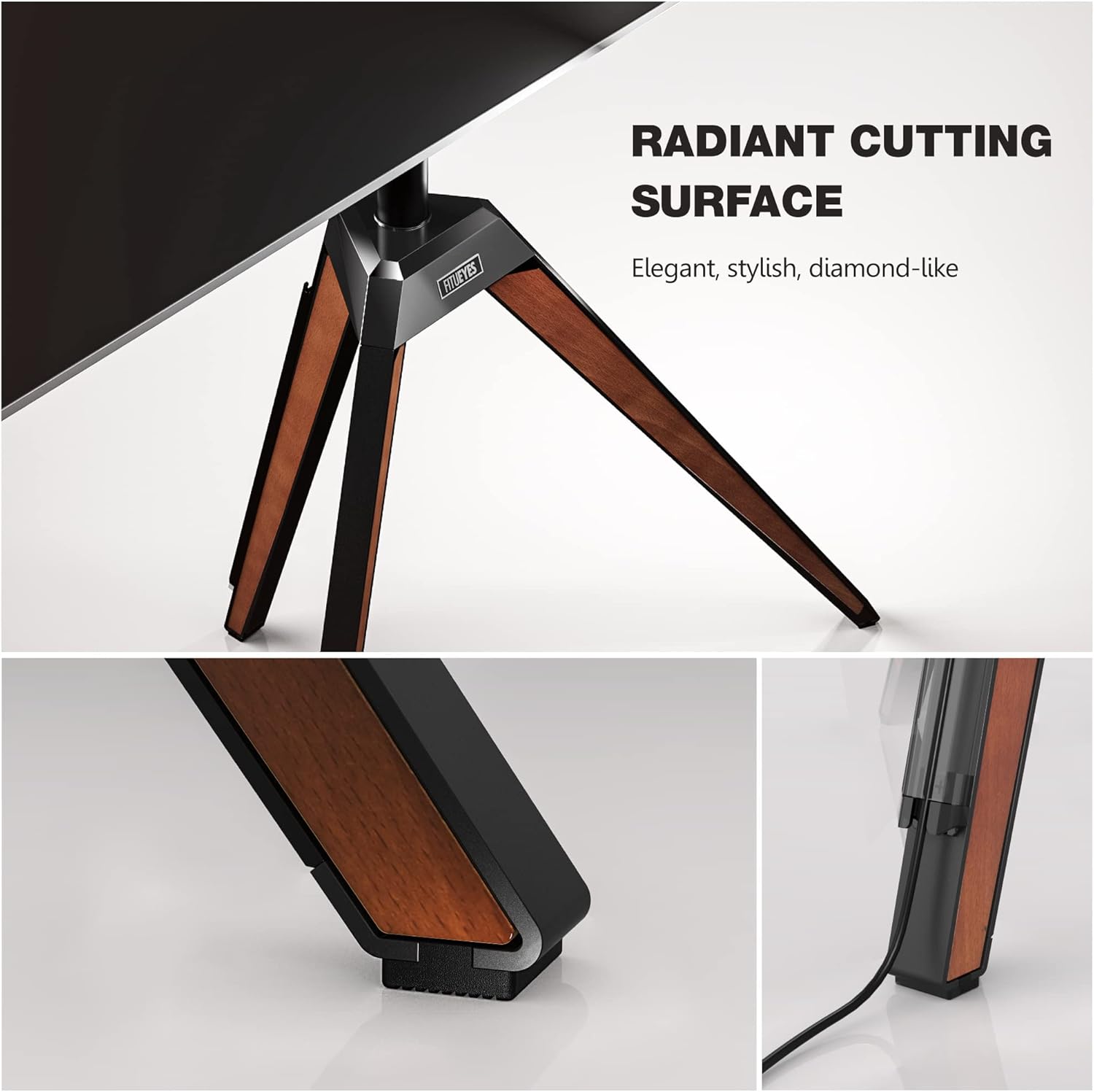
Figure 4: Visual representation of the swivel and height adjustment capabilities.
Maintenance
To ensure the longevity and appearance of your TV stand, follow these maintenance guidelines:
- Cleaning: Wipe surfaces with a soft, dry cloth. For stubborn marks, use a slightly damp cloth with mild soap and dry immediately. Avoid harsh chemicals or abrasive cleaners.
- Inspections: Periodically check all screws and connections to ensure they remain tight and secure.
- Wood Care: The beech wood components may benefit from occasional wood polish or oil to maintain their luster.
- Weight Limit: Do not exceed the maximum weight capacity of 77 lbs (35 kg) to prevent damage or instability.
Troubleshooting
If you encounter any issues with your TV stand, refer to the following common problems and solutions:
| Problem | Possible Cause | Solution |
|---|---|---|
| TV is wobbly or unstable. | Loose connections; uneven floor; TV too heavy. | Ensure all screws are tightened. Adjust stand position on a level surface. Verify TV weight is within limits. |
| TV cannot swivel smoothly. | Tightened swivel mechanism; obstruction. | Check if the swivel lock is engaged (if applicable). Ensure no cables or objects obstruct movement. |
| Cables are not fully concealed. | Improper cable routing; backplane not fully seated. | Reroute cables through designated channels. Ensure magnetic backplane is securely attached. |
Specifications
| Feature | Detail |
|---|---|
| Brand | FITUEYES |
| Model | Picasso Series (B092LYH4JB) |
| Compatible TV Sizes | 32 to 65 inches |
| Maximum Weight Capacity | 77 lbs (35 kg) |
| VESA Compatibility | 200x100, 200x200, 200x300, 200x400, 300x200, 300x300, 300x400, 400x200, 400x300, 400x400 mm |
| Swivel Angle | ±20 degrees |
| Material | FAS Grade Beech Wood, Iron |
| Item Weight | 27.2 pounds |
| Package Dimensions | 31.5 x 25 x 4.5 inches |
Warranty and Support
FITUEYES offers up to a 10-year warranty on this product. For any questions, technical support, or warranty claims, please contact FITUEYES customer service. You can find contact information on the official FITUEYES website or through your purchase platform.
Online Support: Visit the official FITUEYES website for FAQs and support resources. FITUEYES Store on Amazon
Related Documents - Picasso Series
 |
FITUEYES P13P1162B Picasso Soundbar Mounts Installation Guide Detailed installation guide for the FITUEYES P13P1162B Picasso Soundbar Mounts, including a complete parts list and step-by-step assembly instructions for both tripod and optional wall mounting. |
 |
FITUEYES FT88 Floor TV Stand Installation Guide Comprehensive installation guide for the FITUEYES FT88 Floor TV Stand, detailing parts, accessories, and step-by-step assembly instructions for secure TV mounting. |
 |
FITUEYES FT65 Floor TV Stand Installation Manual Installation guide for the FITUEYES FT65 Floor TV Stand, covering parts, assembly, and TV mounting procedures. |
 |
FITUEYES P13P1161B Picasso Soundbar Mount S1 Installation Guide Detailed installation instructions and parts list for the FITUEYES P13P1161B Picasso Soundbar Mount S1. Includes step-by-step assembly guidance for securely mounting your soundbar. |
 |
FITUEYES FT78 Floor TV Stand Installation Guide Comprehensive installation guide for the FITUEYES FT78 Floor TV Stand, detailing parts, assembly steps, and TV mounting hardware. Includes model numbers S02P1461L, S02P1462P, S02P1463B. |
 |
FITUEYES TT207001MB Swivel Floor TV Stand Installation Manual Installation guide and assembly instructions for the FITUEYES TT207001MB Swivel Floor TV Stand, featuring component lists and step-by-step mounting procedures. |
Ask a question about this manual
Ask about setup, troubleshooting, compatibility, parts, safety, or missing instructions. Manuals+ will review the question and use this page’s manual context to help answer it.