
1. Product Overview
The AmScope 1X C-Mount Camera Adapter (model AD-C10-ZM) is designed to connect C-mount cameras to AmScope ZM-series trinocular microscopes. This adapter replaces the existing photo-port, enabling cameras with large image sensors (1-inch class) to be used without vignetting. It can also be used with smaller image sensors when no reduction in magnification is desired.
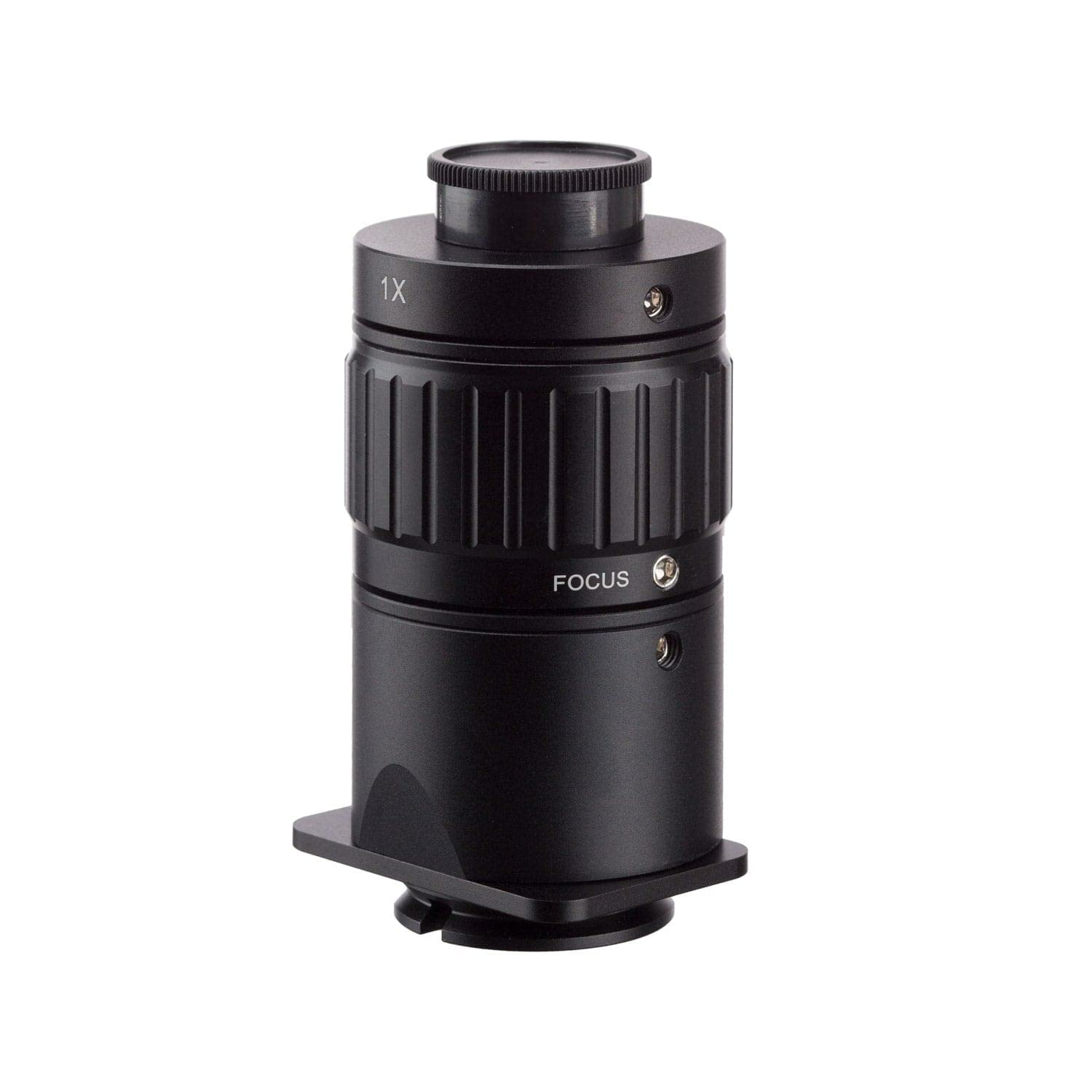
Image 1: AmScope 1X C-Mount Camera Adapter (AD-C10-ZM). This image shows the black cylindrical adapter with a lens at the top, designed for connecting a camera to a microscope.
2. Setup and Installation
- Prepare the Microscope: Ensure your AmScope ZM-series trinocular microscope is powered off and stable. Locate the photo-port on the microscope head.
- Remove Existing Photo-Port (if applicable): If there is an existing photo-port or adapter, carefully remove it according to your microscope's instructions.
- Install the 1X C-Mount Adapter: Insert the AmScope AD-C10-ZM adapter into the microscope's photo-port. Gently twist or secure it until it is firmly seated. Ensure it is flush and stable.
- Attach the C-Mount Camera: Align your C-mount camera with the threaded opening on the top of the AD-C10-ZM adapter. Carefully screw the camera onto the adapter until it is securely attached. Avoid overtightening.
- Connect Camera to Computer/Display: Follow your camera's instructions to connect it to your computer or display for image viewing and capture.
Compatibility Note: This adapter is specifically designed for AmScope ZM-series trinocular microscopes (e.g., ZM6745T, ZM-2T, ZM-3T, ZM-4T). It is compatible with camera sensors of 1-inch class or smaller.
3. Operation
Once the 1X C-Mount Camera Adapter and camera are installed, operating the setup is straightforward:
- Power On: Turn on your microscope and camera.
- Software Configuration: Launch the imaging software associated with your C-mount camera. Ensure the software recognizes the camera and displays the live feed from the microscope.
- Focus Adjustment: Use the microscope's coarse and fine focus knobs to bring your specimen into sharp focus. The 1X adapter provides no additional magnification reduction, ensuring the field of view is suitable for larger sensors without distortion or loss of detail due to reduction.
- Image Capture: Utilize your camera's software to capture still images or record videos as needed.
The 1X power of this adapter means that the image projected onto the camera sensor will have the same magnification as seen through the microscope's eyepieces (assuming the camera sensor size is appropriately matched). This is ideal for capturing a wide field of view without distortion or loss of detail due to reduction.
4. Maintenance
Proper maintenance ensures the longevity and optimal performance of your AmScope 1X C-Mount Camera Adapter:
- Cleaning the Lens:
- Use a soft, lint-free lens cloth or a specialized optical cleaning solution and cloth to gently wipe the lens surfaces.
- Avoid using abrasive materials or harsh chemicals, as these can scratch or damage the optical coatings.
- For stubborn dust, use a blower brush to remove particles before wiping.
- Cleaning the Body: Wipe the adapter's body with a soft, dry cloth to remove dust and fingerprints.
- Storage: When not in use, store the adapter in a clean, dry environment, preferably in its original packaging or a protective case, to prevent dust accumulation and potential damage.
- Handling: Always handle the adapter by its body, avoiding direct contact with the optical surfaces.
5. Troubleshooting
If you encounter issues with your 1X C-Mount Camera Adapter, consider the following troubleshooting steps:
- No Image or Black Screen:
- Ensure the camera is securely attached to the adapter and the adapter is firmly seated in the microscope's photo-port.
- Verify that the camera is powered on and properly connected to your computer/display.
- Check the camera's software settings to ensure the correct input source is selected.
- Confirm the microscope's light source is active and adjusted correctly.
- Vignetting (Dark Corners in Image):
- While this 1X adapter is designed to minimize vignetting with 1-inch class sensors, ensure your camera's sensor size is compatible (1-inch class or smaller).
- Check if the adapter is fully inserted and aligned correctly.
- Blurry or Out-of-Focus Image:
- Adjust the microscope's coarse and fine focus knobs.
- Ensure the camera's focus (if adjustable) is set correctly.
- Verify that the adapter's lens is clean and free from smudges or dust.
- Poor Image Quality (Low Contrast, Color Issues):
- Check the microscope's illumination settings (brightness, aperture).
- Adjust the camera's white balance, exposure, and gain settings in its software.
- Ensure the microscope objectives and eyepieces are clean.
If problems persist, consult your microscope or camera manual, or contact AmScope customer support.
6. Specifications
| Feature | Specification |
|---|---|
| Model Number | AD-C10-ZM |
| Power | 1X |
| Camera Sensor Compatibility | 1" class or smaller |
| Microscope Compatibility | AmScope ZM-series trinocular microscopes (e.g., ZM6745T, ZM-2T, ZM-3T, ZM-4T) |
| Camera Mount | C-mount (1" / 25.4mm diameter) |
| Item Weight | 0.01 ounces |
| Color | Black |
| Manufacturer | United Scope LLC |
| UPC | 840979122736 |
7. Warranty and Support
For warranty information and technical support regarding your AmScope 1X C-Mount Camera Adapter (AD-C10-ZM), please refer to the documentation included with your purchase or contact AmScope directly.
You can visit the official AmScope store for more information: AmScope Store on Amazon.
Protection plans may also be available for purchase separately. Please check with your retailer for details.

