
1. Product Overview
The Frigidaire FHWH082WA1 is an 8,000 BTU window-mounted air conditioner designed to provide year-round comfort. This unit offers powerful cooling, supplemental heating, and dehumidification capabilities for small to medium-sized rooms up to 350 sq. ft. Its slide-out chassis design simplifies installation, and the easy-to-clean washable filter helps maintain air quality and unit efficiency.
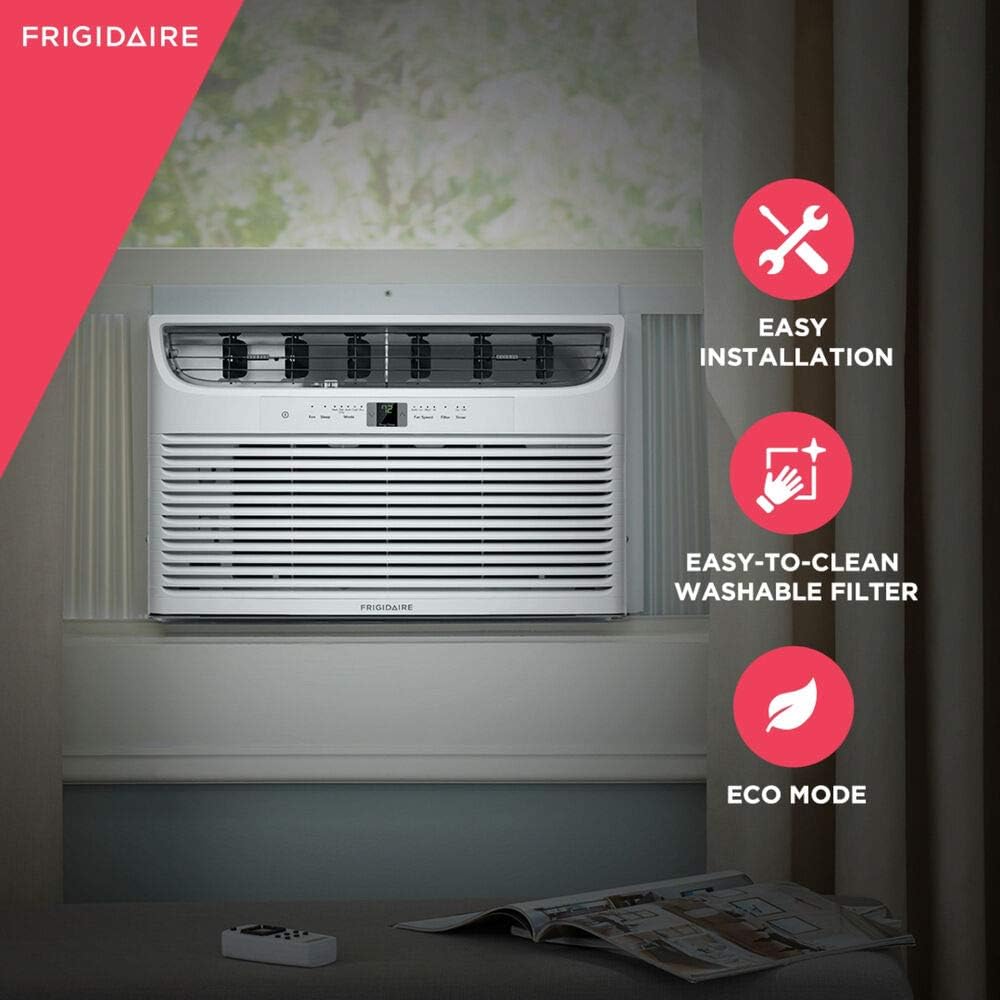
Figure 1.1: Front view of the Frigidaire FHWH082WA1 window air conditioner.

Figure 1.2: The air conditioner installed in a bedroom, illustrating its compact design and integration into a living space.
2. Installation Instructions
This air conditioner features a slide-out chassis for easier installation. The unit distributes its weight into two pieces, simplifying the process of mounting it in a window. A window installation kit is included with the product.
2.1 Window Requirements
- Window width: Maximum 36 inches, Minimum 26 7/8 inches.
- Window height: Minimum 16.5 inches.
- Maximum wall thickness: 6.1 inches.
- Plug Type: LCDI 515P.
2.2 Slide-Out Chassis Installation
The slide-out chassis design allows for the outer casing to be installed first, followed by the main unit. This method helps in managing the weight during installation.

Figure 2.1: Illustration of the slide-out chassis, demonstrating how the unit separates for easier window installation.
2.3 Installation Video Guide
For a visual guide on the installation process, please refer to the official product video below. This video demonstrates the steps for installing Frigidaire window air conditioners with heating and cooling capabilities.
Video 2.1: Official video demonstrating the installation and features of Frigidaire Heat and Cool AC units.
3. Operating Instructions
The Frigidaire FHWH082WA1 features a digital display and electronic controls for easy operation. A remote control is included for convenient adjustments.
3.1 Control Panel Overview
The control panel allows you to select various modes, fan speeds, and set timers. Manual adjust louvers enable you to direct the airflow as needed.

Figure 3.1: Detailed view of the unit's digital control panel, showing temperature display, mode indicators, and fan speed settings.
3.2 Operating Modes
- Cooling Mode: Provides 8,000 BTU of cooling power. Select this mode for air conditioning.
- Supplemental Heating Mode: Offers 3,500 BTU of supplemental heat, allowing year-round use.

Figure 3.2: The heating function allows the unit to provide warmth during colder periods.
- Dehumidification Mode: Removes up to 1.7 pints of moisture per hour, helping to reduce humidity.
- Fan Speeds: Choose from 3 fan speeds (Low, Medium, High) to adjust airflow.
- Auto Mode: Automatically selects the appropriate operating mode (Cool, Heat, or Fan) based on the room temperature.
- Eco Mode: An energy-saving mode that adjusts temperature to maintain comfort while minimizing power consumption.

Figure 3.3: The Eco Mode feature helps conserve energy by optimizing operation.
- Sleep Mode: Gradually increases the temperature over time to provide comfortable sleeping conditions while saving energy.
- 24-Hour Timer: Program the unit to turn on or off automatically within a 24-hour period.
4. Maintenance
Regular maintenance ensures optimal performance and longevity of your air conditioner.
4.1 Washable Filter
The unit is equipped with an easy-to-remove, washable filter that captures dust and particles from the air. A clean filter is crucial for efficient operation and air quality.
- Cleaning: The filter can be washed with mild soap and water or vacuumed clean.
- Frequency: Clean the filter regularly, especially when the 'Filter' indicator light illuminates on the control panel.

Figure 4.1: Illustration of the removable and washable air filter, highlighting its importance for clean air and unit efficiency.
5. Troubleshooting
If your air conditioner is not operating correctly, consult the following common troubleshooting steps before contacting customer support.
5.1 Common Issues and Solutions
- Unit does not turn on:
- Check if the power cord is securely plugged into a working outlet.
- Verify that the circuit breaker has not tripped.
- Ensure the unit's power button is pressed.
- Unit is not cooling/heating effectively:
- Check if the air filter is clean (refer to Section 4.1).
- Ensure windows and doors are closed to prevent air leakage.
- Verify that the selected mode and temperature settings are appropriate.
- Ensure there are no obstructions blocking the air intake or exhaust vents.
- Unusual noise:
- A slight rattling or vibrating noise is normal during operation.
- Check for loose parts or foreign objects inside the unit.
- Ensure the unit is securely installed in the window.
- Water dripping from the unit:
- During high humidity, some water dripping from the outdoor side is normal.
- Ensure the unit is slightly tilted outwards to allow proper drainage.
6. Specifications
| Feature | Specification |
|---|---|
| Model Number | FHWH082WA1 |
| Cooling Power | 8,000 BTU |
| Supplemental Heat | 3,500 BTU |
| Dehumidification Capacity | 1.7 pints/hour |
| Coverage Area | Up to 350 sq. ft. |
| Product Dimensions (D x W x H) | 22.63" x 23.3" x 15.38" |
| Item Weight | 78.8 pounds |
| Voltage | 115V |
| Noise Level | 52 Decibels (on lowest fan setting) |
| Control Type | Electronic with Remote Control |
| Special Features | Easy-to-Clean Washable Filter, Eco Mode, Programmable Timer, Sleep Mode, Automatic Restart |
| Included Components | Washable filter, remote |
6.1 Room Size and BTU Chart
The following chart provides a general guideline for matching BTU capacity to room size.

Figure 6.1: BTU recommendations based on square footage, indicating 8,000 BTU is suitable for up to 350 sq. ft.
6.2 Noise Level Reference
The unit operates at 52 dBA on its lowest fan setting. The chart below provides a comparison of common noise levels.

Figure 6.2: Noise level comparison chart, showing 52 dBA is comparable to light traffic.
7. Warranty and Support
7.1 Manufacturer's Warranty
This Frigidaire air conditioner comes with a 1-year manufacturer's warranty. Please retain your proof of purchase for warranty claims.
7.2 Customer Support
For technical assistance, troubleshooting beyond this manual, or warranty inquiries, please contact Frigidaire Customer Support. Refer to the contact information provided in your product packaging or visit the official Frigidaire website for the most up-to-date support details.
Online resources and FAQs may also be available on the Frigidaire support page.


