
Armitron 40/8417PWT
Armitron Sport Unisex Digital Chronograph Watch User Manual
Model: 40/8417PWT
Introduction
This manual provides comprehensive instructions for the setup, operation, maintenance, and troubleshooting of your Armitron Sport Unisex Digital Chronograph Silicone Strap Watch, model 40/8417PWT. Please read this manual carefully to ensure proper use and longevity of your watch.

Figure 1: Front view of the Armitron Sport Digital Watch. The watch features a metallic pink resin case, a reverse LCD display showing time, seconds, and day, and a white and light pink double-injected perforated silicone strap.
Setup and Initial Configuration
Your Armitron Sport watch comes with a pre-installed battery. Follow these steps to set the time, date, and other functions.
Button Functions:
- ADJ (Adjust) Button: Typically used to enter and exit setting modes, or to confirm selections. (Left side, top button)
- MODE Button: Used to cycle through different modes such as Time, Chronograph, Alarm, and Date. (Left side, bottom button)
- STOP/START Button: Used to start/stop functions like the chronograph or to increment values during setting. (Right side, top button)
- EL (Electroluminescent) Button: Activates the backlight for improved visibility in low light conditions. (Right side, bottom button)
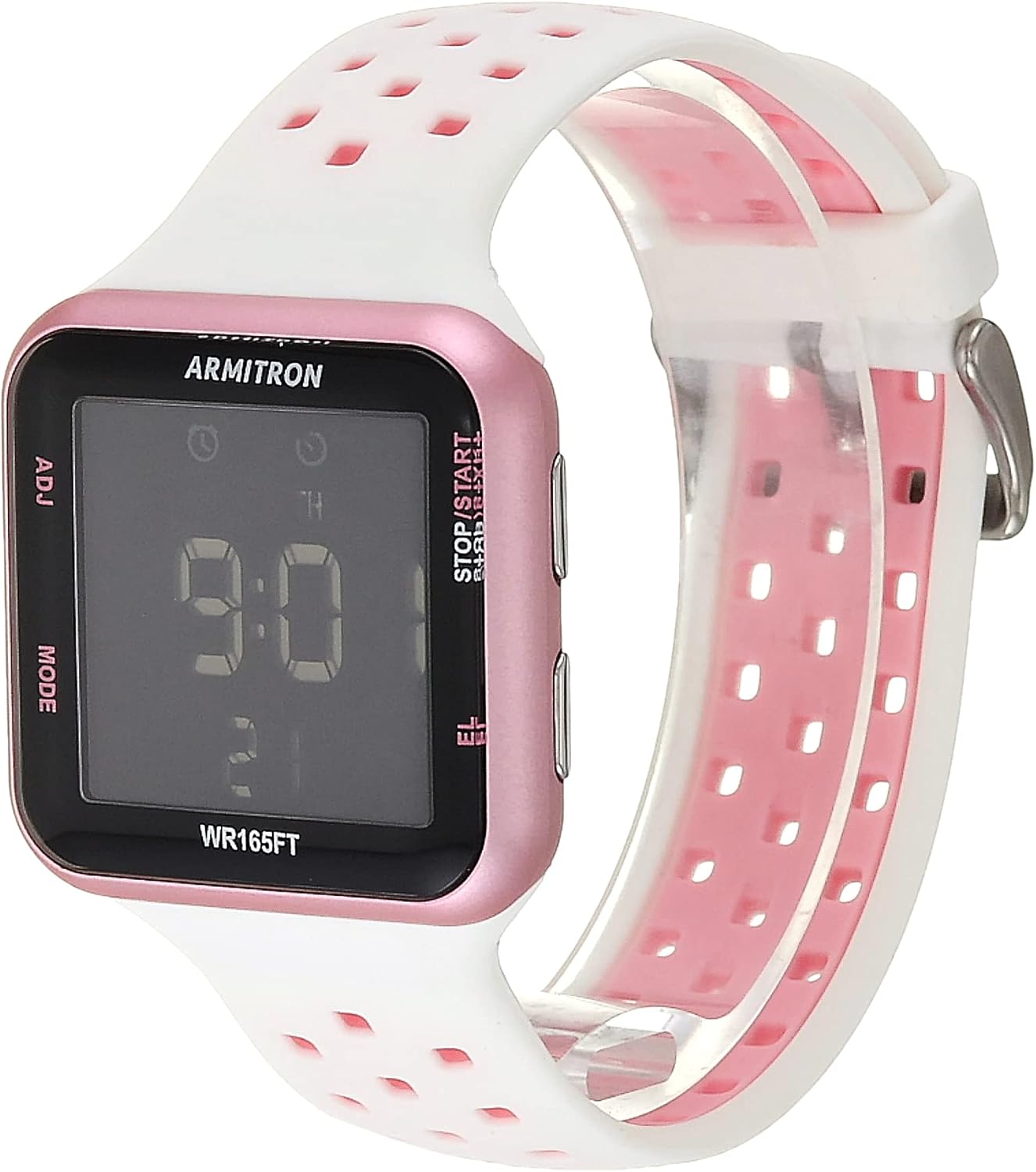
Figure 2: Side view illustrating the watch's control buttons. The ADJ and MODE buttons are on the left, while the STOP/START and EL buttons are on the right.
Setting Time and Date:
- From the normal time display, press the MODE button repeatedly until the time setting mode is activated (usually indicated by flashing digits).
- Press the ADJ button to select the digit you wish to adjust (e.g., hours, minutes, seconds).
- Use the STOP/START button to increment the selected digit.
- Continue pressing ADJ and STOP/START to set all time components (hours, minutes, AM/PM or 24-hour format).
- After setting the time, press ADJ to move to the date setting (year, month, day).
- Use STOP/START to adjust the date values.
- Once all settings are complete, press the MODE button or ADJ button (depending on the specific model's interface) to exit the setting mode and return to the normal time display.
Setting the Alarm:
- Press the MODE button until you reach the alarm mode.
- The alarm time digits will typically flash. Use the ADJ button to select hours or minutes.
- Use the STOP/START button to adjust the alarm time.
- Press ADJ to toggle the alarm on/off.
- Press MODE to exit the alarm setting.
Operating Functions
Your Armitron Sport watch offers several useful functions for daily activities and sports.
Chronograph (Stopwatch) Function:
- Press the MODE button until the chronograph display appears (usually showing "00:00:00").
- Press the STOP/START button to begin timing.
- Press STOP/START again to pause the timing. Press it once more to resume.
- To record a lap time, press the ADJ button while the chronograph is running. The lap time will display briefly, and the main chronograph will continue running in the background.
- To reset the chronograph to zero, ensure it is paused, then press the ADJ button.
- Press MODE to return to the normal time display.
Military Time (24-Hour Format):
The watch supports a 24-hour time format. This setting is typically toggled during the initial time setting process. If your watch is currently in 12-hour (AM/PM) format, re-enter the time setting mode and use the STOP/START button when adjusting the hour to cycle between 12-hour and 24-hour display options.
Backlight:
Press the EL button (Electroluminescent) to illuminate the display for approximately three seconds, allowing for easy reading in low-light conditions.
Water Resistance:
Your Armitron Sport watch is water resistant to 165 feet (50 meters). This rating means it is suitable for short periods of recreational swimming, but it is not suitable for diving or snorkeling. Avoid pressing buttons underwater as this can compromise the water resistance seal.

Figure 3: Water Resistance Chart. This watch is rated for 50M (165FT), suitable for recreational swimming but not diving or snorkeling.
Maintenance and Care
Proper care will extend the life and maintain the appearance of your Armitron Sport watch.
Cleaning:
Wipe the watch case and silicone strap regularly with a soft, damp cloth. For stubborn dirt, a mild soap solution can be used, but ensure to rinse thoroughly with clean water and dry completely. Avoid harsh chemicals or abrasive materials, as these can damage the watch's finish or strap.
Strap Care:
The silicone strap is durable but can attract dust or lint. Regular cleaning as described above will keep it looking new. Avoid prolonged exposure to direct sunlight or extreme temperatures, which can degrade the silicone over time.

Figure 4: Angled view of the watch, showcasing the perforated design of the white and pink silicone strap.
Battery Replacement:
The watch uses 1 Product Specific battery (included). When the display dims or functions become erratic, it may be time for a battery replacement. It is recommended to have the battery replaced by a qualified watch technician to ensure the water resistance seal is properly maintained.
Water Resistance Preservation:
To maintain the water resistance of your watch, ensure the crown (if applicable, though this model is digital with buttons) and buttons are always pushed in completely. Avoid exposing the watch to sudden temperature changes (e.g., hot shower then cold pool), as this can cause seals to expand and contract, potentially leading to leaks. Do not operate buttons while the watch is submerged in water.
Troubleshooting
If you encounter issues with your watch, refer to the following common problems and solutions.
| Problem | Possible Cause | Solution |
|---|---|---|
| Display is blank or dim. | Low or dead battery. | Replace the battery. It is recommended to have this done by a professional. |
| Time is incorrect or not advancing. | Watch may be in setting mode, or battery is low. | Ensure you have exited the setting mode. If the issue persists, replace the battery. |
| Buttons are unresponsive. | Watch may be in a locked mode, or internal issue. | Try pressing all buttons to see if any respond. If not, a battery replacement might resolve it. If still unresponsive, seek professional service. |
| Condensation under the crystal. | Water resistance compromised. | Immediately take the watch to a qualified watch repair center. Do not attempt to dry it yourself. |
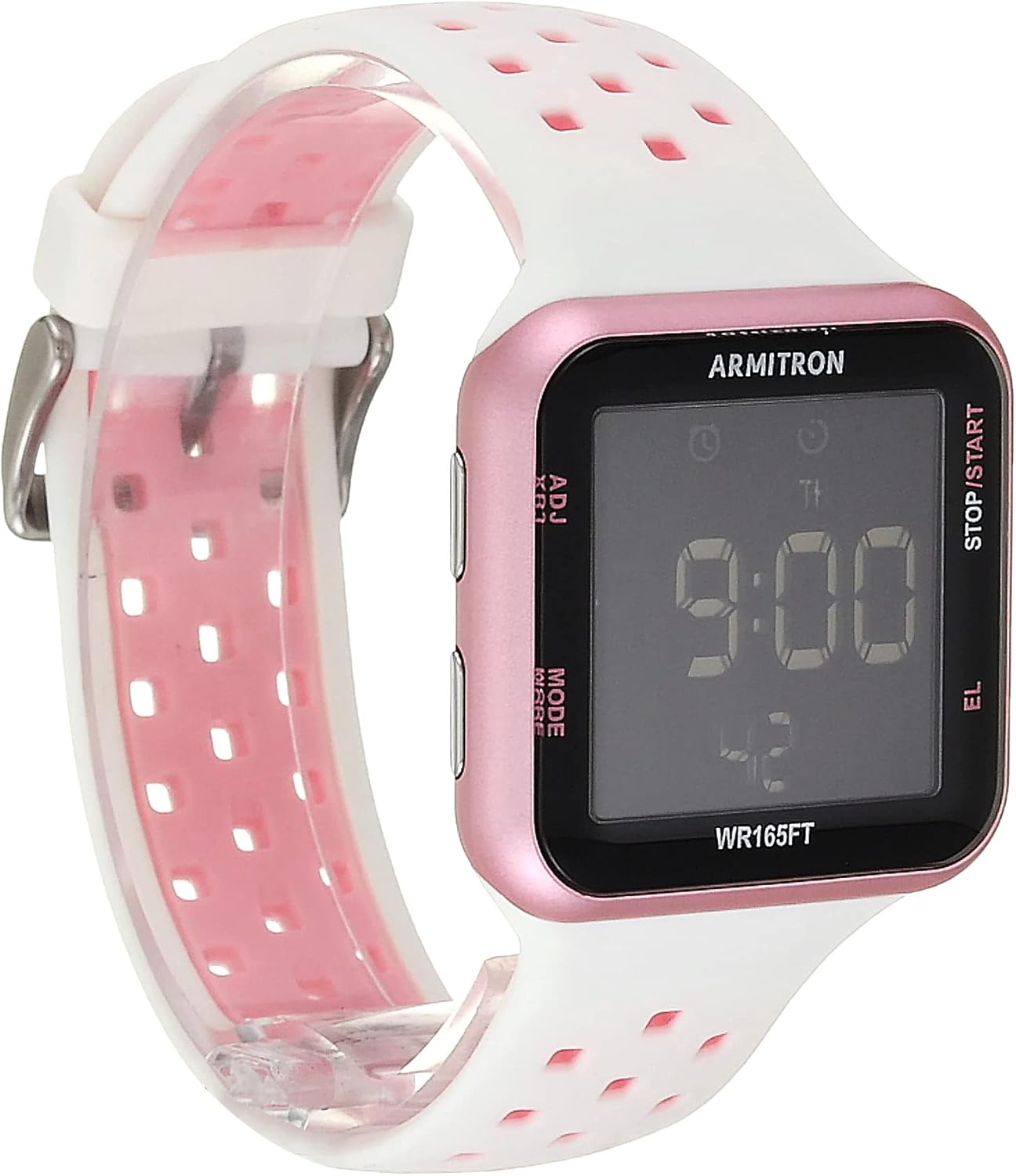
Figure 5: An additional view of the watch, useful for identifying components during troubleshooting.
Specifications
- Brand: Armitron Sport
- Model Number: 40/8417PWT
- Movement: Quartz Digital
- Display: Reverse LCD with time, seconds, and day
- Case Material: Metallic Pink Resin
- Strap Material: White and Light Pink Double Injected Perforated Silicone
- Water Resistance: 165 feet (50M)
- Functions: Date, Chronograph, Lap Time, Alarm, Military Time, Backlight with three-second delay
- Battery: 1 Product Specific battery (included)
- Approximate Package Dimensions: 3.86 x 3.46 x 2.95 inches
- Approximate Item Weight: 1.4 ounces

Figure 6: Rear view of the watch, displaying the stainless steel case back with engraved details including water resistance and model information.
Warranty and Support
Armitron watches are manufactured to high standards and come with a limited warranty. For detailed warranty information, please refer to the official warranty document.
Warranty Document: Download Warranty (PDF)
For further assistance or inquiries not covered in this manual, please visit the official Armitron website or contact their customer support directly. Contact details are typically available on the manufacturer's website or included with your product packaging.
Related documents40/8417PWT


Ask a question about this manual
Ask about setup, troubleshooting, compatibility, parts, safety, or missing instructions. Manuals+ will review the question and use this page’s manual context to help answer it.