
AutoFull Gaming Chair
AutoFull C3 Gaming Chair User Manual
Model: Gaming Chair | Brand: AutoFull
1. Introduction and Overview
The AutoFull C3 Gaming Chair is designed to provide optimal comfort and ergonomic support for extended periods of sitting, whether for gaming or office work. This manual provides essential information for setup, operation, and maintenance to ensure a long-lasting and comfortable experience with your new chair.

Figure 1.1: AutoFull C3 Gaming Chair, Brown variant.
2. Safety Information
To ensure safe operation and prevent damage, please adhere to the following guidelines:
- Do not exceed the maximum weight recommendation of 350 pounds.
- Ensure all bolts and screws are securely tightened during assembly and periodically check for looseness.
- Avoid standing on the chair or using it as a step stool.
- Keep hands and fingers clear of moving parts during adjustment.
3. Setup and Assembly
Your AutoFull C3 Gaming Chair requires assembly. Please refer to the detailed Installation Manual (PDF) for step-by-step instructions and a complete list of components. Ensure all parts are present before beginning assembly.
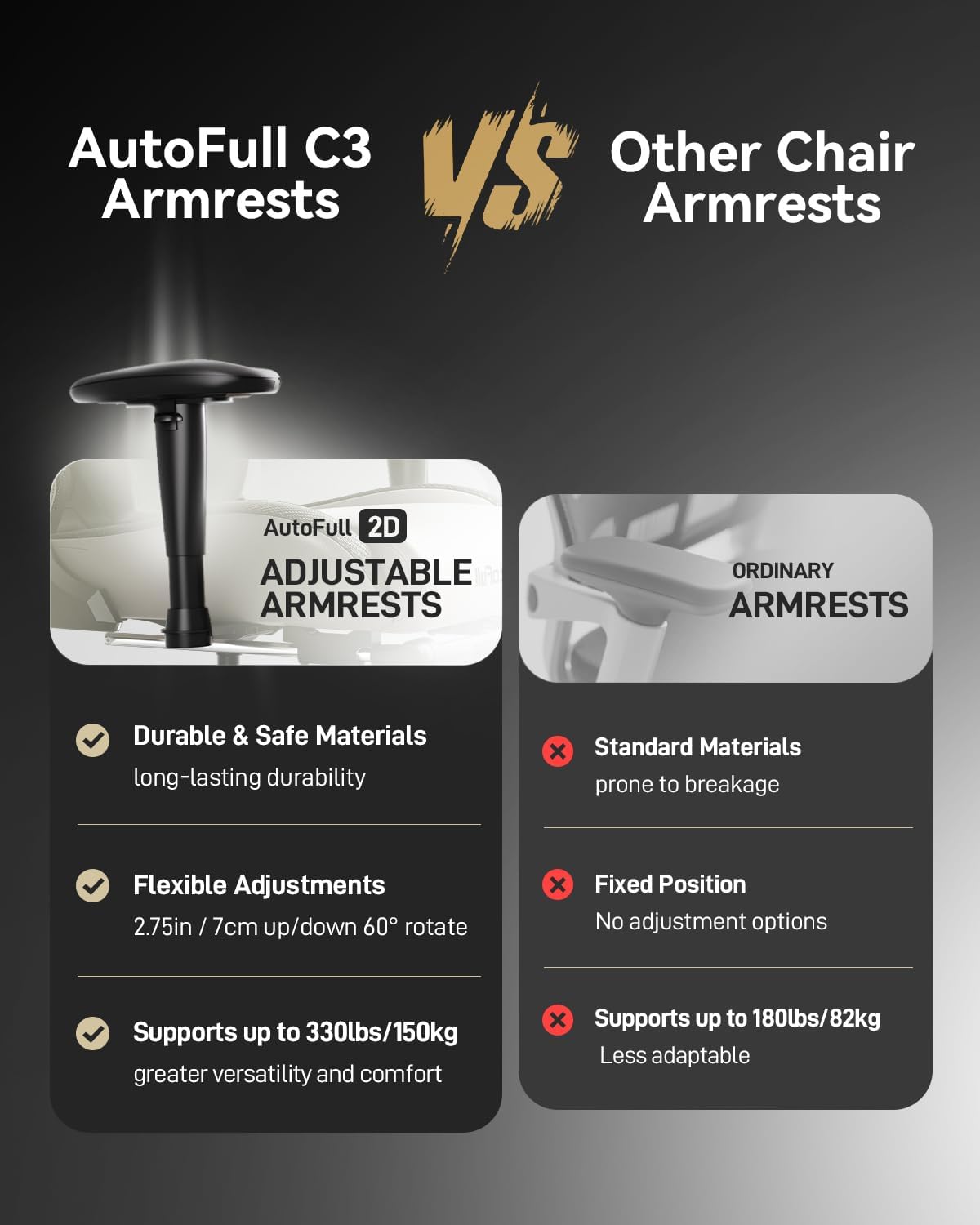
Figure 3.1: Key dimensions and recline capabilities of the AutoFull C3 Gaming Chair.
4. Operating Instructions
4.1 Ergonomic Adjustments
The AutoFull C3 Gaming Chair is designed with multiple adjustment points to customize your seating experience:
- Lumbar Support: The ergonomic lumbar pillow is designed to fit the natural curve of your spine, providing optimal support. It uses high-density memory foam for enhanced comfort and pressure dispersion.
- Recline Function: The chair's back can tilt freely between 90° (upright for work/gaming) and 155° (relaxed position for rest). Use the recline lever located on the side of the chair to adjust the angle.
- Adjustable Armrests: The armrests can be adjusted up, down, left, and right to provide personalized support for your arms and shoulders.
- Footrest: Extend the built-in footrest for comfortable resting positions, especially when reclining.

Figure 4.1: Head-to-toe ergonomic support features of the chair.
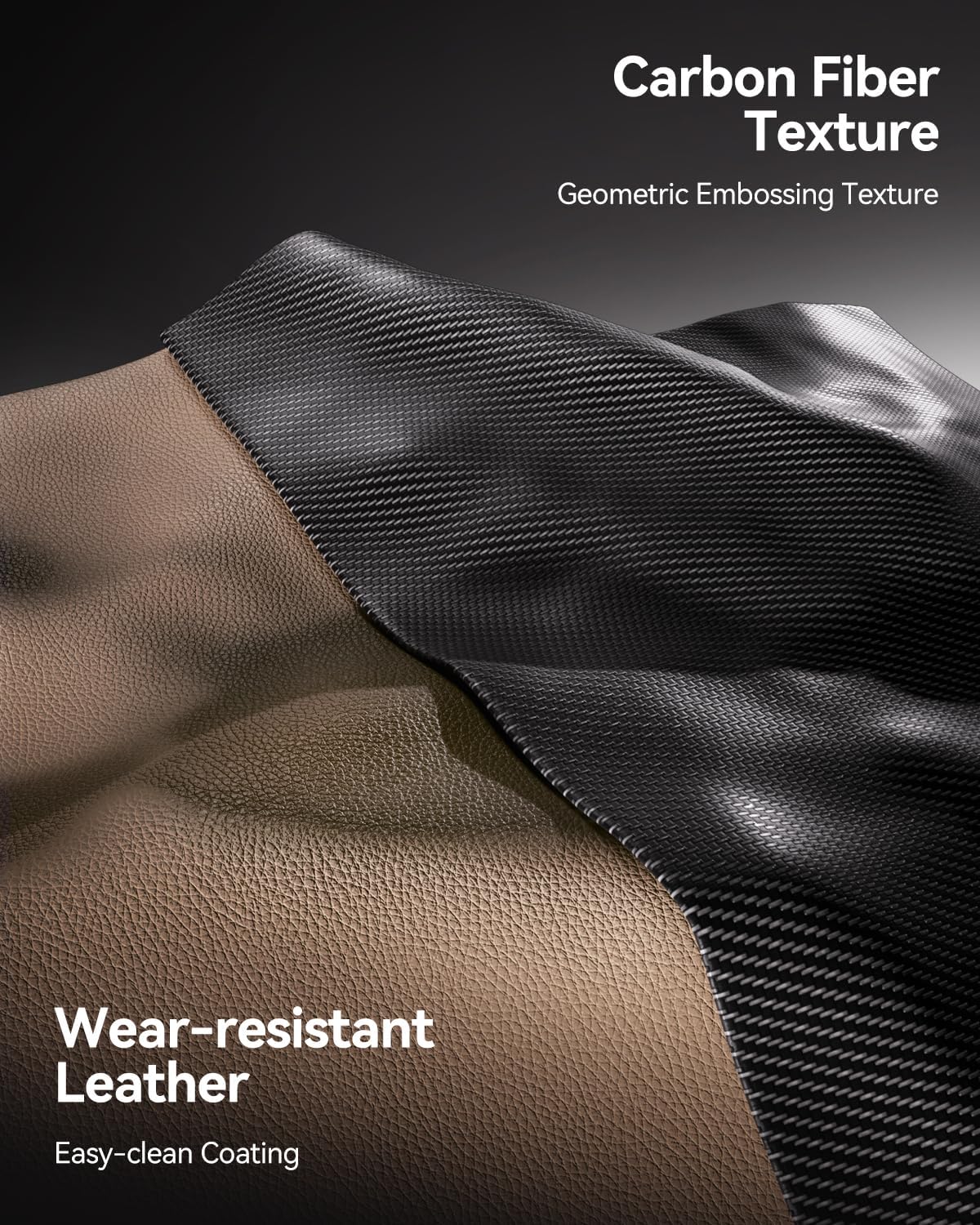
Figure 4.2: AutoFull C3 armrests offer durable materials, flexible adjustments (2.75in vertical, 60° rotate), and support up to 330lbs.

Figure 4.3: The chair offers flexibility with 90° for PC gaming, 110° for reading, and 155° for relaxing.
4.2 Comfort Features
The seat of the AutoFull gaming chair is crafted from high-elastic polyurethane sponge, providing a comfortable, sofa-like feel. Its 4.33-inch thickness evenly distributes body pressure, ensuring comfort even during prolonged use.
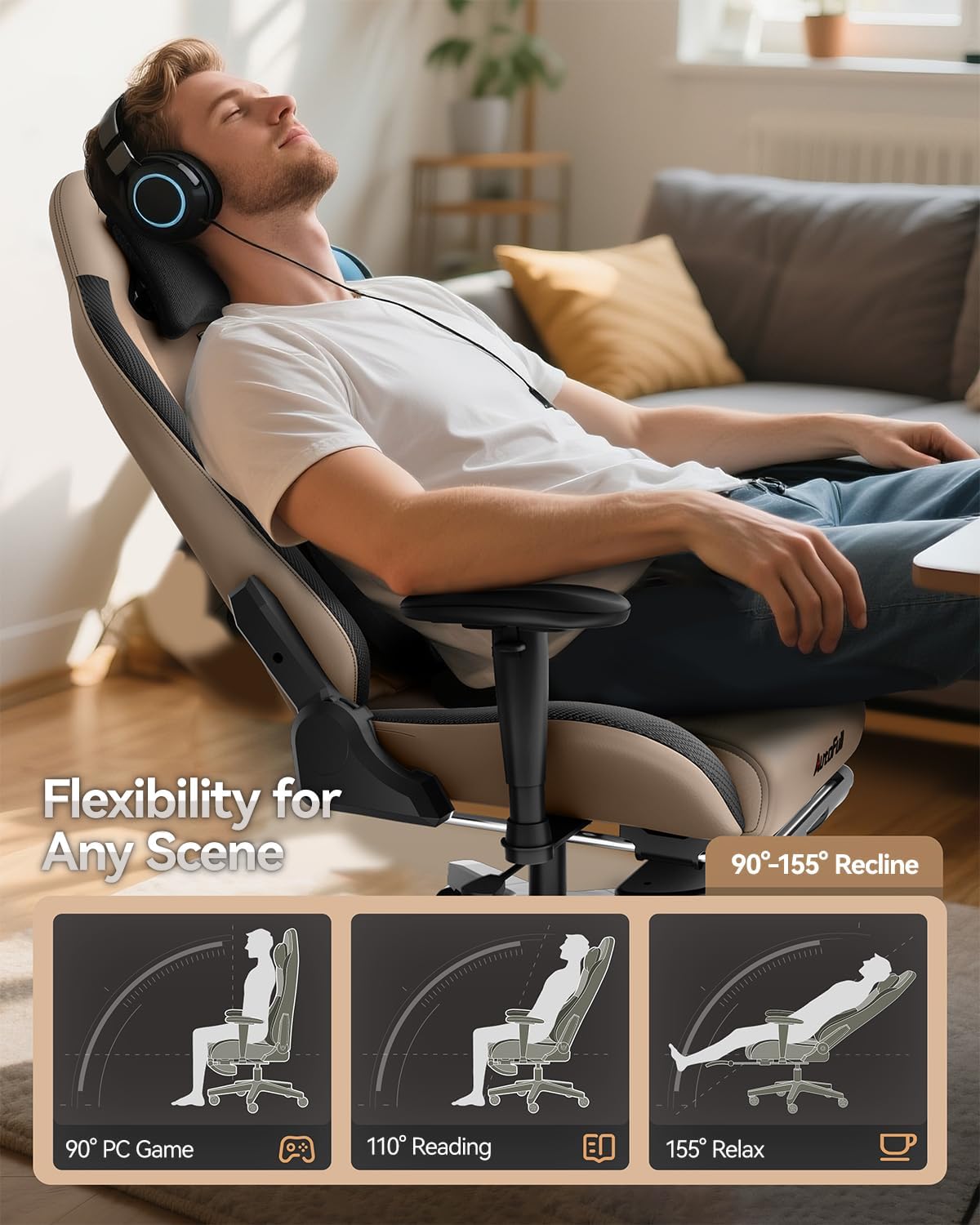
Figure 4.4: High-density sponge provides a soft feel and firm support, creating a sofa-like sitting experience.
5. Maintenance
To maintain the quality and longevity of your AutoFull C3 Gaming Chair, follow these care instructions:
- Cleaning: Wipe clean with a damp cloth. Avoid harsh chemicals or abrasive cleaners that may damage the PU leather finish.
- Regular Checks: Periodically inspect all screws and connections to ensure they are tight and secure.
- Material Care: The chair features breathable, wear-resistant PU leather with an easy-clean coating for long-lasting durability.
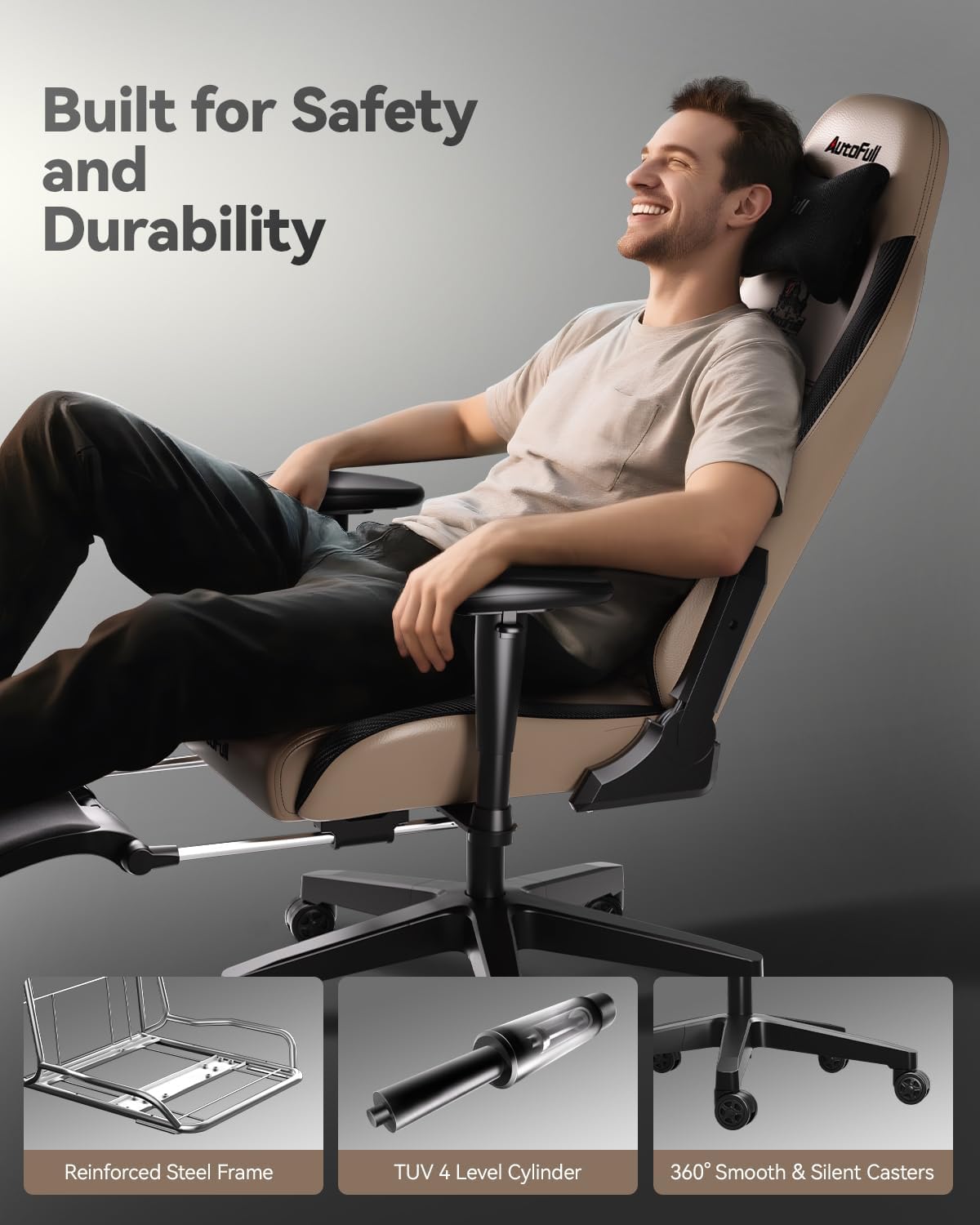
Figure 5.1: The chair features durable, wear-resistant PU leather with a geometric embossing texture.
6. Troubleshooting
If you encounter any issues with your AutoFull C3 Gaming Chair, please consider the following:
- Squeaking/Noise: Check all bolted connections and tighten any loose screws. Applying a small amount of lubricant to moving parts (e.g., gas lift, casters) may also help.
- Stability Issues: Ensure the chair is on a flat, even surface. Verify that the base and gas cylinder are correctly assembled and seated.
- Adjustment Problems: Confirm that adjustment levers are fully engaged or disengaged. If a lever feels stuck, do not force it.
For persistent issues or concerns not addressed here, please contact AutoFull customer support.
7. Specifications
Key specifications for the AutoFull C3 Gaming Chair:
- Brand: AutoFull
- Model Name: Gaming Chair
- Color: Brown
- Product Dimensions: 19.7"D x 27.6"W x 47.2"H
- Maximum Weight Recommendation: 350 Pounds
- Material: PU Leather, Memory Foam
- Reclining Position Count: 2 (90°-155°)
- Item Weight: 56.8 pounds
- Gas Cylinder: SGS Level 4 certified
- Base: Unified all-steel frame, Nylon base
- Casters: PU-wrapped wheels for silent & smooth gliding
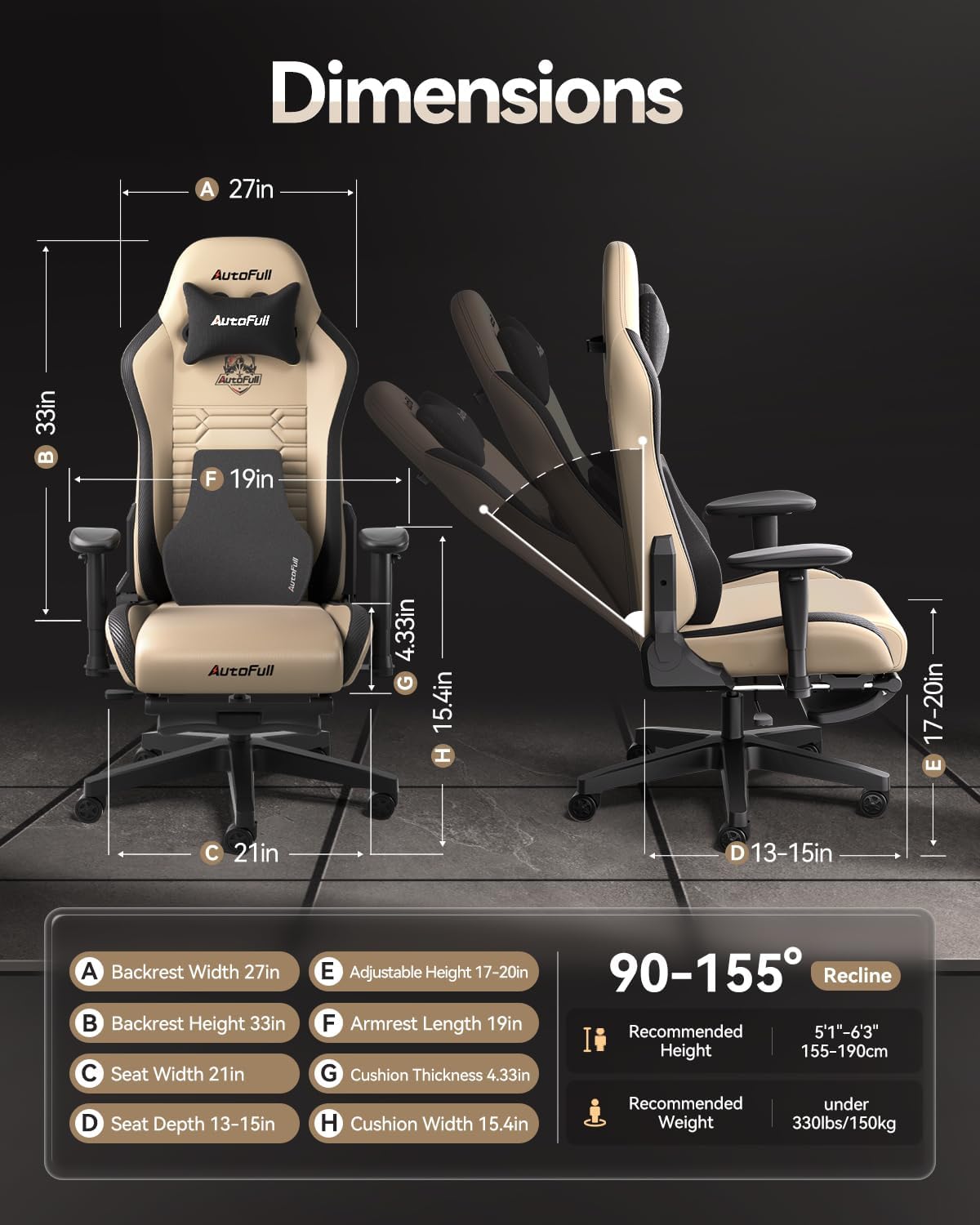
Figure 7.1: Engineered for safety with a robust chassis, TUV 4-Level Cylinder, and silent casters.
8. Warranty and Support
AutoFull stands behind the quality of its products:
- Warranty: AutoFull gaming chair provides users with 36 months of parts replacement or repair service.
- Returns: Enjoy 30-day easy returns.
- Customer Support: If you have any suggestions or require assistance with your computer chair, please feel free to contact AutoFull customer support.
Related documentsGaming Chair


Ask a question about this manual
Ask about setup, troubleshooting, compatibility, parts, safety, or missing instructions. Manuals+ will review the question and use this page’s manual context to help answer it.