
1. Introduction
The HONOR Band 6 is a versatile fitness tracker designed to help you monitor your health and fitness activities. Featuring a vibrant 1.47-inch AMOLED color screen, SpO2 (blood oxygen saturation) monitoring, 24-hour heart rate tracking, and up to 14 days of battery life, it offers comprehensive insights into your well-being. This manual provides detailed instructions to help you get the most out of your device.

Image: The HONOR Band 6 showcasing its large AMOLED display and various health metrics.
2. Setup
2.1 Unboxing and Initial Charge
Upon opening the package, ensure all components are present: the HONOR Band 6 device, charging cable, and this instruction manual. Before first use, fully charge the device. Connect the magnetic charging cable to the charging port on the back of the band and plug the USB end into a power adapter (not included) or a computer's USB port. The band will display a charging indicator.

Image: The HONOR Band 6 connected to its charging cable, indicating battery status.
2.2 Pairing with Your Smartphone
- Download the Huawei Health app from your smartphone's app store (Google Play Store for Android, Apple App Store for iOS).
- Open the Huawei Health app and follow the on-screen instructions to create an account or log in.
- Navigate to the 'Devices' section in the app and tap 'Add device'.
- Select 'Smart Bands' and then choose 'HONOR Band 6' from the list.
- Place your HONOR Band 6 near your phone. The app will search for the device.
- Once found, tap on your device name in the app. A pairing request will appear on both your phone and the band. Confirm the pairing on both devices.
- After successful pairing, the band will synchronize data with your phone, and you can customize settings via the app.
3. Operating Instructions
3.1 Basic Navigation
The HONOR Band 6 features a full-touch AMOLED display and a side button for navigation:
- Swipe Up/Down: Scroll through menus and notifications.
- Swipe Left/Right: Access quick-view screens like heart rate, weather, and activity data.
- Tap: Select an item or confirm an action.
- Side Button: Press to wake the screen, return to the home screen, or open the app list.
3.2 Health Monitoring
The band provides continuous health monitoring features:
- Heart Rate Monitoring: The band continuously tracks your heart rate. You can view real-time data on the band or detailed historical data in the Huawei Health app. The TruSeen™ 4.0 technology helps detect abnormal heart rates and provides alerts.

Image: The HONOR Band 6 actively monitoring heart rate on a user's wrist.
- SpO2 (Blood Oxygen Saturation) Monitoring: The band can measure your blood oxygen levels. To get an accurate reading, ensure the band is worn snugly on your wrist and keep your arm still during the measurement.

Image: The HONOR Band 6 showing the blood oxygen measurement interface.
- Sleep Tracking: The band automatically tracks your sleep patterns, including deep sleep, light sleep, and REM sleep, providing detailed analysis in the app.
- Female Cycle Tracker: For female users, the band can track menstrual cycles and predict fertile windows when configured in the app.
3.3 Workout Modes
The HONOR Band 6 supports 10 professional workout modes to track your physical exercises, including:
- Outdoor Running
- Indoor Running
- Outdoor Walking
- Indoor Walking
- Outdoor Cycling
- Indoor Cycling
- Free Style Workout
- Indoor Swimming
- Rowing Machine
- Elliptical Machine
To start a workout, navigate to the 'Workout' menu on the band, select your desired activity, and tap to begin. The band will record duration, calories burned, heart rate, and other relevant metrics.
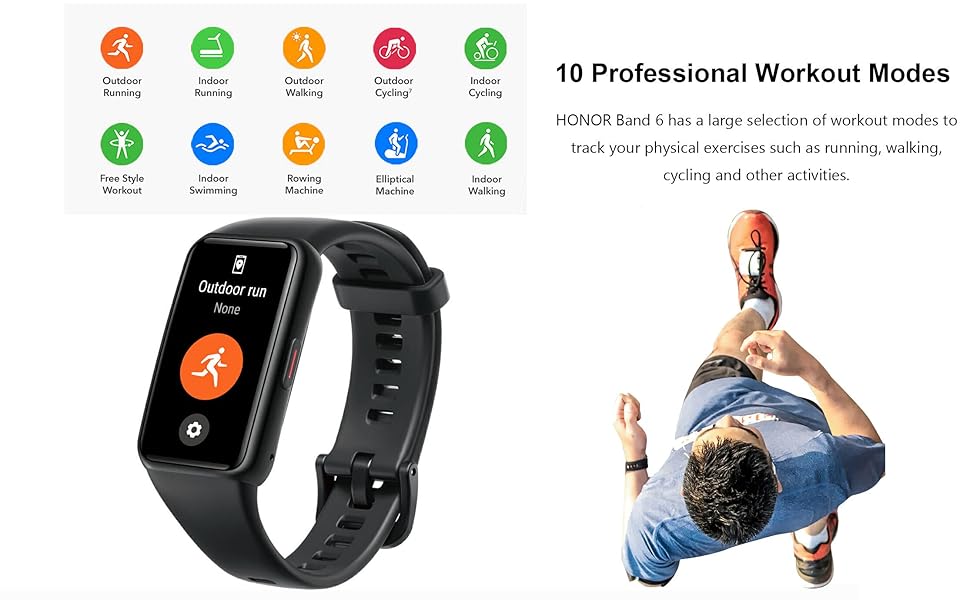
Image: Visual representation of the 10 professional workout modes.
3.4 Smart Features
- Notifications: Receive call, message, and app notifications directly on your wrist.
- Music Playback Control: Control music playing on your phone (Android only).
- Find Phone: Use the band to locate your misplaced phone.
- Weather: View current weather conditions and forecasts.
- Alarm: Set alarms directly from the band or app.
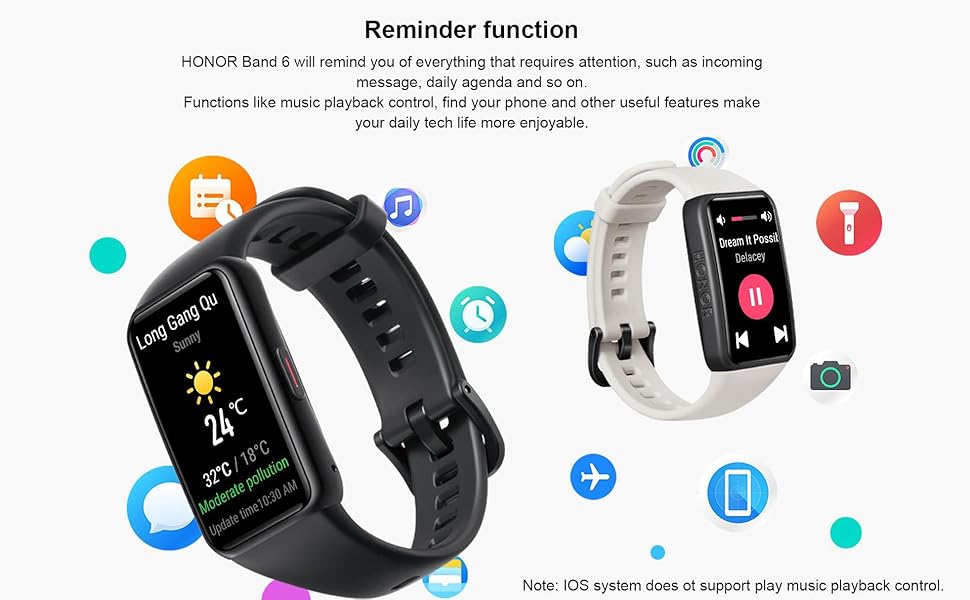
Image: The HONOR Band 6 showing its reminder and smart functions.
3.5 Watch Face Customization
Personalize your HONOR Band 6 with a variety of watch faces available through the Huawei Health app. You can also set an album photo as your personalized watch face (not available on iOS devices).

Image: Examples of customizable watch faces on the HONOR Band 6.
3.6 Product Overview Video
Video: An official overview of the HONOR Band 6 Fitness Tracker, highlighting its key features and stylish design.
4. Maintenance
- Cleaning: Regularly clean the band and the charging contacts with a soft, dry cloth. Avoid using harsh chemicals or abrasive materials.
- Water Resistance: The HONOR Band 6 is 5ATM water-resistant, meaning it can withstand pressures equivalent to a depth of 50 meters. It is suitable for swimming and showering, but not for diving or high-pressure water activities. Dry the band thoroughly after exposure to water.
- Battery Care: To prolong battery life, avoid extreme temperatures. Charge the device regularly and avoid letting the battery completely drain for extended periods.
5. Troubleshooting
| Issue | Possible Solution |
|---|---|
| Band not turning on | Ensure the band is fully charged. Connect it to the charger for at least 10 minutes. |
| Cannot pair with phone | Ensure Bluetooth is enabled on your phone. Restart both the band and your phone. Make sure the Huawei Health app is updated. |
| Inaccurate heart rate/SpO2 readings | Ensure the band is worn snugly on your wrist, about one finger's width above the wrist bone. Keep still during measurements. Clean the sensor on the back of the band. |
| Notifications not appearing | Check notification settings in the Huawei Health app. Ensure app permissions are granted on your phone. Keep the band connected to your phone via Bluetooth. |
| Short battery life | Reduce screen brightness, disable continuous heart rate monitoring if not needed, and limit excessive notifications. Ensure no background apps are draining power. |
If issues persist, refer to the official HONOR support website or contact customer service for further assistance.
6. Specifications
| Feature | Detail |
|---|---|
| Model Name | Band 6 |
| Display | 1.47-inch AMOLED Color Screen |
| Dimensions | 0.45 x 1 x 1.69 inches |
| Item Weight | 3.7 ounces |
| Battery Life | Up to 14 days (typical usage) |
| Water Resistance | 5ATM |
| Connectivity | Bluetooth |
| Sensors | Heart Rate Monitor, SpO2 Sensor |
| Human Interface Input | Touchscreen, Buttons |
| Color | Coral Pink |
7. Warranty and Support
Your HONOR Band 6 comes with a standard manufacturer's warranty. Please refer to the warranty card included in your product packaging for specific terms and conditions, including warranty period and coverage details. For technical support, frequently asked questions, or to find service centers, please visit the official HONOR support website or contact their customer service hotline. Keep your purchase receipt as proof of purchase for warranty claims.
For the most up-to-date information and support resources, please visit: www.hihonor.com/global/support/