
1. Product Overview
The Makita HR3001CK 1-3/16-inch Rotary Hammer is engineered for high performance and power, designed to tackle demanding applications in concrete, wood, and metal. Its robust 7.5 Amp motor delivers 2 ft.lbs. of impact energy, ensuring efficient operation across various tasks. The tool features a versatile 3-mode operation, allowing users to switch between 'rotation only', 'hammering with rotation', and 'hammering only' modes, adapting to diverse job requirements. The L-shaped body design enhances precision by bringing the operator closer to the work surface, while a vibration-absorbing rear handle and soft rubber grip prioritize user comfort during extended use. Safety is paramount, with a torque-limiting clutch that automatically disengages gears to prevent damage if the bit binds. The SDS-PLUS bit system facilitates quick, tool-less bit changes and ensures maximum impact energy transfer.
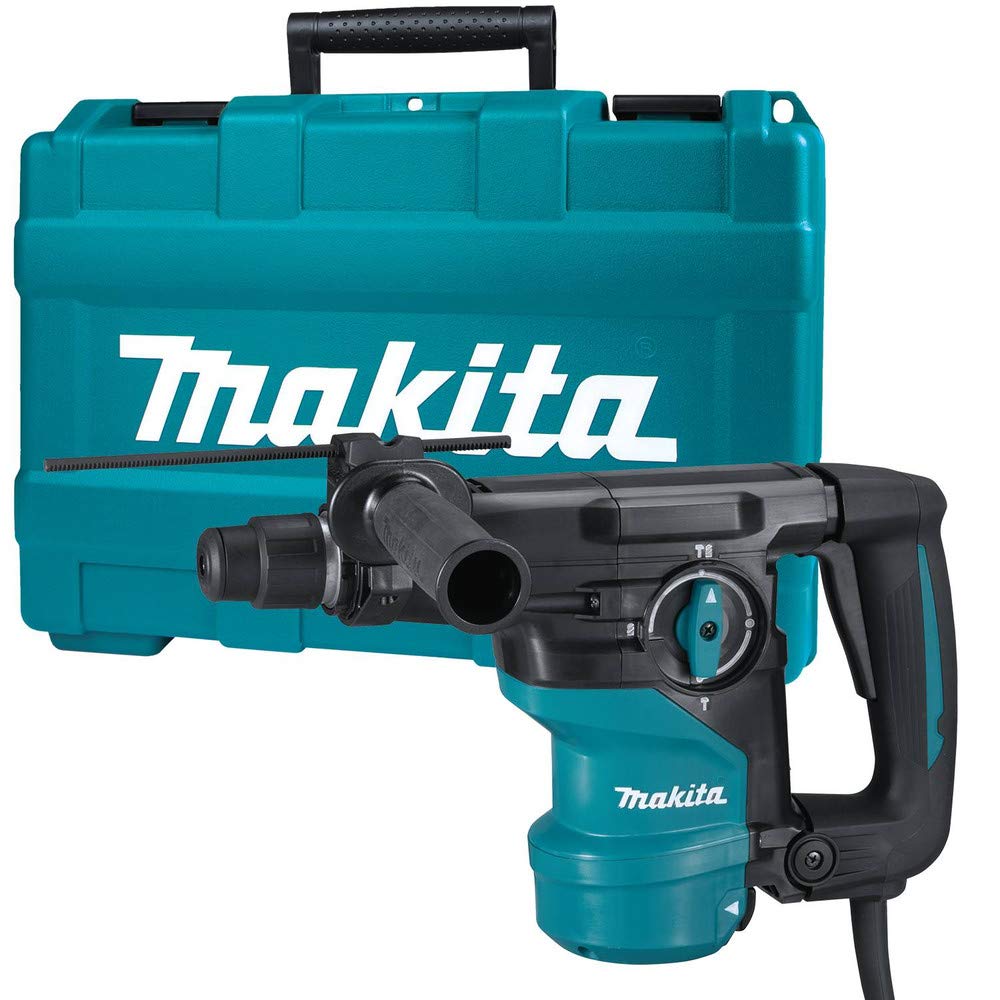
Figure 1: Makita HR3001CK Rotary Hammer with side handle and depth gauge.
2. Safety Information
General Power Tool Safety Warnings
- Work Area Safety: Keep the work area clean and well-lit. Cluttered or dark areas invite accidents. Do not operate power tools in explosive atmospheres, such as in the presence of flammable liquids, gases, or dust. Power tools create sparks which may ignite the dust or fumes. Keep children and bystanders away while operating a power tool. Distractions can cause you to lose control.
- Electrical Safety: Power tool plugs must match the outlet. Never modify the plug in any way. Do not use any adapter plugs with earthed (grounded) power tools. Unmodified plugs and matching outlets will reduce risk of electric shock. Avoid body contact with earthed or grounded surfaces such as pipes, radiators, ranges and refrigerators. There is an increased risk of electric shock if your body is earthed or grounded. Do not expose power tools to rain or wet conditions. Water entering a power tool will increase the risk of electric shock. Do not abuse the cord. Never use the cord for carrying, pulling or unplugging the power tool. Keep cord away from heat, oil, sharp edges or moving parts. Damaged or entangled cords increase the risk of electric shock.
- Personal Safety: Always wear eye protection. Use appropriate personal protective equipment such as dust mask, non-skid safety shoes, hard hat, or hearing protection for appropriate conditions. Stay alert, watch what you are doing and use common sense when operating a power tool. Do not use a power tool while you are tired or under the influence of drugs, alcohol or medication. A moment of inattention while operating power tools may result in serious personal injury. Prevent unintentional starting. Ensure the switch is in the off-position before connecting to power source, picking up or carrying the tool.
Rotary Hammer Specific Safety
- Wear ear protectors. Exposure to noise can cause hearing loss.
- Use auxiliary handles supplied with the tool. Loss of control can result in personal injury.
- Hold power tool by insulated gripping surfaces, when performing an operation where the cutting accessory may contact hidden wiring or its own cord. Cutting accessory contacting a “live” wire may make exposed metal parts of the power tool “live” and could give the operator an electric shock.
- Always be sure you have a firm footing. Be sure no one is below when using the tool in high locations.
- The bit may become hot during operation. Avoid direct contact with the bit after use.
3. Components and What's Included
Your Makita HR3001CK Rotary Hammer comes with the following components:
- Makita HR3001CK Rotary Hammer
- Side Handle (127220-2)
- Depth Gauge (331886-4)
- Tool Case
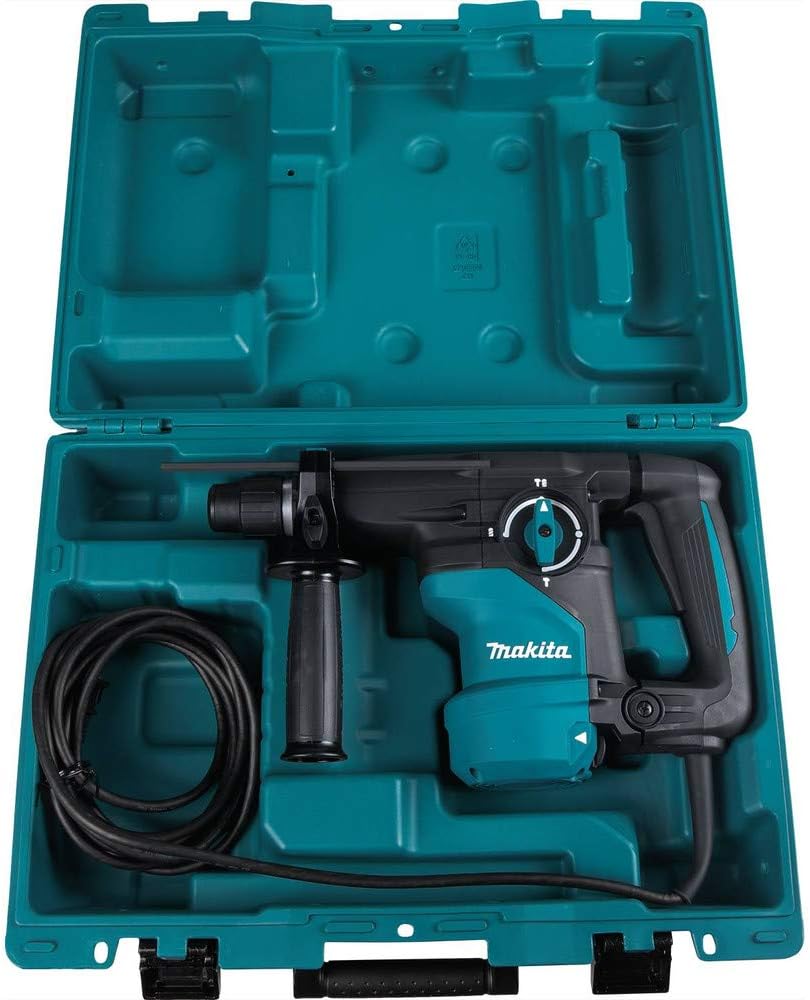
Figure 2: The Makita HR3001CK Rotary Hammer and its accessories stored in the included tool case.
4. Setup
Attaching the Side Handle and Depth Gauge
- Loosen the side handle by turning it counter-clockwise.
- Slide the side handle onto the tool's barrel until it reaches the desired position.
- Insert the depth gauge into the hole on the side handle. Adjust the depth gauge to the required drilling depth.
- Tighten the side handle by turning it clockwise to secure both the handle and the depth gauge.

Figure 3: The rotary hammer with the side handle and depth gauge correctly installed.
Installing SDS-PLUS Bits
- Clean the bit shank and apply a small amount of grease to the bit shank.
- Pull back the tool holder cover and insert the bit into the chuck.
- Rotate the bit slightly until it locks into place. Release the tool holder cover.
- Pull the bit to ensure it is securely locked. A small amount of play is normal for SDS-PLUS bits.

Figure 4: Demonstrating the installation of an SDS-PLUS bit into the chuck.
5. Operating Instructions
Selecting Operating Mode
The HR3001CK offers three operating modes, selected via the recessed hammer function selector located under the gear housing:
- Rotation Only: For drilling in wood, metal, or plastic without hammering action.
- Hammering with Rotation: For drilling in concrete, masonry, and other hard materials.
- Hammering Only: For chipping, chiseling, or demolition work.
To change the mode, rotate the selector to the desired icon. Ensure the tool is unplugged or switched off before changing modes to prevent accidental operation.

Figure 5: The mode selector dial, allowing selection between rotation, hammer drilling, and hammering only.
Starting and Stopping the Tool
- To start the tool, press the trigger switch.
- To stop the tool, release the trigger switch.
- The tool features a variable speed trigger, allowing you to control the speed by varying the pressure on the switch.
Bit Angle Adjustment (Hammering Only Mode)
When in 'hammering only' mode, the bit angle can be adjusted to optimize the working angle for chiseling applications. Consult the tool's markings for specific adjustment points.
6. Maintenance
General Cleaning and Inspection
- Always unplug the tool before performing any maintenance.
- Regularly clean the ventilation openings to prevent overheating. Use a soft brush or compressed air.
- Inspect the power cord for any damage. Replace immediately if damaged.
- Check all screws and fasteners for tightness. Tighten any loose components.
Carbon Brush Replacement
The motor employs carbon brushes which are consumable parts. When they wear down, the motor will stop automatically. Replace both carbon brushes at the same time. To replace, remove the brush holder caps using a screwdriver, pull out the worn carbon brushes, insert new ones, and securely replace the caps.
Lubrication
The SDS-PLUS chuck requires periodic lubrication to ensure smooth bit insertion and removal, and to maintain optimal impact performance. Apply a small amount of SDS-PLUS grease to the bit shank before insertion.
7. Troubleshooting
- Tool does not start: Check if the power cord is securely plugged in. Ensure the trigger switch is fully depressed. Verify that the carbon brushes are not worn out.
- Bit does not rotate or hammer: Ensure the mode selector is set correctly for the desired operation. Check if the bit is properly inserted and locked in the chuck. If the bit binds frequently, the torque limiting clutch may be engaging; reduce pressure or use a sharper bit.
- Excessive vibration or noise: This could indicate a worn bit, loose components, or internal issues. Stop using the tool and have it inspected by a qualified service technician.
- Overheating: Ensure ventilation openings are clear. Avoid continuous heavy-duty operation without breaks. Reduce load if possible.
8. Specifications
| Feature | Specification |
|---|---|
| Manufacturer | Makita |
| Part Number | HR3001CK |
| Style | Rotary Hammer |
| Material | Metal |
| Power Source | Corded Electric |
| Voltage | 120 Volts |
| Amperage | 7.5 Amps |
| Maximum Power | 350 Watts |
| Motor Torque | 2.9 Foot-pounds |
| Speed | 840 RPM |
| Special Features | Constant Speed |
| Product Dimensions | 17.09 x 50.9 x 38.1 cm; 4.13 kg |
| Weight | 145.6 Ounces (approx. 4.13 kg) |
9. Product Videos
Makita M8701ZB Unboxing Video
This video provides an unboxing and initial overview of a Makita rotary hammer (model M8701ZB), demonstrating its components and basic handling. While not the exact HR3001CK model, it offers relevant insights into Makita's rotary hammer design and accessories.
10. Warranty and Support
Warranty Information
Makita power tools are covered by a limited warranty against defects in materials and workmanship. Please refer to the warranty card included with your product for specific terms, conditions, and duration. Keep your purchase receipt as proof of purchase for warranty claims.
Customer Support
For technical assistance, service, or to locate an authorized service center, please visit the official Makita website or contact Makita customer service directly. Contact information can typically be found in the warranty documentation or on the Makita website.


