
1. Product Overview
The YISEELE 4G/3G GSM Wireless Home Security Alarm System provides comprehensive protection for your home or office. Featuring a 2.4-inch TFT color display and touch screen design, it offers intuitive operation and supports 11 languages. This system utilizes advanced 4G/3G/GSM modules for reliable communication, enabling real-time monitoring, SMS alerts, voice monitoring, and auto-dialing capabilities.
Key functionalities include multi-zone configuration, various defense zone types, timely notifications for power status, and a two-way intercom feature to deter intruders. The system is designed for ease of installation and use, providing peace of mind through its robust security features.
Key Features:
- 4G/3G/GSM Network Support: Utilizes a powerful 4G module for smooth operation worldwide. Requires a compatible SIM card (not included).
- Touch Screen Display: 2.4-inch TFT color display for easy operation and setup.
- Multi-language Support: Supports 11 languages, allowing users to change system language settings as needed.
- Dual Operation Modes: Can function as an on-site alarm without a SIM card, or with a SIM card for remote operation and message reception.
- Multi-functional System: Features independent message function, can act as an answering machine, and includes a built-in lithium battery for 5-6 hours of operation during power outages.
- Timely Notifications: Sends SMS alerts for external power failure, low internal battery, and external power recovery.
- Door/Window Status Reminders: Displays message prompts if doors or windows are not closed.
- Anti-dismantling Alarm: Triggers an alarm if the detector is illegally opened.
- Two-Way Intercom: Supports two-way intercom functionality to communicate with visitors or deter intruders.
- Customizable Zones: Gate, Hall, SOS, Bedroom, Window, Balcony, Perimeter, Smoke, Gas, Carbon Monoxide, Water Leak, etc.
- Five Defense Zone Types: Normal, Arm-Stay, 24-Hour Emergency, Closed, Doorbell.
- Timing Arm/Disarm: Schedule arming and disarming times for daily security.
- Delay Function: User-configurable arm and alarm delays.
- Preset Alarm Numbers: 5 groups of preset alarm phone numbers with configurable SMS and dial options.
2. Package Contents
Please verify that all items listed below are included in your package:
- 4G Alarm Panel (with rechargeable battery) x 1
- Anti-pet Detector (Pet immunity 25kg) x 1
- Window/Door Detector (with battery) x 4
- Remote Control (with battery) x 2
- Wired Siren (110DB) x 1
- Quick Install Manual x 1 (Note: Manual may not be in Japanese)

Image: Complete package contents including the main alarm panel, pet-immune motion sensor, four door/window sensors, two remote controls, and a wired siren.
3. Setup Guide
Follow these steps to set up your YISEELE Home Security Alarm System:
- Insert SIM Card: Open the SIM card slot on the 4G Alarm Panel and insert a compatible 4G/3G/GSM SIM card. Ensure it is correctly oriented.
- Power On: Connect the alarm panel to a power source using the provided adapter. The system will power on automatically.
- Initial Configuration: The 2.4-inch TFT color display will guide you through initial settings. Select your preferred language (supports 11 languages).
- Network Connection: The system will automatically detect the GSM network. Verify the network status on the display.
- Pairing Sensors:
- Pet-Immune Detector: Place the anti-pet detector in an area where motion detection is desired, ensuring it is positioned to avoid false alarms from pets under 25kg.
- Door/Window Detectors: Attach the four door/window detectors to entry points. Ensure the two parts of each sensor are aligned and within 1cm when the door/window is closed.
- Remote Controls: The remote controls are typically pre-paired. Test their functionality (Arm, Disarm, SOS).
- Wired Siren: Connect the wired siren to the alarm panel. Ensure it is placed in a location where its 110DB sound can be effective.
- Zone Settings: Configure different defense zones (e.g., Normal, Arm-Stay, 24-Hour Emergency) for each sensor via the alarm panel's touch screen.
- Alarm Phone Numbers: Set up to 5 groups of alarm phone numbers for SMS and call notifications. Specify whether each number should receive SMS, calls, or both.
- Timing Arm/Disarm: Program specific times for the system to arm and disarm automatically.

Image: Visual representation of the system's core features, highlighting 4G connectivity and scheduling options.

Image: The alarm panel displaying a reminder for an unclosed door/window, and an illustration of the anti-dismantling alarm.
4. Operating Instructions
4.1 Arming and Disarming the System
- Via Keypad: Enter your password on the alarm panel and press the Arm or Disarm button.
- Via Remote Control: Press the Arm (locked icon) or Disarm (unlocked icon) button on the remote control.
- Via Phone Call/SMS: Follow the instructions in the Quick Install Manual to arm or disarm the system remotely using your registered phone.

Image: Demonstrates the various methods for arming and disarming the alarm system, including direct keypad input, remote control, and smartphone interaction via call or SMS.
4.2 SOS Function
In case of emergency, press the SOS button on the alarm panel or remote control. The system will immediately trigger the siren and send alerts to the preset emergency contacts.
4.3 Two-Way Intercom
The alarm panel supports two-way intercom. When an alarm is triggered, authorized users can call the system's SIM card number to listen in or speak through the panel, which can help deter intruders.
4.4 Zone Configuration
Customize each sensor's zone type (e.g., Normal Zone for general security, Arm-Stay Zone for partial arming, 24-Hour Emergency Zone for continuous monitoring like smoke detectors). Refer to the Quick Install Manual for detailed steps on configuring zones.
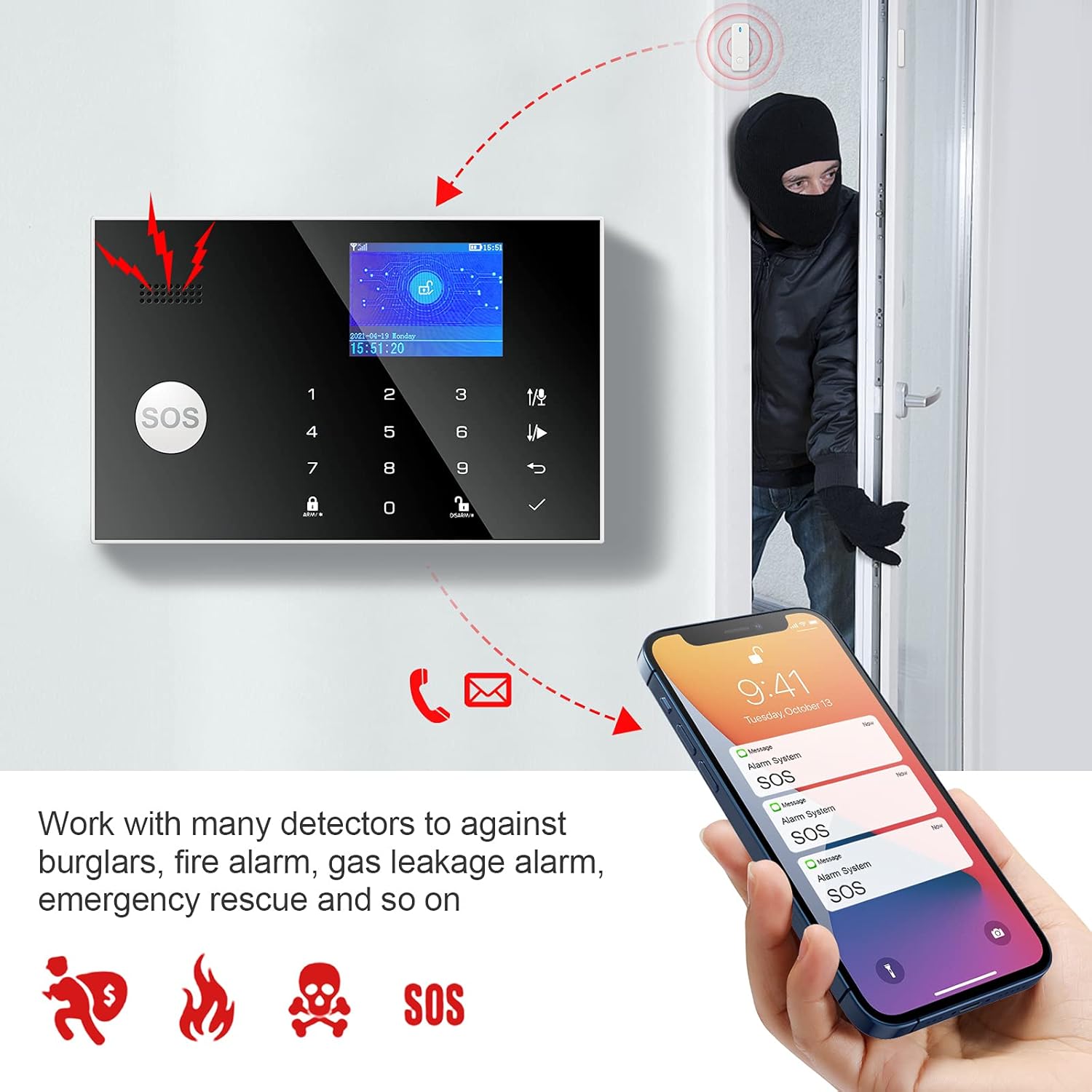
Image: Illustrates the alarm system's capability to integrate with multiple detectors for various threats like burglary, fire, gas leaks, and emergency situations, sending alerts to a smartphone.
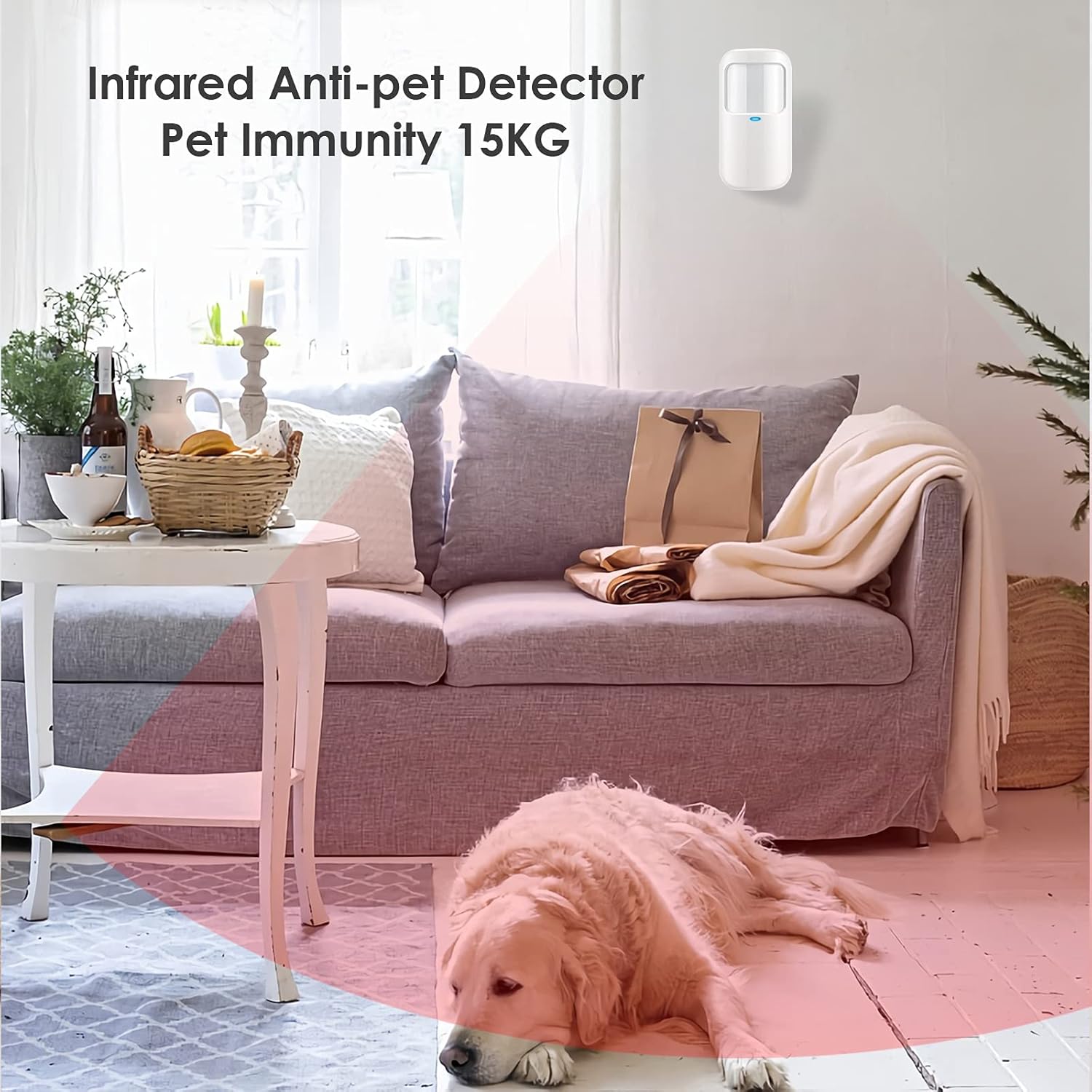
Image: The infrared anti-pet detector, designed to ignore pets weighing up to 15kg, preventing false alarms in homes with animals.
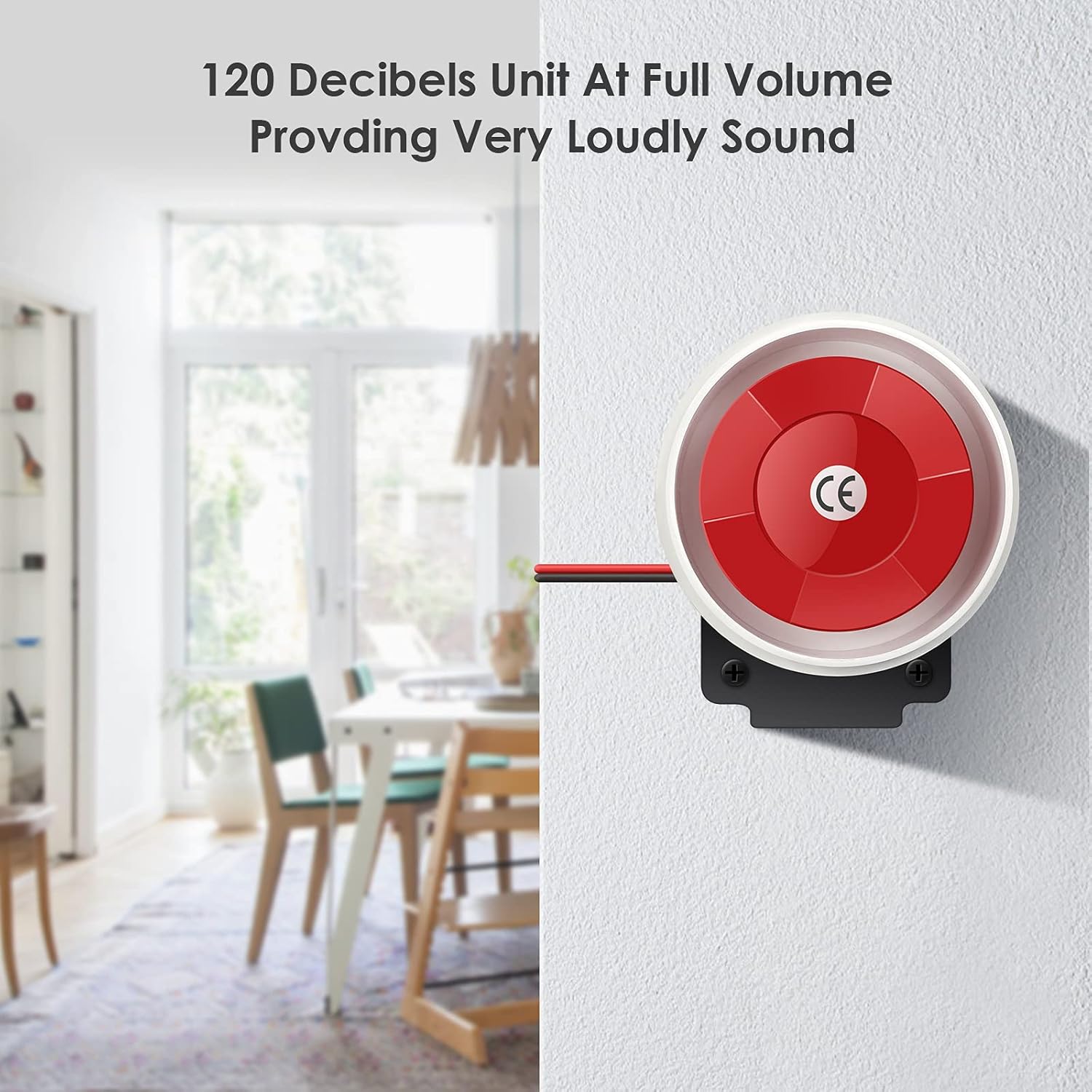
Image: The wired siren, capable of producing a very loud 120-decibel sound at full volume, designed to alert occupants and neighbors during an alarm event.
5. Maintenance
- Battery Replacement: The alarm panel has a built-in rechargeable lithium battery. If the system sends a low battery notification, ensure it is connected to power. Replace batteries in wireless sensors (door/window detectors, remote controls) as needed.
- Cleaning: Use a soft, dry cloth to clean the alarm panel and sensors. Avoid using abrasive cleaners or solvents.
- Regular Checks: Periodically test all sensors and the siren to ensure they are functioning correctly.
- Software Updates: Check the manufacturer's website or product information for any available software updates for the alarm panel.
6. Troubleshooting
If you encounter issues with your YISEELE alarm system, refer to the following common solutions:
- No Network Signal: Ensure the SIM card is correctly inserted and active. Check for network coverage in your area.
- False Alarms:
- For pet-immune detectors, ensure pets are within the specified weight limit (under 25kg) and the detector is not facing heat sources or direct sunlight.
- For door/window sensors, ensure they are securely mounted and the two parts are properly aligned when closed.
- No SMS/Call Notifications: Verify that the alarm phone numbers are correctly programmed and the SIM card has sufficient credit/plan for SMS and calls. Check network signal strength.
- Siren Not Working: Ensure the wired siren is properly connected to the alarm panel. Check the siren's volume settings.
- Panel Not Responding: Try restarting the alarm panel. If issues persist, ensure it is connected to a stable power source and the internal battery is charged.
- Language Issues: If the manual is not in your preferred language, refer to the on-screen display for language settings.
7. Specifications
| Brand | YISEELE |
| Product Model Number | YX-600 |
| Product Dimensions | 17.78 x 11.43 x 2.03 cm |
| Item Weight | 680.39 g |
| Color | Black |
| Power Source | Battery Powered |
| Battery Type | Lithium Ion (Rechargeable) |
| Connectivity Technology | Wireless (4G/3G/GSM) |
| Compatible Devices | Smartphones |
| ASIN | B0925VL1Y8 |
8. Warranty and Support
YISEELE offers a 12-month free exchange warranty for this product. If you encounter any issues or have questions, please contact YISEELE customer support for assistance. They are committed to providing solutions to ensure your satisfaction.
9. Product Videos
Alarm Siren Demonstration
Video: This video demonstrates the loud sound and flashing light of the external alarm siren when activated. It shows the siren being triggered and then deactivated by a remote control.
Remote Control and Alarm Functions
Video: This video illustrates the functionality of the remote control, including arming, disarming, and triggering the alarm with its flashing light and sound. It highlights the ease of remote operation for the security system.