
1. Introduction
This manual provides comprehensive instructions for the proper installation, operation, and maintenance of your Armor Magnetic Holder Case for the Realme X50 Pro smartphone. Please read this manual thoroughly before using the product to ensure optimal performance and longevity.
2. Product Overview
The Armor Magnetic Holder Case is designed to protect your Realme X50 Pro while offering enhanced functionality through its integrated magnetic holder and kickstand features. It provides robust protection against drops and scratches.
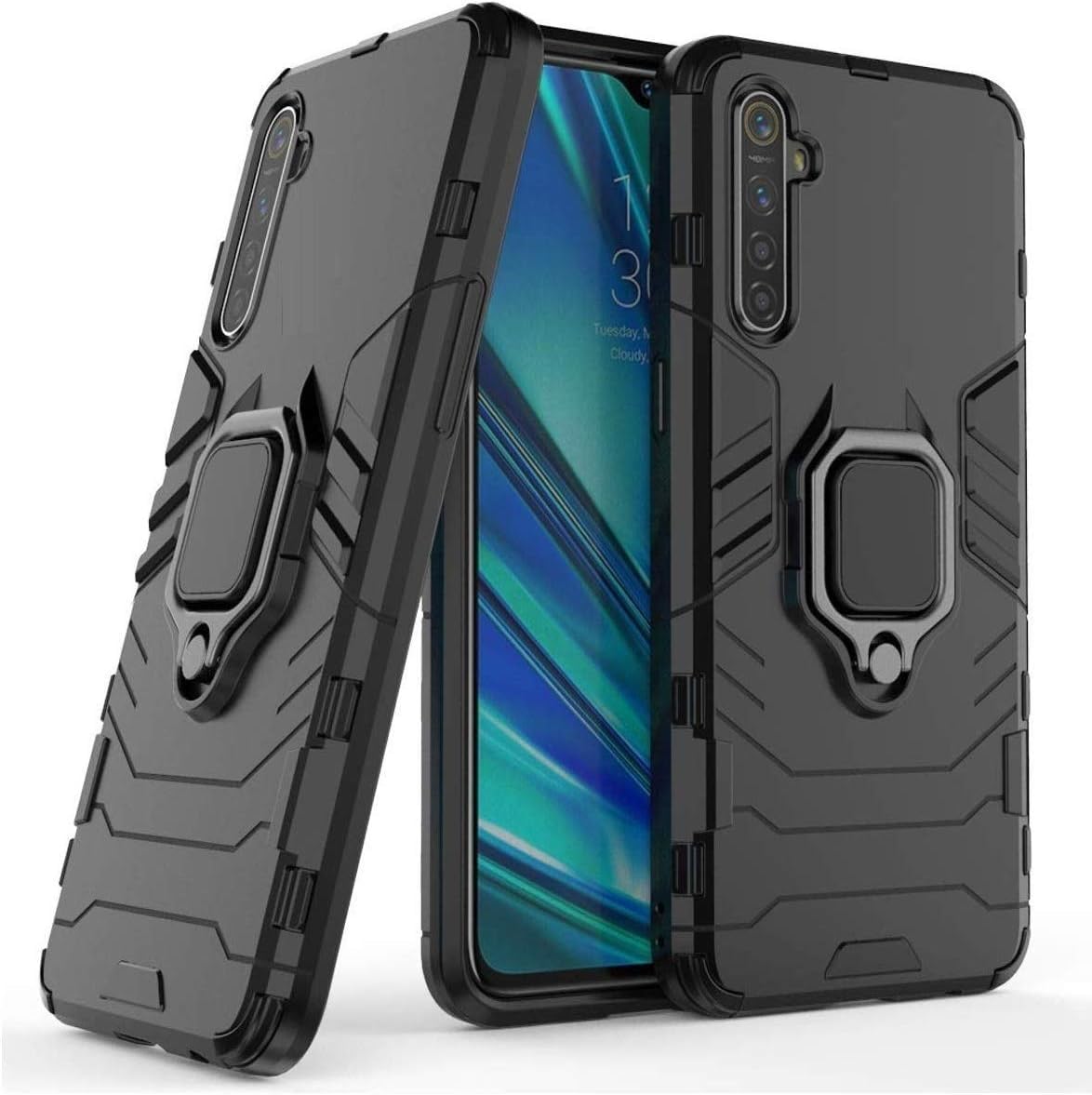
Figure 1: Front view of the Armor Magnetic Holder Case. This image shows the overall design of the case, highlighting its protective bumper and the integrated holder mechanism on the back.
2.1 Components
- Protective Bumper: The main body of the case, designed to absorb impact.
- Integrated Holder/Kickstand: A retractable ring or stand on the back for secure gripping and hands-free viewing.
- Magnetic Plate: Embedded within the holder for compatibility with magnetic car mounts (mount not included).
- Precise Cutouts: For camera, ports, and buttons, ensuring full accessibility.
3. Setup and Installation
Follow these steps to properly install the case on your Realme X50 Pro smartphone:
- Clean Your Device: Ensure your Realme X50 Pro is clean and free of dust or debris before installation. Use a soft, dry cloth if necessary.
- Align the Case: Hold the case with the back facing up. Carefully align the phone with the case, starting with the top or bottom edge.
- Insert the Phone: Gently push your phone into the case, ensuring all corners and edges are securely seated within the protective bumper. Apply even pressure around the perimeter.
- Verify Fit: Check that all buttons (power, volume) and ports (charging, audio) are accessible and functional through the case's cutouts.
Figure 2: Illustrative image of a phone being inserted into the protective case. This demonstrates the alignment and insertion process for securing the device within the case.
4. Operating Instructions
4.1 Using the Integrated Holder/Kickstand
- For Grip: Extend the ring holder from the back of the case. Insert your finger through the ring for a more secure grip on your device, reducing the risk of accidental drops.
- For Kickstand: Extend the ring holder and rotate it to the desired angle. Place your phone on a flat surface to use it as a kickstand for hands-free viewing in landscape or portrait orientation.
4.2 Using the Magnetic Feature
The case features an integrated metal plate compatible with magnetic car mounts (sold separately). Simply attach your phone with the case to a compatible magnetic mount. Ensure the mount is strong enough to hold your device securely.
5. Maintenance and Care
To maintain the appearance and functionality of your case, follow these guidelines:
- Cleaning: Wipe the case regularly with a soft, damp cloth. Avoid using harsh chemicals, abrasive cleaners, or solvents, as these can damage the material.
- Storage: When not in use, store the case in a cool, dry place away from direct sunlight and extreme temperatures.
- Inspection: Periodically inspect the case for any signs of wear or damage, especially around the holder mechanism and edges.
6. Troubleshooting
- Case does not fit: Ensure you have the correct model (Realme X50 Pro). Double-check the alignment during installation.
- Buttons are stiff/unresponsive: Re-seat the phone in the case to ensure proper alignment of the button covers with the phone's buttons.
- Magnetic holder not strong enough: Ensure your magnetic car mount is compatible and sufficiently strong. The case contains a metal plate, but the strength of the magnetic connection depends on the mount.
7. Specifications
| Brand: | Armor |
| Compatible Device: | Realme X50 Pro |
| Model Number: | 2725605151343.0 |
| Mobile Accessory Type: | Cases & Covers, Bumpers |
| Color: | Black |
| Pattern: | Solid |
| Package Dimensions: | 20 x 10 x 2 cm |
| Item Weight: | 50 g |
8. Warranty and Support
For warranty information or technical support, please refer to the retailer where the product was purchased or visit the manufacturer's official website. Keep your proof of purchase for warranty claims.


