
1. Introduction
Thank you for choosing the Duux Whisper Flex Smart Standing Fan. This fan is designed to provide powerful yet quiet cooling with advanced smart features and versatile adjustability. Please read this manual carefully before use to ensure proper operation and maintenance.

Image: The Duux Whisper Flex Smart Standing Fan shown in its full-height standing configuration and its shorter tabletop configuration, highlighting its versatile design.
The Whisper Flex Smart offers 26 speed settings, multiple operating modes, and multi-directional oscillation for optimal air distribution. It can be controlled via its intuitive rotary dial, a magnetic remote control, or through the Duux Smart app and voice assistants like Amazon Alexa and Google Assistant.
2. Safety Information
Always follow basic safety precautions when using electrical appliances to reduce the risk of fire, electric shock, and injury.
- Ensure the fan is placed on a stable, level surface to prevent tipping.
- Do not insert fingers or any objects into the fan grille when it is operating.
- Keep the fan away from water or other liquids. Do not use in wet or damp environments.
- Unplug the fan from the power outlet before cleaning or performing any maintenance.
- Do not operate the fan with a damaged cord or plug. Contact customer support for repairs.
- This appliance is not intended for use by persons (including children) with reduced physical, sensory or mental capabilities, or lack of experience and knowledge, unless they have been given supervision or instruction concerning use of the appliance by a person responsible for their safety.
- Children should be supervised to ensure that they do not play with the appliance.
3. Package Contents
Please check the box for the following items:
- Duux Whisper Flex Smart Standing Fan Unit
- Remote Control (with battery)
- Power Adapter
- User Manual
4. Setup
4.1 Assembly
The Whisper Flex Smart fan is designed for easy assembly. Follow these steps:
- Carefully remove all components from the packaging.
- Attach the fan head to the main body.
- Secure the main body to the base.
- Connect the power adapter to the fan and then to a suitable power outlet.
4.2 Height Adjustment
The fan can be easily adjusted between a pedestal (88cm) and tabletop (51cm) height by simply removing or adding the extension pole.
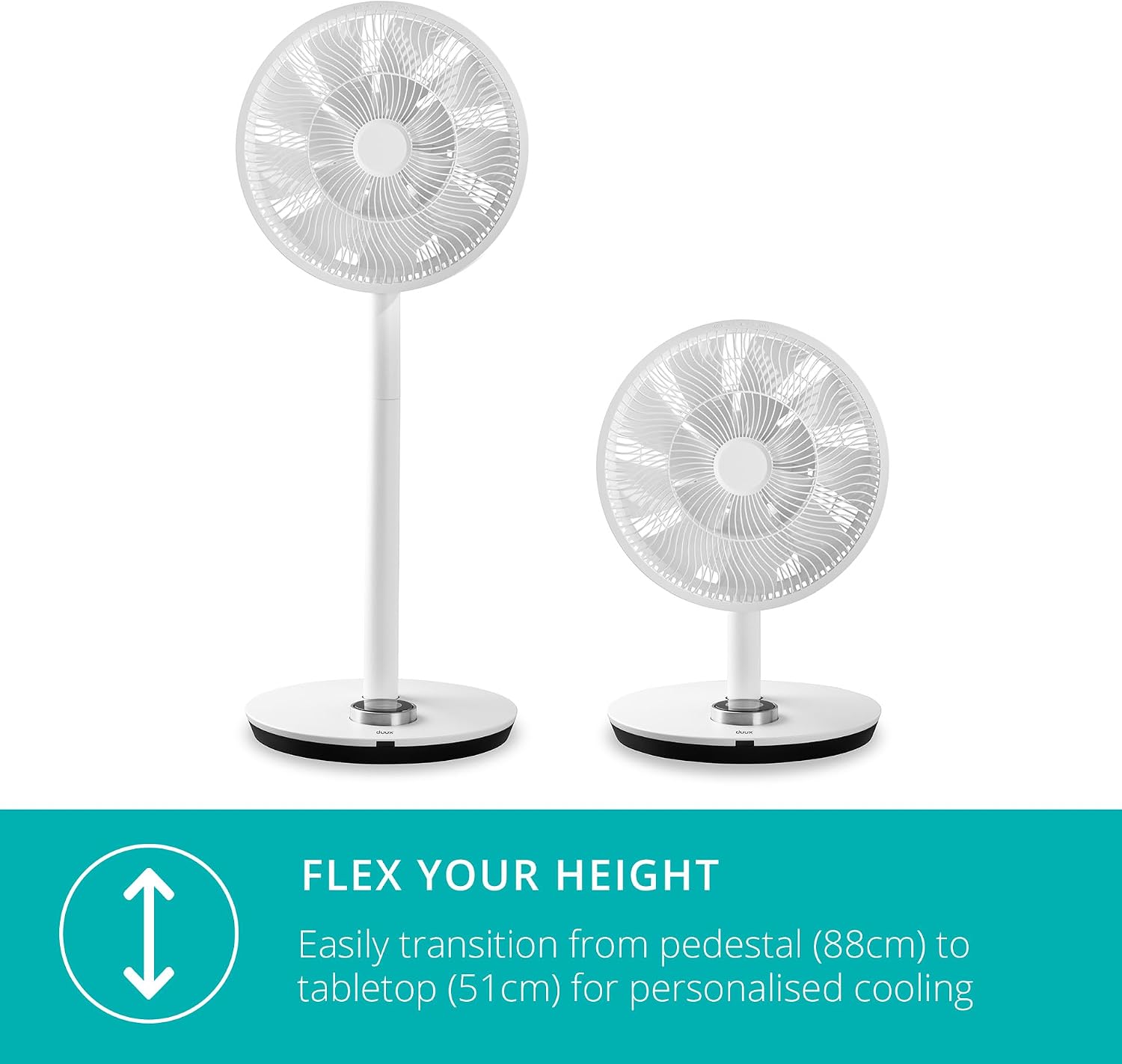
Image: A visual representation of the Duux Whisper Flex fan's ability to transition between a tall pedestal fan and a shorter tabletop fan, illustrating its adjustable height feature.
4.3 Optional Battery Pack (Sold Separately)
For wireless operation, an optional battery pack and charging dock are available. Refer to the battery pack's separate instructions for installation and charging. The battery provides up to 12 hours of operation depending on settings.

Image: A close-up view of the fan's base, showing the connection point for the optional battery pack and charging dock, indicating its portable capability.
5. Operating Instructions
5.1 Control Panel (Rotary Dial)
The fan features an intuitive rotary dial with an LED display on its base for direct control.

Image: A hand interacting with the fan's rotary dial control, which features an integrated LED display showing the current speed setting.
- Power On/Off: Press the center of the dial.
- Adjust Speed: Rotate the dial to select from 26 speed settings.
- Change Mode: Press the dial to cycle through modes (Normal, Natural Breeze, Night Mode).
- Oscillation: Press and hold the dial to activate/deactivate oscillation.
5.2 Remote Control
The included magnetic remote control provides convenient operation from a distance. It can be stored on the back of the fan head.

Image: A detailed view of the fan's magnetic remote control, shown conveniently stored on the rear of the fan unit.
- Power Button: Turns the fan on or off.
- Speed +/-: Increases or decreases fan speed.
- Mode Button: Cycles through Normal, Natural Breeze, and Night modes.
- Oscillation Button: Toggles horizontal and vertical oscillation.
- Timer Button: Sets the auto-off timer (0-12 hours).
5.3 Smart Controls (Duux Smart App & Voice Assistants)
Control your Whisper Flex Smart fan from anywhere using the free Duux Smart app or integrate it with Amazon Alexa or Google Assistant.

Image: A person's hand holding a smartphone, demonstrating the Duux Smart app's interface for controlling the fan, with "Works with Hey Google" and "Works with Alexa" logos visible.
- Download App: Search for "Duux Smart" in your device's app store.
- Pairing: Follow the in-app instructions to pair your fan with your Wi-Fi network. Ensure your Wi-Fi is 2.4GHz.
- Voice Control: Enable the Duux skill/action in your Amazon Alexa or Google Home app and link your Duux account.
5.4 Modes and Features
- Normal Mode: Constant airflow at selected speed.
- Natural Breeze Mode: Simulates natural wind by varying fan speed.
- Night Mode: Dims the display and operates at a whisper-quiet level (as low as 13dB) for undisturbed sleep.
- Multi-directional Oscillation: The fan oscillates 90° horizontally and 100° vertically to distribute air throughout the room.
- Timer: Set the fan to automatically switch off after a period of 0 to 12 hours.

Image: The Duux Whisper Flex fan positioned in a bedroom at night, illustrating its quiet operation and night mode features for undisturbed sleep.

Image: An illustrative image showing the fan head oscillating in multiple directions, demonstrating its 90-degree horizontal and 100-degree vertical swing capabilities.
6. Maintenance
Regular cleaning ensures optimal performance and extends the lifespan of your fan.
- Cleaning the Exterior: Wipe the exterior surfaces with a soft, damp cloth. Do not use abrasive cleaners or solvents.
- Cleaning the Fan Blades: Periodically remove the front grille (refer to assembly instructions in reverse) to clean dust from the fan blades. Use a soft brush or vacuum cleaner. Ensure the fan is unplugged before cleaning.
- Storage: When not in use for extended periods, store the fan in a cool, dry place, preferably in its original packaging.
7. Troubleshooting
| Problem | Possible Cause | Solution |
|---|---|---|
| Fan does not turn on. | Not plugged in; power outlet issue; remote battery low. | Ensure power cord is securely plugged in. Test outlet with another device. Replace remote control battery. |
| Fan is noisy. | Dust accumulation on blades; unstable surface. | Clean fan blades. Place fan on a flat, stable surface. |
| Remote control not working. | Battery depleted; obstruction between remote and fan. | Replace remote battery. Ensure clear line of sight to the fan's base. |
| App/Voice control not working. | Wi-Fi connectivity issue; incorrect pairing; app outdated. | Check Wi-Fi connection (ensure 2.4GHz). Re-pair the fan with the app. Update Duux Smart app. |
| Oscillation not working. | Obstruction; motor issue. | Ensure no physical obstructions. If problem persists, contact support. |
8. Specifications
| Feature | Detail |
|---|---|
| Model Number | DXCF11UK |
| Brand | Duux |
| Colour | White |
| Product Dimensions | 34D x 34W x 88H centimetres (Pedestal) / 51H centimetres (Tabletop) |
| Item Weight | 6.08 kg |
| Power Source | Corded Electric |
| Voltage | 220 Volts |
| Sound Level | 13 dB (minimum) |
| Speed Settings | 26 |
| Oscillation | 90° Horizontal, 100° Vertical |
| Timer | 0-12 hours |
| Special Features | Portable (with optional battery), Oscillating, Smart App Control, Voice Control (Alexa, Google Assistant) |

Image: A diagram showing the Duux Whisper Flex fan with its key dimensions, including adjustable height from 51-88 cm and a base width of 34 cm.
9. Warranty and Support
Duux products are manufactured to the highest quality standards. In the unlikely event of a defect, please refer to your purchase receipt for warranty details. For technical support, troubleshooting assistance, or to inquire about replacement parts, please visit the official Duux website or contact their customer service department.
Official Duux Store: Duux Store on Amazon.co.uk


