
Introduction
The RUINUOKAI M3 Portable Hanging Neck Fan is designed to provide personal cooling with powerful vertical airflow. Its lightweight and ultra-thin design allows for comfortable wear around the neck or use as a desktop fan. Featuring a built-in rechargeable battery and three adjustable speeds, this fan is ideal for various outdoor activities and daily use.

The fan's hand-free design allows for convenient cooling while on the go.
Setup
1. Charging the Fan
Before first use, fully charge the fan. Connect the provided USB charging cable to the fan's charging port and plug the other end into a compatible USB power source (e.g., adapter, computer, power bank, car charger). The charging indicator light will show the charging status.
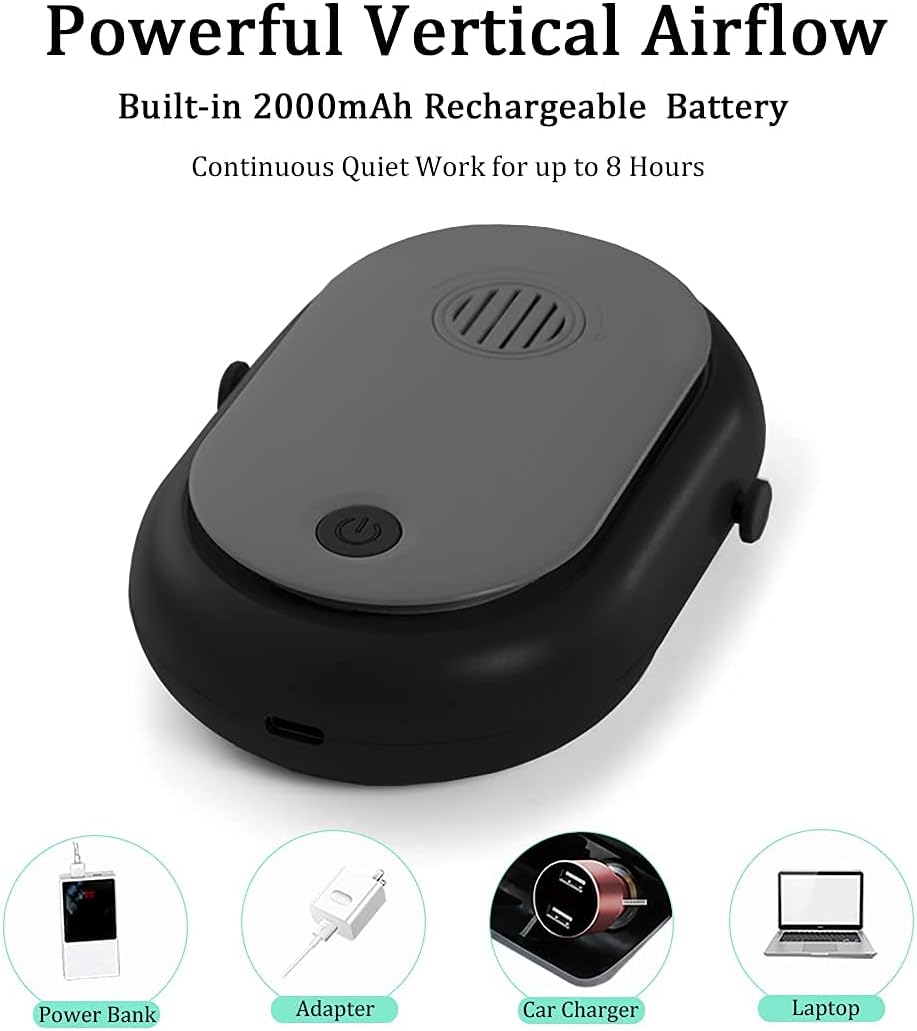
The fan can be charged using various USB power sources, including power banks, adapters, car chargers, and laptops.
2. Attaching the Lanyard
The fan comes with an adjustable lanyard for hands-free use. Attach the lanyard to the designated loops on the sides of the fan. Adjust the length of the lanyard for comfortable wear around your neck.

The fan features an adjustable lanyard for comfortable wear and a foldable bracket for desktop use.
3. Using the Foldable Bracket
For desktop use, locate the invisible foldable bracket on the back of the fan. Gently pull it out to prop the fan upright on a flat surface.
Operating Instructions
1. Power On/Off
To turn the fan on, press and hold the power button (located on the front) for 2 seconds. To turn the fan off, press and hold the power button again for 2 seconds.
2. Adjusting Fan Speed
The fan has three wind speeds: Low, Medium, and High. Once the fan is on, short press the power button to cycle through the speeds:
- First short press: Low speed
- Second short press: Medium speed
- Third short press: High speed

The power button on the front controls both power and fan speed settings.
Maintenance
1. Cleaning
To clean the fan, gently wipe the exterior with a soft, dry cloth. Do not use harsh chemicals or abrasive materials. Ensure the fan is turned off before cleaning.
2. Storage
When not in use, store the fan in a cool, dry place away from direct sunlight and extreme temperatures. Ensure the fan is fully charged before long-term storage to preserve battery life.
Troubleshooting
- Fan not turning on: Ensure the battery is charged. Connect the fan to a power source and allow it to charge for at least 30 minutes before attempting to turn it on again.
- Weak airflow: Check the fan speed setting. Short press the power button to increase the speed. Ensure the air inlet/outlet is not obstructed.
- Fan making unusual noise: Turn off the fan and check for any foreign objects obstructing the fan blades. If the noise persists, contact customer support.
- Battery not holding charge: Ensure you are using the original USB charging cable and a compatible power source. If the issue continues, the battery may need replacement or service.
Specifications
| Feature | Detail |
|---|---|
| Brand | RUINUOKAI |
| Model Name | M3 |
| Color | Black |
| Electric Fan Design | Wearable Fan |
| Power Source | Battery Powered (1 Lithium Ion battery included) |
| Product Dimensions | 1.46"D x 4.25"W x 5.6"H |
| Item Weight | 7.4 ounces |
| Special Features | Foldable, Lightweight, Portable |
| Number of Power Levels | 3 |
| Control Method | Touch |
| Blade Material | Plastic |
| Voltage | 5 Volts |
| UPC | 706597303745 |

Detailed dimensions of the compact and slim fan.
Warranty and Support
For warranty information or technical support, please refer to the product packaging or contact the manufacturer directly. Keep your purchase receipt for warranty claims.


