
Introduction
The VISLONE Tuya WIFI M515EGB Smart Bead Chain Curtain Motor is designed to automate your bead chain roller blinds, Venetian blinds, vertical blinds, honeycomb shades, triple shades, and zebra shades. This intelligent motor offers convenient control via the Tuya mobile application, an optional remote control, and voice commands through smart assistants like Amazon Alexa and Google Home. It features a built-in rechargeable battery, a self-locking worm-turbo braking device for reliable and quiet operation, and an external WiFi receiver to optimize battery consumption. Enjoy the flexibility of setting multiple timers and unlimited travel limits to suit your lifestyle.
Setup and Installation
Follow these steps to install your smart curtain motor and configure its settings.
Product Structure Overview

Image Description: This image displays a detailed diagram of the M515EGB smart curtain motor, highlighting its key components such as the indicator light, set key, up key, stop key, down key, recharge port, and converter remote. Dimensions are also provided in millimeters.
Physical Installation
- Fix Wall Panel: Securely fix the wall panel in the desired position.
- Install Motor: Insert the motor into the fixed wall panel.
- Insert Bead Chain: Place the curtain's bead chain into the motor's drive mechanism.
- Secure Chain: Close the wheel cover and tighten the curtain bead chain to ensure proper engagement.
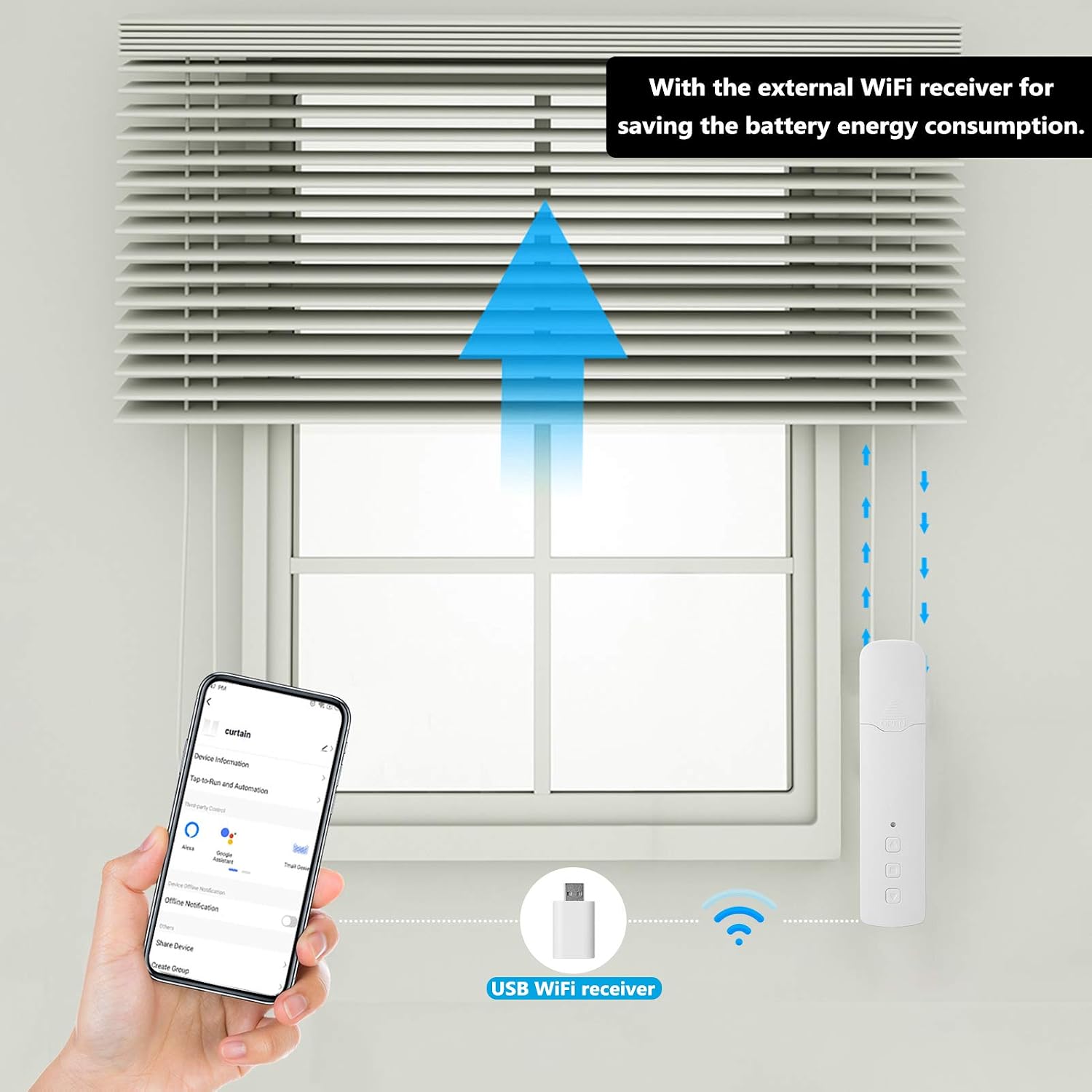
Image Description: This image illustrates the 'Fast switching' capability of the motor, showing different gear types that can be interchanged to accommodate various bead chain designs, making it applicable to multiple models of blinds.
Adding to Tuya Smart App
To control your motor via the Tuya Smart App, follow these steps:
- Download the Tuya Smart App from your device's app store (Google Play or Apple App Store).
- Ensure your mobile phone's location services are enabled and connected to a 2.4GHz WiFi network.
- Open the Tuya Smart App and tap the "+" icon or "Add Device".
- Select "Auto Add" and allow the app to search for nearby devices.
- If the motor's indicator light does not flash red, you may need to reset the motor (refer to Step 3.8 for disconnection/reset).
- Follow the on-screen prompts to connect the motor to your WiFi network and complete the pairing process.
Image Description: This image shows a section of the instruction manual detailing the process of adding the device to the Tuya Smart App, including screenshots of the app interface during device discovery and connection.
Limit Setting (Top and Bottom)
Before setting limits, ensure any existing limits are deleted (refer to 'Delete Limit' section).
- Press the motor's Set key once. The indicator light will flash red once.
- Press the motor's Up key once. The indicator light will flash red once.
- Repeat the above steps to set the bottom limit. The stroke setting is now complete.
Middle Limit Setting
You can set one middle limit after the top and bottom limits are established.
- Move the blind to the desired middle position.
- Press the motor's Set key once. The indicator light will flash red once.
- Press the motor's Stop key once. The indicator light will flash red once, indicating the middle limit is set.
Delete Middle Limit
- Press and hold the motor's Set key for 5 seconds until the indicator light flashes red. Release the key. The middle limit is now deleted.
Delete All Limits
- Press the motor's Set key once. The indicator light will flash red once.
- Press and hold the motor's Up key for 5 seconds until the indicator light flashes red. Release the key. All set limits (top, bottom, and middle) are now deleted.

Image Description: This image provides detailed instructions for setting, deleting, and switching motor direction, including visual cues for indicator light behavior during these processes.
Switching Motor Direction
- Press the motor's Set key once. The indicator light will flash red once.
- Press the motor's Down key once. The indicator light will flash red once, confirming the direction switch.
Pairing with Remote Control (Optional)
Note: One remote can control multiple motors. Pairing a remote to a new motor will delete its previous pairing.
- Press the remote's Set key. The remote's indicator light will remain blue.
- Immediately press and hold the remote's Stop key. The remote's indicator light will flash blue quickly.
- Simultaneously press the motor's Set key. The motor's indicator light will flash red once. Then, press the motor's Set key again. The motor's indicator light will flash slowly in red. When the motor's indicator light turns off, pairing is complete.
Disconnection from Tuya App
There are two methods to disconnect the motor from the Tuya App:
- Method 1 (Via App): Directly remove the motor device from within the Tuya App. The motor's indicator light will flash red, indicating a successful reset.
- Method 2 (Via Motor):
- Press the motor's Set key once. The indicator light will flash red once.
- Immediately press and hold the motor's Set key until the indicator light flashes red. Release the key. The motor is now reset.
- The motor will re-enter the distribution network state, and the indicator light will keep flashing red, ready for new pairing.
Operating Instructions
The M515EGB motor offers multiple control methods for your convenience.

Image Description: This image illustrates the three primary ways to control the smart curtain motor: manual control by pressing buttons on the motor, app control via a smartphone, and remote control using the dedicated remote.
Manual Control
Use the physical buttons on the motor unit to control the blind's movement:
- Up Key: Moves the blind upwards.
- Down Key: Moves the blind downwards.
- Stop Key: Stops the blind at its current position.
App Control (Tuya Smart App)
Once paired with the Tuya Smart App, you can control your blinds from anywhere:
- Open the Tuya Smart App on your smartphone or tablet.
- Select your curtain motor device from the list.
- Use the virtual controls (up, down, stop) to operate the blinds.
- Timer Function: Set multiple schedules for opening and closing your blinds based on your daily routine.

Image Description: This image highlights the motor's built-in battery and the external WiFi receiver, which helps save battery energy. It also shows a smartphone displaying the Tuya app interface for controlling the curtain.
Remote Control (Optional)
If you have the remote control version (Type 1), you can use the dedicated remote for quick adjustments:
- Use the Up, Down, and Stop buttons on the remote to control the blind's movement.
Voice Control
Integrate with smart voice assistants for hands-free operation:
- Connect your Tuya Smart App to Amazon Alexa or Google Home.
- Use commands such as "Alexa, open the living room curtains" or "Hey Google, close the bedroom blinds."
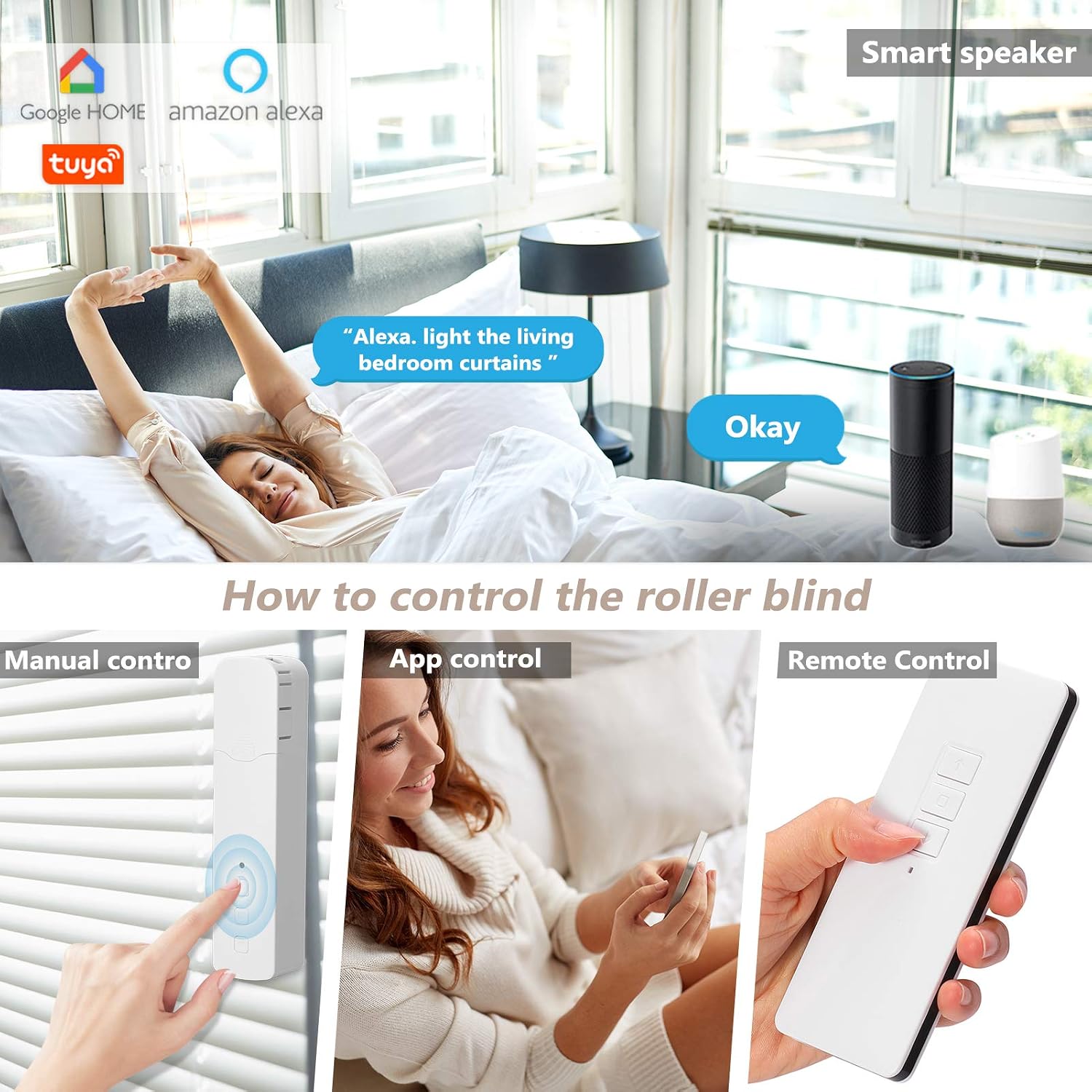
Image Description: This image demonstrates the motor's compatibility with smart speakers like Google Home and Amazon Alexa, showing a user giving a voice command to control the curtains.
Maintenance
To ensure the longevity and optimal performance of your VISLONE M515EGB Smart Curtain Motor, follow these general maintenance guidelines:
- Cleaning: Regularly wipe the motor unit with a soft, dry cloth to remove dust. Avoid using abrasive cleaners or solvents.
- Battery Charging: Recharge the built-in lithium battery as needed. The external WiFi receiver helps reduce power consumption, extending battery life.
- Bead Chain Inspection: Periodically check the bead chain for any signs of wear, damage, or entanglement. Ensure it moves freely through the motor's mechanism.
- Firmware Updates: Keep the Tuya Smart App updated to ensure you have the latest features and performance improvements for your motor.
- Environmental Conditions: Operate the motor within the specified temperature range (-20°C to +65°C) to prevent damage.
Troubleshooting
If you encounter issues with your smart curtain motor, refer to the following common problems and solutions:
- Motor Not Responding:
- Check if the battery is charged. Connect the motor to a power source using the USB cable.
- Ensure the motor is properly installed and the bead chain is correctly engaged.
- If using remote control, verify the remote's battery and ensure it is paired correctly (refer to 'Pairing with Remote Control').
- App Control Not Working:
- Verify your phone is connected to a 2.4GHz WiFi network.
- Ensure the motor is connected to the same WiFi network and is online in the Tuya Smart App.
- Try restarting the Tuya Smart App or your router.
- If the motor's indicator light is not flashing red during setup, perform a motor reset (refer to 'Disconnection from Tuya App').
- Voice Control Issues:
- Confirm that your Tuya Smart App is linked to your Amazon Alexa or Google Home account.
- Ensure the device name in the Tuya App is recognized by your smart assistant. Try simple names.
- Check your internet connection and the status of your smart speaker.
- Limits Not Setting Correctly:
- First, delete all existing limits (refer to 'Delete All Limits').
- Carefully follow the 'Limit Setting' and 'Middle Limit Setting' instructions.
- Ensure the motor's indicator light responds as described during the setting process.
- Motor Direction is Reversed:
- Follow the 'Switching Motor Direction' instructions to reverse the motor's movement.
Technical Specifications
| Model Number | M515EGB |
| Brand | VISLONE |
| Material | ABS Plastic |
| Color | White |
| Battery | 1 x Lithium battery, 2600mAh |
| Rated Voltage | 7.4V |
| Rated Power | 6.6W |
| Rated Torque | 0.45 Nm |
| Rotating Speed | 30 rpm |
| Operating Temperature | -20°C to +65°C |
| Control Method | Remote Control (Optional), Tuya App, Voice Control |
| Wireless Connectivity | WiFi (2.4GHz), 919.9MHz (Built-in receiver) |
| Ingress Protection (IP) Rating | IP20 |
| Maximum Travel | Unlimited |
| ASIN | B091YR54R1 |
| Part Number | EMJ8623399399983MV |
Warranty Information
Specific warranty details for the VISLONE Tuya WIFI M515EGB Smart Bead Chain Curtain Motor were not provided in the product information. Please refer to the product packaging or contact the retailer/manufacturer directly for warranty terms and conditions.
Customer Support
For technical assistance, troubleshooting beyond this manual, or inquiries regarding your VISLONE M515EGB Smart Curtain Motor, please contact VISLONE customer support or the retailer from whom you purchased the product. Refer to your purchase documentation for contact details.